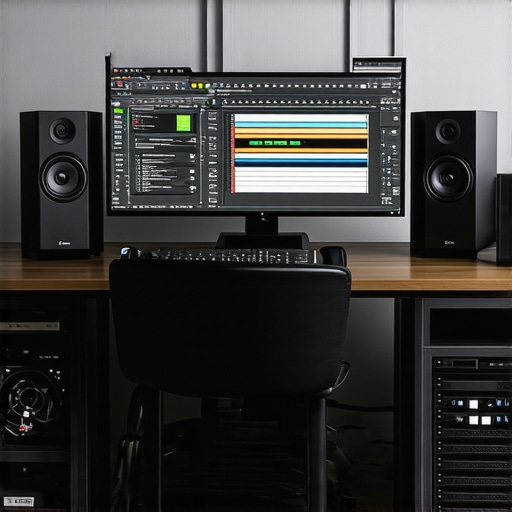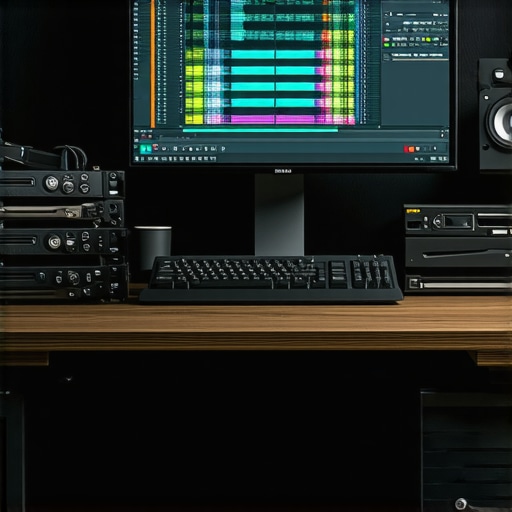
In the rapidly evolving landscape of professional video editing, achieving seamless 4K workflows necessitates a sophisticated interplay between cutting-edge hardware and optimized proxy strategies. As content creators and post-production specialists push the boundaries of resolution, understanding how to leverage advanced GPU architectures, precision-color grading monitors, and efficient proxy workflows becomes paramount. This article explores the nuanced aspects of configuring a next-generation 4K editing setup, ensuring maximum productivity and visual fidelity in an era demanding hyper-realistic content quality.
Why Proxy Workflow Remains Critical in High-Resolution Video Editing
With 4K and emerging 8K content becoming standard, editing directly on native media increasingly taxes system resources. Proxy editing offers a pragmatic solution by generating lower-resolution replicas, enabling smoother timeline performance without sacrificing original quality during rendering and export. However, the efficacy of proxy workflows hinges on intelligent hardware integration, particularly involving hardware acceleration and strategic file management.
How does the integration of dedicated editing GPUs enhance proxy workflow efficiency?
Modern professional-grade GPUs, such as Nvidia’s RTX 4090 and AMD’s Radeon RX 7900 XT, incorporate architecture designs that accelerate proxy generation and playback, reducing CPU reliance. These GPUs facilitate real-time proxy decoding and encoding, diminishing latency during editing sessions. Prioritize models with substantial VRAM—48GB or more—as they provide the bandwidth necessary for parallel processing of proxy files alongside native media, especially in multi-layered timelines involving complex color grading and visual effects.
Color Grading Monitors and Their Impact on Proxy Accuracy
Color fidelity sets the foundation for professional post-production. Select color grading monitors that combine high dynamic range support, wide color gamut coverage—100% Adobe RGB or DCI-P3—and hardware calibration capabilities. These attributes ensure that proxy files, which serve as working copies, accurately reflect final outputs, avoiding costly rework or color mismatch episodes. Mini-LED and OLED displays offer superior contrast and luminosity, critical for assessing fine gradations in HDR content.
Hardware Considerations Inevitable for 2026’s Demanding 8K and 12K Workflows
In the context of 8K and 12K editing, hardware must transcend traditional specifications. Systems should incorporate high-core-count CPUs, such as AMD’s Threadripper Pro 3995WX, combined with enterprise-class GPUs designed for color grading and proxy acceleration. Ample RAM—128GB or more—is non-negotiable, providing buffer space for multitasking, simultaneous proxy processing, and native media handling. Additionally, fast NVMe SSD arrays optimize data throughput, reducing bottlenecks during high-resolution editing.
What Are the Primary Bottlenecks in Your 2026 Video Editing Setup?
Despite hardware advancements, several bottlenecks persist, notably system I/O limitations, GPU VRAM insufficiencies, and software codec inefficiencies. Content creators should evaluate whether their current configurations can handle future demands, such as editing HDR 16-bit color depths in multi-layered timelines. Regular benchmarking against hardware standards, for instance, referencing the latest performance benchmarks, can inform necessary upgrades.
Ensuring hardware and workflow synergy is essential for these high-caliber workflows. For recommendations tailored to specific project scales, consult top-tier video editing builds.
Are your current tools ready for 8K and beyond? Share your expert insights or explore more advanced workflows with our community, fostering a culture of continuous innovation in professional video editing.
Harnessing Hardware Acceleration for Revolutionary Proxy Workflow Speeds
Implementing dedicated GPU acceleration transforms the efficiency of proxy workflows, enabling smoother editing of high-resolution footage. Modern GPUs such as the best GPUs for 4K proxy workflows support hardware-accelerated proxy generation, decoding, and encoding, drastically reducing render times and CPU load. This synergy empowers editors to focus more on creative decisions rather than technical bottlenecks, ensuring a seamless transition from rough cuts to final color grading phases.
Color Accuracy and Monitoring in Proxy-Based Editing Environments
While proxies facilitate speed, maintaining color integrity remains paramount. Selecting a monitor optimized for color grading, such as those listed in top monitors for color grading, ensures that even low-resolution proxies provide reliable visual cues. Features like hardware calibration, wide color gamut support, and HDR compatibility guarantee that edits made on proxies translate accurately during final rendering, thus reducing rework and ensuring consistency.
The Next Leap: Hardware Components for 8K and 12K Content Creation
Beyond 4K, the demands escalate exponentially. Experts advocate for systems equipped with high-core-count CPUs like AMD’s Threadripper Pro series, paired with enterprise-grade GPUs boasting 50GB or more of VRAM. Additionally, high-speed NVMe SSD arrays and 256GB+ RAM are no longer optional—they are essential for handling multi-layered HDR workflows at 12K or higher resolutions. Such configuration not only accelerates proxy processing but also streamlines native media handling, making real-time editing feasible even at extreme resolutions.
Could Your Workflow Handle Future Resolutions Without Bottlenecks?
Many professionals overlook critical bottlenecks lurking within their workflows, such as data throughput limitations or inadequate GPU VRAM. Regularly benchmarking your setup against the latest performance benchmarks provides clarity, helping identify hardware shortcomings before they hinder production. For optimal efficiency, consider integrating workflow-enhancing strategies like proxy workflow automation and AI-assisted proxy generation tools.
Additionally, exploring hardware solutions tailored to large-scale, high-resolution projects can future-proof your setup, ensuring smooth editing well into 2026 and beyond. Engaging with community discussions or consulting specialized hardware providers can refine your configuration—are your tools ready for the next frontier of video resolution? Share your experience and stay ahead in the competitive landscape of professional video editing.
Supercharging Render Engines with Advanced GPU Architectures
As 4K and emerging 8K workflows demand unprecedented rendering power, understanding how to harness the full potential of modern GPU architectures is crucial. Techniques such as leveraging CUDA cores in Nvidia RTX series or stream processors in AMD Radeon cards enable real-time processing of complex visual effects and high-resolution proxies. Incorporating features like hardware ray tracing and tensor cores can accelerate rendering times for both color grading and visual effects, leading to more efficient post-production cycles. Furthermore, integrating GPU-accelerated codecs directly into editing software—such as Nvidia NVENC/NVDEC—reduces CPU load and expedites workflows, even with multi-layered timelines. {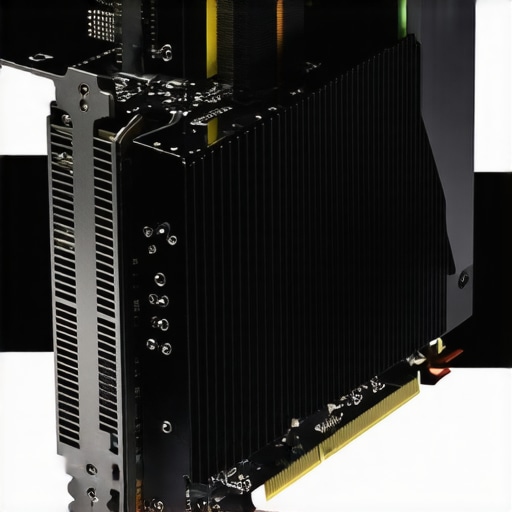 }
}
Precision Calibration and GPU-Tied Color Management for Consistent Output
Title calibration isn’t solely limited to monitors—it extends into the GPU’s hardware calibration capabilities, especially with recent models featuring built-in color management support. Tools like Nvidia’s Quadro series or AMD’s PRO series offer GPU-based LUT calibration, ensuring your proxy and native files align seamlessly during editing. This deep integration allows for the consistent application of color profiles across the entire pipeline, reducing discrepancies between working copies and final deliverables. Maintaining this consistency is particularly vital when navigating HDR workflows and wide color gamuts, where minor inaccuracies could result in costly rework. Regular firmware updates and utilizing vendor-specific calibration tools optimize the GPU’s color fidelity, cementing their role as vital assets in professional workflows.
Designing a Scalable Hardware Ecosystem to Face Increasing Resolution Demands
Looking toward the future of high-resolution content creation, a scalable hardware strategy becomes indispensable. Modular systems that allow for incremental GPU upgrades—like PCIe expansion or external GPU enclosures—offer flexibility. Combining these with high-bandwidth motherboard interfaces, such as PCIe 4.0 or 5.0, ensures data throughput keeps pace with burgeoning demands. When planning for 8K and beyond, consider architectures that facilitate parallel processing—dual or even quad GPU configurations with NVLink or Infinity Fabric connectivity—to maximize data sharing and workload distribution. Coupled with dedicated high-speed storage arrays, such as NVMe RAID setups, this ecosystem provides a resilient foundation able to adapt swiftly as technology evolves. Designing with scalability in mind minimizes future upgrade costs and prepares your setup to handle the escalating complexity of cinematic and commercial projects alike.
¿How Do You Balance Power and Noise in High-Performance GPU Environments?
Balancing the demanding power requirements of high-end GPUs with acceptable noise levels remains a nuanced challenge for professional editors. Many advanced GPUs operate at elevated power thresholds, generating significant heat that must be effectively dissipated to prevent thermal throttling. Implementing custom cooling solutions—such as liquid cooling loops or larger, high-RPM fans—can maintain optimal performance without excessive noise. Additionally, choosing GPUs with robust thermal designs, like Nvidia’s Founders Edition models or AMD’s Elite series, often results in quieter operation during sustained workloads. Proper airflow management within cases, combined with high-quality thermal paste application and strategic component placement, not only prolongs hardware lifespan but also creates a conducive environment for extended editing sessions. Exploring these thermal management practices allows professionals to optimize their workflows without compromise—because in high-stakes editing, silence can be as valuable as raw power.
Harnessing GPU Technology for Breakthrough Proxy Processing Efficiency
In the realm of high-resolution editing, leveraging cutting-edge GPU architectures unlocks unprecedented proxy generation speeds. Technologies such as Nvidia’s Ada Lovelace and AMD’s RDNA 3 bring new levels of parallel processing, enabling real-time proxy creation and playback that dramatically reduce latency. Applying AI-powered upscaling algorithms via dedicated tensor cores further refines proxy fidelity, ensuring a seamless editing experience. Incorporating these innovations requires strategic hardware configurations and optimized software pipelines, positioning editors at the forefront of hyper-efficient workflows.
Investing in Calibrated Color Management for Proxy Accuracy
While proxies are indispensable for performance, color accuracy remains paramount. Implementing hardware-calibrated GPU color profiles and utilizing color management workflows—integrating tools like the International Color Consortium (ICC) profiles—ensures consistent visual fidelity between proxies and native media. This meticulous calibration minimizes discrepancies during grading and final output, especially critical when working with HDR content or wide gamuts. Embedding these practices into your pipeline elevates editing precision, reducing costly revisions and enhancing client satisfaction.
What are the latest breakthroughs in GPU-assisted color grading for high-resolution projects?
Recent advancements include GPU-accelerated LUT generation and real-time HDR previewing, facilitated by software like DaVinci Resolve’s neural engine and Nvidia’s Omniverse platform. These tools harness AI and RTX hardware to deliver instantaneous feedback on complex color transformations, streamlining the grading process for 8K and 12K footage. As detailed in the study by SIGGRAPH’s recent Proceedings, such integrations are redefining the speed and accuracy of high-end post-production workflows, allowing professionals to prototype and iterate with unparalleled efficiency.
Engaging with these innovations equips your studio to handle future resolution leaps confidently—are your systems ready to capitalize on these transformative tools?
Building a Modular, Future-Proof Hardware Ecosystem for Ultra-High-Res Content
Designing hardware ecosystems that adapt to escalating resolution demands requires modularity and scalability. Emphasizing PCIe 5.0 support and high-bandwidth external GPU enclosures facilitates incremental upgrades without full system overhauls. Integrating multi-GPU configurations with high-throughput NVMe RAID arrays ensures sustained data throughput, vital for 8K and beyond. Embracing cloud-connected workspaces also expands processing capacity dynamically, bridging on-premises performance with virtual resource scaling. This approach safeguards investment longevity while maintaining competitiveness in a rapidly evolving industry landscape.
Could Your Data Infrastructure Keep Pace with Future Throughput Demands?
Anticipate bottlenecks stemming from I/O limitations and data transfer speeds by benchmarking current setups against emerging industry standards. Technologies like PCIe 5.0 SSDs and 400GbE networking modules represent vital upgrades, facilitating seamless handling of massive datasets inherent in ultra-high-res workflows. Periodic audits, including throughput testing and latency assessments, help preempt performance degradation. Preparing your infrastructure today ensures that the jump to 8K or 12K editing is smooth, with minimal workflow disruption and maximum productivity.
Considering these upgrades in tandem with hardware-specific calibration tools and workflow automation streamlines the transition to future resolutions—are you positioning your studio for this evolution?
Optimizing Render Engines Through Architecturally Advanced GPUs
Next-generation rendering involves exploiting GPU compute features like shader model 7.0 and ray tracing cores to accelerate visual effects and compositing. For example, leveraging Nvidia’s Ada architecture enhances real-time ray tracing and denoising capabilities, drastically reducing final rendering times. Software solutions integrated with these hardware features—such as GPU-accelerated ray tracing in Autodesk Arnold—offer accelerated workflows for complex scenes. Incorporating these powerful GPU features into your rendering pipeline ensures that high-resolution projects are delivered on time, without compromising on quality or detail.
Encoding Color Fidelity from GPU to Final Output with Precision Calibration
Advanced GPUs now incorporate proprietary calibration tools that embed precise color profiles during rendering. Maintaining color pipeline integrity from proxy to final render involves synchronizing GPU calibration with monitor profiles, ensuring consistency across all stages. Technologies like Nvidia’s Quadro Sync and AMD’s PRO Manage provide centralized color management, reducing drift and discrepancies, especially in HDR workflows. Embracing these capabilities aids in achieving accurate, repeatable results—crucial for broadcast and cinematic productions where color fidelity standards are exacting.
Developing a Scalable Framework to Address Growing Resolution Challenges
As resolutions climb, adopting a cloud-optimized, hybrid architecture offers unmatched agility. Utilizing cloud render farms complemented by local high-performance nodes reduces turnaround times and enables collaboration at scale. Utilizing containerized workflows, such as Docker or Kubernetes, allows for rapid deployment of processing modules tailored to specific resolution tiers. This modular scalability ensures your post-production environment morphs dynamically in response to project scope, fostering innovation without sacrificing efficiency or resource investment.
Are Your Cooling Solutions Keeping Up with Hardware Power Needs?
High-performance GPUs operate at elevated power levels, generating significant heat that demands superior cooling strategies. Implementing custom liquid cooling or advanced airflow designs can sustain optimal thermal conditions during intense workloads. Quiet, high-RPM fans combined with thermal monitoring tools help maintain a balance between performance and noise levels. Maintaining this equilibrium enhances hardware longevity and creates a conducive environment for intensive editing, preventing thermal throttling that hampers productivity and quality assurance.
Expert Insights & Advanced Considerations
Embrace Hardware Scalability for Futureproofing
Design your editing workstation with modular components like PCIe 5.0 support and external GPU enclosures to ensure seamless upgrades as resolution demands escalate beyond 4K, facilitating efficient handling of 8K and 12K workflows.
Prioritize Color Fidelity and Calibration Precision
Utilize GPU-integrated calibration tools and standardized ICC profiles to maintain consistent color accuracy across proxies and native media, especially critical in HDR and wide-gamut projects seeking flawless final outputs.
Leverage AI-Enhanced Proxy Generation for Speed
Adopt AI-driven proxy creation tools supported by advanced GPUs, which significantly expedite workflow by producing high-fidelity lower-resolution copies in real-time, empowering editors to work efficiently on massive projects.
Balance Power and Acoustics for Long Sessions
Implement customized cooling solutions like liquid cooling loops and high-quality thermal management to dissipate heat effectively, ensuring hardware longevity and maintaining a quiet workspace essential for focused editing sessions.
Integrate Cloud Solutions for Scalability
Combine on-premises high-performance hardware with cloud rendering and storage to dynamically scale resources, accommodating the unpredictable complexities of ultra-high-resolution projects without compromise.
Curated Expert Resources
- Ultimate Proxy Workflow Guide — A comprehensive resource on optimizing proxy workflows with cutting-edge hardware.
- Top GPUs for 2026 — In-depth analysis of high-performance GPUs designed for demanding editing environments.
- Color Grading Monitors — Guidance on selecting displays that match your workflow’s fidelity requirements.
Final Perspective from an Industry Veteran
Harnessing the latest hardware innovations for professional video editing, especially in the realm of 4K and beyond, requires a strategic blend of scalability, calibration precision, and AI-accelerated workflows. Staying ahead means continuously evaluating and upgrading your tools against emerging standards, ensuring your workflow remains seamless and your output uncompromising. For seasoned editors and ambitious creators alike, investing in these advanced configurations translates directly into faster delivery, superior quality, and a competitive edge. Engaging with expert communities and resources can further refine your setup—so, what’s your next move to push the boundaries of high-resolution video editing?