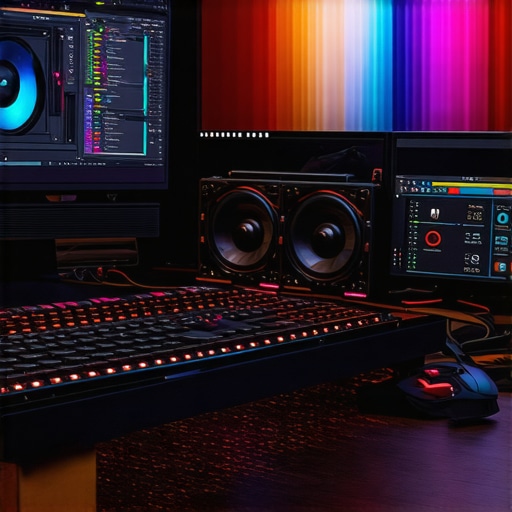
Elevating 4K Video Production Through Advanced Hardware and Workflow Optimization
In the rapidly evolving landscape of cinematic and digital content creation, mastering the intricacies of 4K video editing demands a nuanced understanding of hardware capabilities, color fidelity, and workflow efficiency. As professionals seek pristine image quality and seamless editing experiences, leveraging the right GPU acceleration, selecting an optimal color grading monitor, and implementing an effective proxy workflow become pivotal. This comprehensive discussion delves into the core components shaping high-end 4K video editing, combining technical depth with practical insights.
Harnessing the Power of Specialized GPUs for Accelerated Rendering and Real-Time Playback
At the heart of efficient 4K editing lies a robust editing GPU, capable of handling intensive rendering tasks while maintaining real-time playback. Professionals increasingly favor high-performance graphics cards engineered for accelerated computing. These GPUs support hardware-accelerated encoders such as NVENC and QuickSync, which significantly reduce rendering times and facilitate complex color grading operations. Notably, the integration of AI-driven image processing within modern GPUs further enhances noise reduction and upscaling capabilities, empowering editors with tools that blend artistic vision with technical prowess.
Color Fidelity: Selecting Monitors That Match the Practitioner’s Artistic Intents
Choosing a color grading monitor with precise hue accuracy, 10-bit color depth, and uniform brightness distribution is essential for professional-grade color workflows. Advanced displays calibrated using industry-standard standards like D65 white point and covering >99% of DCI-P3 or Rec. 2020 color spaces ensure that the visual output maintains fidelity across different viewing environments. Moreover, monitor calibration tools and hardware LUTs contribute to consistency, providing a reliable reference during complex color grading tasks.
Implementing Proxy Workflows to Overcome Hardware Bottlenecks and Maintain Creative Flow
For editors working with 4K raw footage, proxy workflows serve as an indispensable strategy. By transcoding original clips into lightweight proxy files, professionals can navigate timelines with minimal latency, significantly reducing the hardware burden during editing sessions. Once editing and color grading are complete, the software seamlessly relinks to the high-resolution original files for final rendering, ensuring maximum quality preservation. As noted in the industry guide, integrating proxy workflows results in heightened productivity and more responsive editing environments, especially on mid-tier workstations.
How Do Hardware Choices Influence the Fidelity and Efficiency of 4K Projects?
Choosing the appropriate hardware for 4K editing involves considering a multitude of factors: GPU architecture, VRAM capacity, display calibration, and storage I/O speed. Experts advocate equipping workstations with GPUs such as NVIDIA’s RTX series or AMD’s Radeon Pro line, which match the demands of 16-bit color workflows and multi-layer compositing. Complementing this with NVMe SSDs for high-speed data access minimizes delays during grading and rendering, ensuring the creative process remains uninterrupted. This holistic approach embodies the intersection of technical precision and artistic intent, essential for delivering content that meets high-end production standards.
For further refinement of your hardware selection, consulting resources like the latest build guides can provide tailored insights aligned with evolving industry standards. Engaging with community forums and professional networks enhances understanding of niche configurations, ensuring your setup supports both current projects and future scalability.
Remember, the convergence of state-of-the-art GPU technology, precise color management, and streamlined proxy workflows creates a robust foundation for 4K post-production excellence. Continuous assessment of hardware capabilities in relation to software demands remains critical as technology advances and content standards rise—equip yourself with the knowledge to stay ahead in this competitive domain.
Overcoming the Limits: How Modern Storage Solutions Accelerate 4K Workflows
In the realm of high-resolution editing, storage subsystems often become the unseen bottleneck. Traditional HDDs or even standard SSDs struggle to keep pace with the demands of 4K footage, leading to frustrating delays and compromised real-time performance. Enter the era of NVMe SSDs and RAID arrays designed explicitly for creative professionals. These solutions offer blistering data transfer rates, often exceeding 7,000 MB/s, which are crucial for smooth playback and swift rendering of large raw files. Implementing such high-performance storage systems, paired with optimized file management protocols, ensures that the workflow remains fluid from capture to export. For tailored configurations, referencing expert guides like best 4K editing PC builds can make a tangible difference in project turnaround times.
The Next Leap: Leveraging AI and Machine Learning to Elevate Color Grading
Artificial intelligence and machine learning are revolutionizing color grading workflows, allowing editors to automate complex tasks while maintaining artistic control. Modern AI tools can analyze footage, suggest optimal color corrections, and even perform scene-specific grade adjustments that would take hours manually. Integration of AI-powered plugins within professional editing suites reduces the learning curve and increases consistency across projects. Notably, the emerging capabilities of neural networks assist in noise reduction, sky replacement, and skin tone refinement—improving quality without extensive manual intervention. As AI tools become more sophisticated, understanding how to harness their capabilities—while preserving creative intent—is paramount. For in-depth exploration, see resources like top GPU tips for 4K grading.
Can Your Hardware Keep Up with the Evolving Standards of Color Accuracy and Dynamic Range?
As display technologies advance, the push for higher color accuracy, wider color gamuts, and increased bit-depth continues to reshape professional color workflows. Monitors that support Dolby Vision, HDR10+, and true 10-bit color are becoming the new baseline for high-end projects. Ensuring your hardware, including graphics cards and calibration tools, can deliver and accurately reproduce these standards is critical. Furthermore, the development of HDR-compatible workflows requires meticulous calibration, optimized LUTs, and sufficient GPU processing power to handle high bit-depth video streams efficiently. To navigate this complex landscape, professionals should consult state-of-the-art resources like top GPU tips for 4K workflows, which provide guidance on balancing hardware capabilities with emerging industry benchmarks.
Interested in refining your color grading setup? Sharing insights or asking questions in dedicated professional forums can significantly enhance your understanding of hardware and software integration for 4K projects. Remember, staying informed about technological advancements and investing in scalable infrastructure ensures that your creative capacity remains unbounded.
Dominating Color Precision in HDR Environments
Amidst the surge of high dynamic range (HDR) content, the necessity for impeccable color accuracy has skyrocketed. Professional editors must ensure their display calibration aligns with industry standards like Dolby Vision and HDR10+ to fully exploit the expanded luminance and color gamut. Deploying hardware calibration devices such as the Klein K10-A or X-Rite i1Display Pro Plus, combined with internally calibrated high-bit-depth monitors, guarantees consistent, film-quality results. Furthermore, integrating LUT management systems and utilizing hardware LUT boxes can bridge the gap between display and mastering workflows, providing a visual fidelity that faithfully represents the final product. This integration enables creators to navigate intricate grading tasks confidently, maintaining fidelity across various viewing environments.
What is the Role of Dolby Vision Compatible Hardware in Streamlining HDR Workflow?
Dolby Vision’s advanced metadata-driven approach demands hardware that can both encode and decode this format without compromising performance. Compatibility extends beyond just the display to encompass GPU capabilities supporting Dolby Vision workflows, such as NVIDIA’s RTX A-series or Quadro series, and professional-grade monitoring hardware designed specifically for Dolby Vision calibration. Employing such tools not only simplifies the grading process but also enhances the precision of luminance mapping, ensuring scenes are rendered with optimal luminance contrast and color depth. As Dolby Vision adoption accelerates in streaming and broadcasting, understanding this hardware ecosystem becomes crucial for maintaining industry competitiveness.
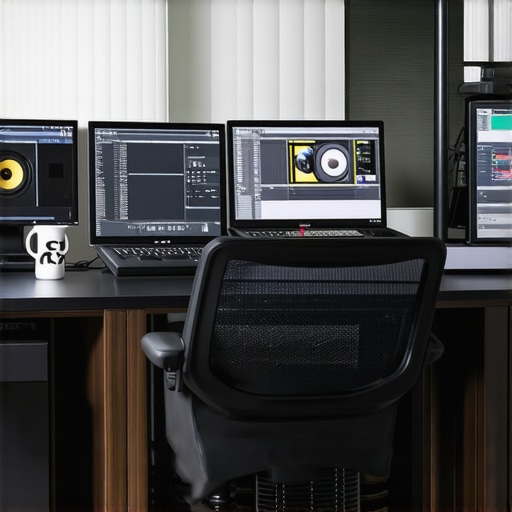
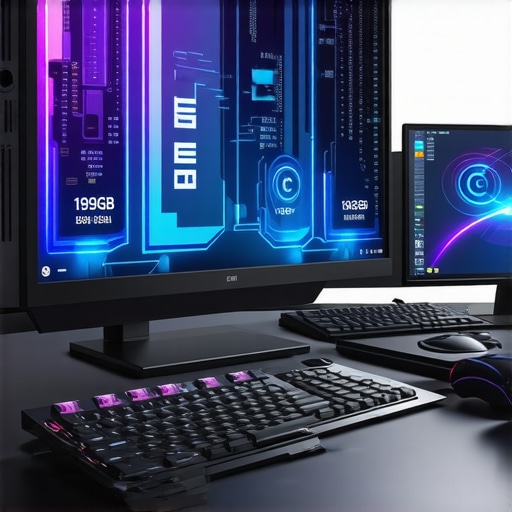
Illustration of a Dolby Vision-enabled grading environment with calibrated monitor and GPU setup, highlighting advanced HDR workflow integration.
Implementing Real-Time Collaborative Editing in 4K Productions
As projects grow in complexity and team sizes expand, real-time collaborative editing systems become indispensable. Technologies leveraging cloud-based proxies, synchronized project management, and distributed rendering allow multiple editors, colorists, and VFX artists to work simultaneously without bottlenecks. Solutions like Adobe Team Projects or Blackmagic Fusion facilitate seamless collaboration, with high-bandwidth internet connections compensating for large file sizes inherent in 4K footage. Ensuring synchronization protocols are robust is vital; latency issues can hinder creative flow and lead to version conflicts. Advanced project management tools integrated within editing suites also enable detailed logging, asset management, and review cycles—core necessities for high-stakes content production.
How can integrating AI-driven asset management elevate large-scale 4K workflows?
AI-powered asset management systems can automate the organization and tagging of vast media libraries, significantly reducing manual oversight. These systems leverage machine learning algorithms to analyze video content, recognize scenes, and classify assets based on visual features, keywords, or metadata. Such intelligent cataloging accelerates search and retrieval processes, enabling creatives to access required clips instantly. Additionally, AI can assist in automated quality checks, flagging corrupted or subpar footage before it enters the editing pipeline, thus maintaining production quality. Implementing these systems requires careful integration with existing NLEs and storage architectures, but the efficiency gains—particularly in large-scale projects—are profound, freeing up valuable creative resources for content refinement rather than administrative tasks. For detailed case studies and software recommendations, explore authoritative sources like AI asset management in high-res workflows.
Overcoming Data Bottlenecks with Customized Storage Architectures
In high-end 4K video workflows, conventional storage solutions often become the Achilles’ heel—delaying critical steps from ingest to export. To circumvent these issues, professionals are adopting scalable storage architectures combining NVMe SSD arrays, tiered storage solutions, and distributed file systems. Configuring a high-performance SAN or NAS, optimized for read/write speeds exceeding 10,000 MB/s with RAID 0 or RAID 10 setups, ensures unimpeded workflows. Moreover, integrating cache-based acceleration—such as Intel Optane drives or SSD cache pools—can mitigate latency during multi-user editing sessions. While initial setup costs may be substantial, the long-term operational efficiency and reduced project turnaround times justify these investments, especially in fast-paced production environments where delays equate to significant financial losses.
How do emerging storage technologies like NVMe-oF promise to reshape 4K editing pipelines?
Non-Volatile Memory express over Fabrics (NVMe-oF) extends NVMe’s blistering speeds across networked storage, enabling shared high-speed access to massive media libraries. This technology promises to eliminate traditional storage bottlenecks by facilitating near-zero latency data transfer, critical for collaborative 4K workflows. Implementing NVMe-oF involves deploying advanced network infrastructures, such as Ethernet RDMA or Fibre Channel, capable of supporting these speeds securely and reliably. Future-proofing editing pipelines with NVMe-oF ensures scalability and resilience, allowing seamless expansion as project demands grow. Industry leaders like Dell EMC and NetApp are pioneering solutions integrating NVMe-oF, promising a paradigm shift in media storage architectures. For practical insights, consult expert analyses in dedicated enterprise storage publications or technical white papers on next-generation media workflows.
Mastering Color Precision in HDR Environments for Ultimate Visual Fidelity
The evolution of high dynamic range technology has set new standards for cinematic quality, demanding editors to adopt monitors capable of rendering wider color gamuts and luminance ranges. Implementing HDR workflows requires not only sophisticated display calibration but also compatible GPU support that can process increased bit-depth images smoothly. Investing in hardware calibration devices such as the Klein K10-A ensures that your environment adheres to industry standards like Dolby Vision and HDR10+, vital for delivering content with authentic brightness and color accuracy. Combining these tools with high-performance graphics cards that support real-time HDR grading empowers professionals to maintain control over intricate details that impact viewer immersion.
What Are the Latest Innovations in GPU Technology Supporting HDR Content Creation?
Recent advancements see NVIDIA’s RTX 40 series and AMD’s Radeon RX 7000 series offering enhanced cores optimized for HDR processing, real-time color grading, and AI-assisted noise reduction. These GPUs incorporate dedicated hardware designed to accelerate high-bit-depth video streams, minimizing latency and ensuring seamless playback during intensive color workflows. Incorporating hardware that supports hardware-accelerated HDR encoding and decoding is crucial for creating content that meets the highest standards, especially as consumer displays continue to improve in their ability to reproduce true HDR images. To deepen your understanding, explore reports from sources like High-End Video Eng. which detail ongoing innovations shaping this domain.
Stay ahead by integrating the latest GPU architectures into your pipeline and aligning your calibration practices to push the boundaries of color fidelity in HDR productions.
Choose Wisely: Elevating Color Gamut Coverage for Professional Projects
Beyond HDR support, expanding your monitor’s color gamut coverage ensures your creative palette encompasses P3 or Rec. 2020 standards, essential for delivering future-proof content. High-end monitors with hardware calibration capabilities—such as the Eizo ColorEdge CG319X—offer exceptional uniformity and precise gamut coverage, enabling accurate color manipulations that translate flawlessly across various devices. Calibrating these displays with industry-standard tools maintains consistency and reduces discrepancies that can compromise the integrity of your grading decisions. Addressing this facet of hardware selection underscores the importance of comprehensive visual fidelity in high-stakes editing workflows.
How Do Calibration Processes Impact Long-Term Color Stability and Project Consistency?
Regular calibration using reliable hardware calibration tools like the X-Rite i1Display Pro Plus ensures that your monitor maintains its factory precision over time. Consistent calibration minimizes color shifts, facilitating reliable previewing and preventing costly reworks. Furthermore, implementing hardware LUTs synchronized with calibration profiles guarantees that your color grading environment remains stable across all project phases. This meticulous approach to calibration ensures that your final output maintains uncompromised fidelity, a critical factor for cinematic productions and broadcast-grade deliverables. Consulting calibration standards documented by organizations such as the International Color Consortium (ICC) provides foundational guidance for maintaining long-term accuracy.
Prioritize sustained calibration routines and adopt hardware solutions that support high-precision color management, securing your studio’s reputation for technical excellence.
Revolutionizing Proxy Workflow Management for Complex 4K Content
High-resolution raw footage can quickly overwhelm even powerful workstations, leading to sluggish performance and workflow bottlenecks. Enter dynamic proxy workflows—automated, scalable solutions that generate low-res mirror files on-the-fly, enabling smooth navigation and editing. Recent developments incorporate AI-based proxy generation, which intelligently preserves critical visual information while reducing file sizes, thus optimizing storage and processing resources. Advanced proxy workflows now seamlessly integrate with cloud storage platforms, facilitating remote editing and collaboration. This evolution not only accelerates project turnaround times but also enhances flexibility for geographically distributed teams, a common scenario in modern production environments.
What Are the Best Practices for Scaling Proxy Resolutions Without Sacrificing Quality?
To balance proxy resolution with editing precision, consider employing software that supports multi-resolution proxy generation, such as DaVinci Resolve or Adobe Premiere Pro. These tools enable toggling between proxy and original footage without disrupting timeline synchronization. Additionally, leveraging AI-enhanced proxy creation ensures essential details, such as fine textures and color nuances, are retained at lower resolutions. Implementing a hierarchical proxy system allows editors to switch between different proxy quality levels based on the task complexity, thereby conserving computational resources when full resolution isn’t necessary. For detailed methodologies, industry standards outlined in the Proxy Workflow Manual provide invaluable insights.
Embrace scalable proxy strategies to empower your team with rapid, responsive editing capabilities, even amidst the demands of 4K content proliferation.
Integrating AI and Machine Learning for Next-Gen Color Correction
Artificial intelligence continues to reshape post-production, enabling analysts to automate complex color correction tasks with unprecedented speed and precision. AI-driven plugins analyze scene metadata, identify dominant color palettes, and suggest optimized grade parameters that align with artistic objectives. Machine learning models trained on extensive datasets can even predict ideal luminance adjustments for scenes with challenging dynamic ranges, reducing manual interventions and ensuring consistency. As these technologies mature, they promise to democratize high-quality color grading, allowing artists to focus on creative nuances rather than technical minutiae.
How Can Deep Learning Algorithms Elevate Scene-to-Scene Continuity Efforts?
Deep learning models excel at recognizing patterns and redundancies within footage, facilitating seamless scene transitions and ensuring tonal consistency across sequences. By analyzing a sequence’s color and luminance characteristics, AI algorithms can recommend or automatically apply subtle adjustments that unify the visual narrative. Such applications are particularly valuable in long-form documentaries or multi-part projects, where maintaining visual coherence is critical. Maintaining awareness of emerging AI tools like ColorizerPro or Luminar AI can significantly enhance your post-production toolkit, providing both creative control and efficiency gains.
Integrate these advanced AI solutions to streamline your color workflows, ensuring your projects achieve both artistic excellence and technical precision.
Expert Insights & Advanced Considerations
Invest in Future-Proof Storage Solutions
High-capacity, high-speed storage architectures such as NVMe SSD arrays and scalable SAN setups are essential for managing massive 4K footage efficiently. Upgrading to these systems reduces bottlenecks, accelerates read/write operations, and ensures your workflow remains responsive as project demands grow.
Leverage AI-Driven Tools for Precision
Artificial intelligence-powered plugins and software can automate complex tasks like color matching, noise reduction, and scene relighting, freeing creators to focus on artistic nuances. Embracing these innovations enhances consistency and streamlines post-production timelines.
Prioritize Calibrated, Wide-Gamut Displays
Accurate color reproduction hinges on monitors supporting industry standards such as DCI-P3 and Rec. 2020, combined with hardware calibration devices. This ensures your grading decisions translate faithfully across display environments and final delivery formats.
Streamline Collaboration with Cloud Technologies
Cloud-based proxy workflows and synchronized project environments facilitate seamless remote editing, review, and approval processes. Implementing these systems minimizes latency and enhances team productivity, especially in distributed production setups.
Optimize GPU Utilization for Real-Time Performance
Powerful GPUs supporting hardware-accelerated encoding, decoding, and AI processing—like NVIDIA RTX series or AMD Radeon Pro cards—are indispensable for smooth playback, rendering, and complex effects processing in 4K workflows.
Curated Expert Resources
- Industry-leading Hardware Guides: Stay ahead with comprehensive build guides such as Top PC Build Recommendations, ensuring your workstation supports demanding 4K projects.
- Specialized Software Reviews: Deep dive into AI and color grading tools at Color Grading Monitors and GPU Insights.
- Workflow Optimization Strategies: Learn best practices from Proxy Workflow Resources to accelerate your editing pipeline.
- Emerging Storage Technologies: Gain knowledge on the latest in NVMe-oF and scalable storage systems through expert articles and white papers available via Advanced Storage Solutions.
- Cutting-Edge Color Management: Ensure reliable color accuracy with guides from Color Calibration Experts.
The Final Word: Shaping the Future of 4K Production
Integrating state-of-the-art storage, GPU technology, and AI-driven workflows pushes the boundaries of what’s achievable in professional 4K video editing. Focused investments and continuous learning ensure your creative studio remains at the forefront of industry’s evolution. Don’t just keep pace—set the standard. Engage with leading communities, share your insights, and contribute to the ongoing advancements that redefine high-resolution content creation. Your journey into mastering the art and science of 4K editing doesn’t end here; it’s only beginning. For personalized guidance or professional collaboration, reach out through our contact portal.
This guide offers an excellent overview of the critical hardware considerations for 4K video editing. I’ve found that investing in a high-quality GPU and a calibrated HDR monitor truly elevates the quality of color grading workflows. The mention of proxy workflows resonated with me, especially when working on large projects, as it’s remarkable how much productivity can be increased by smartly managing file resolution. One thing I’ve been exploring lately is the integration of AI tools for noise reduction and scene analysis; it’s a game-changer in maintaining consistency across sequences. Do others feel that AI-driven tools are mature enough to replace manual grading entirely, or are they more of a helpful supplement at this stage? I’d be interested to hear about different setups that other professionals have found effective in balancing hardware performance with creative flexibility.