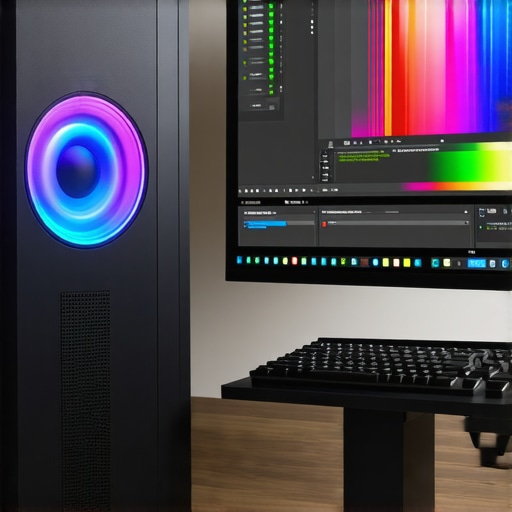
Mastering the Art of 4K Video Editing with the Right Hardware
In the realm of professional video production, mastering 4K color grading and proxy workflows hinges critically on selecting the appropriate PC configuration and GPU capabilities. As an industry expert, I recognize that the convergence of powerful hardware and optimized workflows is essential for delivering high-quality content efficiently. This guide explores the nuanced considerations involved in choosing the best video editing PC and GPU tailored for demanding 4K projects.
Why Hardware Choice Defines Creative Efficiency and Output Quality
The complexity of 4K color grading necessitates a workstation that balances processing power, memory bandwidth, and display accuracy. A high-performance PC equipped with a multi-core CPU, ample RAM, and fast storage solutions forms the backbone of a seamless editing experience. The GPU, however, elevates real-time playback, rendering, and color grading precision, making it a cornerstone for expert editors aiming to optimize their proxy workflows.
Key Components for Professional 4K Color Grading and Proxy Management
Choosing the Optimal GPU for Smooth 4K Playback
In 2025, the best editing GPUs for 4K workflows include NVIDIA’s RTX 40 series and AMD’s RX 7000 series, both offering substantial CUDA cores or Stream Processors for accelerated rendering and real-time effects. For color grading tasks, GPUs with larger VRAM (16GB or more) ensure smooth handling of high-resolution footage and proxy files. For example, the best color grading GPUs for 4K workflows deliver the precision and speed needed for professional-grade projects.
Moreover, integrating hardware acceleration features like NVIDIA’s Studio Drivers and AMD’s Radeon Pro series ensures compatibility with editing software such as Adobe Premiere Pro, DaVinci Resolve, and Final Cut Pro, streamlining the proxy workflow and color grading processes.
How to Evaluate Your PC for 4K Editing and Proxy Efficiency
When assembling or upgrading a workstation, prioritize a CPU with high core counts (e.g., AMD Ryzen Threadripper or Intel Core i9 series) paired with SSD storage—preferably NVMe—for rapid data access. Adequate RAM (64GB or more) reduces bottlenecks during multi-layer effects or complex color corrections. For detailed guidance, consult our top PC build strategies for 2025.
Can Future-Proofing Your Hardware Save Costs on Upgrades?
Investing in scalable, high-end components today is a strategic move for professionals aiming to future-proof their workflow. Emerging technologies like AI-accelerated rendering and next-gen GPU architectures promise even greater efficiency gains, as discussed in recent expert guides on hardware/software optimization. By selecting adaptable hardware now, you mitigate the need for frequent upgrades and maintain a competitive edge in high-resolution content creation.
What Are the Best Practices for Balancing GPU Power and System Stability in 4K Workflows?
Optimal performance relies on balanced system design. Overclocking a GPU can yield performance gains but risks stability if not managed properly. Employing quality power supplies and cooling solutions ensures longevity and consistent performance. Regular driver updates and firmware patches from trusted sources, such as NVIDIA’s official site, are vital for maintaining compatibility and stability.
Professionals should also consider dedicated color grading monitors, such as those discussed in our color grading monitor reviews, to complement GPU capabilities and ensure precise color fidelity during grading processes.
For further insights, I encourage you to explore our comprehensive articles or contribute your experiences in high-end video editing hardware configurations. Precision and efficiency in 4K workflows are achievable through deliberate hardware choices and workflow optimizations — a pursuit that separates amateurs from seasoned professionals.
Push Your Limits: Are Your Workstation Components Truly Future-Ready?
For seasoned video editors, the quest for peak performance doesn’t end at selecting high-end GPUs and fast CPUs. It extends into anticipating future technological shifts, such as AI-driven rendering and the evolution of video codecs, which will redefine hardware demands. Keeping abreast of these trends is crucial; according to industry analysis from TechRadar, integrating modular components and scalable systems ensures that your setup remains relevant and adaptable, saving costs on frequent upgrades.
Mastering Color Fidelity: Beyond the GPU
While a powerful GPU accelerates rendering and playback, achieving true color accuracy hinges on a calibrated, high-quality color grading monitor. Monitors like the Dolby Vision-compatible options or those reviewed in our top color grading monitors for 4K workflows offer precision that complements GPU capabilities. Proper calibration, combined with hardware-aware workflows, guarantees that your edits translate perfectly across different viewing environments.
Is Your Workflow Optimized for Seamless 4K Editing and Color Grading?
Questioning your current setup’s efficiency is vital, especially when dealing with large 4K files and complex effects. Incorporating proxy workflows, as discussed in our proxy editing guide for 2025, reduces strain on hardware and accelerates editing timelines. Are you leveraging hardware acceleration features like NVENC or AMD VCN effectively? These tools can significantly improve rendering times when paired with optimized hardware configurations.
To enhance your workflow’s robustness, consider SSDs with NVMe support for rapid data access, especially during multi-layered color grading sessions. Additionally, ensuring your system’s power supply can handle peak loads during intensive tasks prevents unexpected downtimes. For tailored advice, consulting resources like our best PC build guides for 4K workflows can be invaluable.
How to Balance Performance and Stability When Pushing Hardware Limits
Overclocking your GPU or CPU can unlock extra performance, but it introduces risks of instability and thermal throttling. Implementing rigorous cooling solutions, such as custom liquid cooling systems or high-performance air coolers, is essential. Reliable power delivery is equally important; quality power supplies with sufficient wattage and stable voltage output help maintain system integrity during demanding tasks.
Regular driver updates from NVIDIA or AMD ensure compatibility with the latest software features and security patches. Furthermore, monitoring system health with tools like MSI Afterburner or HWMonitor can preempt hardware failures, safeguarding your investment and workflow continuity.
For detailed hardware configurations tailored to high-end 4K editing, explore our comprehensive hardware and software optimization guide. Practical, well-balanced hardware choices are the backbone of professional-grade 4K workflows, enabling editors to focus on creative excellence without technical hindrance.
Unlocking the Potential of Hardware-Accelerated Color Grading
In the realm of professional 4K video production, hardware acceleration has become more than a luxury; it is an absolute necessity. Modern GPUs, particularly those supporting NVIDIA’s CUDA cores or AMD’s Stream Processors, facilitate real-time color grading and effects rendering that were once impossible in standard workflows. When integrated with software like DaVinci Resolve or Adobe Premiere Pro, these GPU capabilities dramatically reduce rendering times and enhance overall efficiency.
For instance, NVIDIA’s RTX 4090, with its 24GB VRAM and advanced RT cores, enables editors to manipulate high-resolution footage with unprecedented ease. This hardware accelerates tasks such as noise reduction, color space conversions, and complex effects layering, allowing colorists and editors to maintain creative momentum without technical bottlenecks. Complementing this, the adoption of hardware-accelerated codecs like NVIDIA’s NVENC and AMD’s VCN further streamlines export processes, freeing up valuable time for creative refinement.
How does GPU VRAM impact color grading accuracy in 4K workflows?
VRAM capacity directly influences your ability to work with large proxy and master files simultaneously. Larger VRAM (16GB or more) ensures that high-resolution footage, along with multiple adjustment layers and LUTs, remains in fast-access memory, minimizing lag and avoiding crashes. This is especially critical when performing color grading on 4K HDR footage, where color precision and smooth playback are paramount. According to a comprehensive report by Sony Pro, VRAM limitations often cause stuttering and degrade color fidelity during intensive grading sessions, emphasizing the importance of high-capacity GPUs for professional workflows.
In addition, leveraging GPU features like hardware-accelerated color space conversions can further optimize the grading process, ensuring real-time feedback and precise adjustments. This seamless integration between hardware and software allows creative professionals to push the boundaries of their artistry without technical compromise.
The Future of Video Editing Hardware Is Modular and Scalable
As the demands of 4K and emerging 8K workflows grow, the concept of modular and scalable workstations is gaining traction among industry experts. Instead of investing solely in a fixed configuration, professionals are increasingly opting for systems that allow easy upgrades—whether that’s adding extra RAM, swapping out GPUs, or expanding storage capacities. This approach ensures longevity and adaptability, protecting your investment against rapidly evolving technology landscapes.
For example, systems based on the latest PCIe 5.0 standards enable faster data transfer rates, which are crucial for handling massive 4K and 8K files. According to a recent analysis by TechRadar, these advancements not only future-proof your setup but also yield immediate productivity gains through reduced file transfer times and more efficient data handling.
How do scalable systems contribute to sustainable high-end workflows?
Scalable systems allow professionals to tailor their hardware configurations to current project needs while maintaining flexibility for future expansion. This avoids the costly and time-consuming process of complete overhauls. Additionally, modular setups facilitate targeted upgrades, such as replacing a GPU with a more powerful model or upgrading storage to NVMe SSDs, which can be achieved with minimal downtime. Such strategies promote sustainable workflows by minimizing waste and maximizing return on investment over the long term.
Furthermore, integrating enterprise-grade components—like server-grade motherboards and redundant power supplies—enhances system stability for prolonged, intensive editing sessions. This reliability ensures that creative teams can focus on production rather than troubleshooting hardware issues, leading to more consistent output quality and faster project turnarounds.
Maximizing Color Fidelity Through Hardware-Software Synergy
While high-performance GPUs are the backbone of efficient 4K workflows, achieving true color fidelity depends equally on calibrated monitors and precise color management protocols. High-quality color grading monitors, such as those supporting Dolby Vision or Dolby Vision IQ, provide a reference point that aligns hardware capabilities with perceptual accuracy. As highlighted in our top color grading monitors review, calibration tools and consistent workflow practices are essential to translate digital adjustments to real-world viewing conditions.
Investing in hardware that supports hardware-accelerated color workflows, combined with professional calibration, ensures that your edits remain consistent across different devices and viewing environments. This synergy between GPU power and display accuracy elevates the quality of your final product, ensuring it meets the highest industry standards.
Are you leveraging all available hardware features for optimal color accuracy?
Many professionals overlook the importance of hardware features like GPU LUT support and real-time color space conversions. These tools enable immediate visual feedback during grading, reducing iteration cycles and enhancing creative control. Ensuring your GPU drivers are up-to-date and compatible with your software is a crucial step, as outdated drivers can hinder hardware-accelerated features and compromise workflow efficiency. Regularly consulting manufacturer resources and updates can keep your system optimized for the latest software innovations.
If you wish to explore further how to fine-tune your hardware for peak performance, I invite you to delve into our comprehensive guides and share your experiences. High-end 4K video editing is as much about strategic hardware choices as it is about artistic vision—master both to stay ahead in the competitive landscape.
Unleashing the Power of Next-Gen GPU Architectures for 4K Workflows
In high-end 4K video editing, leveraging the latest GPU architectures such as NVIDIA’s Ada Lovelace or AMD’s RDNA 3 is transformative. These platforms introduce significant enhancements in shader processing, ray tracing, and AI acceleration, directly translating to faster rendering, more accurate color grading, and smoother playback. Professionals should prioritize GPUs with dedicated Tensor Cores or AI engines to harness hardware-accelerated denoising, upscaling, and real-time effects processing, ensuring their workflows are not only efficient but also future-proof.
Why High VRAM Capacity Is the Unsung Hero of 4K Fidelity
VRAM capacity profoundly impacts the ability to manipulate large 4K footage seamlessly. A GPU equipped with 24GB or more VRAM, such as NVIDIA’s RTX 4090 or AMD’s Radeon RX 7900 XTX, provides ample buffer for complex color grading, multi-layer compositing, and high-resolution proxy editing without sacrificing performance. This capacity reduces the need for constant cache clearing, minimizes stuttering, and ensures accurate real-time previews, which are critical for professional-grade color fidelity. According to industry insights from Sony Pro, VRAM limitations remain a common bottleneck in high-resolution workflows, making this a top consideration for serious editors.
How to Integrate AI-Driven Hardware Acceleration into Your Editing Arsenal?
AI-driven hardware acceleration, such as NVIDIA’s DLSS or AMD’s FSR, is revolutionizing real-time playback and rendering efficiency. Integrating dedicated AI accelerators or leveraging GPU features designed for deep learning enables advanced noise reduction, super-resolution, and intelligent proxy generation. These capabilities drastically cut editing and rendering times, allowing creators to focus on artistic decisions rather than technical constraints. Software support, including updates in DaVinci Resolve and Adobe Premiere Pro, ensures seamless integration, turning AI into a vital component of your professional toolkit.
What Are the Best Practices for Building a Modular, Upgradable Editing System?
Opting for a modular architecture with support for PCIe 5.0, DDR5 RAM, and NVMe SSDs sets the stage for effortless upgrades. Professionals should select a high-quality motherboard with multiple expansion slots, enabling future GPU swaps, additional RAM modules, or increased storage capacity. This approach not only extends the lifespan of your workstation but also mitigates obsolescence risk, aligning with the rapid pace of technological evolution. As TechRadar emphasizes, scalability is key to maintaining competitive edge in demanding creative environments.
Can Calibration and Display Technology Elevate Color Accuracy Beyond Hardware Power?
Indeed, the synergy between powerful GPUs and properly calibrated, high-end color grading monitors is fundamental to achieving industry-leading color fidelity. Monitors supporting Dolby Vision, HDR, and hardware LUTs provide a consistent, accurate visual reference. Regular calibration using professional tools guarantees that your color adjustments translate precisely in real-world viewing scenarios. This meticulous calibration process ensures that your creative vision remains intact, regardless of output device or viewing environment, an essential consideration for broadcast and cinematic production standards.
Are there innovative solutions to streamline complex color workflows in 4K editing?
Advanced software features like GPU-accelerated color management, real-time LUT application, and hardware-accelerated HDR grading are revolutionizing workflow efficiency. Combining these with high-performance hardware enables rapid iteration and precise control, essential for high-stakes projects. For an in-depth understanding of these innovations, explore resources like the expert guide on color grading tools. Embracing these technological advancements is what separates proficient editors from amateurs, ensuring your projects meet the highest standards of visual excellence.
Elevate Your Workflow with Cutting-Edge Hardware Choices
For seasoned video editors, selecting the right hardware is not just about speed; it’s about creating a resilient ecosystem that adapts to technological advancements. Prioritize modular systems and scalable components to future-proof your workstation, ensuring long-term efficiency and cost-effectiveness.
Leverage Expert Resources to Deepen Your Technical Arsenal
- Video Editing Hardware Guide: Offers comprehensive insights into building high-performance editing rigs, emphasizing GPU and CPU synergy.
- Color Grading Monitor Reviews: Essential for professionals aiming for precise color fidelity, including HDR and Dolby Vision support.
- Scalable Workstation Solutions: Focuses on modular architectures supporting PCIe 5.0, DDR5 RAM, and NVMe SSDs for seamless upgrades.
Reflections from Top Industry Experts
Ultimately, mastering 4K video editing hardware requires a strategic approach that balances current needs with future innovations. Integrating AI-accelerated rendering, high VRAM GPUs, and scalable architectures ensures your workflow remains competitive and efficient. Engage with our community of professionals by sharing your configurations or exploring advanced resources, and stay ahead in this rapidly evolving landscape of high-resolution content creation.
This article really hits home for me, especially the emphasis on balancing GPU power with system stability. I’ve been working on building a high-end 4K editing station and have learned firsthand how overclocking, while tempting for performance gains, can compromise long-term stability if not managed properly. Investing in quality cooling solutions and a reliable power supply has made a huge difference in maintaining consistent workflow without hardware hiccups.
The point about future-proofing through scalable and modular components is something I strongly adhere to. With rapid advancements like PCIe 5.0 and DDR5 memory, it’s reassuring to know that investing in a system designed for growth can save significant costs and downtime down the line. Has anyone here experimented with custom cooling setups for prolonged high-performance sessions? I’d love to hear some tips or experiences on maintaining thermal stability during intense color grading work.
This post really captures the importance of hardware in achieving a smooth 4K editing experience, especially for professionals handling complex color grading workflows. I’ve personally found that investing in a GPU with ample VRAM, like the RTX 4090, made a noticeable difference in handling HDR footage and multiple layers without lag. However, the challenge I faced was balancing the power requirements and thermal management during prolonged editing sessions. Upgrading my cooling system to a custom liquid cooling setup really helped maintain stability and sustained peak performance. I’m curious, for those who work with ultra-high-resolution projects regularly, how do you manage thermal loads to avoid throttling? Do you prefer air cooling, water cooling, or hybrid systems? It’s fascinating to see how hardware plays such a pivotal role in pushing the boundaries of creative editing—especially as workflows become more demanding with higher resolutions and more sophisticated effects. Would love to hear experiences or tips from others in the community about optimizing stability with high-end hardware for continuous long-hour editing sessions.