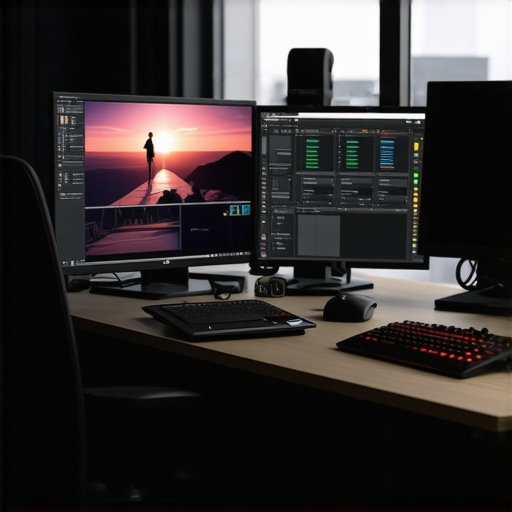
Elevate Your 4K Video Production with Precision Hardware Choices
In the realm of professional video editing, especially at 4K resolution, the significance of selecting the right color grading monitors and editing GPUs cannot be overstated. These components serve as the backbone of a seamless, accurate, and efficient workflow, enabling creators to deliver visually stunning content that meets industry standards. As an industry veteran, I emphasize that the convergence of advanced display technology and powerful GPU processing shapes the future of high-fidelity video production.
Why High-Color Fidelity Monitors Are Crucial for Professional Color Grading
Color grading is an art that demands absolute accuracy in color representation. Premium monitors designed for colorists, such as those with wide color gamuts (DCI-P3, Adobe RGB) and high bit-depth support (10-bit panels), are indispensable. These displays ensure that the colors you see during grading are true to the final output, reducing the risk of color shifts in post-production. Additionally, hardware calibration capabilities are essential to maintain consistent performance over time. For comprehensive insights, refer to the detailed guide on choosing the perfect color grading monitor.
Choosing the Right GPU to Handle 4K Video Workflows Efficiently
The GPU’s role is pivotal in accelerating rendering, real-time playback, and processing complex effects. For 4K workflows, the focus shifts towards high VRAM capacity (preferably 8GB or more), robust CUDA cores (NVIDIA) or Stream Processors (AMD), and support for hardware-accelerated encoding/decoding. Professional-grade GPUs like the NVIDIA RTX series or AMD Radeon Pro series are often recommended for their stability and driver optimization. These GPUs, when paired with a competent CPU and ample RAM, dramatically reduce render times and enable smooth editing experiences. To explore optimal configurations, visit the comprehensive review on best editing GPUs for 4K workflows.
Balancing Display Precision and GPU Power for Seamless 4K Editing
Integrating a high-fidelity monitor with a high-performance GPU creates a synergy that elevates the entire editing process. The monitor’s color accuracy and the GPU’s processing power must be aligned to avoid bottlenecks. For instance, an OLED monitor with HDR support paired with a top-tier RTX GPU allows editors to visualize high-dynamic-range content accurately in real-time. The choice of GPU also impacts proxy workflows, where lower-resolution copies are used during editing to conserve resources. For further optimization tips, see the ultimate guide to 4K video editing hardware.
Which Display Technologies Offer the Best Color Accuracy for 4K Production?
Among the various display technologies, OLED and IPS panels stand out for their color precision and contrast ratios. OLED monitors provide deeper blacks and wider color ranges, making them ideal for critical grading tasks. IPS panels, on the other hand, offer consistent color reproduction across wide viewing angles, essential in collaborative environments. The selection ultimately depends on your workflow requirements and budget constraints. For a detailed comparison, consult the article on best color grading monitors and GPU options.
How do I ensure my GPU and monitor work in harmony without bottlenecks?
Achieving harmony between your GPU and monitor involves matching the GPU’s capabilities with the monitor’s specifications, especially in terms of color depth, refresh rate, and resolution. For 4K editing, a GPU with support for 4K HDR output and ample VRAM is necessary. Simultaneously, a monitor with at least 60Hz refresh rate and 10-bit color support ensures that the visual output remains fluid and accurate. Proper calibration and driver updates further optimize this setup. For expert tips, explore the comprehensive review on best video editing PCs and GPU configurations for 4K color grading.
Enhancing your 4K video workflow demands meticulous hardware choices rooted in professional expertise. For detailed hardware setup advice, consider visiting our contact page and engaging with industry peers to share insights and experiences.
Push Your 4K Editing to the Next Level with Optimized Hardware Integration
Achieving smooth, high-quality 4K video editing hinges on a harmonious balance between your display and processing power. While high-end monitors with accurate color reproduction are essential, pairing them with the right GPU is equally critical to prevent bottlenecks. This synergy not only improves real-time playback but also accelerates rendering workflows, allowing creators to meet tight deadlines without sacrificing quality. For those looking to refine their setup, consulting comprehensive guides like the ultimate guide to 4K editing hardware can provide invaluable insights.
Tackling the Myth: More VRAM Means Better Performance?
Many assume that simply increasing VRAM on your GPU automatically translates to improved performance during 4K editing. While VRAM is indeed vital for handling large files and complex effects, it isn’t the sole factor. The efficiency of your GPU’s architecture, CUDA cores or Stream Processors, and driver optimization play significant roles. For example, a GPU with 8GB of high-quality VRAM paired with optimized drivers can outperform a 12GB card with less refined architecture. To choose a GPU that aligns with your workflow, explore detailed reviews on best GPUs for 4K workflows.
Why Color Accuracy Continues Beyond the Screen
Color fidelity isn’t solely about the monitor—it’s a comprehensive ecosystem. Hardware calibration tools, consistent lighting conditions, and proper color management workflows are integral. For instance, using hardware calibration devices like the X-Rite i1Display Pro ensures your monitor maintains precise color output over time. Moreover, understanding how color spaces like Adobe RGB or DCI-P3 impact your output helps in making informed hardware choices. For a deep dive into this, check out the guide on color grading monitors and GPU options.
What Are the Hidden Factors That Could Sabotage Your 4K Workflow?
Beyond the obvious hardware specs, factors like system cooling, power supply stability, and even cable quality can influence performance. Overheating components throttle speeds, causing lag during intense editing sessions. A robust cooling system and a reliable power source ensure your hardware runs at peak efficiency. Additionally, high-quality HDMI or DisplayPort cables are essential for transmitting high-bandwidth signals without degradation. For tailored advice, visiting resources such as professional PC build guides can help you craft a resilient editing environment.
Have you experienced bottlenecks that slowed your workflow? Share your story in the comments or explore other expert tips by subscribing to our updates. For more specialized advice, don’t hesitate to reach out to us.
Elevate Your Color Grading Accuracy with Cutting-Edge Hardware Calibration Techniques
In professional-grade 4K video production, ensuring your monitor displays true-to-life colors is paramount. Hardware calibration tools like the X-Rite i1Display Pro or the Datacolor SpyderX are industry standards for maintaining consistent color fidelity. These devices measure color output and adjust monitor settings to match standardized color spaces such as Adobe RGB or DCI-P3, which are essential for high-precision grading. Regular calibration, ideally before each critical session, guarantees that your color decisions translate accurately from screen to final delivery. For an in-depth look at calibration workflows, consult the detailed guide published by the Society for Imaging Science and Technology (https://www.imaging.org).
Leveraging GPU Architecture for Complex 4K Effects Rendering
While VRAM is a critical factor, understanding GPU architecture enhances your ability to optimize workflows. Modern GPUs like the NVIDIA RTX 4090 or AMD Radeon RX 7900 XT feature architectures that excel in parallel processing, greatly accelerating rendering of complex effects such as 3D compositing, color grading LUTs, and real-time 4K playback. CUDA cores in NVIDIA cards and Stream Processors in AMD models handle multiple tasks efficiently, reducing lag during intensive sessions. Coupling these GPUs with software optimized for hardware acceleration, like DaVinci Resolve or Adobe Premiere Pro, allows seamless real-time editing of high-bidelity 4K footage. For technical specifics, refer to the GPU architecture whitepapers published by NVIDIA (https://developer.nvidia.com).
Synergizing Display Technologies with GPU Capabilities for Ultimate Visual Fidelity
The interplay between advanced display technologies and GPU power creates a visual experience that pushes the boundaries of 4K editing. For instance, pairing an OLED monitor with HDR support and a high-end RTX GPU enables real-time visualization of HDR content with perfect contrast and color depth. Meanwhile, IPS panels, known for their wide viewing angles and consistent color accuracy, paired with powerful GPUs, facilitate collaborative workflows where multiple editors view the same high-precision footage without color shifts. Ensuring your GPU supports HDMI 2.1 or DisplayPort 1.4 standards guarantees that your display receives the bandwidth necessary for 4K HDR at high refresh rates. For a comprehensive comparison, explore the latest industry reports by DisplayMate (https://displaymate.com).
How can I fine-tune my hardware setup to eliminate bottlenecks in 4K workflows?
Achieving a harmonious hardware environment requires meticulous balancing of components. Besides selecting a GPU with ample VRAM and robust architecture, consider CPU performance—preferably a multi-core, high-clock-speed processor such as AMD Ryzen 9 7950X or Intel Core i9-13900K—to handle encoding and decoding tasks efficiently. RAM capacity is equally vital; 64GB or more ensures smooth multitasking and large project handling. Storage solutions like NVMe SSDs drastically reduce load and render times. Proper system cooling prevents thermal throttling, which can impair performance during extended editing sessions. Lastly, high-quality cables, such as active HDMI 2.1 or DisplayPort 1.4 cables, ensure data integrity at high bandwidths. For tailored advice, consult the authoritative PC build guides by Tom’s Hardware (https://www.tomshardware.com).
Integrating Hardware for Consistent Color Workflow in 4K Production
The entire color workflow hinges on hardware synergy. Calibration tools, monitors, GPUs, and lighting conditions must work in concert. Employing hardware calibration devices regularly aligns your monitor output with industry standards, while controlled lighting environments prevent color perception shifts. Color management software like DaVinci Resolve’s color management system or Adobe Color Workspace streamlines this process, ensuring your on-screen colors match your output intent. Additionally, understanding the nuances of color spaces—such as Rec. 709, DCI-P3, or Rec. 2020—guides hardware choices and workflow setup. For detailed procedures, review the comprehensive standards set by the International Color Consortium (https://www.color.org/).
What unseen factors could compromise your 4K editing precision, and how to address them?
Beyond hardware specs, factors like ambient lighting, electrical stability, and even cable quality can subtly undermine your workflow. Fluctuating power supplies may cause voltage dips that affect hardware stability, while poor-quality cables can introduce signal degradation, leading to color inaccuracies or flickering. Temperature fluctuations can also impact hardware longevity and performance. Addressing these issues involves investing in surge protectors, using certified high-bandwidth cables, and maintaining a stable, climate-controlled environment. For expert insights, explore the resource hub on PC hardware optimization by TechSpot (https://www.techspot.com).
If you’re seeking to elevate your 4K editing setup, share your current configuration and challenges in the comments. Our community of professionals is eager to help you troubleshoot and optimize your hardware environment for unparalleled fidelity and efficiency.
Embrace Cutting-Edge Color Calibration Techniques for Ultimate Fidelity
Achieving impeccable color accuracy in 4K production necessitates leveraging the latest hardware calibration tools such as the X-Rite i1Display Pro or the Datacolor SpyderX. These devices meticulously measure your monitor’s output and automatically adjust settings to ensure consistency with industry-standard color spaces like Rec. 2020 or DCI-P3. Regular calibration—preferably before each critical session—mitigates drift and guarantees your color decisions translate flawlessly from screen to final delivery. For an in-depth exploration, consult the comprehensive guide by the International Color Consortium (https://www.color.org/).
Unlock GPU Potential to Render Complex Effects Seamlessly
Modern GPUs such as the NVIDIA RTX 4090 or AMD Radeon RX 7900 XT are engineered with architectures optimized for parallel processing, drastically accelerating rendering times for effects like 3D compositing, color grading LUTs, and HDR workflows. CUDA cores or Stream Processors efficiently handle multiple tasks simultaneously, reducing lag during intensive editing. When paired with software that supports hardware acceleration—like DaVinci Resolve or Adobe Premiere Pro—these GPUs enable real-time high-resolution playback and rapid rendering, elevating your productivity. For detailed insights, review NVIDIA’s architecture whitepapers (https://developer.nvidia.com).
Harmonize Hardware for Flawless 4K Color Representation
The synergy between a high-quality display and a powerful GPU is essential for maintaining accuracy and efficiency in 4K editing. An OLED monitor with HDR support combined with an RTX GPU allows for precise visualization of dynamic range and color depth in real time. Ensuring your GPU supports HDMI 2.1 or DisplayPort 1.4 guarantees bandwidth for uncompressed 4K HDR at high refresh rates. Proper calibration, coupled with optimized drivers, prevents bottlenecks and guarantees a seamless workflow. Explore expert configuration tips on best PC and GPU setups for 4K editing.
Choosing Display Technologies for Critical Color Grading
OLED displays deliver exceptional contrast ratios and deep blacks, making them ideal for precise color grading. IPS panels, renowned for consistent color accuracy across wide viewing angles, are perfect for collaborative environments. Your choice should align with workflow requirements and budget, but both technologies benefit from hardware calibration and environmental control. For comparative reviews, visit best monitors and GPU options.
How can I optimize my hardware to eliminate bottlenecks in high-resolution workflows?
Optimizing involves balancing CPU performance—preferably multi-core processors like AMD Ryzen 9 7950X or Intel Core i9-13900K—with ample RAM, ideally 64GB or more, to handle large project files efficiently. High-speed NVMe SSDs reduce load and render times significantly. Adequate cooling prevents thermal throttling, maintaining peak performance during prolonged sessions. High-quality cables, such as certified HDMI 2.1 or DisplayPort 1.4, are essential for reliable high-bandwidth signal transmission. Consulting authoritative PC build guides from sources like Tom’s Hardware (https://www.tomshardware.com) ensures your setup is resilient and future-proof.
Investing in Hardware to Ensure Consistent Color Workflow
Comprehensive color management in 4K production hinges on the interplay between calibration tools, monitors, GPUs, and ambient conditions. Regular calibration with devices like the X-Rite i1Display Pro maintains color fidelity over time. Controlled lighting environments prevent ambient light from skewing perception. Incorporate software solutions such as DaVinci Resolve’s color management system or Adobe Color Workspace to streamline the workflow. Understanding color spaces—Rec. 709, DCI-P3, or Rec. 2020—guides hardware choices. For detailed standards, visit International Color Consortium.
What subtle factors could sabotage your 4K editing precision, and how do you counteract them?
Beyond hardware specs, environmental factors like fluctuating power supplies, ambient lighting, and cable quality can subtly impact performance. Voltage dips may cause system instability, while inferior cables can introduce signal degradation leading to color inaccuracies. Maintaining a stable power source with surge protectors, using certified high-bandwidth cables, and controlling ambient lighting are crucial. For expert tips, explore PC optimization resources on TechSpot (https://www.techspot.com).
Share your hardware challenges in the comments or join our community for tailored recommendations to elevate your 4K editing environment, ensuring unmatched fidelity and speed.
Expert Tips for Precision Hardware Selection in 4K Video Editing
Choosing the right hardware can significantly elevate your 4K video production quality. Prioritize high-end GPUs with ample VRAM, such as the NVIDIA RTX series or AMD Radeon Pro, to handle complex effects and real-time playback seamlessly. Simultaneously, invest in color-accurate monitors with wide gamuts and hardware calibration capabilities to ensure your color grading is precise and consistent. Combining these elements optimizes workflow efficiency and output fidelity, enabling professionals to deliver stunning visuals that meet industry standards.
Advanced Resources for Deepening Your Hardware Knowledge
- Society for Imaging Science and Technology: Offers comprehensive calibration techniques essential for maintaining color accuracy in professional workflows.
- NVIDIA Developer Resources: Whitepapers and architecture guides that enable understanding GPU capabilities for complex effects rendering.
- DisplayMate: Provides in-depth reviews of display technologies, aiding in selecting monitors that meet critical color and contrast requirements for 4K production.
Refining Your Approach to 4K Hardware Integration
Effective 4K video editing hinges on harmonizing hardware components. Ensure your GPU supports HDMI 2.1 or DisplayPort 1.4 standards for uncompressed 4K HDR output. Pair this with a high-refresh-rate, 10-bit color depth monitor calibrated regularly to maintain color fidelity. Optimize your workflow by balancing CPU power, RAM capacity, and fast storage solutions like NVMe SSDs. Regular system updates and environmental controls, such as stable power and proper lighting, help prevent subtle performance issues that can compromise output quality.
This article really touches on the fundamental balance needed between powerful hardware and accurate display tech for professional 4K editing. I’ve found that investing in a good calibrated monitor with wide color gamut support dramatically improves grading precision, especially when paired with a GPU capable of handling HDR workflows smoothly. One challenge I’ve encountered is maintaining consistent calibration over time, which is why I now regularly use hardware calibration tools like the X-Rite i1Display Pro. It’s surprising how environmental factors, like ambient light and even temperature, can subtly affect color accuracy. Has anyone else experienced fluctuations in their setup, and what measures do you take to ensure steady calibration? I’d love to hear tips on maintaining color fidelity in different lighting conditions.
This post highlights a crucial aspect of high-fidelity 4K editing that often gets overlooked—the importance of a harmonious hardware setup. I completely agree that pairing a top-tier GPU with a calibrated high-color fidelity monitor makes a noticeable difference in the final quality, especially when working with HDR content. My experience aligns with the emphasis on regular calibration, and I use both hardware tools and software calibration routines to maintain consistency. One challenge I’ve faced is ensuring that ambient lighting doesn’t affect my perception of color accuracy during long editing sessions. I found that working in a controlled, dimly lit environment helps maintain steady color judgments. Has anyone experimented with specific lighting setups or ambient light filters that could further enhance calibration stability? It would be great to hear different approaches from the community because achieving precise consistency is vital for professional-grade output.
This article really hits the mark on the importance of balancing top-tier hardware components for professional 4K editing. I’ve personally found that investing in a high-end GPU with plenty of VRAM, paired with a calibrated monitor, makes a huge difference when working with HDR and complex color grading workflows. One challenge I’ve faced is ensuring consistent calibration over long editing sessions—ambient light and temperature fluctuations can subtly impact color accuracy. Regular calibration and controlling my workspace lighting have helped, but I wonder if anyone has explored using ambient light filters or specialized lighting setups that could further stabilize perceived color fidelity? It would be interesting to hear what solutions others are using to maintain accurate visual feedback in varying environments. Also, with the rapid advancement in GPU architectures, how do you stay updated and ensure your hardware choices remain future-proof for demanding 4K projects? I look forward to hearing everyone’s insights on optimizing hardware for seamless high-fidelity editing.