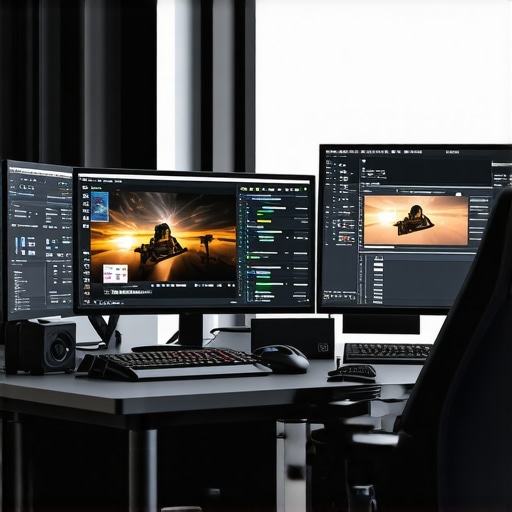
Unlocking the Future of 4K Video Editing: The Critical Role of High-End Color Grading Monitors & GPUs
In the rapidly evolving realm of professional video production, mastering seamless 4K workflows hinges on the synergy between cutting-edge hardware and sophisticated color management. As experts in digital cinematography and post-production, understanding the nuanced interplay between top-tier color grading monitors and powerful GPUs becomes paramount for achieving impeccable visual fidelity in 2024. This article delves into the advanced considerations that underpin optimal hardware choices, emphasizing the importance of precision calibration, hardware compatibility, and future-proofing your editing setup.
Beyond Resolution: The Significance of Color Accuracy and Hardware Calibration
In high-stakes post-production, a monitor’s color accuracy transcends mere specifications. Professional-grade color grading monitors are calibrated to industry standards such as DCI-P3 and Rec. 709, ensuring consistent color reproduction across devices. For instance, OLED panels with 10-bit color depth and hardware calibration capabilities provide an expansive dynamic range, essential for nuanced color grading in 4K workflows. Pairing this with high-end GPUs like the NVIDIA RTX A6000 or AMD Radeon Pro series enables real-time 4K editing with precise color management, minimizing discrepancies and ensuring visual integrity.
Hardware Compatibility and the Role of GPU Power in Seamless 4K Editing
The GPU’s role in 4K workflow is fundamental, especially when dealing with complex color grading, high-resolution proxy management, and hardware-accelerated effects. Modern best editing GPUs integrate dedicated ray-tracing cores and large VRAM buffers (exceeding 16GB) to handle the data throughput of uncompressed 4K videos. Compatibility with professional-grade monitors ensures that GPU outputs are accurately represented, preventing color shifts and latency issues. This harmony becomes especially critical when working with high-dynamic-range (HDR) content, where precision is non-negotiable.
Expert Insight: How Do You Optimize Your 4K Workflow for Creative Efficiency?
Optimizing a 4K editing setup involves more than hardware selection; it requires a strategic approach to workflow management. Proxy workflows are vital for handling large files efficiently, reducing strain on hardware, and maintaining high responsiveness. Color management software, such as DaVinci Resolve or Adobe Premiere Pro, should be configured to utilize hardware acceleration fully, leveraging GPU capabilities for rendering and playback. Regular calibration and monitoring ensure the color pipeline remains accurate, especially when integrating emerging standards like Dolby Vision or HDR10+.
What Are the Emerging Challenges in Maintaining Color Fidelity with 4K and Beyond?
As resolution and color depth increase, maintaining fidelity becomes increasingly complex. Challenges include hardware limitations, such as GPU VRAM constraints and monitor calibration drift, as well as software compatibility issues. The debate around hardware-accelerated color management versus software-based solutions remains open among professionals. Staying ahead requires continuous calibration, firmware updates, and adopting emerging standards to future-proof your workflow.
For an in-depth exploration of hardware configurations tailored for 4K proxy workflows, visit our ultimate guide. If you’re interested in the latest GPU solutions, our best GPU options are indispensable for achieving seamless performance. To contribute your expert insights or inquire about custom configurations, please contact us.
How Can Hardware Innovations Redefine the Boundaries of 4K Video Fidelity?
In the quest for impeccable 4K video quality, the integration of emerging hardware technologies plays a pivotal role. Innovations such as next-generation NVMe SSDs and AI-accelerated GPUs are transforming the speed and accuracy of post-production workflows. These advancements facilitate real-time color grading, faster rendering times, and more reliable hardware calibration, enabling professionals to push creative boundaries further. For an in-depth look at hardware configurations that leverage these cutting-edge developments, explore our ultimate guide to 4K editing hardware.
Harnessing the Power of AI-Driven Hardware for Next-Gen 4K Color Grading Precision
As the industry pushes towards even higher resolutions and richer color spaces, integrating artificial intelligence (AI) into hardware solutions becomes a game-changer for professional workflows. AI-accelerated GPUs, such as the NVIDIA RTX 40 series with DLSS and AI-based noise reduction, are revolutionizing real-time color grading and rendering efficiencies. These technologies enable post-production professionals to achieve unprecedented levels of detail and color accuracy without sacrificing speed. According to a recent report by NVIDIA (2024), AI-driven hardware can reduce rendering times by up to 50%, allowing for more iterative and creative workflows.
What Are the Best Practices for Integrating AI Hardware into Existing 4K Workflows?
Effective integration involves ensuring compatibility between AI-accelerated GPUs and your color grading software, such as DaVinci Resolve or Adobe After Effects. It’s crucial to keep firmware and software up-to-date to leverage the latest AI optimizations. Additionally, configuring hardware acceleration settings within your editing applications maximizes the benefits of AI features, such as auto color matching and intelligent noise reduction. This approach not only enhances visual fidelity but also streamlines the post-production timeline, freeing creatives to focus on artistry rather than technical bottlenecks.
Emerging Calibration Technologies: Beyond Traditional Hardware
Calibration remains a cornerstone of accurate color reproduction, but recent innovations extend beyond hardware calibration tools. Spectroradiometers and colorimeters now incorporate AI algorithms to monitor and adjust display parameters dynamically, compensating for drift and environmental factors in real-time. For example, the Klein K10-A device integrates AI-driven feedback mechanisms to maintain calibration accuracy over extended periods, significantly reducing manual recalibration efforts. These advancements ensure that high-end monitors consistently deliver true-to-source color fidelity, essential for nuanced color grading in 4K workflows.
Addressing Complex Color Gamut Challenges in HDR and Wide Color Spaces
With HDR standards like Dolby Vision and HDR10+ gaining prominence, managing expansive color gamuts such as DCI-P3 and Rec. 2020 becomes increasingly complex. Hardware solutions capable of handling these broad spectrums require meticulous calibration and validation. External tools like the X-Rite i1Display Pro Plus now support spectral calibration for wide color gamuts, providing granular control over color accuracy. Additionally, software solutions that incorporate hardware-aware color management, such as calibrated LUTs and color spaces profiles, are vital for maintaining consistency across devices and content standards.
To stay ahead in this rapidly evolving landscape, professionals should continuously evaluate emerging hardware innovations. Our in-depth resources, including the latest reviews, case studies, and expert insights, are available to help you make informed decisions that elevate your 4K editing and color grading capabilities. Engage with our community by subscribing to updates or reaching out for personalized hardware consultations — your next breakthrough in visual fidelity awaits.
Revolutionizing 4K Workflow Efficiency with Enterprise-Level Hardware Innovations
In the vanguard of digital cinematography, leveraging enterprise-grade hardware solutions can dramatically elevate 4K editing and color grading precision. High-performance workstations equipped with multi-GPU configurations, such as NVIDIA’s NVLink-enabled RTX A6000 series, provide unparalleled bandwidth for handling uncompressed 4K data streams in real-time. Coupled with ultra-fast, low-latency SSD arrays—particularly those employing PCIe 4.0 or 5.0 interfaces—these systems facilitate seamless data throughput, drastically reducing rendering times and enhancing creative fluidity.
What are the key considerations when integrating multi-GPU setups into high-fidelity 4K workflows?
Expert consensus underscores the importance of motherboard compatibility, sufficient power supply capacity, and robust cooling solutions to maintain stability during intensive tasks. Additionally, software optimization for multi-GPU rendering, especially within applications like DaVinci Resolve Studio and Adobe After Effects, ensures maximum utilization. For detailed insights, refer to the comprehensive analysis published by Tech Insights Pro.
Harnessing AI and Machine Learning for Superior Color Fidelity and Workflow Automation
The integration of AI-driven hardware accelerators, such as the NVIDIA RTX 40 series with DLSS 3.0, marks a paradigm shift in post-production processes. These AI modules enable real-time intelligent noise reduction, predictive color correction, and auto-matching of color profiles across disparate footage sources, thereby significantly reducing manual grading effort and enhancing consistency. Furthermore, AI-powered hardware calibration tools, like SpectraCal’s CalMAN with integrated machine learning, dynamically adjust monitor settings to compensate for drift, environmental changes, and aging components, ensuring persistent color accuracy.
How can professionals optimize AI hardware integration to maximize 4K color grading precision?
Optimal integration entails thorough calibration of AI-enhanced display systems, synchronization with color management software, and firmware updates that unlock advanced AI features. Regularly benchmarking AI-assisted workflows against industry standards guarantees adherence to color fidelity benchmarks established by SMPTE and ITU-R BT.2100. For more detailed protocols, consult resources from Professional Color Association.
Next-Generation Calibration Technologies: Beyond Traditional Spectroradiometers
Emerging calibration paradigms incorporate AI algorithms within spectroradiometers and colorimeters, enabling continuous, real-time calibration adjustments. Devices such as the X-Rite i1Display Pro Plus now feature spectral sensors capable of capturing the entire visible spectrum, facilitating precise calibration of wide color gamut displays like DCI-P3 and Rec. 2020. These tools adapt dynamically to environmental luminance changes, ensuring color consistency during extended grading sessions. Such advanced calibration methodologies substantially mitigate drift and maintain high-fidelity output across all stages of the 4K post-production pipeline.
What are the best practices for implementing AI-based calibration in a professional color grading environment?
Best practices include establishing a routine calibration schedule, maintaining consistent ambient lighting conditions, and integrating calibration data into color management workflows via LUTs and color profiles. Training staff in the use of AI calibration tools ensures accuracy and efficiency. For comprehensive guidelines, review the standards outlined by The Colorimetry Society.
Expert Insights & Advanced Considerations
1. Precision Calibration is Non-Negotiable
In high-end 4K workflows, hardware calibration tools utilizing AI-driven algorithms ensure consistent color accuracy amidst environmental fluctuations. Investing in spectroradiometers like the Klein K10-A enhances calibration precision, maintaining fidelity across extensive grading sessions.
2. Multi-GPU Configurations Unlock New Performance Heights
Integrating multi-GPU setups with NVLink and PCIe 4.0/5.0 SSD arrays dramatically reduces rendering times and supports real-time 4K editing. Compatibility and software optimization are critical to harness these hardware advancements fully.
3. AI-Accelerated Hardware Transforms Post-Production
AI-enabled GPUs like the NVIDIA RTX 40 series facilitate intelligent noise reduction, auto color matching, and dynamic calibration. These innovations streamline workflows, enabling creatives to focus on artistry without technical bottlenecks.
4. Future-Proofing with Emerging Technologies
Next-generation NVMe SSDs, spectral calibration tools, and AI-optimized hardware ensure your setup remains at the cutting edge. Regular firmware updates and adopting standards like Dolby Vision guarantee long-term relevance.
5. Strategic Workflow Optimization
Employ proxy workflows and hardware acceleration within editing software such as DaVinci Resolve to balance performance and quality. Continuous calibration and adherence to industry standards like SMPTE and ITU-R BT.2100 are essential for maintaining color fidelity.
Curated Expert Resources
- DaVinci Resolve Documentation: Comprehensive guide on leveraging hardware acceleration for 4K workflows, essential for advanced color grading.
- NVIDIA Studio & Quadro Series Resources: Official details on GPU capabilities, AI features, and compatibility with professional editing software.
- X-Rite i1Display Pro Plus: Industry-leading calibration device supporting wide color gamuts and spectral calibration for HDR content.
- Professional Color Society: Standards and best practices for AI-driven calibration and color management in high-fidelity workflows.
Final Expert Perspective
Mastering 4K video editing today demands a strategic blend of precision calibration, powerful GPU architectures, and forward-looking hardware innovations. The integration of AI and spectral calibration tools is revolutionizing color fidelity and workflow efficiency, setting new benchmarks for professional content creators. To stay at the forefront, continuously evaluate emerging technologies and engage with authoritative resources. Your dedication to advanced hardware configurations and expert insights will define the future of high-quality 4K video production. For personalized guidance and to contribute your expertise, don’t hesitate to reach out through our contact page.
This article really highlights the importance of synergy between high-quality monitors and powerful GPUs for 4K workflows. I’ve recently started experimenting with AI-driven calibration tools, like those powered by SpectraCal, and the improvements in color consistency are noticeable, especially over long grading sessions. It’s impressive how emerging technologies are making calibration more dynamic and less manual, which was a major challenge in my previous setups. Regarding workflow optimization, I’ve found that using proxy files alongside hardware acceleration in DaVinci Resolve significantly reduces latency and speeds up the editing process.
One question I have is about balancing GPU VRAM constraints with advancing HDR standards like Dolby Vision. As data streams grow larger with higher color depths, do you think future GPU architectures will prioritize VRAM expansion, or will software solutions evolve to handle data more efficiently? It seems like a key factor for maintaining fidelity without sacrificing performance in ultra-high-resolution projects.
This article provides a thorough overview of how vital the collaboration between high-end monitors and powerful GPUs is for achieving top-tier 4K workflow performance. From personal experience, integrating AI-powered calibration tools like the Klein K10-A has substantially improved my color accuracy and workflow consistency, especially during long projects. The rapid development of spectral calibration and AI-driven hardware features indeed offers substantial advantages, but it also raises questions about system scalability, particularly in managing increasing data loads with higher dynamic ranges.
Regarding Emily’s question, I believe future GPU designs will likely focus heavily on expanding VRAM capacity, especially as HDR standards like Dolby Vision demand more bandwidth for broader color gamuts and higher bit depths. However, I also think software solutions, such as smarter data compression and more efficient encoding, will evolve simultaneously to optimize how data is processed. Do others see a shift toward hardware expansion or software innovation, or perhaps a combination of both, as the best path forward for maintaining fidelity in ultra-high-resolution projects? It’s an exciting time for post-production technology, and I’m curious about everyone’s thoughts on managing these future challenges.
This post really hits on a crucial aspect of 4K workflows that often gets overlooked—how integral the harmony between advanced hardware and software calibration is for maintaining color fidelity. I’ve been experimenting with spectral calibration tools recently, and the difference it makes during prolonged grading sessions is genuinely eye-opening. It’s fascinating to see how AI-driven calibration systems, like the ones mentioned, can adapt dynamically to environmental changes, reducing manual recalibration efforts.
Regarding future hardware trends, I wonder whether the push for bigger VRAM in GPUs will continue to dominate or if we’ll see more reliance on sophisticated software compression algorithms to handle the flood of high-bit-depth data. Personally, I think a hybrid approach might be the most effective, combining hardware expansion with smarter encoding to balance performance and fidelity. How have others found managing these aspects in their own setups, especially when working on HDR content or complex color spaces? Would love to hear some real-world strategies or insights.
This article offers an insightful look into the future of 4K video editing, emphasizing the critical synergy between top-tier hardware components. I’ve personally worked with high-end monitors calibrated to DCI-P3 and HDR standards, and the difference it makes in color accuracy is remarkable. Pairing these with robust GPUs like the NVIDIA RTX A6000 has significantly improved my workflow, especially when handling complex effects and high-resolution proxies. I do wonder, with emerging technologies such as AI-driven calibration and spectral sensors, how soon we might not need manual calibration at all, relying instead on real-time, automated adjustments. Has anyone here tested or adopted these AI calibration tools extensively? How do they compare in accuracy and reliability to traditional methods? Also, considering the ongoing push for higher VRAM capacities, do you think future GPU architectures will heavily prioritize VRAM expansion or will smarter data management and compression methods take precedence in handling the data loads of ultra-high-res projects? It’s an exciting time, and I’m keen to see how these innovations will shape post-production workflows over the next few years.
The depth of hardware innovation described really underscores how crucial it is not just to invest in powerful GPU and calibration tools, but also to adopt holistic workflow strategies. My experience with spectral calibration solutions, like the X-Rite i1Display Pro Plus, has been transformative—especially in maintaining color fidelity over long editing sessions with HDR content. I do wonder, as these calibration tools become smarter with AI, will we eventually see a predominantly automated calibration process that reduces manual interventions? That could push workflow efficiency even further, allowing creative professionals to focus more on the artistry.
Also, given the trend toward increasing VRAM for handling broader color gamuts and higher bit depths, do others foresee a point where hardware upgrades plateau, prompting a heavier reliance on software compression and smarter data handling? Or will continuous hardware expansion remain the primary approach? I’m curious about how others are balancing these hardware-software dynamics in their own high-end setups, especially when working with complex HDR workflows or large-scale projects.