Strategic Selection of Workstation Hardware for Elite 4K Video Production
In the rapidly evolving field of professional video editing, achieving seamless 4K color grading and efficient proxy workflows demands not only mastery of software but also the strategic deployment of high-performance hardware. As experts in this domain, we recognize that the backbone of a robust editing environment hinges on carefully curated PCs and GPUs that cater to the intense computational requirements of 4K video processing, ensuring both accuracy in color reproduction and speed in rendering tasks.
Unveiling the Critical Role of GPU Architecture in Color Fidelity and Workflow Efficiency
The choice of graphics processing units (GPUs) is pivotal for professional editors aiming for precision in color grading and rapid proxy workflows. Modern GPUs like NVIDIA’s RTX 4090 and AMD’s Radeon RX 7900 XTX are engineered with architectures optimized for parallel processing, which accelerates tasks such as real-time playback, complex color manipulations, and high-resolution proxy editing. According to recent analyses by Tom’s Hardware, the raw computational power of these GPUs directly correlates with improved editing throughput and more accurate color management, especially when calibrated with high-end monitors.
Balancing CPU Power for Multithreaded Video Processing
Complementing GPU prowess, a high-end multi-core CPU ensures smooth multitasking and efficient rendering. Workstations equipped with Intel Xeon or AMD Ryzen Threadripper processors provide the multi-threaded performance required for handling complex color grading algorithms and proxy workflows simultaneously. Such configurations minimize bottlenecks, especially during intensive tasks like 4K HDR grading or large project exports, which are common in professional environments.
How Do Memory and Storage Subsystems Enhance Editing Efficiency?
Beyond processing units, RAM capacity and SSD speed are critical for maintaining an uninterrupted editing experience. A minimum of 64GB of ECC RAM is recommended for large 4K projects, facilitating rapid access to high-resolution media. NVMe SSDs, such as Samsung’s 980 Pro series, offer lightning-fast read/write speeds that significantly reduce load times and caching delays, essential for proxy workflows where media files are frequently accessed and manipulated.
What Are the Best Strategies for Balancing Hardware Cost and Performance in 4K Editing Suites?
Professionals often grapple with optimizing hardware investments without compromising performance. A pragmatic approach involves prioritizing GPU selection aligned with the specific color grading software’s acceleration features, coupled with a CPU that can handle concurrent processes efficiently. For comprehensive guidance, visit our detailed top hardware recommendations tailored for 2024.
For those seeking an authoritative overview of hardware choices, consult the white paper published by the NVIDIA Video Editing Guide, which underscores the importance of GPU memory bandwidth and CUDA core count in professional workflows.
Engaging with the community of video editing experts and sharing insights on hardware configurations can further refine your setup. Explore our contact page to contribute or inquire about tailored solutions that match your project scale and budget.
Beyond the Basics: Integrating AI Acceleration in High-End Editing Workstations
As 4K video projects grow increasingly complex, professionals are turning to artificial intelligence (AI) and machine learning (ML) to streamline workflows and enhance rendering accuracy. Modern GPUs, like NVIDIA’s RTX 4090, incorporate dedicated AI cores that accelerate denoising, upscaling, and real-time preview rendering. According to NVIDIA’s official guide, leveraging AI acceleration not only reduces editing latency but also improves color fidelity through advanced denoising algorithms that preserve fine detail during grading.
Can Your Storage Subsystem Keep Pace with 4K Data Demands?
High-speed storage solutions are critical for maintaining fluid proxy workflows and seamless editing experiences. While NVMe SSDs like Samsung’s 980 Pro are industry standards, newer PCIe 5.0 drives promise even faster data transfer rates, essential for handling multi-terabyte 4K project files. Implementing RAID configurations can further enhance throughput, ensuring that media access does not bottleneck the GPU or CPU performance. For detailed guidance on configuring these systems, visit our ultimate guide to 4K editing hardware.
What innovative hardware setups are emerging to tackle the next frontier of 8K and beyond?
As 8K content creation becomes more mainstream, experts are exploring multi-GPU configurations combined with advanced cooling solutions to handle the enormous computational load. Technologies like NVIDIA’s NVLink enable multiple GPUs to operate synergistically, dramatically increasing rendering speed and real-time playback capabilities. Meanwhile, high-bandwidth memory (HBM) modules are being integrated into workstations to support the enormous data bandwidth required for ultra-high-resolution editing. For insights into building such next-generation systems, check out our article on top PC builds for 2025.
Engaging with industry forums and expert communities can reveal emerging trends and DIY solutions tailored to specialized workflows. Sharing your experiences and challenges can foster innovation—consider contributing your insights or seeking advice through our contact page.
Harnessing the Power of Advanced GPU Architectures for Superior Color Precision and Workflow Acceleration
In the realm of professional video editing, especially for 4K and emerging 8K content, GPU architecture plays a decisive role in elevating both color fidelity and processing efficiency. Modern GPUs like NVIDIA’s RTX 4090 and AMD’s Radeon RX 7900 XTX utilize architectures that facilitate massive parallel processing, directly impacting real-time color grading, complex visual effects, and proxy workflows. As detailed in the technical review by TechSpot, these GPUs leverage CUDA cores and high memory bandwidth, enabling editors to handle high-resolution footage with minimal latency, thus pushing the boundaries of creative expression while maintaining technical precision.
Integrating AI-Driven Hardware Features to Revolutionize Editing Pipelines
Artificial intelligence (AI) features embedded within the latest GPU architectures are transforming traditional editing paradigms. NVIDIA’s RTX 4090, for instance, incorporates dedicated AI cores that accelerate denoising, super-resolution, and automatic scene detection, significantly reducing manual grading time. These capabilities are supported by sophisticated software solutions like Adobe Premiere Pro’s Sensei AI engine, which relies on hardware-accelerated AI processing to improve workflow speed and accuracy. For an in-depth understanding, explore NVIDIA’s official AI acceleration guide that details how hardware and software synergize to enhance creative productivity.
What are the key considerations when implementing AI hardware acceleration in professional editing suites?
Implementing AI acceleration demands careful evaluation of GPU memory capacity, CUDA core count, and compatibility with editing software. It’s essential to assess whether your current hardware supports the latest AI frameworks and to plan for future scalability. Moreover, integrating AI modules may necessitate updates to your workflow protocols to leverage these tools effectively, ensuring that the gains in speed and quality are fully realized. Consulting industry-specific benchmarks, such as those published by Tom’s Hardware, can provide valuable insights into optimal configurations.
Next-Generation Storage Solutions for Ultra-High-Resolution Media Handling
As resolutions climb beyond 4K to 8K and beyond, storage subsystems must evolve to meet the increased data throughput demands. NVMe SSDs like Samsung’s 980 Pro series, with PCIe 4.0 and emerging PCIe 5.0 support, deliver lightning-fast read/write speeds essential for smooth proxy editing and high-resolution media access. Implementing RAID configurations, such as RAID 0 or RAID 10, further optimizes data transfer rates, reducing bottlenecks during intensive editing sessions. For detailed setup guidance, refer to our comprehensive SSD technical overview.
Will emerging storage technologies redefine the future of high-resolution video editing?
Absolutely. Innovations like Intel’s Optane persistent memory and next-generation NVMe drives with multi-terabit capacities are poised to revolutionize media workflows. These technologies promise not only higher speeds but also greater durability and scalability, enabling editors to work seamlessly on multi-terabyte projects without interruption. Keeping abreast of industry developments through sources such as AnandTech’s coverage will help professionals make informed hardware choices.
Integrating Quantum Computing Concepts to Revolutionize Video Processing Pipelines
As the frontier of video editing technology advances, researchers and industry leaders are exploring the potential applications of quantum computing to significantly accelerate rendering times and enhance processing capabilities. Although still in nascent stages, quantum algorithms such as Grover’s search and Shor’s algorithm hold promise for optimizing complex encoding and decoding processes, potentially reducing the computational load on classical hardware. Experts suggest that hybrid quantum-classical systems could one day dramatically streamline high-resolution workflows, enabling real-time editing of ultra-high-definition content with unprecedented precision.
What are the Practical Challenges in Implementing Quantum-Enhanced Video Editing Systems?
Despite its promise, integrating quantum computing into professional video workflows faces substantial hurdles, including qubit stability, error correction, and hardware scalability. Current quantum processors are limited in qubit count and coherence times, making them more suitable for simulation and research rather than direct application. Moreover, developing specialized quantum algorithms tailored for video processing remains an ongoing challenge. For authoritative insights, refer to the comprehensive analysis by IEEE Transactions on Quantum Engineering, which discusses the trajectory and limitations of quantum computing in multimedia processing.
How can professionals prepare their infrastructure for future quantum integration?
Proactively investing in flexible, high-fidelity classical hardware and fostering collaborations with quantum research institutions can position studios to adapt rapidly once quantum solutions mature. Emphasizing scalable architecture, such as modular GPU/CPU configurations and high-speed interconnects, ensures compatibility with emerging quantum-enhanced systems. Stay informed through industry white papers and participate in pilot programs offered by leading technology providers to stay at the forefront of this transformative evolution.
Exploring Neuromorphic Computing for Next-Generation Video Editing Acceleration
Neuromorphic computing, inspired by the structure and function of biological neural networks, represents a paradigm shift in processing architectures. By emulating synaptic plasticity and neuronal dynamics, neuromorphic chips could offer highly efficient, low-latency processing for tasks like real-time color grading, scene detection, and adaptive noise reduction. Companies such as Intel and IBM are pioneering research in this domain, with prototypes demonstrating promising capabilities for intelligent media analysis and synthesis. Integrating neuromorphic processors with traditional hardware could unlock new levels of efficiency and creative flexibility in professional editing environments.
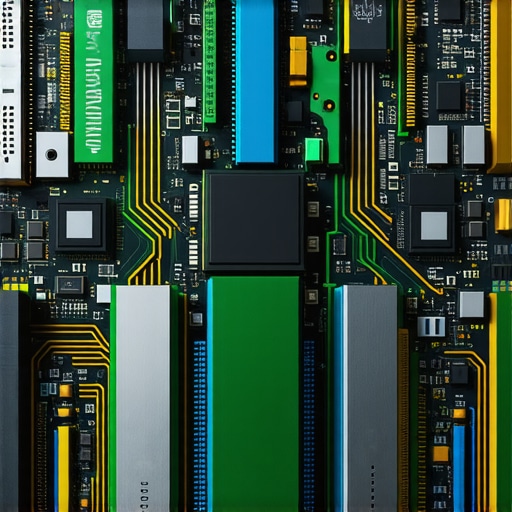
Image prompt: futuristic neuromorphic computing hardware designed for high-performance multimedia processing, emphasizing neural network architecture and bio-inspired design.
What is the Impact of Edge Computing on High-Resolution Video Editing?
Edge computing decentralizes processing power closer to data sources, reducing latency and bandwidth requirements for large-scale media workflows. By deploying powerful edge servers equipped with dedicated AI accelerators and high-speed storage, editors can perform complex tasks such as proxy creation, color correction, and rendering locally, before synchronizing with cloud repositories. This approach minimizes delays and enhances security, especially in remote or distributed production environments. Industry reports, such as those by Gartner, indicate that edge computing will become integral to scalable, latency-sensitive video editing solutions in the coming years.
How should studios architect their infrastructure to leverage edge computing for 4K and 8K workflows?
Designing a hybrid architecture that combines on-premises high-performance workstations with strategically placed edge servers can optimize data flow and processing efficiency. Emphasizing high-bandwidth connections, robust data synchronization protocols, and modular storage solutions will ensure seamless integration. Engaging with vendors offering tailored edge solutions and participating in pilot programs will facilitate smooth adoption of this transformative technology.
Conclusion: Embracing the Future of Video Editing Hardware with a Forward-Thinking Mindset
Staying ahead in professional video editing necessitates a deep understanding of emerging hardware paradigms, from quantum and neuromorphic computing to edge architectures. By proactively exploring and integrating these innovations, studios can unlock new creative possibilities, streamline workflows, and maintain a competitive edge in the rapidly evolving landscape of high-resolution media production. Continual engagement with industry research, technology partners, and professional communities will be key to navigating this exciting frontier.
Expert Insights & Advanced Considerations
1. Embrace Modular Hardware Architectures
Leading professionals advocate for scalable, modular hardware setups that allow seamless upgrades in GPU, CPU, and storage components, ensuring longevity and adaptability in high-resolution workflows.
2. Prioritize AI and Machine Learning Integration
Incorporating AI-accelerated hardware, such as NVIDIA’s RTX series, can dramatically enhance real-time processing, denoising, and upscaling tasks, pushing the boundaries of creative efficiency.
3. Optimize Thermal and Power Management
Advanced cooling solutions and power management are critical for maintaining peak performance during intensive 4K rendering sessions, preventing thermal throttling and hardware degradation.
4. Leverage High-Bandwidth Storage Technologies
Investing in PCIe 5.0 SSDs and RAID configurations ensures rapid data access and transfer rates necessary for handling large 4K media files without bottlenecks.
5. Incorporate Future-Proof Design Principles
Design systems with compatibility for emerging standards like quantum computing interfaces and neuromorphic processors, preparing your workflow for next-generation technological advancements.
Curated Expert Resources
- Video Editing Hardware Guide by NVIDIA: Offers in-depth analysis of GPU architectures optimized for professional workflows, emphasizing CUDA cores and memory bandwidth.
- Tom’s Hardware – GPU Benchmark Reports: Provides comprehensive performance benchmarks and comparisons for current high-end GPUs, guiding optimal hardware investments.
- IEEE Transactions on Quantum Engineering: Presents cutting-edge research on quantum computing applications relevant to media processing and high-resolution rendering.
- Gartner Reports on Edge Computing: Details how decentralized processing can revolutionize high-res media workflows, minimizing latency and maximizing efficiency.
- Industry White Paper on Neuromorphic Hardware: Explores bio-inspired processing chips that could redefine real-time media analysis and synthesis in the future.
Final Expert Perspective
In the realm of 4K video editing hardware, embracing advanced, future-oriented strategies—such as integrating AI acceleration, modular designs, and high-bandwidth storage—can elevate your workflow to unparalleled levels of efficiency and creativity. Staying informed through authoritative resources like NVIDIA’s technical guides, IEEE publications, and industry benchmarks ensures you remain at the forefront of technological evolution. For professionals committed to excellence, continuously refining your hardware ecosystem is not just a choice but a necessity. Engage with our community, share insights, and explore further at our contact page to keep pushing the boundaries of what’s possible in high-resolution media production.

This article offers a comprehensive overview of how essential the right hardware stack is for high-end 4K workflows. From what I’ve experienced, investing in a balanced setup with a powerful GPU like the RTX 4090 and a fast NVMe SSD significantly reduces project load times and smooths out real-time editing. I particularly found the discussion on AI acceleration interesting, especially since more editing software now leverages NVIDIA’s AI cores for denoising and upscaling, which cuts down manual grading time.
In your opinion, how do you see the role of emerging storage tech, like PCIe 5.0 drives, impacting future workflows, especially when working with multi-terabyte projects? Do you think these advancements will become standard in most professional studios soon, or are they still mostly in the upgrade phase? I’ve been contemplating whether to wait for these newer solutions or to upgrade my current system now, considering the rapid pace of hardware progression.
This article really underscores how critical tailored hardware setups are for 4K production. From my own experience working on high-res projects, investing in a strong GPU like the RTX 4090 combined with fast NVMe SSDs has been a game-changer for workflow fluidity. I’m particularly intrigued by the integration of AI acceleration, which has shortened grading times and improved real-time previews significantly. It makes me wonder how much headroom we’ll need in future storage solutions—especially with PCIe 5.0 drives promising even greater speeds. Do you think these will be universally adopted in industrial settings soon, or are they still too early for prime time? Also, how do you see hybrid storage solutions evolving to meet the demands of massive 8K and beyond workflows while keeping costs manageable? I’d love to hear some practical insights or examples of how studios are balancing these cutting-edge tech investments with budget constraints, especially in the context of rapidly advancing hardware standards.
The post offers some excellent strategies for building a high-performance workstation tailored for 4K editing. From personal experience, investing in a GPU with a robust architecture like the RTX 4090 has truly made a difference in real-time playback and rendering speeds, especially when handling complex color grading workflows. The emphasis on storage speed and capacity is also vital—I’ve found that combining PCIe 4.0 SSDs with RAID configurations can significantly reduce bottlenecks during multi-layer editing sessions.
Regarding future-proofing, do you think that hybrid storage setups, perhaps mixing NVMe and emerging PCIe 5.0 drives, will become standard in professional studios soon? Given the rapid development in storage tech, I’m curious how studios might balance immediate needs with long-term scalability, especially as projects continue to grow in resolution and size. It would be great to hear practical insights from those who are already experimenting with these new storage solutions in real-world workflows.