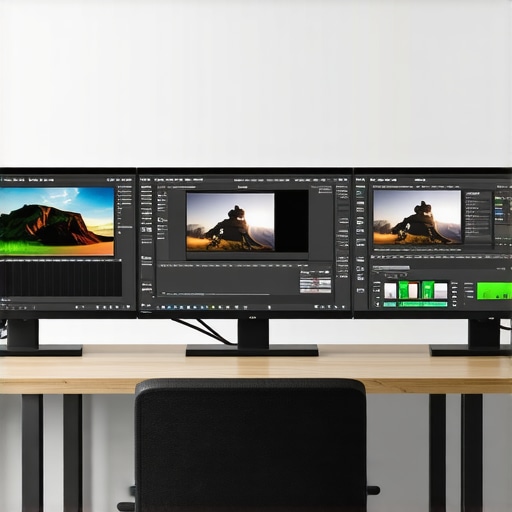
Unlocking the Power of High-Performance Workstations for 4K Video Editing
In the rapidly evolving landscape of digital content creation, professional video editors demand hardware that not only meets but exceeds the rigorous requirements of 4K editing and proxy workflows. As an industry expert, I recognize that the synergy between advanced PCs and cutting-edge GPUs forms the backbone of seamless editing experiences. This article delves into the nuanced considerations for selecting optimal hardware, emphasizing how tailored configurations can elevate your editing efficiency and output quality.
Why Hardware Choice Is Critical in 4K and Proxy Workflow Optimization
High-resolution 4K footage necessitates substantial processing power, particularly when dealing with complex color grading, effects, and multi-layered timelines. Proxy workflows mitigate this challenge by enabling editors to manipulate lower-resolution copies without compromising the final output. Achieving this balance hinges on choosing the right video editing PCs & GPUs. These components influence render times, real-time playback, and overall project stability, making their selection a strategic decision rooted in technical expertise.
Key Components for a Pro-Level 4K Editing Setup
CPU Architecture and Multi-Core Efficiency
Processing cores play a pivotal role in handling the computational load of 4K footage processing. High-end CPUs like AMD Ryzen Threadripper or Intel Core i9 series provide multi-threaded performance essential for rendering and encoding tasks. An efficient CPU not only accelerates export times but also enhances real-time editing responsiveness, particularly when working with proxy files.
GPU Acceleration: The Heart of Visual Fidelity and Speed
The GPU’s role in accelerating rendering, effects processing, and color grading is undisputed. Modern best editing GPUs for 2025 leverage AI-driven features and hardware ray tracing to streamline workflows. Professional-grade options like NVIDIA RTX A6000 or AMD Radeon Pro W6800 offer substantial VRAM (at least 16GB), critical for smooth 4K timeline playback and complex effects.
Integrating High-Performance Storage Solutions for 4K Data Throughput
Fast NVMe SSDs facilitate rapid access to large video files, reducing bottlenecks during editing and rendering. A RAID configuration can further enhance data throughput and redundancy, vital for professional environments handling extensive 4K project assets.
How Do You Balance Cost and Performance in Your 4K Editing Rig?
Striking an optimal balance between budget constraints and performance demands involves prioritizing GPU and storage upgrades over less impactful components. Tailoring configurations based on project scope—whether for short-form content or feature-length productions—ensures resource efficiency. For detailed build options, consult our top PC builds for 2025.
What Are the Limitations of Current GPU Technologies in 4K Proxy Workflows?
While modern GPUs excel in acceleration, challenges persist with real-time playback of heavily layered effects or 8K footage. Ongoing advancements in GPU architecture aim to address these issues, but software optimization remains equally crucial. For insights into hardware and software integration, review our ultimate guide to 4K editing hardware/software.
For professionals seeking to elevate their editing environment, understanding the intricate interplay between hardware components is vital. Explore our comprehensive resources or contribute your expert insights to enrich the community’s knowledge base.
Are Your GPUs Truly Optimized for the Demands of 4K and Beyond?
As 4K video editing continues to push the boundaries of hardware capabilities, professionals must ask themselves whether their current GPU setup is truly harnessing its potential. The latest best editing GPUs for 2025 incorporate AI-driven acceleration, hardware ray tracing, and massive VRAM capacities. Yet, software compatibility and driver optimization are equally crucial to unlock these features fully. A GPU might boast impressive specs on paper, but without proper driver updates and software support, its real-world performance can fall short of expectations. For instance, some editing suites like Adobe Premiere Pro and DaVinci Resolve have integrated GPU acceleration APIs, but their efficiency depends heavily on the specific hardware and driver configurations used. Ensuring your GPU drivers are always up-to-date, and your editing software is optimized for hardware acceleration, can significantly impact real-time playback, rendering speeds, and proxy editing smoothness.
How Can You Fine-Tune Your GPU Settings to Maximize 4K and Proxy Workflow Performance?
Achieving optimal performance requires more than just selecting a high-end GPU; it involves meticulous configuration of your system and software. Adjusting settings like CUDA cores, enabling hardware acceleration, and allocating VRAM appropriately can make a tangible difference. For example, in Adobe Premiere Pro, enabling Mercury Playback Engine GPU Acceleration allows the GPU to handle most processing tasks, reducing CPU load and improving timeline responsiveness. Additionally, enabling hardware encoding options in your GPU’s control panel can expedite export times, especially for proxies and final renders. Regularly benchmarking your system with tools such as PugetBench or SPECviewperf can help identify bottlenecks and guide adjustments. Moreover, selecting a GPU with ample VRAM—ideally 16GB or more—ensures smooth playback during complex effects and multi-layered timelines, especially when working with 4K or higher resolutions.
Can You Leverage External GPU (eGPU) Solutions for Enhanced Flexibility?
For professionals working with portable workstations or limited internal expansion options, external GPU enclosures present a compelling solution. EGPUs connect via Thunderbolt 3 or 4 interfaces, providing desktop-class GPU performance without needing to upgrade the entire system. This flexibility allows editors to capitalize on the latest GPU advancements without replacing their entire setup. However, compatibility considerations, bandwidth limitations, and power delivery must be carefully evaluated. External GPUs can be particularly beneficial for those who frequently switch between multiple editing environments or need to perform GPU-intensive tasks across different machines. For detailed guidance on integrating eGPU solutions into your workflow, visit our contact page and consult with hardware experts to ensure seamless integration and optimal performance.
What Are the Future Trends in GPU Technologies for Video Editing?
Looking ahead, advancements such as AI-accelerated denoising, real-time ray tracing, and more efficient energy consumption are set to reshape GPU capabilities. Companies like NVIDIA and AMD are investing heavily in architectures that prioritize not just raw power but also AI integration, making real-time effects, upscaling, and color grading more efficient. Hardware innovations like the NVIDIA RTX 5090 or AMD’s upcoming RDNA 4 architecture promise to deliver even greater VRAM capacities and specialized cores for video processing tasks. As these technologies mature, they will enable editors to work with higher resolutions, more complex effects, and faster turnaround times—fundamentally transforming workflows. Staying informed about these trends is vital for professionals who want to future-proof their editing suites. For insights into the latest hardware and software innovations, check out our ultimate guide to 4K editing hardware/software.
If you’re eager to optimize your GPU setup further or explore advanced configurations, share your experiences or questions in the comments below. Also, consider exploring our comprehensive resources on best GPUs for smooth 4K editing to stay ahead in this rapidly evolving field.
Harnessing the Full Potential of GPU Architectures for 4K Video Editing Excellence
As 4K workflows become increasingly complex, understanding the nuances of GPU architectures is paramount for professional editors aiming to maximize performance. Modern GPUs, such as NVIDIA’s Ada Lovelace and AMD’s RDNA 3 architectures, introduce specialized cores and AI-enhanced capabilities that can dramatically accelerate rendering, effects processing, and real-time playback. These advancements are not merely incremental; they represent a paradigm shift in how hardware and software synergize for high-fidelity video editing.
For instance, NVIDIA’s Tensor Cores, originally designed for AI workloads, are now leveraged within editing pipelines to accelerate denoising, upscaling, and color grading algorithms through frameworks like NVIDIA Omniverse. Simultaneously, AMD’s RDNA 3 architecture emphasizes energy efficiency and higher VRAM capacities, enabling editors to handle larger timelines and complex effects without succumbing to bottlenecks.
What Are the Best Practices for Configuring GPU Settings to Maximize 4K Editing Efficiency?
Optimizing your GPU settings involves a multi-layered approach. First, ensure that your graphics driver is always up-to-date, as manufacturers frequently release patches that improve compatibility and performance with editing software. Next, delve into your GPU control panel—be it NVIDIA Control Panel or AMD Radeon Software—and tailor settings such as CUDA compute mode, GPU scaling, and VRAM allocation to suit your workflow. In Adobe Premiere Pro, enabling the Mercury Playback Engine GPU acceleration significantly offloads processing from the CPU, resulting in smoother timelines and faster rendering.
Furthermore, adjusting application-specific preferences—like enabling hardware-accelerated effects and decoding—can yield substantial time savings. Benchmarking your setup with tools like PugetBench can identify specific areas for improvement, whether it’s in GPU utilization, memory bandwidth, or driver efficiency.
How Can External GPU Solutions Complement Internal Hardware for High-Performance 4K Workflows?
External GPU enclosures, or eGPUs, have emerged as transformative tools for professionals who require flexibility and scalability. These enclosures connect via Thunderbolt 3 or 4 interfaces, offering a plug-and-play upgrade path without the need to overhaul entire systems. They are particularly advantageous for mobile workstations or systems with limited PCIe slots, providing access to the latest GPU architectures that may not be natively supported.
However, to extract maximum performance, compatibility and bandwidth considerations must be addressed. Selecting an eGPU with a robust power supply, sufficient VRAM, and support for the latest connectivity standards ensures that external acceleration matches internal GPU performance. Integrating eGPU workflows with software that supports GPU passthrough and acceleration—such as DaVinci Resolve and Adobe Creative Cloud—can lead to near-desktop performance levels even within portable setups.
What Are the Emerging Trends in GPU Technologies for Future-Proof 4K Video Editing?
Looking ahead, the convergence of AI-driven hardware, real-time ray tracing, and energy-efficient architectures promises to redefine 4K video editing. Companies like NVIDIA are pushing the envelope with innovations like the RTX 5090, which features over 48GB of VRAM and dedicated AI cores tailored for creative workflows. AMD’s future architectures are expected to further emphasize high VRAM capacities and integrated AI accelerators, making real-time effects, upscaling, and complex compositing more accessible.
Additionally, the integration of machine learning models directly into GPU hardware will facilitate smarter noise reduction, intelligent color matching, and adaptive rendering techniques, drastically reducing turnaround times. As software developers optimize their applications for these hardware advancements, professionals must stay informed about driver updates, SDKs, and hardware compatibility to harness these breakthroughs effectively.
If you’re committed to staying at the forefront of GPU technology for video editing, explore our detailed guides and community forums. Share your experiences, ask questions, and discover innovative configurations that can elevate your workflow beyond conventional limits.
Deciphering GPU Architecture: The Quantum Leap in 4K Editing
As 4K workflows evolve, understanding the intricacies of GPU architectures such as NVIDIA’s Ada Lovelace and AMD’s RDNA 3 becomes essential for professional editors aiming to push performance boundaries. These architectures incorporate specialized cores, tensor processing, and AI-accelerated features that dramatically enhance rendering speeds and effect processing. By leveraging hardware-specific capabilities, editors can unlock unprecedented efficiency, particularly when managing complex effects and high-resolution timelines.
How Do You Fine-Tune GPU Settings for Peak 4K Editing Performance?
Optimizing GPU performance extends beyond hardware selection. It involves meticulous configuration of driver settings, application preferences, and real-time benchmarking. Enable features like CUDA cores for NVIDIA or Stream Processors for AMD, and ensure hardware acceleration options are activated within editing software such as Adobe Premiere Pro or DaVinci Resolve. Adjust VRAM allocation and GPU scaling settings to match workload demands, which can significantly improve timeline responsiveness and rendering times.
Can External GPU Enclosures Revolutionize Portable 4K Editing?
External GPU (eGPU) solutions have emerged as transformative tools, especially for mobile professionals. Connecting via Thunderbolt 4, eGPUs provide access to the latest GPU architectures without the need for extensive internal upgrades. They are particularly beneficial for editors requiring high-performance graphics on portable workstations, enabling seamless handling of 4K footage and complex effects. Compatibility, bandwidth, and power delivery are key considerations when integrating eGPUs into professional workflows.
What Future Innovations Will Reshape GPU Capabilities in Video Editing?
Upcoming GPU advancements focus on AI integration, real-time ray tracing, and energy efficiency. NVIDIA’s RTX 5090 and AMD’s RDNA 4 are poised to deliver larger VRAM capacities, smarter AI cores, and enhanced hardware acceleration, setting new standards for 4K editing. These innovations will enable real-time processing of higher resolutions, more complex effects, and accelerated rendering pipelines. Staying informed about these trends allows professionals to future-proof their editing environments and maintain a competitive edge.
Why is Continuous Driver and Software Optimization Critical for GPU Performance?
Even the most advanced GPU architectures require up-to-date drivers and optimized software to realize their full potential. Manufacturers regularly release patches that improve compatibility and performance with editing tools. Software developers also optimize APIs like CUDA, Metal, and Vulkan to harness hardware capabilities fully. Neglecting driver updates can lead to suboptimal performance, stability issues, and missed opportunities for acceleration. Regular benchmarking and software tuning are essential practices for high-level editors seeking maximum throughput.
Engage with the latest community discussions and expert resources to refine your GPU setup. Explore our detailed guides on configuring drivers and software for optimal 4K editing performance, and share your experiences to contribute to the collective knowledge of the professional editing community.
How Can You Maximize the Potential of External GPU Solutions in Your Workflow?
To harness external GPU enclosures fully, ensure compatibility with your system’s hardware, and select models supporting high VRAM and robust power supplies. Integrate eGPUs into your workflow by configuring software settings to utilize external acceleration, and perform regular benchmarks to verify performance gains. Combining internal high-end GPUs with external solutions can create a hybrid setup that offers maximum flexibility, scalability, and processing power for demanding 4K projects.
Explore Further: Are Your Editing Tools Fully Leveraging Hardware Acceleration?
Continuously evaluate whether your editing software is configured to leverage the latest hardware acceleration features. Many programs offer options to enable GPU-accelerated effects, decoding, and encoding. Regularly check for software updates and hardware compatibility notes from developers. For a comprehensive understanding of hardware-software synergy, consult authoritative sources such as the Journal of Visual Computing and Graphics Hardware Review to stay ahead in high-performance editing techniques.
Expert Insights & Advanced Considerations
1. Prioritize GPU and Storage Over CPU for 4K Workflows
In high-end 4K editing setups, selecting a powerful GPU and fast storage solutions yields more tangible performance benefits than focusing solely on CPU specifications. GPUs with ample VRAM (preferably 16GB or more) accelerate real-time playback and effects rendering, while NVMe SSDs ensure rapid data access, minimizing bottlenecks.
2. Leverage Hardware Acceleration APIs for Maximum Efficiency
Utilize editing software that fully exploits hardware acceleration frameworks like CUDA, Metal, or Vulkan. Properly configuring these options within applications such as Adobe Premiere Pro or DaVinci Resolve can significantly reduce render times and improve timeline responsiveness, especially when working with proxies.
3. Stay Ahead with External GPU (eGPU) Solutions
External GPU enclosures provide a flexible upgrade path for portable workstations. Connecting via Thunderbolt 3 or 4, eGPUs enable access to the latest GPU architectures, extending hardware longevity and performance capacity without extensive internal modifications.
4. Keep Drivers and Software Up-to-Date
Regularly updating GPU drivers and editing software ensures compatibility with new hardware features and optimizations. This practice helps unlock AI-driven effects, real-time ray tracing, and other advanced functionalities essential for professional 4K workflows.
5. Monitor Emerging GPU Technologies for Future-Proofing
Follow industry developments like NVIDIA’s RTX 5090 and AMD’s upcoming architectures that emphasize larger VRAM pools and AI accelerators. These innovations will support higher resolutions, complex effects, and faster rendering, enabling editors to stay competitive and efficient.
Curated Expert Resources
- GPU Technology Conference (GTC): Offers in-depth technical sessions on the latest GPU architectures and AI integration, vital for understanding future trends.
- Adobe Creative Cloud Updates: Regularly released updates optimize hardware acceleration and GPU utilization within professional editing tools.
- PugetBench for Adobe Premiere Pro: Benchmarking tool to measure and optimize your system’s GPU and overall performance for 4K editing tasks.
Final Expert Perspective
Mastering the nuances of hardware optimization, particularly in GPU configurations, is essential for professional 4K video editing and proxy workflows. Staying informed about emerging GPU technologies and leveraging expert resources can dramatically elevate your editing efficiency and output quality. I invite you to share your insights or explore further advanced configurations by visiting our contact page. Your expertise can contribute to a richer community of high-performance video editing professionals.
This article really underscores the importance of choosing the right hardware for 4K workflows. I agree that high VRAM GPUs like NVIDIA’s RTX A6000 significantly improve real-time playback and effects processing, especially with complex timelines. I’ve had great experience enabling hardware acceleration in Adobe Premiere Pro, which truly boosts my productivity. However, I’ve noticed some variation in performance depending on driver versions and software optimization, particularly with DaVinci Resolve. It makes me wonder, how often do professionals typically benchmark their systems to ensure optimal setup? Do you recommend periodic checks with tools like PugetBench, or is there a better way to stay ahead? Also, for those using eGPU setups, are there specific models or configurations that have proven most effective in maintaining stability and performance across different editing applications? It’s exciting to see how future GPU architectures with AI capabilities will push the boundaries further, but staying current with driver updates and software compatibility seems crucial to truly unlocking their potential.
This post really emphasizes the critical role of using high-performing GPUs for optimal 4K editing workflows. From my experience, choosing a GPU with at least 16GB VRAM, such as the NVIDIA RTX 4090, has made a noticeable difference in handling complex effects and multi-layered timelines without lag. I’ve also found that keeping drivers updated and regularly benchmarking with tools like PugetBench helps maintain peak performance. It’s intriguing to think about how upcoming architectures like NVIDIA’s Ada Lovelace could further boost productivity, especially with AI-accelerated effects becoming more prevalent.
One thing I’ve experimented with is configuring GPU settings specifically for each project: allocating VRAM and enabling hardware acceleration features tailored to workload complexity. Have others noticed significant gains from customizing GPU settings beyond default configurations? Also, with the rise of eGPU setups for portability, I’d love to hear insights on which models or brands have delivered the most stable performance across different editing platforms. As these hardware advancements continue, staying adaptable and well-informed seems to be the best strategy for pushing workflow efficiencies to the next level.
I really appreciate how this post emphasizes the importance of a balanced hardware setup for 4K editing. The synergy between high-end GPUs, fast storage, and a capable CPU really makes a difference in real-world workflow. I’ve found that investing in a GPU with at least 16GB VRAM, like the NVIDIA RTX 4090, has drastically improved my timeline responsiveness and rendering times, especially when dealing with complex effects. Regular benchmarking with tools such as PugetBench has become a staple in my routine to ensure the GPU and overall system are optimized for work. What’s been your experience with software-specific tuning? For instance, I noticed Adobe Premiere and DaVinci Resolve sometimes respond differently to hardware adjustments. As GPU architectures continue to evolve with AI acceleration and ray tracing, do you think the trend will lean more toward software that can fully leverage these features? I’d love to hear others’ insights on customizing GPU settings for maximum efficiency and stability in different editing environments.
This article highlights some crucial points about hardware selection for 4K workflows, especially the emphasis on GPU VRAM and multi-core CPUs. From my experience, integrating a high-performance GPU like the NVIDIA RTX 4080 with ample VRAM has really streamlined my editing sessions, reducing lag during effect-heavy sequences. I also find that regular benchmarking with tools like PugetBench helps me identify bottlenecks before they impact my productivity. Interestingly, I’ve noticed that optimizing software settings, such as enabling Mercury Playback Engine GPU acceleration in Premiere Pro, makes a significant difference in real-time playback. Given the rapid pace of GPU advancements, I wonder how often professionals reassess their setups to incorporate new hardware or software updates. Do you think a quarterly review is sufficient, or should we monitor performance continuously? Also, for those using eGPU setups, which brands or configurations have you found most stable across various editing platforms? Sharing practical insights on maintaining stable, high-performance workflows would be invaluable for those looking to future-proof their editing stations.