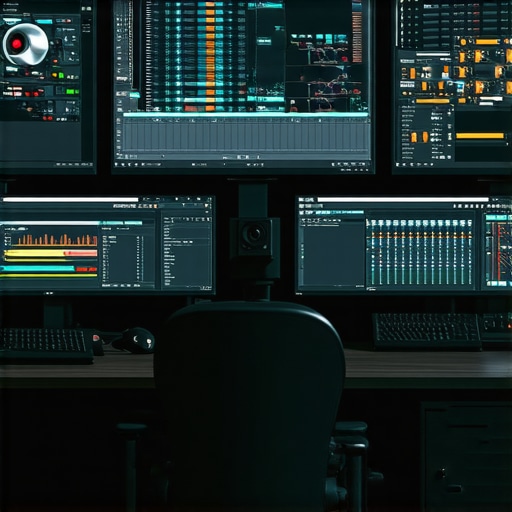
Mastering the Art of High-Performance Video Editing: Strategic Hardware Choices for 4K & Proxy Workflow Efficiency
In the realm of professional video production, especially at 4K resolution, the paramount importance of selecting the right PC and GPU components cannot be overstated. These hardware elements form the backbone of a seamless editing experience, enabling editors to handle demanding workflows such as proxy editing and color grading with precision and speed. As industry experts continually push the boundaries of resolution and complexity, understanding the nuanced interplay between hardware specifications and editing performance becomes essential for achieving optimal results.
Why Hardware Architecture Defines 4K & Proxy Editing Success
The efficiency of a video editing workstation hinges on a balanced architecture that addresses CPU, GPU, RAM, and storage configurations. For 4K editing, the GPU’s role in accelerated rendering and real-time playback is critical, especially when dealing with complex effects and color grading. Simultaneously, the CPU’s core count and clock speed influence encoding times and timeline responsiveness, while fast SSDs minimize bottlenecks in data transfer. In proxy workflows, where lower-resolution copies of footage facilitate smoother editing, hardware must sustain rapid proxy generation and seamless switching without latency.
Advanced GPU Options for 4K & Proxy Workflow Optimization
Modern high-end GPU models like NVIDIA’s RTX 4090 and AMD’s Radeon RX 7900 XTX provide substantial computational power, offering accelerated hardware encoding, decoding, and real-time effects processing. These GPUs incorporate dedicated AI cores, which can significantly enhance tasks such as noise reduction and upscaling during proxy workflows. For editors prioritizing stability and longevity, professional-grade options like NVIDIA Quadro RTX series or AMD Radeon PRO cards may offer enhanced driver support and optimized performance for editing software such as Adobe Premiere Pro and DaVinci Resolve.
Is a High-End CPU Always Necessary for 4K & Proxy Video Editing?
While a powerful CPU—such as Intel’s Core i9-13900K or AMD’s Ryzen 9 7950X—provides undeniable benefits in rendering and timeline responsiveness, the balance with GPU capabilities remains crucial. Over-investing in CPU alone without a matching GPU can bottleneck performance, especially during GPU-accelerated tasks. In professional workflows, combining a multi-core CPU with a compatible GPU ensures that tasks like color grading, effects rendering, and proxy generation are handled efficiently, reducing latency and increasing throughput.
How does the choice of GPU impact color grading and proxy workflow efficiency in 4K editing?
The GPU’s role in color grading is vital, particularly with software that leverages hardware acceleration, such as DaVinci Resolve. High-end GPUs facilitate real-time color adjustments, LUT application, and 3D effects, which are essential for professional-grade outputs. Additionally, during proxy workflows, a robust GPU accelerates proxy creation, transcoding, and seamless switching between proxy and full-resolution footage, thereby streamlining the editing process and minimizing downtime.
For comprehensive guidance, explore our Ultimate Guide to 4K Video Editing Hardware, which delves into the optimal configurations tailored for high-resolution workflows. Investing in the right hardware not only enhances productivity but also ensures that your editing environment remains future-proof amidst evolving standards and software demands. Feel free to reach out with your professional insights or questions to further refine your setup.
How Can Advanced GPU Technologies Revolutionize 4K Color Grading and Proxy Management?
As 4K resolution becomes standard in professional video editing, the demand for powerful GPUs capable of handling complex color grading and efficient proxy workflows intensifies. Modern GPUs like NVIDIA’s RTX 4090 and AMD’s Radeon RX 7900 XTX are engineered with dedicated AI cores and advanced processing units that significantly speed up tasks such as real-time LUT application, noise reduction, and proxy transcoding. These hardware innovations enable editors to work seamlessly with high-resolution footage, reducing render times and enhancing overall productivity.
Furthermore, software support for GPU acceleration continues to expand, making it crucial for professionals to select hardware that aligns with their editing software’s capabilities. For example, DaVinci Resolve leverages GPU power for color grading, while Adobe Premiere Pro benefits from GPU acceleration for effects and rendering tasks. Investing in top-tier GPUs ensures smooth playback, quick proxy generation, and swift transitions between proxy and full-resolution files, ultimately saving valuable production time.
To maximize your setup, consider pairing high-end GPUs with optimized hardware configurations, including fast SSD storage and compatible CPUs. For detailed guidance on selecting the perfect GPU for your workflow, visit our top GPU options for seamless 4K editing and explore how hardware choices impact efficiency.
Can a balanced hardware architecture truly future-proof your 4K editing workflow amidst rapid technological advancements?
Balancing CPU, GPU, RAM, and storage is essential for creating an adaptable, future-proof editing environment. While high-end hardware offers immediate performance benefits, staying ahead of software updates and emerging standards requires a strategic approach. Regularly upgrading components such as GPU and storage, along with adopting scalable architectures, ensures that your system can handle evolving demands without costly overhauls. For comprehensive insights into building such resilient setups, explore our video editing PC builds for 2025.
If you’re eager to refine your hardware setup further or need personalized recommendations, don’t hesitate to reach out to our experts. Sharing your workflow challenges can lead to tailored solutions that maximize your productivity and ensure a smooth transition into future editing standards.
Leveraging Next-Gen GPU Technologies to Elevate 4K Color Grading Mastery
In the relentless pursuit of excellence in 4K video editing, harnessing the full potential of cutting-edge GPU architectures is paramount. Modern GPUs, such as NVIDIA’s RTX 4090 and AMD’s Radeon RX 7900 XTX, are not just incremental upgrades; they represent a paradigm shift with their innovative AI cores and multi-threaded processing capabilities. These advancements profoundly impact complex color grading workflows, enabling real-time LUT adjustments, sophisticated noise reduction algorithms, and seamless proxy transcoding. Understanding how software leverages these hardware features is crucial for maximizing efficiency.
For instance, DaVinci Resolve’s GPU-accelerated color grading engine benefits immensely from high-end GPUs, which provide the computational muscle necessary for intricate node-based corrections and 3D LUT applications. Similarly, Adobe Premiere Pro’s Mercury Playback Engine exploits GPU acceleration to streamline effects processing and playback, especially when working with proxy files. The result? Significantly reduced render times, smoother playback, and an overall boost in creative throughput.
What are the practical implications of AI-centric GPU cores on real-time editing and proxy workflows?
AI cores embedded within these GPUs facilitate accelerated machine learning tasks such as denoising, upscaling, and intelligent proxy creation. This means that editors can generate high-quality proxies faster, switch between resolutions effortlessly, and maintain high responsiveness during detailed grading sessions. As a consequence, post-production pipelines become more agile, with reduced downtime and enhanced ability to handle 4K footage without hardware bottlenecks.
External authoritative sources, like NVIDIA’s technical whitepapers, detail how Tensor Cores and RT Cores contribute to these workflows, ensuring that hardware choices are aligned with professional software capabilities. By integrating such GPUs into your editing environment, you’re not just upgrading hardware—you’re future-proofing your creative process against the rapid evolution of 4K workflows.
