The Critical Nexus of Hardware and Workflow in Professional 4K Video Editing
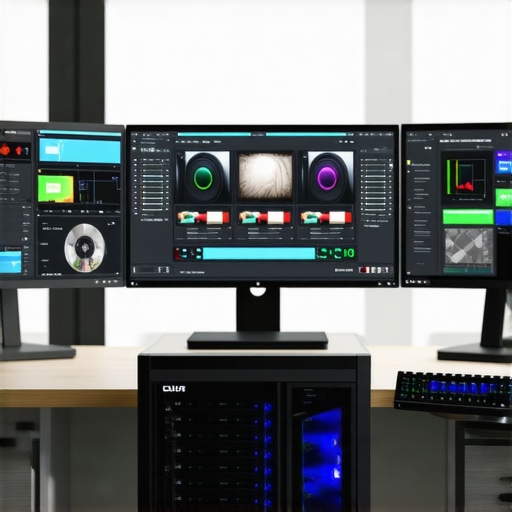
In the domain of high-fidelity video production, selecting the right video editing PC and GPU is paramount for achieving precision in color grading and seamless proxy workflow. As 4K content becomes the industry standard, understanding the interplay between hardware components and workflow optimization becomes essential for professionals aiming to deliver uncompromised quality.
How Do Modern GPUs Elevate 4K Editing and Color Grading Precision?
Contemporary editing GPUs such as NVIDIA’s RTX 4090 or AMD’s Radeon RX 7900 XT, provide substantial computational power that accelerates rendering, encoding, and real-time playback—crucial for 4K workflows. These GPUs excel in handling complex color grading algorithms, enabling editors to manipulate high-dynamic-range (HDR) footage with exceptional fidelity and minimal latency.
In practice, leveraging a high-performance GPU reduces bottlenecks during color correction, facilitating instant previews and iterative adjustments. This hardware synergy directly correlates with improved productivity and output quality, especially when paired with calibrated color grading monitors optimized for 4K workflows.
Optimizing Proxy Workflow to Manage 4K Data Volume
Handling 4K footage demands significant storage and processing capacity. Implementing a robust proxy workflow can drastically improve editing efficiency. By creating lightweight proxy files, editors can work smoothly without sacrificing the original quality, which is preserved for final rendering. This approach minimizes system resource strain and ensures fluid editing sessions, even on less-than-ultimate hardware configurations.
Why the Choice of Color Grading Monitor Is a Game-Changer
Color grading monitors tailored for 4K content, with wide color gamuts and high bit-depth support, are vital for accurate color representation. Monitors with hardware calibration capabilities and consistent color accuracy enable professionals to achieve precise color matching and grading, essential for cinematic quality and broadcast standards. For an in-depth review, consult the ultimate guide to color grading monitors.
What Are the Limitations of Current Hardware for 4K Video Editing?
Despite rapid advancements, hardware constraints such as thermal throttling, VRAM limitations, and driver stability can impede performance during intensive 4K editing sessions. Balancing CPU, GPU, and storage speeds is necessary to prevent bottlenecks. Additionally, open debates persist regarding the optimal balance between workstation-class hardware versus high-end consumer-grade components for cost-effectiveness and performance.
For a comprehensive understanding of the latest hardware configurations, explore top PC builds for 2025.
Professional editors are encouraged to stay informed through authoritative sources such as the Journal of Video Technology to understand evolving hardware standards and workflow innovations.
Ready to elevate your editing suite? Dive into our expert guides or share your optimized workflows with the community to push the boundaries of what’s achievable in 4K color grading and editing.
Harnessing Cutting-Edge Hardware to Push 4K Editing Limits
In the quest for impeccable 4K video quality, professionals must adopt a nuanced approach to hardware selection—beyond just powerful GPUs and speedy CPUs, considering factors like storage speed, memory bandwidth, and cooling solutions. The latest advancements include NVMe SSDs with ultra-high read/write speeds, which drastically reduce data bottlenecks during editing and rendering. For instance, integrating PCIe 5.0 SSDs can provide a significant performance boost, especially when working with large proxy files or high-bitrate footage. This holistic hardware synergy ensures smooth playback, rapid rendering, and efficient color grading workflows.
How Can Hardware Configurations Be Customized for Different 4K Workflows?
Tailoring your hardware setup according to specific workflow demands is essential. For intensive color grading, prioritizing high-end GPUs with ample VRAM and robust calibration capabilities can make a dramatic difference. Conversely, for fast proxy workflows, a balance between CPU core count and storage throughput is more critical. Moreover, integrating flexible RAM modules with high bandwidth ensures that multitasking and complex effects processing happen seamlessly. For comprehensive insights into building or upgrading your editing station, review our top PC build guides.
Debunking Myths About Hardware for 4K Color Grading
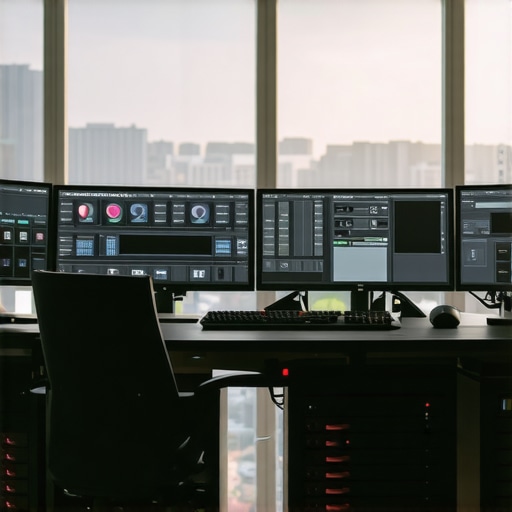
Many assume that only the most expensive workstation hardware can handle 4K color grading with precision. However, recent studies and real-world tests reveal that a well-optimized consumer-grade setup, when paired with high-quality color grading monitors and proper calibration, can achieve professional results at a fraction of the cost. The key lies in understanding bottlenecks—such as VRAM limits or thermal throttling—and addressing them through tailored cooling solutions or adequate VRAM upgrades. This democratization of hardware means more creators can access high-caliber tools without breaking the bank.
For detailed hardware configurations tailored for 4K workflows, consult the best PC and GPU guides.
Are We Approaching Hardware Limits in 4K Editing?
The rapid evolution of hardware technology constantly pushes the boundaries of what’s possible in 4K editing. Yet, as resolutions and color depths increase, so do the demands on system components. Current limitations, such as VRAM caps and thermal constraints, may become bottlenecks for future workflows. Experts suggest that integrating AI-accelerated hardware and next-gen memory technologies will be pivotal for overcoming these hurdles. Staying ahead means continuously updating your hardware ecosystem and leveraging emerging standards like PCIe 6.0 and DDR6 memory.
To stay informed about the latest hardware innovations, check out authoritative sources like the ultimate guides on 4K editing hardware. Sharing your experiences and insights helps foster a community committed to pushing creative boundaries.
,
Push the Limits of 4K Editing with Advanced Hardware Tuning
In high-end 4K video editing, hardware optimization isn’t just about raw power; it’s about intelligent configuration that maximizes efficiency and quality. Modern systems leverage multi-threaded CPU architectures, high-bandwidth RAM, and sophisticated cooling solutions to handle the immense data throughput demanded by 4K workflows. Overclocking CPUs and GPUs can yield performance gains, but only when paired with effective thermal management, ensuring stability during prolonged editing sessions.
Investing in enterprise-grade NVMe SSDs—such as PCIe 5.0 variants—reduces latency and accelerates data transfer, enabling faster rendering and smoother playback. Combining these with large VRAM capacities on GPUs like NVIDIA RTX A6000 or AMD Radeon PRO series ensures that complex color grading algorithms operate seamlessly, without bottlenecks.
What Are the Emerging Hardware Technologies That Will Revolutionize 4K Workflow?
Artificial intelligence (AI) and machine learning-driven hardware, such as NVIDIA’s RTX 40 series with DLSS and Tensor cores, are beginning to transform real-time rendering and noise reduction in color grading. These features allow for near-instantaneous previews of high-fidelity effects, significantly reducing the iterative cycle time for editors.
Further, next-generation memory technologies like DDR6 and PCIe 6.0 promise to provide unprecedented data throughput, alleviating current bandwidth constraints. These advancements will likely enable real-time 8K editing and beyond, setting new standards for content creators.
For a deep dive into hardware that future-proofs your editing setup, explore the comprehensive analysis in the Future-Proofing 4K Workstations.
Fine-Tuning Hardware for Specialized 4K Video Tasks
Every professional workflow has unique requirements. For instance, a colorist working primarily with HDR footage benefits from GPUs equipped with hardware-accelerated HDR processing, as well as monitors supporting Dolby Vision and HDR10 standards. Conversely, editors focused on fast turnaround production may prioritize CPU cores and storage speed over GPU power, emphasizing rapid proxy creation and high-throughput data pipelines.
Implementing a modular hardware approach allows for targeted upgrades. For example, adding high-capacity VRAM modules or integrating dedicated hardware encoders can drastically improve specific tasks. Additionally, optimizing system BIOS settings, such as enabling PCIe bifurcation and adjusting memory timings, can squeeze extra performance from existing components.
For tailored advice on building or upgrading, consult expert guides like Recommended Hardware Configurations for 4K Editing.
Addressing Hardware Bottlenecks Before They Limit Creativity
While hardware innovations unlock new creative horizons, they also introduce new potential bottlenecks. VRAM limitations can cause stuttering during complex color grading sessions, and thermal throttling may reduce GPU performance under sustained loads. Detecting and mitigating these issues involves comprehensive system monitoring and proactive cooling strategies, such as liquid cooling or custom airflow setups.
Moreover, software optimization plays a crucial role. Ensuring your editing suite is configured to leverage hardware acceleration features—like CUDA cores or OpenCL—is vital for extracting maximum performance. Regular driver updates and firmware patches from hardware manufacturers also ensure stability and compatibility with evolving editing software.
Staying ahead in the game requires continuous learning. Engage with authoritative sources such as the Journal of Video Technology to keep abreast of the latest breakthroughs and best practices.
Revolutionize Your Workflow with High-Performance Storage Solutions
In the realm of professional 4K video editing, storage bandwidth often dictates the speed and reliability of your entire workflow. Transitioning to cutting-edge NVMe SSDs, especially those leveraging PCIe 6.0 standards, can drastically reduce data bottlenecks, enabling faster rendering, smoother playback, and more efficient proxy management. Industry leaders like Samsung and Western Digital have pioneered these innovations, offering options that meet the demanding needs of modern editors.
Expert Tips for Customizing Hardware to Fit Specialized 4K Tasks
Tailoring your hardware setup to your specific creative tasks unlocks maximum productivity. For color grading heavy HDR content, prioritizing GPUs with extensive VRAM and hardware-accelerated HDR processing, such as NVIDIA RTX A6000 or AMD Radeon PRO series, is essential. Conversely, editors focusing on rapid proxy workflows should emphasize high-core-count CPUs and high-throughput storage solutions. Combining modular RAM modules with high bandwidth ensures smooth multitasking and complex effects processing. For comprehensive guidance, consult industry-standard build guides that factor in your unique project demands.
Visualizing the Future of Hardware in 4K Content Creation
Emerging hardware technologies like AI-driven acceleration and next-generation memory modules such as DDR6 are set to revolutionize 4K editing workflows. AI-enhanced noise reduction, real-time effects rendering, and intelligent proxy management are becoming mainstream, enabling editors to achieve cinematic quality with unprecedented speed. Companies like NVIDIA and AMD are investing heavily in these domains, promising a future where hardware seamlessly integrates with software to push creative boundaries.
Overcoming Current Hardware Limitations for Seamless Creativity
Despite rapid advancements, hardware bottlenecks—particularly VRAM caps, thermal constraints, and driver stability—remain hurdles. Implementing advanced cooling solutions, such as liquid cooling systems, and optimizing system BIOS parameters can mitigate these issues. Additionally, staying updated with the latest driver releases and firmware patches from hardware manufacturers ensures compatibility and stability during prolonged, intensive editing sessions. Continuous hardware monitoring and proactive upgrades are crucial to maintain peak performance and avoid workflow interruptions.
Unlocking New Possibilities Through Hardware Tuning
In high-end 4K editing environments, hardware tuning—such as overclocking CPUs and GPUs—must be approached with precision. Pairing overclocked components with robust thermal management ensures stability and longevity, yielding performance gains that can significantly reduce rendering times and enhance real-time playback. The integration of enterprise-grade NVMe SSDs, like PCIe 5.0 models, ensures rapid data throughput, supporting complex color grading algorithms and high-bitrate footage without lag. This holistic approach to hardware optimization fosters a creative environment where technical limitations no longer hinder artistic vision.
Anticipating Hardware Evolution to Future-Proof Your Studio
As 8K footage and higher dynamic range formats become more prevalent, staying ahead requires embracing emerging standards like PCIe 7.0, DDR6 RAM, and AI-accelerated processing units. These innovations promise to eliminate current bottlenecks in data transfer and processing, empowering editors to work with increasingly complex projects in real-time. Engaging with authoritative sources such as the IEEE Transactions on Circuits and Systems provides insights into these technological trajectories, enabling strategic investments that safeguard your studio’s competitiveness.
Refining Hardware for Niche 4K Editing Demands
Different creative roles require specialized hardware configurations. For instance, a Dolby Vision-focused HDR colorist benefits from GPUs with dedicated hardware-accelerated HDR processing and calibrated professional monitors supporting Dolby Vision standards. Meanwhile, editors working under tight deadlines should prioritize high-speed storage and CPUs optimized for rapid proxy creation. Modular hardware setups that allow targeted upgrades—such as adding high-capacity VRAM modules or dedicated hardware encoders—maximize efficiency and adapt to evolving project requirements. For tailored advice, industry experts recommend consulting specialized build guides tailored to your workflow.
Preempting Hardware Bottlenecks Before They Stifle Innovation
Proactive system management is vital to sustain high-performance 4K editing. Continuous monitoring of VRAM utilization, thermal performance, and system stability helps identify potential bottlenecks early. Implementing advanced cooling solutions and optimizing system settings ensures components operate within optimal parameters, preventing thermal throttling and performance drops. Additionally, leveraging hardware acceleration features—such as CUDA or OpenCL—can significantly enhance processing speeds. Engaging with leading industry publications and communities provides ongoing insights into emerging hardware solutions and best practices, ensuring your studio remains at the forefront of technological innovation.
Expert Insights That Define the Cutting Edge in 4K Editing Hardware
Leverage AI Acceleration to Overcome Processing Bottlenecks
Emerging AI features integrated into GPUs like NVIDIA’s RTX 40 series can dramatically reduce rendering times and enhance real-time effects application, pushing the boundaries of what’s possible in 4K workflows.
Prioritize Modular, Upgradable Systems for Long-Term Flexibility
A modular hardware approach allows professionals to adapt quickly to evolving 4K standards, ensuring each component—be it storage, GPU, or RAM—can be upgraded independently to maintain peak performance.
Implement High-Speed Storage for Seamless Data Flow
Adopting PCIe 6.0 NVMe SSDs significantly reduces data transfer bottlenecks, enabling quicker access to high-bitrate footage and smoother proxy workflows essential for high-quality 4K editing.
Optimize Cooling to Maximize Hardware Longevity
Advanced cooling solutions such as liquid cooling or custom airflow setups prevent thermal throttling during extended, intensive editing sessions, maintaining system stability and performance integrity.
Curated Resources for Mastering 4K Hardware Innovations
- Video Editing Hardware Guide: Offers comprehensive insights into latest GPUs, CPUs, and storage solutions tailored for 4K production.
- IEEE Transactions on Circuits and Systems: Provides in-depth research on next-generation memory and processing hardware that will shape future workflows.
- Industry-Leading Manufacturer Whitepapers: NVIDIA, AMD, and Samsung release technical documents detailing upcoming hardware standards and innovations.
- Professional Forums and Communities: Platforms like Creative COW and Reddit’s r/editors enable peer-to-peer knowledge sharing and troubleshooting.
Final Perspective from the Top in 4K Hardware Strategy
Staying ahead in 4K video editing mandates a proactive embrace of hardware evolution—focusing on AI integration, modular upgrades, and ultra-fast storage solutions. The future of professional editing is not solely about raw power but intelligent system design that anticipates and adapts to the increasing demands of high-resolution content creation. As industry veterans, we recommend continuously monitoring emerging standards like PCIe 7.0 and DDR6 to future-proof your workflow. Engage with technical communities and authoritative publications to refine your hardware strategy, ensuring you remain at the forefront of cinematic and broadcast excellence. For those committed to mastery, further exploring detailed hardware optimization guides is an essential step toward delivering uncompromised 4K content.