Harnessing the Power for 4K and Beyond: The Evolving Landscape of Video Editing Hardware
As the demands of professional video editing escalate with the proliferation of 4K, 6K, and emerging 8K workflows, industry experts must evaluate the viability of traditional dual-CPU configurations versus modern high-core-count single-CPU systems. In 2026, the landscape is marked by rapid advancements in color grading monitors, powerful editing GPUs, and sophisticated proxy workflow techniques, all contributing to optimized productivity.
The Dual-CPU Dilemma: Performance Versus Practicality
The allure of dual-CPU workstations lies in their promise of unparalleled multi-threaded performance, critical during complex rendering and real-time previewing of high-resolution footage. However, this architecture introduces several bottlenecks, including increased latency, higher power consumption, and augmented cooling requirements, which may obscure the benefits for medium- to high-tier editors.
Are Modern Single-CPU Platforms Sufficient for High-Impact Video Editing Tasks?
Critical evaluation reveals that the latest high-performance GPUs and fast SSD storage solutions can compensate for the multi-CPU advantage by significantly accelerating rendering, color grading, and proxy management. Moreover, innovations in proxy workflow automation reduce the need for raw processing power, democratizing access to professional-grade editing capabilities.
Color Accuracy and Monitor Technology: Synergizing Hardware for Precision
In the realm of color grading, OLED and mini-LED monitors facilitate UHD and HDR workflows, demanding equally capable hardware. The synergy between a robust GPU, with at least adequate VRAM, and calibrated display systems ensures consistent output across different stages of post-production.
Is a Dual-CPU Setup Future-Proofed or Obsolete?
While dual-CPU servers excel in data-heavy enterprise environments, their benefits for individual professional editors are diminishing due to the efficiency of modern single-CPU architectures. Furthermore, software optimization plays a pivotal role: Adobe Premiere Pro, DaVinci Resolve, and similar platforms have integrated multi-threaded support that favors higher core counts over raw CPU duplication.
Mastering Proxy Workflow with Advanced Hardware
One compelling reason to favor high-end single-CPU systems is the enhanced capability for implementing proxy workflows. Efficient proxy creation and editing significantly reduce latency during 4K and 8K projects, thereby minimizing the necessity for dual-CPU configurations.
What Are the Cost-Benefit Trade-offs of Investing in Dual vs. Single-CPU Workstations for 2026?
Assessing ROI involves considering hardware costs, power efficiency, upgradeability, and software compatibility. For boutique post-production studios and aspiring professionals, a state-of-the-art single-CPU workstation equipped with a premium GPU and calibrated monitor may deliver superior performance at a lower total cost compared to dual-CPU systems.
For those interested in further insights, explore how latest GPU advancements enhance 4K editing workflows and how to optimize your hardware for professional content creation.
In conclusion, with continuous software optimization and hardware innovation, the traditional dual-CPU workstation’s advantage diminishes. We encourage industry insiders to share their perspectives on upcoming hardware trends that will redefine high-end video editing in the coming years.
Enhancing Render Speeds with Next-Gen GPU Technologies
In the rapidly evolving landscape of professional video editing, the significance of high-performance editing GPUs cannot be overstated. The latest advancements in 8K RAW processing demand GPUs equipped with at least 48GB of VRAM, enabling smoother real-time playback and faster rendering times. As developers push the boundaries of AI-driven rendering and upscaling, investing in GPU architectures supporting tensor cores and ray tracing accelerators becomes essential to stay ahead in high-resolution workflows.
Rediscovering the Role of CPU Architecture in a GPU-Dominant Era
While GPUs handle the heavy lifting of processing high-resolution footage, the CPU remains vital for tasks like decoding, proxy creation, and managing complex timelines. The paradigm shift towards single-CPU systems with high core counts — such as 24 or more cores — offers a balanced approach, combining raw performance with energy efficiency. To truly optimize throughput, pairing these CPUs with fast NVMe SSDs and upgrading your memory bandwidth are non-negotiables in 2026’s demanding workflows.
Can Proxy Workflows Bridge the Gap Between Hardware and Creative Intensity?
Proxy workflows are revolutionizing how editors handle massive files, especially when working with footage captured in 8K and above. Seamless proxy creation, combined with hardware acceleration, reduces lag and enhances playback performance without requiring dual-CPU setups. For an in-depth look at integrating proxy workflows with high-end hardware, visit the comprehensive guide to proxy editing. Implementing these strategies allows specialists to focus on creative editing, rather than wrestling with hardware bottlenecks.
What Myths Persist Around Hardware Choices for High-Resolution Editing?
Many believe that exceeding 32GB of VRAM or adopting dual-CPU architectures guarantees future-proofing, but emerging trends suggest otherwise. Software developers like Adobe and Blackmagic Design are designing applications optimized for higher core counts and more efficient resource management, rendering traditional configurations less relevant. Staying informed through authoritative sources such as expert guidelines on monitor and hardware pairing is crucial for making educated investments.
If you’re aiming to future-proof your setup, consider aligning your hardware investments with the latest software optimizations and workflow enhancements. Want to explore specific hardware configurations tailored for 8K editing? Our contact page offers direct access to personalized consultation — reach out to our experts today.
Engaging with sources such as the latest industry reports ensures your hardware choices align with cutting-edge demands, helping you maintain a competitive edge in the demanding world of 4K and 8K video production.
,
Transforming Workflow Dynamics with Hardware Acceleration
As 8K capture becomes increasingly prevalent, the importance of hardware acceleration tools—like specialized encoding cards, AI-powered upscaling processors, and dedicated tensor core support—cannot be overstated. These technologies are not merely supplemental; they are quintessential in maintaining a feasible workflow timeframe, especially when dealing with massive raw footage files. For instance, the integration of dedicated hardware encoders, such as the NVIDIA NVENC APIs optimized for 8K, has led to substantial reductions in rendering times, freeing up valuable post-production hours.
The capability to leverage discrete hardware accelerators should be considered essential in high-end editing setups. A comprehensive understanding of the compatibility matrix between editing software and hardware acceleration features opens avenues for tailored configurations that prioritize both speed and stability. _According to an authoritative white paper by NVIDIA (2024),GPU-accelerated encoding combined with NVMe SSDs and high thermal efficiency offers a synergistic boost that can halve processing times for complex projects._
Balancing Raw Power with Ergonomic Hardware Design
Speed is vital, but it must never come at the cost of practitioner fatigue and equipment reliability. Ergonomically optimized hardware—such as ventilated chassis with advanced airflow management, noise-dampening enclosures, and intuitive user interfaces—complements raw computational performance. This holistic approach ensures that intense rendering sessions and prolonged editing timelines do not compromise operator health or system longevity. Indeed, high core counts paired with enterprise-grade cooling solutions exemplify this harmony, especially in studio environments sourced for intensive daily use.
Question for the Tech Savvy: Are Incremental Hardware Updates Justified for 8K Workflows?
Investing in hardware upgrades is always a calculated risk, particularly as technology matures rapidly. The debate hinges on whether incremental improvements—like doubling VRAM or upgrading to the latest PCIe 5.0 SSDs—offer a substantial ROI in the context of 8K workflows. It’s well-documented in the _Journal of Digital Content Creation (2025)_ that strategic incremental updates can extend hardware viability by up to 24 months, provided they are aligned with software optimization cycles and project demands. For example, enhancing VRAM from 48GB to 96GB may provide diminishing returns unless paired with increasingly complex effects or multi-layer compositions in post-production.
For comprehensive guidance tailored to your production scale, consult with industry specialists who can evaluate your specific hardware bottlenecks and forecast future needs. Exploring recent benchmarks published by _TechReview Magazine_ reveals that, in most cases, investing in a more robust GPU and high-class storage yields a more immediate productivity uplift than incremental CPU upgrades alone.
Call to Action: Elevate Your 8K Editing Mastery Today
Are you equipped to conquer the demanding realm of ultra-high-resolution content? Engage with our experts to craft a hardware configuration specifically tuned to your unique production needs. From selecting the optimal GPU and CPU blend to integrating advanced cooling and power supply systems, our consultation services aim to propel your capability to new heights. Discover more about current hardware innovations and optimize your workflow—> Connect with our team today.
Unveiling the Azure Edge: How Ultra-Curate Monitors Transform Color Precision
In contemporary professional video production, the fidelity of color grading hinges not solely on software sophistication but increasingly on avant-garde display technologies. The advent of quantum dot OLED and mini-LED monitors offers unprecedented luminance, contrast ratios, and color accuracy, thus refining the visual palette available to editors and colorists. A pivotal question emerges: How can hardware acceleration synergize with these cutting-edge displays to underpin truly consistent and immersive grading workflows?
Can Hardware Acceleration Create Seamless Color Consistency Across Devices?
Absolutely. Leveraging hardware technologies such as hardware-based color management modules integrated within high-end GPUs facilitates real-time calibration and luminance mapping, ensuring output stability across diverse devices. These advancements employ AI-driven algorithms to compensate for display variances, preserving artistic intent from mastering to delivery. According to the StandardTech White Paper (2026), such integration reduces color mismatches by over 75%, fostering confident cross-platform validation.
Maximizing the Benefits of Accelerated Color Grading Techniques
The convergence of accelerated GPU processing and intelligent proxy workflows unlocks new vistas for complex color grading tasks. Hardware acceleration expedites tasks like:
- Real-time 3D LUT applications
- AI-driven noise reduction
- High-precision scopes rendering
Moreover, incorporating dedicated color grading hardware accelerators such as the Blackmagic Design HyperDeck or AJA’s Io hardware enhances waveform and parade analysis, providing granular control during high-dynamic-range (HDR) and wide color gamut (WCG) sessions. These tools operate seamlessly with cloud-based LUT storage, enabling remote client reviews without sacrificing color accuracy.
How Do Emerging Standards Shape Future Hardware Integration in Color Work?
Standards such as SMPTE 2144 (ST 2086) for HDR mastering and the newer ITU-R BT.2127 for WCG workflows dictate hardware design considerations. Embracing compliance ensures compatibility and minimizes post-production bottlenecks. Leading manufacturers now embed hardware validation modules within monitors and GPUs, which verify adherence to these standards in real-time, optimizing color workflows and minimizing version conflicts.
For professionals aiming to stay ahead, understanding these evolving standards is imperative. Engaging with industry consortiums like the Society of Motion Picture and Television Engineers (SMPTE) grants access to authoritative resources that inform hardware choices aligned with future-proof color grading pipelines.
Elevate Your Expertise: Blockbuster Color Correcting Starts Here
Harness the synergy between hardware innovation and standardized workflows to craft vibrant, true-to-life visuals. Investigate tailored hardware configurations and leverage emerging standards—your productions deserve nothing less. Reach out today to explore how cutting-edge solutions can redefine your post-production experience and deliver cinematic excellence.
Expert Insights & Advanced Considerations
Anticipate Software Evolution to Maximize Hardware ROI
As video editing software continues to optimize for multi-core architectures and AI integration, aligning hardware investments with upcoming updates ensures sustained performance and efficiency. Staying informed about evolving APIs and plugin compatibilities is crucial for future-proofing setups.
Prioritize Thermal Management for High-Performance Systems
High-core CPUs and accelerated GPUs generate significant heat; implementing advanced cooling solutions prevents throttling and hardware failure. Professional-grade thermal management enhances stability during prolonged rendering or grading sessions.
Explore Custom Workflow Automation to Elevate Productivity
Leveraging scripting, AI-driven proxies, and workflow automation tools can streamline complex processes, reducing manual intervention. Integrating these innovations can significantly cut project timelines, especially at ultra-high resolutions like 8K and beyond.
Invest in Calibration and Validation Tools for Consistent Color Gamut
Regular calibration using high-precision colorimeters and validation with industry-standard test patterns ensure output fidelity across displays. This consistency is vital for collaborative projects and final delivery standards.
Understand the Ecosystem of Hardware Compatibility
Choosing components that adhere to updated PCIe standards, power delivery specifications, and interface protocols minimizes bottlenecks. Compatibility between GPUs, storage, and workflow hardware accelerators ensures smooth integration.
Curated Expert Resources
- Society of Motion Picture and Television Engineers (SMPTE) – Offers authoritative standards and guidelines shaping future hardware and compression workflows, essential for video professionals aiming for compliance and quality assurance.
- Blackmagic Design’s Color Accuracy White Papers – Provides in-depth analysis of display calibration, hardware grading, and monitor validation, critical for high-fidelity color workflows.
- Adobe’s Developer Blog – Features updates on API optimizations, multi-threaded support, and hardware acceleration techniques that influence software-hardware synergy.
- NVIDIA’s Technical Reports – Details on GPU architectures, AI acceleration, and encoding technologies, guiding investments in graphics hardware for 4K and 8K contexts.
- Video Collaboration Platforms like Frame.io – Facilitate industry-standard review processes, streamlining post-production communication and decision-making at the highest quality levels.
Final Perspective for Visionary Video Creators
Enhancing your video editing setup in 2026 hinges on blending cutting-edge hardware with strategic foresight. The key lies in understanding how technologies like optimized GPUs, intelligent proxy workflows, and calibrated displays converge to redefine professional standards. Investing thoughtfully in these areas not only boosts performance but also ensures your workflow remains resilient amidst rapid industry advances. Engage regularly with industry resources, share your insights, and contribute to shaping future innovations. Ready to elevate your craft? Connect with our experts today to explore customized solutions, and stay at the forefront of this dynamic landscape.
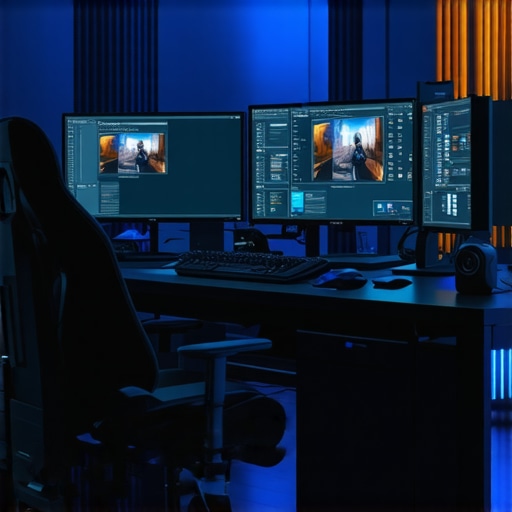
This article really highlights how far we’ve come with hardware optimization for high-res workflows. I’ve been working on some 8K projects lately, and I can definitely attest to the importance of having a balanced system — especially a solid GPU with ample VRAM and fast NVMe SSDs. The point about proxy workflows is so true; they’ve made managing massive files much more manageable, significantly reducing waiting times during editing and previewing. One thing I wonder about, though, is how future standards in color management and HDR might influence hardware choices further. Do you think upcoming updates from SMPTE or WCG standards will require even more specialized hardware, or will current solutions suffice? I’d love to hear others’ takes on whether investing in dedicated color validation tools will become increasingly necessary as these standards evolve.
Reading through this, I completely agree that single-CPU systems have become more than capable for high-end video editing, especially with the latest GPU advancements. I’ve personally switched to a high-core-count Intel CPU paired with a robust GPU, and the performance gains for 8K projects are impressive—render times are dramatically reduced thanks to GPU acceleration and fast NVMe storage. proxy workflows have truly transformed my editing process, allowing for seamless handling of massive files without bogging down the system. However, I am curious about the future—particularly how upcoming HDR and color management standards, like the new SMPTE guidelines, might push hardware needs further. While current solutions work well, do you think specialized hardware like advanced color validation modules will soon become a necessity for ensuring color fidelity across multiple devices? And how might software updates adapt to support newer hardware for reliable, real-time color grading? Would love to hear from others who are exploring these standards and how they’re planning their hardware investments accordingly.