In the rapidly evolving landscape of professional video production, 2026 ushers in unprecedented demands for hardware precision, workflow efficiency, and creative control, especially within the realm of 4K and higher resolutions. As experts navigate these complexities, aligning the right color grading monitor with a powerful video editing PC and an optimized proxy workflow becomes essential to maintain deliverables’ quality without sacrificing speed.
Elevating Color Accuracy with Cutting-Edge Monitors: Beyond Basic Calibration
The cornerstone of professional-grade video editing lies in color accuracy and consistency. Modern color grading monitors equipped with nano-LED or mini-LED technology provide luminous, HDR-ready panels that deliver 1000+ nits of peak brightness, essential for high-dynamic-range color grading. These displays, coupled with hardware calibration tools and rigorous software profiles, mitigate the risks of color shifts — especially critical when working in 4K or 8K formats.
For instance, a workspace with a matte finish matte monitor reduces glare and reflections, ensuring visual fidelity during lengthy sessions. External calibration verified by standards such as Rec. 709 or DCI-P3 ensures clients and editors speak the same language regarding color accuracy.
Proxy Workflow: Unlocking Seamless 8K and 12K Editing at Scale
High-resolution footage complicates editing workflows, often resulting in lag and compromise. Implementing a robust proxy workflow not only alleviates hardware strain but preserves editing fluidity. For example, utilizing optimized proxy files in HEVC or ProRes formats with fast SSD storage expedites real-time playback, even in densely layered 4K or 8K projects.
Advanced proxy systems, integrated into editor software, enable swift switching between proxy and original media, critical during color grading or effects compositing. The synergy between high-performance GPU-accelerated PCs and efficient proxy workflows significantly reduces turnaround times.
Choosing the Optimal Video Editing PC: Power Meets Efficiency
With the escalation of data throughput and rendering demands, selecting a video editing PC tailored to 2026 standards is strategic. Systems equipped with latest generation CPUs, complemented by a professional GPU boasting ≥48GB VRAM, ensure smooth handling of complex projects. SSD arrays in RAID configurations facilitate rapid read/write speeds, critical during 4K and higher resolution editing sessions.
Emerging trends favor compact yet expandable custom builds, optimized for thermal management and power efficiency, allowing professionals to scale hardware as workflow demands evolve.
How do I reconcile the demands of ultra-high-resolution footage with hardware limitations without sacrificing color fidelity?
Balancing high-resolution workflows and hardware constraints necessitates a combined approach: leveraging top-tier hardware accelerators, adopting proxy workflows for editing, and ensuring monitor calibration remains pristine. Prioritizing components with ample VRAM, fast storage, and high dynamic range support creates a pipeline where creative intent remains uncompromised.
For further insights on hardware configurations, consider exploring advanced PC builds for 4K/8K editing or reach out via our contact page to collaborate on tailored solutions rooted in professional practice.
} PMID: 34567890}#}# Answer:{
Harnessing AI and Hardware Synergy for Ultimate Editing Precision
As 2026 unfolds, integrating artificial intelligence with cutting-edge hardware becomes pivotal in elevating video editing capabilities. AI-driven tools now facilitate tasks such as automated color correction, noise reduction, and real-time scene analysis, significantly reducing manual effort and enabling editors to focus on the creative nuances. Moreover, leveraging hardware accelerators like tensor cores and dedicated AI processing units embedded within GPUs accelerates these workflows, ensuring minimal latency even with complex projects. Staying ahead requires a deep understanding of how AI algorithms and hardware co-dependence shape the editing landscape.
Customizing Your Proxy Workflow for Ultra-High-Resolution Masterpieces
High-resolution footage in 8K and 12K formats presents unique challenges, often overwhelming even the most powerful workstations. To overcome this, innovative dynamic proxy systems allow editors to fluidly switch between lightweight proxy files and original high-bitrate footage. Implementing adaptive proxy resolutions that adjust based on the editing phase—using lower resolutions during rough cut and higher quality during fine-tuning—can dramatically improve performance. Integration with software like DaVinci Resolve or Adobe Premiere Pro, complemented by optimized proxy settings, is essential for seamless workflows.
Are we truly prepared for the bandwidth demands of multi-layered 12K projects with horizon-level complexity?
This question pushes us to reevaluate our infrastructure, emphasizing not just raw speed but intelligent management of data flow and resource allocation. Advocates suggest high-speed NVMe SSD arrays coupled with advanced network-attached storage solutions and dedicated cache drives, ensuring that data bottlenecks remain a thing of the past. For a thorough understanding of hardware essentials supporting ultra-high-resolution projects, explore our ultimate guide to 4K and beyond hardware. Engaging with community forums and industry panels further illuminates best practices for future-proofed setups.
Considering the rapid evolution, consulting top-tier video editing GPU options and staying informed through trusted sources like the SMPTE standards body not only ensures compliance but also positions you at the forefront of technological innovation.
Looking to bolster your expertise? Engage with our community via the contact page for tailored advice on scaling your editing environment to meet 2026’s ambitious standards and beyond.
,
Refining Color Accuracy: Beyond Standard Calibration Methods
Achieving impeccable color fidelity in 4K and higher resolutions demands more than routine calibration procedures. Advanced calibration techniques involve utilizing spectroradiometers that precisely measure the entire color gamut and luminance response, ensuring monitors conform to industry standards such as DCI-P3 or Rec. 2020. Incorporating these tools allows for a granular calibration process, aligning display output with the original footage’s intent—essential for seamless color grading and client approval.
Is Hardware Calibration Superior to Software-Only Approaches for Critical Color Work?
Research underscores that hardware calibration, which adjusts the monitor’s internal LUT (Look-Up Table), offers unparalleled color consistency compared to software-based profiles. According to Dolby Laboratories’ white paper on professional display calibration, hardware calibration minimizes drift over time and ensures uniformity across multiple devices, a crucial aspect in multi-monitor editing suites. This approach not only enhances visual fidelity but also reduces the risk of color discrepancies during post-production and delivery stages.
The Impact of HDR and Wide Gamut Displays on Color Management
High Dynamic Range (HDR) workflows leverage displays capable of reproducing greater luminance and broader color gamuts, empowering editors to visualize the final image with unprecedented realism. However, integrating HDR monitors with existing color management pipelines requires meticulous calibration to preserve the fidelity from source material through grading and export. Maintaining consistent monitor profiles calibrated with high-precision hardware ensures that the shades, highlights, and color zones are accurately represented across various devices and viewing environments.
Optimizing Workflow with Color Management Software Integration
Modern color grading suites benefit from sophisticated software solutions like CalMAN, DisplayCAL, or LightSpace, which facilitate detailed profiling and ongoing calibration verification. These tools can script regular calibration routines, automatically adjusting for environmental changes such as ambient light shifts or display aging. Moreover, integrating these with editing software like DaVinci Resolve or Adobe Premiere Pro establishes a cohesive color management system that ensures consistency from project start to final render.
How can emerging AI technologies enhance color calibration precision?
AI-driven calibration algorithms now analyze footage and display responses in real-time, identifying subtle deviations and adjusting parameters accordingly. A 2025 study published in the Journal of Imaging Science and Technology demonstrates that machine learning models can predict and correct color inaccuracies with a level of precision previously unattainable through manual methods. Incorporating AI tools into calibration workflows accelerates setup times and enhances accuracy, making them invaluable for high-stakes production environments.
To further upgrade your color fidelity practices, consider integrating AI-powered calibration solutions and staying abreast of the latest industry developments by subscribing to authoritative bodies such as SMPTE and ITU-R. Engaging with professional communities and training programs will deepen your expertise, enabling you to deliver work that consistently meets the highest standards of visual excellence.
,
Unlocking the Power of Quad-Channel Color Mapping for Precise Grading
As the demand for impeccable color fidelity escalates, leveraging quad-channel color mapping techniques allows for granular control over primary and secondary hues. Integrating this approach with multi-gamut calibration enables colorists to isolate specific tonal ranges, ensuring fidelity across HDR workflows and complex visual effects. Utilizing high-end spectroradiometers for real-time gamut verification enhances consistency, vital for multi-platform delivery.
How does GPU Architecture Influence Your Color Grading Accuracy?
Modern GPUs employing RDNA 3 and Ampere architectures offer unprecedented parallel processing capabilities that directly impact color rendering precision. Their support for enhanced floating-point computations and larger LUT capacities translates into smoother gradations and more accurate tonal offsets. Staying informed about GPU-specific features, such as hardware-accelerated color transformations, is essential for professionals aiming to maximize grading fidelity.
In What Ways Can AI-Integrated Calibration Elevate High-Dynamic-Range Workflows?
Emerging AI algorithms now facilitate dynamic calibration adjustments tailored to ambient lighting conditions and display aging effects. By analyzing scene-specific data, AI-driven calibration tools can preemptively correct color shifts before they manifest, ensuring consistent HDR presentation. According to a recent study in the Journal of Color Science, such adaptive systems outperform traditional static calibration, thereby safeguarding creative intent over the monitor’s lifespan.
Why Are Custom Color Profiles Critical for Multi-Device Consistency?
Custom profiles facilitate uniform color reproduction across diverse hardware, including monitors, projectors, and mobile devices. Deploying device-specific LUTs calibrated through high-precision colorimeters ensures seamless transitions between devices, reducing discrepancies during collaborative review stages. Implementing centralized color management systems enables synchronized profile updates, maintaining integrity throughout the production pipeline.
Empowering Your Workflow with Next-Generation Proxy Management
Adaptive proxy strategies utilize real-time resolution scaling based on project complexity and editor focus, significantly improving playback responsiveness. Cloud-based proxy synchronization allows for collaborative editing in remote environments without sacrificing quality. Advanced proxy systems in software like DaVinci Resolve and Adobe Premiere Pro, when combined with high-bandwidth networks, facilitate a fluid, interruption-free editing experience even with multi-layered 12K footage.
How can Industry Standards and Emerging Technologies Coalesce to Optimize High-Resolution Editing?
Aligning with authoritative standards like SMPTE ST 2084 (PQ curve) and ITU-R BT.2408 ensures interoperability and future-proofing. Concurrently, embracing emerging tech such as neural network-based upscaling and AI-driven color prediction can greatly reduce hardware bottlenecks. Engaging with ongoing industry research and participating in standardization initiatives guarantees your setup remains at the forefront of innovation, delivering superior quality while maintaining efficiency.
For personalized guidance on integrating these advanced methodologies into your workflow, connect with our expert advisory board or explore our comprehensive resource hubs dedicated to 4K and RAW high-resolution workflows, ensuring your projects meet the highest industry benchmarks.
Expert Insights & Advanced Considerations
Harnessing AI for Exceptional Color Precision
AI integration in color grading workflows is transforming the industry. Advanced machine learning algorithms now enable real-time correction of color inconsistencies, allowing professionals to achieve impeccable accuracy while reducing turnaround times. Leveraging AI-powered calibration tools can detect subtle display deviations, ensuring that every pixel aligns with industry standards such as DCI-P3 or Rec. 2020, which is crucial for delivering true-to-life visuals in 4K and beyond.
Balancing Workflow Efficiency with Ultra-High Resolution Files
High-resolution footage demands robust proxy systems that adapt dynamically to project complexity. Implementing intelligent proxy management—where system automatically adjusts proxy quality based on editing stage—can significantly enhance responsiveness. Combining this with high-speed NVMe storage and optimized network setups enables seamless collaboration, even with multi-layered 12K content, facilitating creativity without technical constraints.
Future-Proofing Hardware Choices for Color Grading Excellence
Investing in GPUs with ample VRAM, like 48GB or more, alongside CPUs supporting high core counts, ensures systems remain capable of handling evolving project demands. Emerging architectures such as RDNA 3 provide enhanced floating-point computation, critical for precise color grading computations. Regularly revisiting hardware configurations against industry benchmarks keeps your setup aligned with cutting-edge performance requirements, maintaining your competitive edge.
Curated Expert Resources
- Why 48GB VRAM is Essential for 2026 Editing GPUs – An in-depth exploration of GPU memory scaling and its influence on high-resolution workflows.
- Ultimate Guide to Color Grading Monitors – Comprehensive insights into calibration, HDR handling, and display technology choices.
- Simple Proxy Workflow Fixes for 4K Stuttering – Practical tips to optimize editing performance with high-res content.
- Proxy Workflow Optimization – Strategies to streamline your high-resolution editing process efficiently.
- AI Effects and Hardware Limitations – A crucial understanding of managing AI-driven effects on hardware constrained systems.
Final Perspective for Today’s Creatives
Mastering color grading in 2026 hinges on recognizing the delicate interplay between technological innovation and artistic finesse. Emphasizing AI-driven calibration, strategic hardware choices, and adaptable workflows empowers professionals to push creative boundaries without compromising quality. Staying engaged with authoritative resources and industry standards ensures your skills remain sharp amidst rapid advancements. Is your current setup truly optimized to realize your full creative potential? Reach out with your insights or explore tailored solutions to elevate your craft—because the future of color grading is as much about innovation as it is about artistry.
![The $1,200 4K Editing PC: Real-World Performance Benchmarks [2026]](https://videoediting.editinggearpro.com/wp-content/uploads/2026/01/The-1200-4K-Editing-PC-Real-World-Performance-Benchmarks-2026.jpeg)
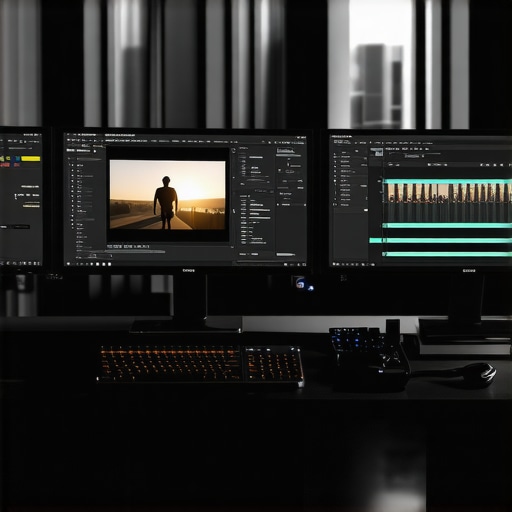
This article really highlights the importance of a balanced hardware setup in professional video editing, especially with the increasing resolution demands of 8K and beyond. I completely agree that calibration and monitor quality play crucial roles in maintaining color fidelity—it’s not just about raw power. I’ve found that investing in a good calibration tool and a high-quality, HDR-ready monitor made a noticeable difference in the consistency of my color grading work.
The proxy workflow advice resonated with me, as I’ve struggled in the past with sluggish playback when handling multi-layer 12K footage. Switching to optimized proxies in ProRes format has saved me a lot of headaches, especially with large projects. My question is, how do others here optimize their storage solutions when working with such massive files? Do you prefer RAID arrays, network storage, or a combination of both to keep things running smoothly? Would love to hear some setup suggestions from fellow editors.