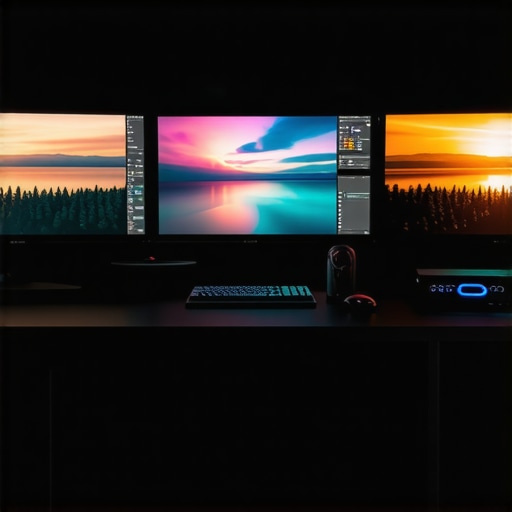
Enhancing 4K Video Production with a Robust Editing PC System
In the fast-evolving domain of professional video editing, particularly at 4K resolution and beyond, the importance of a meticulously configured PC cannot be overstated. A high-performance video editing PC equipped with tailored hardware components ensures not only smooth playback and rendering times but also empowers editors to achieve superior color grading accuracy and workflow efficiency. Understanding the synergy between top-tier PC configurations and advanced GPU selection is crucial in crafting a future-proof editing environment.
Unpacking the Role of GPU and Proxy Workflow in Modern Video Editing
The editing GPU forms the backbone of accelerated rendering and real-time previewing, especially when handling 4K media and complex effects. Professional-grade GPU options such as NVIDIA’s RTX A6000 or AMD’s Radeon Pro series facilitate parallel processing, drastically reducing time-to-render and enabling seamless editing experiences. Complementing this hardware, the proxy workflow becomes indispensable; it involves creating low-resolution copies of footage to enable faster editing, subsequently relinking to high-resolution files for final output.
Color Accuracy: Selecting Monitors That Elevate Color Grading Performance
Critical to professional video work is the ability to view accurate colors. Color grading monitors with high coverage of Adobe RGB or DCI-P3 color spaces provide professionals with an authentic representation of their visuals. When paired with a capable editing GPU, these displays facilitate precise color adjustments essential for broadcast and cinematic standards.
How do advanced proxy workflows influence editing efficiency at 4K resolution?
Implementing an optimized proxy workflow is pivotal for managing 4K footage, which demands significant processing power and storage bandwidth. By generating lightweight proxy files, editors can work faster without sacrificing output quality. Once editing concludes, relinking proxies to original high-res clips ensures a seamless transition to final rendering. Embedding this process into your workflow strategy should be a top priority for professionals aiming for efficiency.
Is there a consensus on the best GPU configurations balancing cost and performance for high-end 4K editing?
Established industry standards suggest that dual GPU setups or high-end single cards can significantly improve rendering performance and timeline responsiveness. However, choosing between NVIDIA and AMD solutions depends on software compatibility, budget considerations, and specific project demands. For comprehensive guidance, consult our GPU selection guide.
To further refine your setup, explore dedicated articles on color grading monitor integration and hardware optimization strategies. Professionals are encouraged to contribute their insights on hardware configurations that optimize workflow and output quality in high-resolution projects.
Elevate Your Visuals: The Art and Science of Color Accuracy in 4K Editing
Achieving true-to-life colors in 4K video editing hinges on the synergy between high-quality displays and powerful GPUs. Selecting a color grading monitor that covers extensive color gamuts like Adobe RGB or DCI-P3 ensures that no hue is left unrepresented, enabling meticulous color adjustments. When paired with a robust editing GPU, such as NVIDIA’s RTX 4090 or AMD’s RX 7900 XTX, editors can leverage hardware acceleration to handle complex color grading effects smoothly, minimizing artifacts and reducing processing time.
Push Performance Boundaries with AI-Accelerated Rendering
Recent advancements in GPU technology increasingly incorporate AI-based features that redefine rendering workflows. Techniques like NVIDIA’s DLSS (Deep Learning Super Sampling) can enhance real-time previewing, allowing editors to view high-quality footage without taxing their hardware. This integration not only accelerates playback responsiveness but also preserves visual fidelity during intensive grading sessions, crucial for maintaining professional standards. For detailed insights, consult our GPU performance guide.
Are professional-grade GPUs outpacing traditional displays in delivering cinematic-grade color?
While high-end GPUs facilitate real-time effects and complex calculations, the quality of your monitor’s color accuracy ultimately defines the fidelity of your output. Monitors with 10-bit color depth and hardware calibration capabilities ensure consistent, uniform colors across different viewing conditions. Achieving a perfect balance requires not only choosing the best GPU but also investing in hardware calibration tools and software. For a deeper dive into calibration techniques, explore our comprehensive color grading monitor article.
Enhance your workflow by implementing correction and calibration routines regularly. Share your experience or ask for advice in our dedicated community forum to stay updated on the latest hardware innovations and expert workflows.
Designing a Future-Ready Editing System That Keeps Pace with 8K Growth
As the industry accelerates towards 8K workflows and higher bit-depths, the necessity for scalable and adaptable hardware architecture becomes paramount. Strategic integration of multi-GPU architectures, such as NVIDIA’s NVLink-enabled RTX A6000s or AMD’s multi-card configurations, facilitates collaborative processing, dramatically reducing bottlenecks during rendering and real-time playback. Moreover, leveraging PCIe 4.0 and emerging PCIe 5.0 standards ensures maximum data throughput, critical when working with massive uncompressed 8K RAW footage. Building around modular, high-bandwidth storage solutions like NVMe RAID arrays further enhances workflow fluidity, enabling editors to manage colossal datasets seamlessly. Investing in these advanced configurations allows professionals to future-proof their systems against escalating project demands and evolving codecs.
Implementing Smart Proxy Strategies for Large-Scale Projects
Beyond basic proxy workflows, integrating intelligent proxy generation tools powered by AI can revolutionize editing speed and efficiency. Modern proxy creation utilizes selective downscaling, focusing on complex segments requiring intensive processing, thereby conserving storage space and reducing unnecessary processing. When combined with AI-driven metadata tagging, editors can automatically identify and prioritize media for proxy creation based on factors like motion intensity and effects complexity. This approach substantially shortens prepping times for large projects with hundreds of hours of footage, enabling faster turnaround and more responsive editing sessions. Toolchains like Adobe’s Adobe Sensei or DaVinci Resolve’s neural engine are leading innovations in this realm, making sophisticated proxy workflows accessible and incredibly effective.
Unveiling the Nuances of HDR Calibration for Professional Grade Viewing
High Dynamic Range (HDR) calibration extends beyond simple brightness and contrast adjustments; it involves comprehensive luminance mapping, gamma correction, and gamut validation to ensure perceptual accuracy. Professional calibrators employ spectroradiometers alongside color management software such as CalMAN or LightSpace to craft a precise calibration profile tailored to specific production environments. This calibration ensures that the HDR content maintains consistent appearance across various devices, crucial for both creative validation and client presentations. Advanced options also include luminance zone mapping for localized contrast enhancements, mimicking cinematic film grade aesthetics. Achieving perfect HDR calibration demands a meticulous, iterative process but pays dividends in visual fidelity and color confidence.
Could Machine Learning Revolutionize Real-Time Effects Rendering?
Indeed, machine learning (ML) is steadily transforming real-time effects processing, from denoising and upscaling to complex compositing. ML algorithms can predict and synthesize pixel data, effectively bypassing traditional, computationally intensive rendering steps. For example, tools like Topaz Video Enhance AI utilize deep learning models trained on vast datasets to upscale footage with unprecedented clarity, which accelerates workflows for archival restoration or deliverables requiring ultra-high resolution. Furthermore, neural networks integrated into editing software can optimize effects parameters based on scene context, reducing manual tweaking and ensuring consistency. As these technologies mature, expect real-time ML-powered effects to become a standard feature, further empowering editors to push creative boundaries efficiently.
What are the limitations and risks of over-relying on AI and ML in professional video workflows?
While AI and ML unlock remarkable efficiencies, they also introduce challenges such as potential biases embedded in training datasets, ethical considerations around deepfakes and synthetic media, and the risk of over-automating creative decisions that benefit from human intuition. Additionally, their computational demands require significant hardware investments and careful integration within existing workflows. It is vital for professionals to maintain a balanced approach, leveraging these tools to augment, not replace, their artistic judgment. As AI continues to evolve, ongoing education and ethical diligence are essential to harness its full potential responsibly. For further insights, consult industry white papers such as NVIDIA’s “AI in Creative Workflows” or Dolby’s explorations on perceptual and ethical implications of AI-generated content.
Why Future-Proofing Your Editing Setup Is Non-Negotiable in 8K Workflows
As the industry edges towards immersive 8K or higher resolutions, professionals must anticipate the escalating demand for scalable, high-bandwidth hardware architectures. Multi-GPU configurations, especially those leveraging NVLink technology like NVIDIA’s RTX A6000 paired with supplementary cards, facilitate distributed processing workloads, markedly minimizing bottlenecks during rendering and real-time playback. Integrating PCIe 4.0 or imminent PCIe 5.0 standards guarantees maximal data throughput for uncompressed raw media, a necessity as datasets balloon in size. The inclusion of high-capacity NVMe RAID arrays complements this ecosystem, ensuring rapid access to massive files. Omnipresent in these configurations is a modular design philosophy—allowing seamless hardware upgrades—crucial for maintaining relevance amid rapid technological evolution. Embracing such a comprehensive, future-proof architecture enables editors to tackle burgeoning project complexities without hardware constraints.
Revolutionizing Proxy Management with AI-Driven Media Optimization
Traditional proxy workflows, while beneficial, often involve manual or semi-automated processes that can be time-consuming, especially with extensive, high-resolution footage. Cutting-edge AI-driven tools now facilitate intelligent proxy generation, employing algorithms that analyze scene complexity, motion vectors, and effects load to create optimized, lightweight copies selectively. Advanced media management systems incorporate metadata tagging powered by neural networks, automatically prioritizing media for proxy creation based on content attributes, thereby streamlining editing pipelines substantially. These innovations not only accelerate project initiation but also enhance collaborative workflows, as teams can work more fluidly across geographically dispersed environments. Embracing these intelligent proxy strategies is essential for studios aiming to maintain competitive productivity levels in high-stakes post-production settings.
Expert Strategies for Next-Level Video Editing
Leverage Modular Hardware Designs to Stay Ahead
In the rapidly evolving 4K landscape, building a customizable editing station enables seamless upgrades and integration of cutting-edge components, ensuring longevity and adaptability in demanding workflows.
Implement AI-Driven Media Management to Accelerate Projects
Using intelligent proxy generation and metadata tagging can dramatically reduce preprocessing times, freeing creative energy for innovation rather than technical troubleshooting.
Prioritize Calibrated, High-Dynamic-Range Displays for Precise Color Work
Investing in monitors with comprehensive HDR capabilities and accurate color reproduction guarantees professional-grade color grading accuracy essential for broadcast standards.
Stay Responsive with GPU Technologies Incorporating Deep Learning
GPU features like DLSS not only speed up rendering but also enhance real-time previews, supporting immersive creative sessions even on complex projects.
Curated Resources for Video Professionals
- Adobe Creative Cloud Tutorials – Offers comprehensive training on HDR workflows and color grading best practices tailored for high-resolution content.
- NVIDIA Deep Learning Super Sampling (DLSS) Documentation – Guides on leveraging advanced GPU features to enhance playback and rendering performance.
- Color Management Solutions by DPReview – Provides insights into calibration techniques and monitor selection for color-critical work.
Reflecting on the Future of 4K Editing
Synthesizing expert insights reveals that excellence in 4K video editing hinges on embracing adaptable hardware architectures, leveraging AI-powered workflows, and committing to precise color management. As the industry advances toward even higher resolutions like 8K, these principles will serve as indispensable guides for professionals seeking to maintain a competitive edge. Engage with fellow experts or contribute your insights through our community forums—your experience can shape the future standards of high-quality video production.
,
This article really highlights how crucial it is to invest in a well-optimized hardware setup for 4K video editing, especially when dealing with color grading and complex effects. From my experience, a high-quality monitor with accurate color reproduction makes a huge difference in the final output, and pairing it with a powerful GPU like the RTX 4090 has drastically improved my workflow. The notion of proxy workflows is something I’ve relied on heavily; creating lightweight proxies has saved me so much time, especially on larger projects. I’m curious, though, how others decide between using dual GPUs versus a single high-end GPU—what factors do you consider most impactful? I’d love to hear how your hardware choices have evolved with the increasing demands of 8K workflows, too. It’s fascinating to see how hardware and workflow strategies continue to evolve together to meet new industry standards.
This article really underscores the importance of building a future-proof editing setup, especially with the rapid advancements toward 8K workflows. I’ve found that integrating high-bandwidth PCIe 5.0 SSDs along with multiple GPUs significantly cuts down on caching and render times, which is a game changer for large projects. What’s interesting is how some professionals still debate over single high-performance GPUs versus multiple mid-tier cards—based on my experience, multi-GPU setups tend to be more scalable, but at a higher initial cost. As technology evolves, I wonder if upcoming software optimizations will make multi-GPU configurations even more essential or if a super-strong single GPU might suffice for most tasks. Have others experimented with hybrid setups or specific hardware brands and seen notable differences? From my side, combining solid GPU hardware with smart proxy workflows truly maximizes efficiency and reduces turnaround times, which is critical when managing extensive 8K projects.