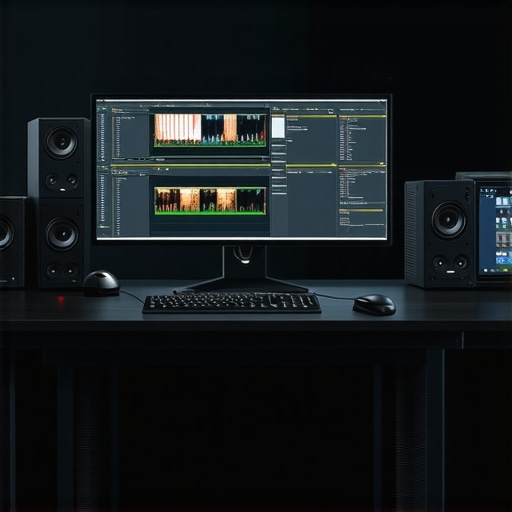
Mastering the Art of 4K Video Editing with High-Performance PCs and GPUs
In the realm of professional video production, the demand for robust hardware capable of handling 4K resolution and complex proxy workflows has never been higher. As an industry expert, I recognize that selecting the right PC and GPU is paramount to streamlining editing processes, reducing rendering times, and ensuring seamless color grading and post-production tasks. This article explores the nuanced considerations and current best practices for building or choosing an optimal video editing workstation tailored for 4K content and proxy workflows.
Why Hardware Choices Shape the Future of 4K Content Creation
High-end PCs equipped with cutting-edge GPUs like the NVIDIA RTX 4090 or AMD Radeon RX 7900 XTX significantly elevate editing efficiency. These GPUs deliver accelerated hardware encoding and decoding, which are essential for real-time playback of 4K footage and proxy management. Additionally, SSD storage arrays with NVMe interfaces ensure rapid data access, minimizing latency during high-resolution editing sessions. The synergy between CPU, GPU, RAM, and storage forms the backbone of a resilient editing ecosystem that can handle the demanding nature of 4K workflows.
Integrating Expert-Recommended Hardware for Proxy Workflow Optimization
Proxy workflows are instrumental in managing large 4K files, allowing editors to work smoothly on less powerful machines without compromising quality during final renderings. For this, selecting a PC with a multi-core processor such as the Intel Core i9-13900K or AMD Ryzen 9 7950X ensures efficient multitasking. Pair this with a dedicated GPU optimized for editing tasks, like the NVIDIA RTX A6000, which offers professional-grade stability and performance. For storage, enterprise-grade SSDs combined with a high-capacity RAM buffer create an environment where proxy files can be generated and scrubbed with minimal interruption.
Can the Latest Hardware Keep Up with 4K and Proxy Demands?
What are the core hardware bottlenecks that still challenge even the most advanced systems, and how can they be mitigated?
Despite technological advances, bottlenecks in data throughput, thermal management, and software optimization persist. For instance, even high-tier GPUs can encounter limitations if the motherboard’s PCIe bandwidth isn’t sufficient or if cooling solutions are inadequate, causing thermal throttling. To address this, experts advocate for custom cooling solutions and motherboards supporting PCIe 4.0 or 5.0 standards. Moreover, software updates from editing platforms like Adobe Premiere Pro and DaVinci Resolve continuously optimize GPU acceleration, making hardware choices even more critical for future-proof workflows.
For a comprehensive guide on building or upgrading your editing workstation, consult our top video editing PC builds for 2025. To further refine your hardware setup, explore our detailed recommendations on hardware and software tips for 4K editing.
Interested in professional-grade color grading monitors and GPU options for seamless 4K workflows? Visit our guide to color grading monitors.
By aligning your hardware choices with the latest industry standards, you can create a resilient, efficient, and future-ready environment for 4K and proxy workflows, ensuring your creative projects achieve the highest quality with maximum productivity.
Push Beyond Limits: How Hardware Shapes Next-Gen 4K Editing
With rapidly evolving technology, the quest for faster, more reliable 4K editing workflows is unending. High-performance PCs equipped with the latest GPUs like the NVIDIA RTX 4090 or AMD Radeon RX 7900 XTX are transforming how professionals handle massive 4K files. These GPUs not only accelerate rendering but also enhance real-time playback, crucial for complex color grading and visual effects. Pairing these with NVMe SSDs ensures swift data access, reducing downtime during intense editing sessions. The harmonious integration of CPU, GPU, RAM, and storage forms a resilient ecosystem, propelling creators into new levels of productivity.
Expert-Backed Strategies for Proxy Workflow Mastery
Proxy workflows are game-changers, enabling editors to work smoothly on less demanding hardware without sacrificing final quality. Choosing a multi-core processor like the Intel Core i9-13900K or AMD Ryzen 9 7950X ensures multitasking efficiency. A dedicated professional-grade GPU, such as the NVIDIA RTX A6000, offers stability and speed essential for handling proxy files. Complement this with enterprise-grade SSDs and ample RAM to facilitate rapid proxy generation and scrubbing, making high-resolution editing more manageable and less taxing on your system. For detailed insights, consult our ultimate guide to 4K editing hardware.
Are Your Systems Future-Ready for Cutting-Edge Demands?
What overlooked hardware limitations could hinder your 4K workflows, and how can you address them?
Despite advancements, bottlenecks like insufficient PCIe bandwidth, subpar thermal management, and software optimization gaps persist. For example, even top-tier GPUs can throttle under thermal stress if cooling solutions are inadequate. Upgrading to custom cooling systems and motherboards supporting PCIe 4.0 or 5.0 standards can mitigate these issues. Moreover, staying current with editing platform updates, such as those from Adobe Premiere Pro and DaVinci Resolve, ensures hardware acceleration is fully leveraged, future-proofing your setup. For the latest hardware recommendations, explore our best GPUs for 4K proxy workflows.
Interested in optimizing your workflow with professional-grade color grading displays? Our color grading monitor guide provides expert insights to elevate your color grading precision.
For those seeking to deepen their understanding of hardware choices, I recommend reviewing authoritative sources such as NVIDIA’s official GPU resources, which offer comprehensive hardware specifications and industry updates.
Share your experiences or ask questions about your current setup—let’s build a community of high-performance 4K video creators! Need personalized advice? Contact us at our consultation page.
Elevating Your Setup for Next-Level 4K Content Creation
As the demands of 4K video editing continue to escalate, staying ahead requires an integrated approach to hardware optimization. Beyond the basic components, understanding the nuanced relationship between system architecture, thermal management, and software compatibility unlocks new levels of performance. For instance, leveraging PCIe 5.0 SSDs can drastically reduce data bottlenecks, enabling smoother playback and faster rendering. Additionally, multi-GPU configurations, such as NVIDIA NVLink bridges, can amplify processing power for complex visual effects and color grading tasks, provided the editing software supports multi-GPU acceleration effectively.
Beyond the Basics: Fine-Tuning Your Hardware for Complex Proxy Workflows
Proxy workflows hinge on rapid proxy file generation and seamless scrubbing, which are often hindered by storage and CPU limitations. Implementing high-capacity, enterprise-grade NVMe SSDs in RAID configurations offers a significant boost in data throughput. Pairing these with high-core-count processors like AMD Ryzen Threadripper Pro series ensures that proxy creation and editing can happen concurrently without system stalls. Moreover, integrating hardware-accelerated encoding features, such as NVIDIA’s NVENC or AMD’s VCE, can offload proxy generation from the CPU, freeing up resources for real-time editing.
How can software innovations complement hardware advancements to create a resilient 4K editing ecosystem?
Software updates are fundamental to harnessing hardware potential fully. Leading editing platforms like Adobe Premiere Pro and DaVinci Resolve now incorporate AI-driven proxy management and hardware-aware decoding algorithms that dynamically optimize performance based on available resources. These innovations mean that even mid-range hardware can sustain high-quality 4K workflows if paired with the latest software versions. Staying current with software optimizations and integrating hardware features like hardware-accelerated color grading and real-time effects can significantly reduce rendering times and improve editing fluidity.
For in-depth guidance on building a resilient editing environment, visit our dedicated resource on next-generation hardware for 4K editing. To ensure your setup remains future-proof, explore our comprehensive review of emerging hardware standards and software updates tailored for professional creators.
Maximizing the Potential of AI and Machine Learning in 4K Editing
Artificial intelligence and machine learning are revolutionizing post-production workflows. Features like automatic scene detection, intelligent color matching, and real-time noise reduction rely heavily on advanced hardware capable of executing complex algorithms efficiently. For example, NVIDIA’s RTX 4090 and A100 Tensor Core GPUs provide specialized AI cores that accelerate these tasks significantly, reducing manual editing time and enhancing creative flexibility. Implementing AI-driven plugins, such as Adobe’s Sensei or DaVinci Resolve’s Neural Engine, further empowers editors to handle complex projects with unprecedented speed and precision.
As these technologies evolve, the synergy between hardware and AI software becomes more critical. Investing in systems with dedicated AI processing units or high-bandwidth memory can future-proof your workflow against emerging industry standards. To stay at the forefront, regularly monitor updates from hardware manufacturers and software developers, ensuring your editing environment adapts seamlessly to technological advancements.
Interested in transforming your 4K workflow with cutting-edge hardware and intelligent software solutions? Reach out to our experts for tailored recommendations or explore our detailed guides on AI-powered 4K editing systems. Elevate your content creation process today!
Revolutionize Your 4K Editing with Cutting-Edge Hardware Architectures
In the competitive realm of professional video production, leveraging sophisticated hardware configurations is crucial to achieving optimal workflow efficiency. Superior systems equipped with PCIe 5.0 SSDs and multi-GPU setups not only accelerate data throughput but also enable complex rendering and real-time effects that were once considered unattainable. Implementing high-core-count CPUs, such as AMD Ryzen Threadripper Pro or Intel Xeon processors, further enhances multitasking capabilities essential for multitiered editing projects. This strategic hardware synergy propels creators toward unprecedented levels of productivity and creative potential.
How to Fine-Tune Your System for Seamless Proxy Management
Proxy workflows demand a delicate balance between processing power, storage speed, and thermal stability. Utilizing enterprise-grade NVMe SSDs in RAID configurations significantly reduces proxy generation and scrubbing times, enabling smoother editing experiences. Coupling these with high-performance RAM modules, like DDR5 ECC memory, ensures data integrity during intensive multitasking. Moreover, integrating hardware acceleration features such as NVIDIA NVENC or AMD VCE offloads encoding tasks, freeing up CPU resources and reducing latency during proxy creation. For optimal results, consider implementing a dedicated cooling solution to maintain thermal efficiency during prolonged rendering sessions.
What role does software integration play in maximizing hardware capabilities for 4K workflows?
Modern editing platforms like DaVinci Resolve and Adobe Premiere Pro have incorporated AI-driven features and hardware-aware algorithms that dynamically optimize performance based on system architecture. These software advancements complement high-end hardware by intelligently distributing workloads across GPUs and CPUs, ensuring maximum utilization. Regularly updating software to leverage improvements in GPU acceleration and proxy management can significantly reduce rendering times and enhance real-time playback. Consulting authoritative sources such as NVIDIA’s developer resources or Adobe’s engineering blogs can provide insights into harnessing these software-hardware synergies effectively.
Engage with our expert community or schedule a consultation to tailor your hardware setup for specialized 4K editing needs—unlock the full potential of your creative toolkit today.
Embrace Emerging Technologies for Future-Proof Video Production
Staying ahead in the fast-evolving landscape of 4K video editing necessitates adopting emerging hardware standards like PCIe 5.0 and DDR5 memory, which promise substantial performance leaps. Incorporating multi-GPU configurations with NVLink bridges can exponentially boost processing power, especially for GPU-accelerated effects and complex color grading. Additionally, exploring AI-accelerated editing tools integrated with dedicated hardware cores opens new horizons in efficiency and creative flexibility. As industry standards evolve, maintaining compatibility through firmware updates and hardware upgrades ensures your workstation remains resilient against obsolescence.
Visualize the intricate relationship between high-performance components in a 4K editing workstation, highlighting multi-GPU arrays, NVMe SSDs, and advanced cooling solutions.
Navigate the Challenges of Data Bottlenecks and Thermal Constraints
Despite technological progress, data throughput limitations and thermal management issues persist as primary obstacles. Overcoming these requires investing in motherboards supporting PCIe 5.0, along with custom cooling solutions that prevent thermal throttling during intensive tasks. Additionally, optimizing software settings to utilize hardware acceleration effectively can mitigate bottlenecks. Staying informed through authoritative resources such as NVIDIA’s official documentation or industry-leading hardware review sites can guide strategic upgrades, ensuring sustained high performance and system stability.
Interested in integrating AI and machine learning into your workflow? Modern GPUs with dedicated AI cores, like NVIDIA’s RTX 4090, facilitate real-time scene analysis, noise reduction, and intelligent color matching—significantly reducing manual editing time. To harness these advancements fully, consider consulting with experts to customize hardware configurations aligned with your project demands and future ambitions.
Unlocking Peak Performance with Cutting-Edge Hardware Choices
As a seasoned professional in video editing, I can assert that selecting the right hardware components is instrumental in elevating your 4K editing workflow. High-performance GPUs like the NVIDIA RTX 4090 or AMD Radeon RX 7900 XTX not only accelerate rendering but also enable real-time playback, which is crucial for intricate color grading and effects. Pair these with ultra-fast NVMe SSDs to minimize data bottlenecks, ensuring seamless access to high-resolution footage. The synergy of a robust CPU, ample RAM, and advanced storage solutions creates an ecosystem tailored for demanding 4K proxy workflows.
Mastering Proxy Workflow Efficiency through Hardware Optimization
Proxy workflows are game-changers in managing large 4K files efficiently. Experts recommend multi-core processors such as the Intel Core i9-13900K or AMD Ryzen 9 7950X, which excel at multitasking. Dedicated professional GPUs like the NVIDIA RTX A6000 provide stability and acceleration, especially for proxy generation and scrubbing. Complement this with enterprise-grade SSDs and sufficient RAM to facilitate rapid proxy creation, editing, and rendering, thereby streamlining your entire post-production process.
Overcoming Hardware Limitations for Future-Ready Editing
Even with top-tier hardware, bottlenecks like PCIe bandwidth constraints and thermal throttling can hinder performance. Upgrading to motherboards supporting PCIe 4.0 or 5.0 standards, along with custom cooling solutions, can mitigate these issues. Staying updated with software optimizations from platforms like Adobe Premiere Pro and DaVinci Resolve further enhances hardware utilization. This proactive approach ensures your editing setup remains resilient against evolving industry standards and project complexities.
Next-Level Hardware Integration for Advanced 4K Content Creation
Integrating multi-GPU configurations with NVLink bridges can significantly boost processing power for complex visual effects and color grading. Leveraging PCIe 5.0 SSDs reduces data transfer latency, accelerating workflows. High-core-count CPUs like AMD Ryzen Threadripper Pro or Intel Xeon processors enable efficient multitasking for multi-layered projects. Such strategic hardware integration pushes the boundaries of what’s achievable in professional 4K video production.
Harnessing AI and Machine Learning for Smarter Editing
The advent of AI-powered tools, supported by specialized hardware like NVIDIA’s Tensor Cores, revolutionizes post-production workflows. Features such as auto scene detection, noise reduction, and intelligent color matching drastically cut down manual editing time. Employing AI-accelerated plugins and hardware ensures these features operate at peak efficiency, offering a significant competitive edge. Staying abreast of hardware updates from NVIDIA and AMD is essential to keep your workflow future-proof and innovative.
Curated Resources for Deepening Your Expertise
- Video Editing Hardware Guides: In-depth resources like Ultimate Guide to 4K Editing Hardware provide comprehensive insights into component selection and system optimization.
- Industry Benchmark Reports: Reports from NVIDIA’s official site and leading hardware review platforms offer detailed specifications and performance analyses crucial for making informed decisions.
- Software Developer Blogs: Adobe and DaVinci Resolve regularly publish updates on hardware acceleration features, guiding users on maximizing current setups.
Final Perspective from a Video Editing Veteran
Building a top-tier 4K video editing workstation in 2024 demands an intricate understanding of hardware synergy and future-proofing strategies. From high-performance GPUs and fast SSDs to AI-accelerated tools, every component should serve the overarching goal of efficiency and reliability. As technology advances, staying informed and adaptable will distinguish proficient creators from the rest. For personalized advice or to explore cutting-edge hardware options, don’t hesitate to reach out to our experts. Your journey to mastering 4K content creation starts with strategic hardware investments—embrace the future with confidence and precision.
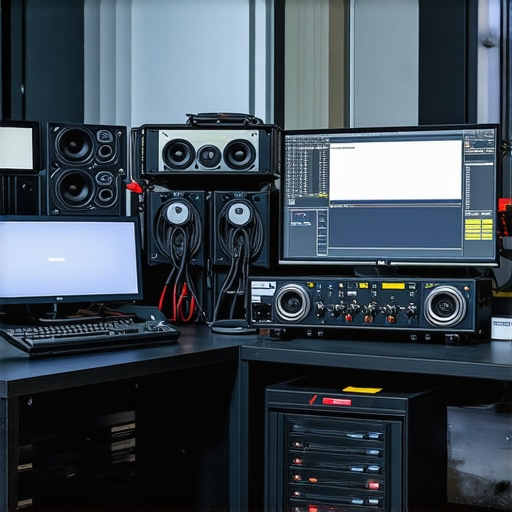
![5 Budget Video Editing PC Builds for 4K Creators [2026]](https://videoediting.editinggearpro.com/wp-content/uploads/2026/01/5-Budget-Video-Editing-PC-Builds-for-4K-Creators-2026.jpeg)
This article provides an insightful overview of the critical hardware components for 4K editing, especially the emphasis on PCIe 5.0 SSDs and multi-GPU setups. I recently upgraded my workstation with a high-core-count CPU and NVIDIA RTX 4090, and the difference in rendering time and playback smoothness has been remarkable. It’s clear that investing in the right storage solutions and cooling is crucial to avoid thermal throttling, which I learned the hard way in my initial build. One challenge I faced was balancing cost versus future-proofing, especially since hardware compatibility can become complex with evolving standards like PCIe 5.0. How do others here approach balancing immediate project needs with long-term upgrade plans, especially when hardware can become obsolete quickly? Would love to hear how you plan your hardware investments, especially for intensive proxy workflows.
This post hits the mark regarding the importance of choosing the right hardware for 4K workflows, especially with the rapid evolution of GPU and storage tech. From personal experience, I found that integrating PCIe 5.0 SSDs and planning for future multi-GPU configurations really pays off when working with large proxy files and complex effects. However, I wonder about the practical side of maintaining long-term systems—upgrading a mid-tier GPU or CPU to stay current can quickly become costly and sometimes unnecessary if the software isn’t optimized for the latest hardware yet. How do you all balance investing in top-tier components now versus waiting for more software refinement? Also, with the recent emphasis on AI acceleration in editing, do you think the added hardware cost is justified for smaller studios or hobbyists? I’d love to hear different perspectives or experiences that could help shape a more strategic approach to future-proofing within budget constraints.
Building on the post’s insights, I agree that having high-end GPUs like the RTX 4090 makes a tangible difference in handling 4K workflows, especially with proxy management. My recent upgrade involved incorporating a PCIe 5.0 SSD, which significantly reduced load times and boosted overall responsiveness. That said, one challenge I encountered was thermal throttling during extended editing sessions, which made me consider investing in robust cooling solutions or even custom liquid cooling systems. Have others faced similar issues, and what cooling strategies have you found effective? Additionally, as hardware standards evolve rapidly—like PCIe 5.0 coming into play—how do you plan your upgrade paths to maximize longevity without overspending prematurely? I’d love to hear how fellow professionals approach balancing immediate project demands with the foresight needed for future-proofing, especially given the rapid pace of technological change in our industry.