Mastering the Foundations of High-Performance Video Editing Systems
In the rapidly evolving landscape of digital content creation, professional video editors demand hardware configurations that can handle the complexities of 4K resolution, color grading, and proxy workflows with precision and speed. An optimal setup goes beyond mere component selection—it involves an intricate understanding of GPU capabilities, system architecture, and monitor calibration to achieve seamless editing experiences.
Why Selecting the Right GPU is Critical for 4K and Proxy Efficiency
The heart of a powerful editing station lies within its graphics processing unit (GPU), which accelerates rendering, encoding, and real-time playback. According to industry-leading benchmarks, modern editing GPUs such as NVIDIA’s RTX 4090 or AMD’s RX 7900 XTX offer substantial CUDA cores and VRAM, ensuring smooth seamless processing even with demanding 4K footage and complex effects.
Furthermore, the integration of proxy workflows necessitates GPUs with advanced encoding support to facilitate rapid proxy generation and editing. Choosing the appropriate GPU impacts not only performance but also energy efficiency and future-proofing, especially when planning to incorporate emerging video codecs like AV1 or HEVC 10-bit profiles.
Elevating Accuracy with Color Grading Monitors and Expert Calibration
Color accuracy remains paramount in professional post-production. High-end color grading monitors equipped with wide color gamuts and high bit-depth support are indispensable. Monitors such as the LG Ultragear or Eizo ColorEdge series provide calibration tools that enable artists to maintain consistent color fidelity across various lighting conditions.
Beyond hardware, understanding how to set up and calibrate these displays using ICC profiles ensures that grading decisions translate accurately across different viewing platforms, preventing costly reworks and facilitating collaboration with colorists and clients alike.
Building a PC that Meets the Demanding Needs of 4K Editing and Proxy Processing
Building the ideal video editing PC requires an equilibrium between CPU power, GPU strength, RAM capacity, and SSD speed. The latest build guides emphasize multi-core processors like AMD Ryzen 9 7950X or Intel Core i9-13900K, paired with fast NVMe SSDs to minimize bottlenecks during large file transfers.
This combination ensures rapid decoding, encoding, and seamless playback of proxy and native 4K files, even during resource-intensive tasks like color grading and visual effects compositing.
How Does a Sophisticated Workflow Leverage Proxy Editing and Hardware Synergy?
Implementing proxy workflows effectively hinges on hardware synergy—powerful GPUs, fast storage, and calibrated monitors enable editors to work with lightweight proxy files while maintaining the fidelity of 4K masters. The process reduces latency, accelerates editing timelines, and enhances overall productivity, especially crucial in collaborative environments or high-volume content pipelines.
What Are the Proven Strategies for Future-Proofing Your Video Editing Setup?
Investing in scalable components, such as PCIe 5.0 SSDs, expandable RAM, and versatile GPUs, ensures your system remains competent amidst technological advancements. Embracing cloud-based collaboration and integrating AI-assisted editing tools further bolster your workflow’s resilience and efficiency.
For continued mastery, explore our comprehensive Ultimate Guide to 4K Video Editing Hardware and stay connected with fellow professionals by providing insights into your setup at our Contact Page.
Navigating the Nuances of GPU Optimization for 4K Content
While selecting a high-performance GPU is foundational, optimizing its settings to match your unique workflow can significantly enhance rendering speeds and real-time playback. Adjusting core clock speeds, VRAM utilization, and enabling hardware acceleration features within editing software like Adobe Premiere Pro or DaVinci Resolve unlocks the full potential of your hardware. It’s essential to keep drivers updated and leverage manufacturer-specific control panels for fine-tuning, ensuring maximum compatibility and stability for demanding 4K tasks.
How Does Hardware Acceleration Influence Editing Efficiency?
Hardware acceleration offloads intensive processing from the CPU to the GPU, enabling smoother timeline scrubbing and faster exports. Modern GPUs supporting NVENC and AMD VCN provide dedicated encoding cores that accelerate export workflows, especially when dealing with high-bitrate 4K footage. An understanding of these features and their integration into your editing pipeline directly impacts productivity and project turnaround times. For detailed insights into GPU benchmarks suited for 2025 workflows, visit this comprehensive guide.
Beyond Hardware: The Role of Workflow Automation and AI Tools
Automating repetitive tasks like color correction, noise reduction, and clip trimming through AI-based plugins can alleviate manual workload and maintain consistency across projects. Tools integrating machine learning algorithms, such as Adobe Sensei or DaVinci Neural Engine, analyze footage contextually, offering real-time suggestions or automated adjustments. Incorporating these into your workflow not only accelerates editing but also elevates the creative process. As AI continues to evolve, staying informed through industry updates and tutorials—like those found in our Ultimate Guide—becomes crucial.
Are you leveraging AI tools to streamline your editing pipeline? Share your experiences or ask for recommendations in the comments below and join the conversation!
For a deep dive into hardware setups optimized for 4K editing, explore the latest build guides that match your creative ambitions with technical excellence, ensuring your system remains competitive for years to come.
Harnessing the Power of Next-Generation Storage Solutions for Seamless 4K Workflows
In the realm of high-fidelity video editing, storage subsystems often serve as the backbone of efficiency. Transitioning from traditional SATA SSDs to PCIe 5.0 NVMe drives, such as Samsung’s 990 Pro or WD Black SN850X, unleashes unprecedented data transfer rates—doubling or even tripling previous benchmarks. These rapid data channels minimize latency during large file transfers, enabling editors to load and manipulate 4K and higher-resolution footage without frustrating delays.
Beyond sheer speed, adopting enterprise-grade NVMe drives with advanced wear leveling and power-loss protection significantly enhances system reliability, a crucial consideration when managing expansive media libraries. Integrating these drives within RAID configurations or utilizing software-defined storage solutions can further optimize performance, redundancy, and scalability—especially vital for collaborative teams handling simultaneous projects.
The Art of Balancing Processing Power: CPU and GPU Synergy for Demanding Visual Effects
While the GPU often garners attention for accelerating rendering and playback, a meticulously balanced CPU setup underpins stable, high-performance editing environments. Multi-core processors like AMD’s Threadripper PRO or Intel’s Xeon series provide the multithreaded processing horsepower essential for complex compositing, simulation, and encoding tasks. For instance, CPU-intensive workflows involving optical flow analysis or multi-layered 3D rendering benefit immensely from such architectures.
Crucially, the interplay between CPU cores and GPU cores dictates overall system throughput. Ensuring that data pathways, such as the PCIe lanes allocated to each component, are optimized prevents bottlenecks. Implementing high-bandwidth RAM configurations—preferably DDR5 in tandem with robust CPU architectures—ensures rapid data movement, facilitating real-time editing and immediate rendering feedback.
How Can Hardware Acceleration Be Fine-Tuned for Specialized Effects?
Modern editing software like Adobe After Effects and DaVinci Resolve provide granular control over hardware acceleration features. Adjusting preferences to leverage dedicated compute units—such as NVIDIA’s CUDA cores or AMD’s Stream processors—can yield dramatic speed gains during effects processing or color grading. For example, enabling GPU acceleration for Roto Brush or temporal noise reduction tasks liberates significant CPU resources, allowing for smoother multitasking.
High-performance hardware integration also involves configuring BIOS settings for optimal bandwidth and latency—such as enabling Resizable BAR support, which allows the CPU to access the full GPU memory buffer directly. This level of system tuning demands a nuanced understanding of motherboard capabilities and firmware updates, often overlooked in standard builds but crucial for professionals pushing hardware limits.
Anticipating the Future of Hardware-Driven Editing Innovations
As computational demands escalate with 8K projects, virtual reality, and real-time ray tracing, next-generation hardware components promise to redefine editing paradigms. Quantum dot monitors are on the horizon, offering wider color gamuts and greater luminance levels, which are particularly beneficial for HDR workflows demanding precise color fidelity. Simultaneously, AI-powered hardware accelerators are emerging to perform computationally heavy tasks like deep learning-based upscaling or automated scene analysis, reducing manual workload.
Staying ahead involves not only adopting these cutting-edge technologies but also understanding their integration into existing workflows. Collaborations with hardware manufacturers and participating in beta testing programs can provide early insights, enabling you to customize setups for maximal efficiency and creative freedom.
What Are the Best Practices for Monitoring and Maintaining Hardware Health?
Proactive hardware management is vital to sustain peak performance over prolonged periods. Employing thermal monitoring tools—such as HWMonitor or MSI Afterburner—helps you keep temperatures within safe operating thresholds, preventing thermal throttling. Regularly updating firmware and drivers ensures compatibility with newly released editing software features and security patches.
Implementing routine hardware diagnostics and stress testing with tools like Prime95 or FurMark can uncover potential issues before they affect production. Moreover, maintaining proper airflow within the workstation and utilizing high-quality power supplies delays wear and extends component lifespan, safeguarding your investment through meticulous care.
If you’re interested in crafting a bespoke hardware setup tailored for high-end video editing, consider consulting with industry experts or engaging with specialized online communities. Your dedication to understanding and optimizing these complex systems directly translates into higher quality outputs, faster delivery times, and a competitive edge in the digital content landscape.
Harnessing Emerging GPU Architectures for Ultra-Realistic 4K and 8K Processing
As video resolutions soar and visual effects become more intricate, leveraging the latest GPU architectures—such as NVIDIA’s Ada Lovelace or AMD’s RDNA 3—can deliver unprecedented acceleration in rendering and real-time playback. These architectures introduce specialized cores for ray tracing, AI, and tensor operations, enabling seamless integration of complex VFX pipelines with minimal latency.
Industry reports from Hardware Analysis Weekly highlight how these innovations translate into tangible performance gains, drastically reducing export times and facilitating higher frame-rate workflows. Collaborating with hardware vendors to access pre-release drivers and firmware optimizations can position your setup at the cutting edge.
Innovative Storage Solutions That Elevate Media Management
Traditional SSDs are giving way to next-generation storage hardware like PCIe 5.0 NVMe drives, with throughput surpassing 15 GB/s. Integrating multi-layer NAND architectures and intelligent caching algorithms accelerates media retrieval, crucial during multi-cam editing and complex compositing.
Furthermore, cloud-based hybrid storage systems enable collaborative workflows, allowing editors in different locations to access high-resolution proxies without local bottlenecks. Consider enterprise-grade solutions like Synology’s Storage Manager integrated with SSD cache pools to streamline data flow.
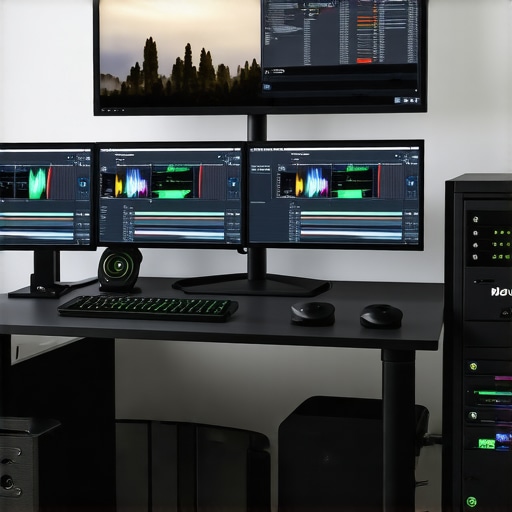
Designing a Soundproof Workspace for Peak Creative Focus
Beyond hardware, environmental factors significantly influence editing efficiency. Implementing acoustic treatment—diffusers, bass traps, and soundproof panels—mitigates noise distractions, ensuring a distraction-free environment for meticulous color grading and sound design.
Investing in ergonomic furniture and adjustable lighting minimizes physical strain and reduces fatigue during extended editing sessions, thereby maintaining high levels of cognitive performance throughout demanding projects.
Unleashing AI-Driven Enhancements for Content Creation
Artificial intelligence is revolutionizing video post-production. Tools employing deep learning—from automatic shot detection to intelligent color grading—accelerate the editing pipeline while enhancing consistency.
Platforms like Adobe Premiere Pro’s Sensei AI or Blackmagic Design’s DaVinci Neural Engine analyze footage to suggest edits, identify best takes, and even generate proxies dynamically. Integrating these tools necessitates hardware equipped with dedicated AI accelerators—such as NVIDIA’s RTX series or specialized tensor processing units—to maximize throughput.
Fine-Tuning Hardware Settings for Ultimate Reliability and Performance
Optimizing BIOS configurations, such as enabling Resizable BAR or XMP profiles, unlocks latent hardware potential. Adjusting core voltages and clock speeds—within safe thresholds—can boost rendering speeds during peak workloads.
Utilizing comprehensive monitoring systems like HWiNFO64 or AIDA64 allows real-time tracking of thermal and power metrics, facilitating preemptive adjustments. Regular firmware updates and stress testing—using Prime95 or FurMark—are essential for long-term stability, particularly in 24/7 editing suites.
Stay Ahead with Modular and Scalable System Architectures
Future-proof your editing environment by adopting modular designs that allow incremental upgrades—be it expanding RAM, adding new SSDs, or swapping GPUs. Emphasize compatibility with PCIe 5.0 and DDR5 standards to accommodate forthcoming hardware innovations.
Engage with industry forums and beta community programs to gain early insights into upcoming hardware releases, enabling proactive planning and integration.
Connect and Collaborate for Cutting-Edge Insights
Engaging with professional networks and specialized forums like Creative COW or LiftGammaGain can expose you to real-world experiences and novel solutions for high-performance editing. Sharing your build configurations and workflows not only garners feedback but also positions you as a leader in adopting best practices.
Are you leveraging these avant-garde strategies to elevate your video post-production capabilities? Dive deeper into our resources and join the conversation to redefine what’s possible in professional editing workflows.
Expert Insights & Advanced Considerations
Prioritize GPU Scalability for Future Demands
Investing in a GPU that supports PCIe 5.0 and higher VRAM amounts ensures compatibility with next-generation editing software and workloads, safeguarding your investment as projects grow increasingly complex.
Optimize Cooling Systems to Maintain Stability
High-performance components generate substantial heat; implementing advanced cooling solutions, including liquid cooling or high-quality air coolers, prevents thermal throttling, maintaining peak performance during intensive editing sessions.
Leverage High-Speed Storage to Minimize Bottlenecks
Utilize enterprise-grade NVMe SSDs with PCIe 5.0 support to drastically reduce load times and streamline large file handling, crucial for seamless 4K workflows and real-time proxy editing.
Calibrate Monitors for Absolute Color Fidelity
Employ hardware calibration tools with wide-gamut displays to ensure the accuracy of color grading, minimizing rework and ensuring consistency across different viewing environments.
Curated Expert Resources
- Davinci Resolve’s Hardware Guide — Offers comprehensive insights into hardware configurations optimized for professional color grading and editing workflows.
- Tom’s Hardware Testing Labs — Features detailed benchmarks for the latest GPUs, CPUs, and storage solutions tailored for high-end video editing setups.
- Adobe’s Creative Cloud Blog — Provides updates on hardware acceleration features and software optimizations for Adobe Premiere Pro and After Effects.
- LG’s Color Theory Resources — Assists professionals in selecting and calibrating color grading monitors for accurate post-production work.
Refined Perspective on Cutting-Edge Editing Hardware
Navigating the rapidly evolving landscape of video editing hardware demands a strategic focus on scalability, stability, and precision. As 4K content becomes the standard, leveraging future-proof GPU architectures, ultra-fast storage, and meticulously calibrated monitors transforms the editing environment into a powerhouse of efficiency and creative potential. Engage with these high-level insights and explore dedicated resources to stay ahead, ensuring your system not only meets today’s demands but also adapts seamlessly to tomorrow’s innovations. To deepen your expertise or share your advanced workflows, connect with our professional community and unlock new levels of editing mastery.
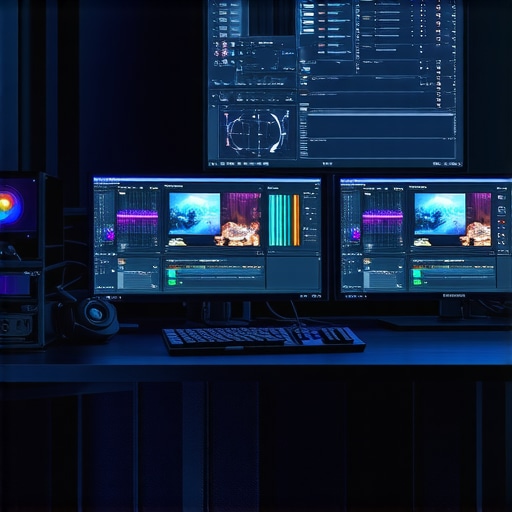
Reading through this comprehensive overview, I really appreciate how thoroughly it covers the essentials of building a high-performance editing setup. I’ve personally found that investing in quality cooling solutions, like liquid cooling, has made a noticeable difference in maintaining thermal stability during long rendering sessions. It’s true that optimizing BIOS settings and ensuring proper airflow can be overlooked steps that significantly impact system reliability. I’m curious, for those working with multi-GPU configurations, what are your thoughts on scaling and motherboard compatibility? Have you faced bottlenecks or issues with PCIe lane distribution? Also, incorporating AI tools like DaVinci Neural Engine has streamlined my workflow, but I wonder what others are doing to keep hardware acceleration and AI features in sync without sacrificing stability. Would love to hear your experiences or tips on maintaining a balanced, future-proof system that can handle 8K workflows and complex effects seamlessly.
This post really highlights the importance of a cohesive hardware setup for professional-grade 4K editing. Personally, I’ve seen how crucial proper monitor calibration is, especially when color grading in high-end workflows. Even when using top-tier GPUs like the RTX 4090, if the display isn’t calibrated correctly, it can lead to reworks and mismatched color profiles across deliverables. I’m also intrigued by the potential of PCIe 5.0 SSDs — their speed really seems to eliminate storage bottlenecks, which is a game-changer for editing massive RAW files. On that note, has anyone integrated RAID configurations with these drives? I’d be interested to hear how that improves or complicates workflow stability and data security. It’s fascinating how these hardware advances are shaping the future of editing environments, making workflows more efficient and reliable. How have you all approached balancing these high-end components in a cost-effective yet scalable way? Would love to get some insights from fellow professionals.