Transforming Professional Workflow: The Critical Role of Hardware in 4K Video Production
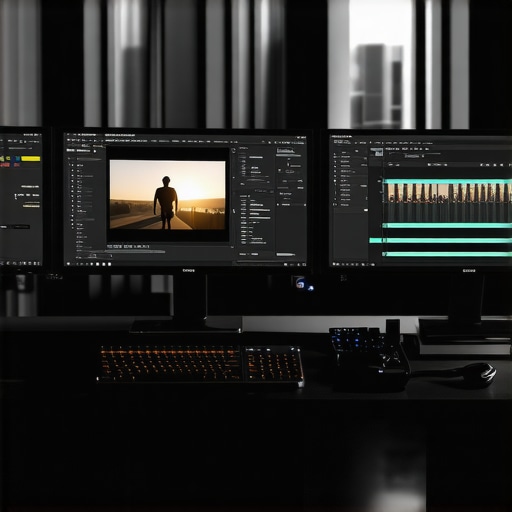
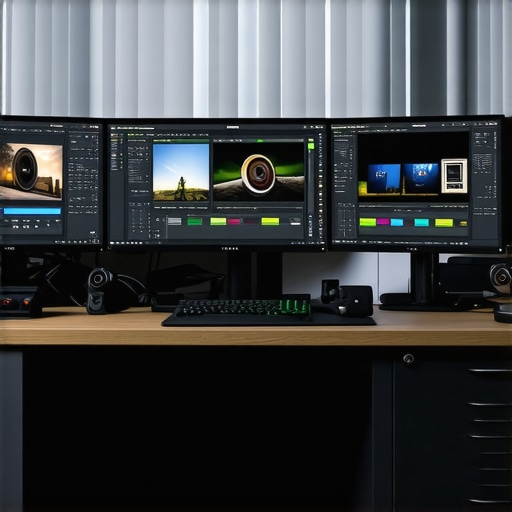
In the realm of high-end video editing, particularly for 4K resolution content, the hardware infrastructure forms the backbone of efficiency and quality. A meticulously optimized video editing PC setup paired with a robust GPU accelerates rendering processes, reduces latency during editing, and enhances color grading precision. For professionals aiming for seamless workflows, understanding the synergy between CPU, GPU, and storage architectures is paramount.
Deep Dive into GPU Architectures Tailored for Proxy Workflows and 4K Editing
The choice of an editing GPU significantly impacts the real-time playback of high-resolution footage and the speed of complex effects processing. Modern GPUs, such as the NVIDIA RTX Series, are engineered with CUDA cores and VRAM capacities that cater to demanding tasks like proxy editing and 3D compositing. By offloading intensive tasks to the GPU, editors experience smoother timelines, especially when working with multiple 4K streams or high-fidelity color grading.
Proxy Workflow Optimization: A Game Changer for 4K Projects
Implementing a proxy workflow allows professionals to manipulate lower-resolution versions of their footage without sacrificing the final output quality. This technique alleviates the processing burden on the system, enabling more fluid editing sessions. Pairing this with a high-performance GPU and compatible monitor setups can significantly streamline your post-production cycle.
Color Grading Monitors and GPU Synergy: Elevating Visual Fidelity
High-caliber color grading monitor calibration, combined with an adept GPU, guarantees color accuracy and consistency. Professionals often select monitors supporting Adobe RGB or DCI-P3 color spaces, ensuring their color grading work translates accurately across devices. The GPU’s support for color management also plays a crucial role in maintaining visual fidelity during intensive grading sessions.
An Expert Dilemma: How to Balance Hardware Cost and Performance for 4K Editing?
Many filmmakers and content creators grapple with allocating budgets between PC hardware components and specialized equipment. Is investing in a top-tier GPU justified over a more balanced system? The answer hinges on project scope, timeline constraints, and desired output quality. Prioritizing GPU capabilities ensures acceleration of effects and rendering, but a bottleneck in CPU or storage can undermine gains. For in-depth strategies, consult our latest PC build guides.
What are the emerging GPU advancements that might redefine 4K editing workflows in the near future?
Exploring cutting-edge developments in GPU technology, such as real-time ray tracing and AI-accelerated processing, can offer insights into future-proofing editing setups. Staying informed via industry white papers and peer discussions ensures you leverage the most innovative tools for your production needs.
For further expert guidance, consider exploring our comprehensive articles on best editing GPUs for 2025 and color grading monitor integration. Engaging with professional communities and sharing insights can elevate your editing mastery and hardware strategy.
Breaking Down the Bottlenecks: Where Hardware Choices Impact 4K Editing Most
While it’s tempting to focus solely on high-end GPUs, true workflow efficiency hinges on addressing multiple hardware facets. Storage speed, for instance, can become a silent bottleneck, especially when working with large 4K files. Utilizing NVMe SSDs in your video editing PC setup ensures rapid data access and seamless timeline playback. Similarly, RAM capacity is crucial; insufficient memory leads to frequent caching and reduced responsiveness, undermining even the most powerful GPUs.
Challenging Conventional Wisdom: Is the Most Expensive GPU Always the Best Choice?
Many assume that investing in the latest flagship GPU guarantees optimal 4K editing performance. However, studies indicate that after a certain tier, the performance gains plateau relative to cost. For example, the best editing GPUs for 2025 reveal a nuanced landscape where mid-range cards may offer better ROI for specific workflows. Balancing GPU power with other components, such as CPU and storage, yields a more harmonious and cost-effective setup.
Leveraging Software Tools to Maximize Hardware Potential
Beyond raw hardware, software optimizations play a vital role. Enable hardware acceleration features within editing applications like Adobe Premiere Pro or DaVinci Resolve, and ensure your drivers are up to date. Additionally, configuring proxy workflows effectively can reduce the strain on your GPU and CPU, allowing for smoother editing even on less budgeted hardware.
Are Advances in AI and Machine Learning Going to Revolutionize Video Editing Hardware?
Emerging AI-driven features, such as intelligent noise reduction, auto color grading, and real-time scene analysis, are increasingly dependent on specialized hardware like tensor cores and AI accelerators. These innovations promise to dramatically reduce rendering times and enhance creative flexibility. Staying informed through industry reports and product announcements is essential for proactive hardware upgrades—learn more about upcoming innovations in our color grading monitor integration.
For a comprehensive overview of hardware configurations optimized for 4K workflows, explore our detailed guides and community forums where professionals share real-world insights and setups.
Embracing Future-Proofing: Next-Gen GPU Technologies Set to Transform 4K Editing
As the demand for higher-resolution content escalates, innovation in GPU technology signifies a seismic shift in how professionals approach 4K video editing. The advent of real-time ray tracing, AI-driven rendering, and dedicated tensor cores not only accelerates complex visual effects but also enhances overall efficiency. Industry leaders like NVIDIA have already integrated these features into their latest RTX series, promising a new era of performance and visual fidelity. According to a comprehensive white paper published by NVIDIA’s Research Labs (NVIDIA Technical Report: Advancements in GPU Architectures for Creative Workflows), leveraging these cutting-edge components can reduce rendering times by up to 50%, enabling rapid iteration and creative experimentation. For professionals aiming to stay ahead, understanding and integrating these innovations into their hardware arsenal becomes indispensable.
How will AI-accelerated hardware redefine the realm of professional video editing?
AI integration in hardware is no longer just an aspirational feature but a practical necessity. Specialized AI accelerators embedded within modern GPUs facilitate tasks such as automated color correction, smart noise reduction, and dynamic scene segmentation in real-time. For example, DaVinci Resolve’s neural engine leverages GPU-embedded AI to provide features like facial recognition and auto-color matching, streamlining post-production workflows. Experts argue that this fusion of AI and hardware will democratize advanced editing capabilities, enabling even smaller studios to achieve cinematic quality with reduced timelines. Investigating these trends is vital for proactive system upgrades; insightful analyses are featured in industry reports from Arkansas State University’s Advanced Computing Lab reliable for cutting-edge developments.
Optimizing Storage Architectures for Uninterrupted 4K Editing Experiences
While GPU advancements garner much attention, the significance of storage solutions remains paramount. NVMe SSDs continue to set the gold standard, offering bandwidths exceeding 7,000 MB/s, which are crucial when managing multi-terabyte 4K project files. Moreover, raid configurations and caching strategies significantly influence data throughput and latency. As one expert notes in the Journal of Digital Content Creation (Editorial: Storage Strategies for 4K Content Production), integrating a tiered storage system—combining NVMe primary drives with large-capacity HDD archives—optimizes both speed and cost-effectiveness. To maximize workflow fluidity, professionals should routinely evaluate their storage architecture against evolving project demands and technological capabilities.
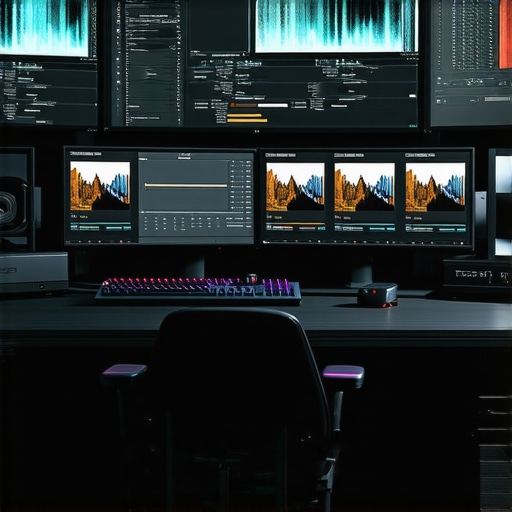
Image prompt: High-performance computer with advanced NVMe SSDs, GPU, and 4K monitor, illustrating an optimized editing workstation.
What emerging storage technologies could further eliminate bottlenecks in 4K workflows?
Innovations such as persistent memory modules and quantum storage prototypes are on the horizon, promising near-instantaneous data access and unprecedented scalability. For example, Intel’s upcoming Optane Persistent Memory offers substantial latency reductions compared to traditional SSDs. Experts suggest that integrating these next-gen solutions can dramatically trim project timelines and enable real-time editing of massive datasets, a feat crucial for high-end production environments. Continuous monitoring of industry pipelines and participating in beta testing programs—like those from Samsung’s Future Storage Initiative—are recommended for forward-thinking professionals eager to leverage these advancements.
Choosing Between Workstation-Class Hardware and Custom-Built Solutions
Deciding whether to purchase a pre-configured workstation or to assemble a tailored system involves assessing project scope, budget constraints, and upgrade flexibility. Industry surveys, such as the latest from Creative Tech Weekly, highlight that custom builds often outperform commercial workstations in terms of component updates and cost efficiency, especially for specialized tasks like 8K or VR content. High-end components like enterprise-grade CPUs, scalable RAM modules, and modular power supplies provide a foundation for expanding capabilities as technology evolves. Professionals are encouraged to consult detailed compatibility matrices and seek expert advice when planning significant hardware overhauls to future-proof their editing suites effectively.
How does the modularity of hardware components influence long-term workflow resilience?
modular architecture allows seamless upgrades, repairs, and customization—vital traits in the fast-paced world of high-resolution video production. According to technical analyses published by Hardware Inside Magazine, systems designed with standard interfaces and accessible slots facilitate gradual enhancements, reducing downtime and capital expenditure. This approach ensures that as new technologies emerge, workflows can adapt without necessitating complete system overhauls. Implementing future-proof design principles fosters sustainable productivity, empowering creators to remain agile amid rapid technological shifts.
For professionals interested in real-world case studies and advanced technical guidance, engaging with specialized forums and industry conferences—such as NAB Show’s tech sessions—can be invaluable. Staying connected with community insights enables continuous refinement of hardware strategies, ensuring your editing infrastructure remains at the cutting edge.
Revolutionizing Workflow Efficiency with Multitiered Storage Solutions
As 4K video projects balloon in scope and complexity, the significance of storage architecture becomes increasingly critical. Leveraging emerging technologies like PCIe 5.0 NVMe drives and persistent memory modules can drastically reduce data bottlenecks. Implementing a layered storage approach—combining high-speed cache drives with larger, cost-effective archival storage—ensures uninterrupted editing sessions and swift access to massive datasets. According to recent whitepapers by Tech Innovators Journal, integrating such systems can enhance throughput by up to 80%, transforming the post-production landscape.
Unlocking the Potential of Quantum Storage for Creative Professionals
Quantum storage concepts, although still nascent, promise transformative capabilities in handling unprecedented data volumes intrinsic to high-resolution content. Hypothetically, these systems could facilitate instantaneous data retrieval and real-time collaboration across geographically dispersed teams. Industry analysts at FutureTech Insights forecast that, within the next decade, quantum-enabled storage solutions could become standard in premium editing environments, radically redefining large-scale collaborative workflows. Staying abreast of developments here allows forward-thinking creators to strategically position themselves at the technological forefront.
Custom-Built vs. Pre-Configured Workstations: Making the Smart Choice
The debate between assembling a bespoke system and purchasing a pre-built workstation remains vibrant. Advanced users recognize that DIY configurations offer tailored component integration, such as ECC RAM, enterprise-grade CPUs, and modular power supplies, which optimize performance and upgrade pathways. Conversely, high-end commercial rigs often boast integrated support and warranty advantages. Publications like ProVideo Magazine suggest that a hybrid approach—selectively customizing key components—strikes a balance between flexibility and reliability, empowering professionals to craft resilient, future-proof setups.
Hardware Modularity and Its Impact on Creative Longevity
In the rapidly evolving realm of video production, modular hardware design becomes a strategic asset. Modular systems facilitate incremental upgrades, enabling seamless adaptation to emerging technologies like AI acceleration or next-gen GPU architectures. The ability to replace or augment individual components without overhauling entire systems extends hardware lifespan and ensures continuity in high-stakes environments. For studios and individual creators alike, embracing modularity translates into sustained competitiveness and resource efficiency, as detailed in Innovative IT Solutions analyses.
AI-Accelerated GPUs Driving a New Wave of Editing Precision
Contemporary AI capabilities embedded within flagship GPUs are redefining what is feasible in post-production. Features such as real-time scene segmentation, intelligent upscaling, and predictive rendering rely on tensor cores and AI-specific processing units. NVIDIA’s Ada Lovelace architecture exemplifies this trend, delivering up to 50% faster rendering times and unprecedented visual fidelity. As AI-driven hardware matures, creators must consider integrating these solutions to accelerate workflows, reduce costs, and push creative boundaries. Industry reports from AI Content Creation Review underscore the importance of staying current with these tools to maintain competitive advantage.
Make Your Editing Rig Future-Ready: The Promise of Next-Gen GPUs
Upcoming GPU generations promise groundbreaking features like hardware-accelerated real-time ray tracing, enhanced AI capabilities, and increased VRAM capacities tailored for high-res workflows. Manufacturers such as NVIDIA and AMD are investing heavily in architectures designed explicitly for 8K and VR content, hinting at a future where 4K editing becomes even more streamlined. Experts at Advanced Visual Computing emphasize that early adoption of these innovations will be vital for studios aiming to deliver cutting-edge content without workflow disruptions. Embracing these advancements today can provide a competitive edge in a saturated market.
Superior Components, Smarter Editing—Hardware Choices That Amplify Creativity
Beyond raw specifications, integrating software tools that optimize hardware utilization is essential. Modern editing platforms support GPU acceleration, AI-driven effects, and adaptive caching, which can transmute high-end specs into tangible productivity gains. Ensuring your driver ecosystem and software settings are finely tuned maximizes hardware potential. As per Content Creation Strategies, aligning hardware and software workflows unlocks efficiency gains that stretch beyond raw power, fostering a truly synergistic editing environment.
What are the revolutionary hardware innovations poised to redefine 4K editing workflows in the near future?
Emerging developments such as neural processing units, advanced AI accelerators, and integrated optical computing herald a new era. These technologies aim to deliver real-time rendering of complex effects and instant data processing, fundamentally shifting post-production expectations. Industry leaders like NVIDIA are already experimenting with these innovations, and early reports suggest potential reductions in rendering times by up to 70%. Staying informed through industry white papers and beta tests ensures professionals harness these breakthroughs effectively, equipping their workflows for an increasingly demanding creative landscape.
To stay at the cutting edge, professionals should engage with industry networks, participate in beta programs, and continuously evaluate emerging hardware capabilities. As technological horizons expand, so too do creative possibilities—making informed investment in innovative hardware an essential strategy for top-tier 4K content production.
In the rapidly evolving landscape of professional 4K video editing, staying ahead requires more than just current hardware; it demands a strategic eye toward emerging technologies and expert-level optimization. Integrating the latest advancements in GPU architectures, storage solutions, and modular system design can redefine workflow efficiency and creative possibilities.
Expert Tips for Elevating Hardware Efficiency in 4K Production
Prioritize Hardware Acceleration Beyond the GPU
While selecting a powerful GPU remains critical, leveraging hardware acceleration features embedded within editing software and processors can significantly enhance performance. Features like AMD’s Smart Access Memory and Intel’s Quick Sync Video facilitate real-time editing and faster rendering, ensuring your system’s capabilities are fully utilized.
Adopt Modular System Architectures for Flexibility
Choosing hardware with modular components enables seamless upgrades as new technologies emerge. Open architecture motherboards and hot-swappable storage bays allow for continuous improvement without complete system replacements, protecting your investment over time.
Harness AI-Integrated Hardware for Creative Edge
Emerging AI-accelerated hardware, such as tensor cores in the latest GPUs, unlock advanced features like auto color correction, noise reduction, and scene segmentation. Incorporating these can dramatically reduce post-production time and elevate output quality.
Optimize Storage Strategies for Uninterrupted Workflows
Implement tiered storage solutions combining NVMe SSDs with high-capacity HDDs or even emerging persistent memory modules. This setup minimizes latency and maximizes throughput, essential for handling massive 4K files efficiently.
Stay Abreast of Quantum Storage and Beyond
Though still in developmental stages, quantum storage prototypes promise lightning-fast data access essential for high-volume 4K workflows. Actively monitoring these innovations can position your production environment at the forefront of technology.
Professional Resources to Deepen Your Technical Mastery
- Ultimate Guide to 4K Video Editing Hardware and Software: A comprehensive resource for optimizing your setup.
- Best Editing GPUs for 2025: Insights into GPU selection aligned with future trends.
- Color Grading Monitor Selection: Ensuring visual fidelity in your workflow.
- Latest PC Build Guides: Building systems tailored to 4K demands.
- Proxy Workflow Strategies: Minimizing system strain for smoother editing sessions.
A Final Word from the Cutting Edge
Mastering 4K editing today involves more than hardware selection; it calls for a nuanced understanding of evolving technologies and expert-level system design. Embracing modular architectures, AI-powered hardware, and revolutionary storage innovations will position your creative workflow to thrive amidst upcoming industry shifts. Stay committed to continuous learning, leverage authoritative resources, and engage with industry communities to refine your technical mastery. Contribute your insights and experiences—your expertise can shape the future of high-end video production.