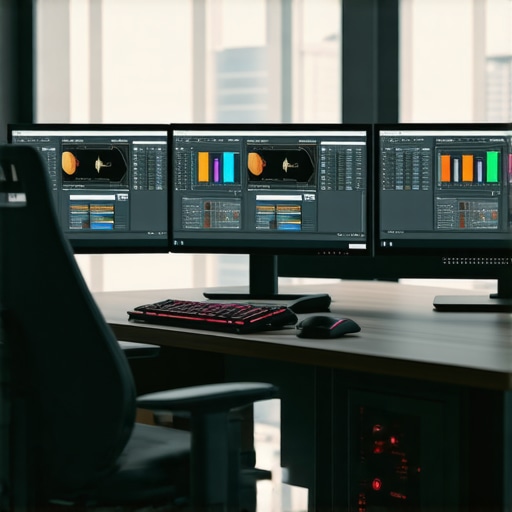
The Critical Role of Hardware Innovations in Next-Gen 4K Video Editing
As digital content creation evolves towards ultra-high-definition formats, the demand for specialized video editing PCs capable of handling 4K footage, complex color grading, and seamless proxy workflows has intensified. Leveraging cutting-edge graphics processing units (GPUs) and tailored hardware configurations, professionals can significantly accelerate editing cycles while maintaining pixel-perfect quality.
Balancing Proxy Workflow Efficiency with Raw Processing Power
Implementing a robust proxy workflow hinges on hardware that not only expedites media decoding and encoding but also preserves color fidelity during transitions. High-performance CPUs paired with NVMe SSDs ensure swift media transfers and real-time editing capabilities. Deploying a dedicated editing GPU optimized for 4K rendering, such as the latest NVIDIA RTX series, substantially reduces lag and prolongs editing sessions without thermal throttling.
Why Choosing the Right Color Grading Monitor is Non-Negotiable
Color grading demands an accuracy-focused display that faithfully reproduces hues, contrast, and luminance levels. Monitors with 10-bit color depth, high refresh rates, and extensive color calibration support are essential for professional-grade projects. For an in-depth comparison of suitable options, explore the ultimate guide to color grading monitors. Integrating a GPU capable of handling the color pipeline ensures each pixel’s integrity remains consistent from source to export, satisfying industry standards and client expectations.
Expert Insight: How Does GPU Selection Impact 4K Proxy and Color Workflows?
Choosing an editing GPU tailored for 4K workflows enables efficient proxy creation, accelerated rendering, and real-time VIEWPORT playback. The debate between choosing an NVIDIA versus AMD GPU involves considerations like driver stability, software compatibility, and budget constraints. According to recent benchmarks (see best editing GPUs for 2025), NVIDIA RTX 40 series provides superior CUDA acceleration, crucial for AI-driven color grading and denoising tasks.
Can an overpowered GPU compensate for CPU bottlenecks in 4K editing?
This question underscores a prevalent concern among professional editors. While a powerful GPU can significantly enhance rendering and playback, it cannot entirely offset CPU limitations during complex multitasking or export phases. A balanced system—incorporating a high-tier CPU, ample RAM, and fast storage—remains the best approach to streamline a 4K editing pipeline.
If you aim to elevate your editing environment further, consider consulting comprehensive guides on 4K hardware setups or connecting with industry experts to tailor a build that aligns with your specific workflow demands. Sharing insights or asking questions within the editing community can reveal nuanced solutions tailored to your unique project pipelines.
Unlocking the Potential of Next-Generation Hardware for 4K Video Masterpieces
As the demand for stunning, high-resolution content skyrockets, video editors must harness the latest hardware innovations to stay ahead. From blazing-fast CPUs to specialized GPUs, investing in the right setup transforms your workflow, enabling smoother editing, faster renders, and stunning color accuracy. Understanding how these components work together is crucial for elevating your 4K projects beyond the competition. For a comprehensive dive into the optimal hardware configurations, explore the top PC builds for 2025.
Handling High-Resolution Files Without Bottlenecks
High-resolution 4K media demands a robust framework that can keep pace without sacrificing quality or productivity. Modern NVMe SSDs deliver lightning-fast data transfer speeds, minimizing lag during media importing and exporting. Pairing these with a high-core-count CPU ensures that multitasking remains fluid, especially when dealing with complex effects or multiple layers. But perhaps the most critical component manager is the graphics processing unit (GPU). An advanced GPU, tuned for video editing—such as the latest NVIDIA RTX series—accelerates real-time playback and renders complex effects seamlessly, empowering editors to work with confidence. For insights on GPU choices tailored for 4K workflows, check out the best GPUs for 2025.
Achieving Perfect Color Fidelity with the Right Tools
Color grading remains the heartbeat of professional video editing. A calibrated, high-quality monitor with 10-bit color depth, precise gamma calibration, and consistent luminance is indispensable. Incorporating hardware that supports your color pipeline guarantees that what you see is what you get upon export. To master your color grading setup, explore the ultimate guide to color grading monitors. Pairing this with a GPU optimized for manipulating color data ensures high fidelity throughout your workflow.
Is a GPU-First Approach Enough, or Do CPU and Storage Speed Still Reign Supreme?
This pressing question touches on the core of hardware optimization. While a powerful GPU accelerates rendering and real-time effects, neglecting the CPU or storage can bottleneck your entire process. High-speed NVMe drives and multi-core CPUs are vital for maintaining a balanced system. For tailored advice on system builds, visit the optimized PC configurations for 4K editing. Engaging with the community or consulting industry experts can illuminate nuanced solutions that address specific project needs and budget constraints, ensuring your hardware investments deliver maximum return.
Elevate Your Editing with Cutting-Edge Storage Solutions
In the high-stakes realm of 4K video editing, storage speed and reliability are paramount. NVMe SSDs have become the cornerstone for professionals seeking near-instantaneous media access, significantly reducing lag during editing sessions. However, not all SSDs are created equal; opt for models with high endurance ratings and sustained throughput capabilities to handle intensive read/write cycles over prolonged periods. Incorporating enterprise-grade drives or RAID configurations can further bolster data integrity and access speeds, especially when managing vast libraries of raw footage and project files.
Integrating Neural Processing for Future-Ready Performance
The advent of AI-accelerated features in video editing software promises transformative efficiency gains. Hardware equipped with dedicated neural processing units (NPUs) or tensor cores, such as NVIDIA’s Ada Lovelace architecture, can expedite tasks like automated color correction, scene detection, and noise reduction. Leveraging these specialized components enables editors to delegate intricate tasks to hardware, freeing creative bandwidth. Staying ahead involves understanding how to optimize and incorporate AI workflows seamlessly into your hardware setup, ensuring high throughput without compromising stability.
Why Smart Cooling Design Translates to Consistent Performance
As hardware pushes the envelope to meet processing demands, thermal management becomes critical. Overclocked GPUs and high-core-count CPUs generate substantial heat, which, if unmanaged, leads to thermal throttling and performance dips. Implementing comprehensive cooling solutions—ranging from high-efficiency air coolers to liquid cooling systems—preserves hardware longevity and sustains peak performance. Additionally, structured airflow within the chassis, combined with liquid cooling loops, can maintain optimal temperatures even during prolonged rendering sessions, ensuring that hardware capabilities remain unimpaired under load.
Assessing the True Cost-Benefit of Hardware Investment
Advanced hardware configurations can entail significant financial investment. Therefore, understanding the return on investment becomes essential. For instance, deploying an ultra-high-end GPU with extensive CUDA cores accelerates rendering but may offer diminishing returns if paired with an outdated CPU or slow storage. Conversely, a balanced system with a strategic mix of components can achieve near-optimal performance at a fraction of the cost. Engaging with recent benchmark studies (for example, see 2024 professional workstation benchmarks) provides invaluable insights to inform purchasing decisions tailored to your specific workflow demands.
Curious about designing a future-proof workstation for 4K content creation? Reach out to our experts for personalized recommendations that align hardware capabilities with your creative goals. Don’t settle for generic configurations—empower your editing suite with precision-engineered hardware tailored for excellence.
Revolutionize Your Workflow with AI-Enhanced Editing Hardware
Integrating artificial intelligence capabilities directly into hardware components marks a paradigm shift for high-resolution video editing. Modern GPUs equipped with neural processing units (NPUs), such as NVIDIA’s Ada Lovelace architecture, enable real-time scene analysis, automated masking, and intelligent color grading, transforming traditionally labor-intensive tasks into swift, automated processes. This fusion of AI with hardware accelerates productivity and elevates the quality of post-production work, empowering professionals to meet demanding deadlines without compromising creative integrity.
Are Liquid Cooling Systems Worth the Investment for Extended Rendering Sessions?
As hardware pushes towards overclocking to maximize performance, thermal management becomes increasingly critical. Liquid cooling solutions offer superior heat dissipation, maintaining optimal operating temperatures during prolonged, intensive rendering workflows. The benefits extend beyond temperature control—they reduce noise levels and hardware wear, ultimately prolonging component lifespan. For those committed to unwavering performance during critical projects, advanced cooling systems are a worthy consideration, with custom loops providing tailored thermal solutions aligned with specific hardware configurations.
Strategic Use of Thunderbolt Ports to Streamline External Hardware Integration
Lightning-fast data transfer and versatile hardware connectivity are vital for top-tier editors. Thunderbolt ports facilitate seamless integration of external graphics enclosures, high-capacity storage arrays, and color grading panels, enabling a flexible, expandable workstation environment. Incorporating Thunderbolt 4 or USB-C hubs ensures rapid data flow and minimizes latency, which is crucial when managing multi-terabyte 4K media libraries. Embracing these interfaces transforms desktop setups into dynamic, future-proof creative hubs capable of adapting to evolving technological landscapes.
What Are the Hidden Costs of Overlooking Power Supply Reliability?
An often underestimated component, the power supply unit (PSU), is fundamental for maintaining system stability during intense editing sessions. Investing in high-quality, wattage-appropriate PSUs with high efficiency ratings reduces voltage fluctuations and prevents sudden shutdowns that could corrupt media files. Redundant or modular PSUs also simplify maintenance and upgrades, preserving workflow continuity. Recognizing the importance of reliable power delivery can avert significant disruptions and protect expensive hardware investments over time.
Enhancing Color Precision Through Hardware Calibration Technologies
Achieving impeccable color accuracy necessitates hardware calibration tools integrated directly into the display pipeline. Devices leveraging quantum dot technology and hardware calibration support, such as the X-Rite i1Studio, ensure consistent color fidelity across different lighting conditions. When paired with high-bit-depth monitors and GPU-accelerated color processing, professionals can guarantee pixel-perfect output for broadcast standards or cinematic quality. Staying abreast of emerging calibration standards ensures your workflow conforms to industry-leading benchmarks and client expectations.
Implementing Fault-Tolerant Storage Architectures for Data Security
Data integrity remains paramount when handling vast amounts of 4K footage and project assets. Enterprise-grade RAID configurations, such as RAID 10, provide redundancy and speed, safeguarding against drive failures and minimizing downtime. Complementing physical redundancy with cloud backups ensures resilience against hardware faults, theft, or disasters. Advanced storage solutions that balance speed, reliability, and scalability are indispensable for professional setups demanding uninterrupted access to critical media libraries.
Designing Workstations for Seamless Multitasking and Future Expansion
Flexibility lies at the heart of a truly professional editing environment. Modular case designs and socketed components facilitate easy upgrades, enabling the incorporation of newer GPUs, faster storage, or additional RAM as technological advancements emerge. Prioritizing a robust motherboard with multiple PCIe slots and abundant RAM slots allows scaling without hardware overhaul. This forward-thinking approach ensures your investment remains relevant, supporting increasingly sophisticated workflows and software demands.
How Does Power Efficiency Impact Long-Term Operational Costs?
While initial hardware costs often dominate budgeting discussions, the economics of power consumption deserve equal attention. Energy-efficient components—such as high-rated PSUs and low-TDP CPUs—not only reduce electricity bills but also diminish thermal output, easing cooling requirements. Over time, these savings accumulate, providing a compelling financial incentive to prioritize power efficiency alongside performance. Making informed choices in this domain can markedly improve the sustainability profile of professional editing rigs, aligning economic and ecological considerations.
Join the Cutting-Edge of Video Editing Hardware Mastery
Harnessing advanced hardware is no longer optional in the fast-paced realm of 4K content creation. Staying informed about the latest innovations—like AI acceleration, thermal management solutions, and scalable architectures—positions you at the forefront of the industry. Explore comprehensive resources, engage with expert communities, and consult specialists to craft a workspace tailored to your unique creative ambitions. Elevate your editing environment today and transform complex workflows into seamless artistic expressions.
Harnessing Cutting-Edge Hardware for Superior 4K Masterpieces
Advanced hardware components are no longer optional; they are essential for pushing the boundaries of 4K video editing. Investing in high-performance GPUs, multi-core CPUs, and ultra-fast storage solutions allows professionals to work seamlessly with large media files, complex effects, and real-time previews, thereby accelerating creative workflows and ensuring pixel-perfect results.
Strategic Choices That Define Your Editing Efficiency
Making informed hardware selections—such as opting for NVIDIA’s latest RTX series or AMD’s flagship GPUs—can drastically reduce render times and improve playback smoothness. Complementing these with high-capacity RAM and NVMe SSDs ensures your system maintains a balanced performance profile, minimizing bottlenecks that hamper productivity.
Bridging Hardware Power with Skilled Workflow Management
Even the most powerful systems require optimized workflows. Implementing proxy editing, leveraging hardware-accelerated color grading tools, and using calibrated professional monitors are crucial to translate hardware capability into tangible creative gains. Mastering these integrations transforms raw hardware potential into polished, professional-grade videos.
Expert Recommendations for Future-Ready Setup
Stay ahead by exploring our comprehensive ultimate guide to 4K video editing hardware, which covers optimal component selections, system building tips, and workflow enhancements. Consulting trusted sources like the best editing GPUs for 2025 ensures your setup remains cutting-edge.
The Power of Expert Insight and Continuous Learning
To truly excel in high-resolution editing, embrace a mindset of continuous technical refinement. Engage with professional communities, analyze benchmark data, and adopt emerging AI-enabled hardware features that streamline tasks like color matching, noise reduction, and scene detection. These strategies convert technological investments into competitive advantages, elevating your creative outcomes beyond conventional standards.
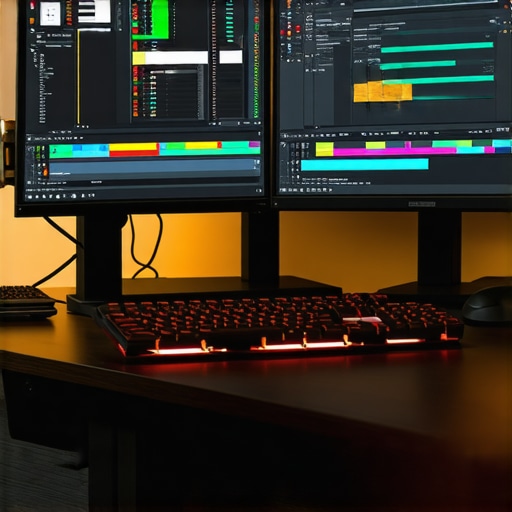
This article does a fantastic job highlighting the importance of balanced hardware setups for 4K editing. Having recently upgraded my workstation with a high-end NVIDIA RTX GPU and NVMe SSDs, I can attest to how much smoother the workflow becomes, especially with complex color grading and proxy workflows. One thing I’ve noticed is that combining these hardware improvements with proper workflow management, such as proxy editing and software optimization, really maximizes efficiency. I’m curious, does anyone have experience with integrating neural processing units (NPUs) for real-time scene analysis? It seems like a significant leap forward, but I wonder how well it works in practice and if the software ecosystem is keeping pace.