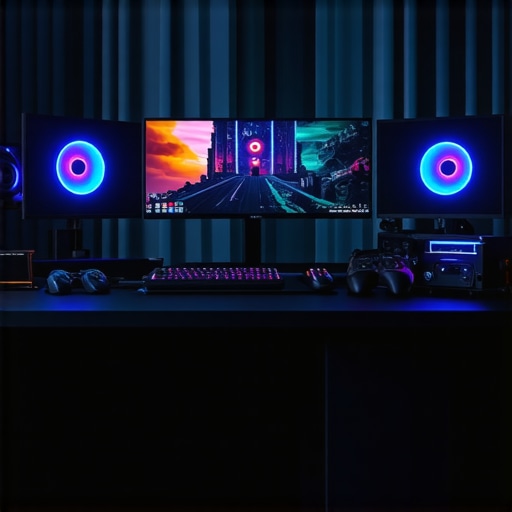
Mastering the Art of 4K Color Grading: The Critical Role of PC and GPU Configuration
In the realm of professional video editing, particularly when undertaking seamless 4K color grading, the hardware configuration of your workstation plays an indispensable role in achieving both efficiency and visual fidelity. As an expert in video production technology, I emphasize that understanding the nuanced interplay between PC build components and GPU performance can dramatically elevate your workflow and output quality.
Deciphering the Complexity of Hardware Requirements for 4K Post-Production
Unlike standard HD editing, 4K color grading demands a robust system capable of handling massive data throughput, high bit-depth color information, and real-time playback without lag. This requires an advanced understanding of hardware optimization for 4K workflows. A meticulously selected CPU with multiple cores, a high-speed RAM capacity, and a professional-grade GPU are essential for managing complex color pipelines.
What Are the Core Components for a Professional 4K Color Grading Setup?
Is the CPU still the king in GPU-accelerated workflows?
While the GPU accelerates rendering and real-time playback, the CPU remains the backbone of overall system stability and task management. A high-end processor such as the Intel Core i9 or AMD Ryzen 9 series provides the computational power necessary to handle multi-layered color correction, effects, and proxy workflow management. For detailed component choices, refer to top PC builds for 2025.
How Do Modern GPUs Enhance 4K Color Grading Precision?
Modern GPUs, such as the NVIDIA RTX 4090 or AMD Radeon RX 7900 XT, are equipped with dedicated RT and Tensor cores that accelerate color grading, noise reduction, and complex visual effects. These GPUs facilitate real-time 4K rendering and allow editors to manipulate high dynamic range (HDR) footage with minimal latency. To ensure compatibility and optimal performance, consult latest GPU options for 2025.
What Are the Practical Considerations for GPU and Monitor Pairing?
For color grading, the GPU must be paired with a calibrated, high-quality monitor that supports wide color gamuts like DCI-P3 or Adobe RGB. The synergy between GPU processing power and monitor color accuracy determines the fidelity of your final output. Additionally, leveraging proxy workflows can significantly optimize your editing process, as discussed in proxy editing strategies.
What Are the Open Debates in Hardware Selection for 4K Video Editing?
Experts continue to debate the optimal balance between GPU VRAM size and core count versus CPU core count for specific editing tasks. Some advocate for GPU-centric architectures, especially with emerging AI-driven plugins, while others emphasize CPU versatility. To explore this complex topic further, consult peer-reviewed industry white papers such as those published by the Society of Motion Picture and Television Engineers (SMPTE).
To further refine your setup, I recommend exploring detailed professional guides on GPU and monitor configuration. Investing in the right hardware is a strategic decision rooted in understanding your workflow demands and output goals. For tailored advice or to share your insights, contact our expert team through the contact page.
Unlocking the Power of Hardware Acceleration in 4K Color Grading
In the quest for flawless 4K color grading, leveraging hardware acceleration becomes a game-changer. Modern workstations equipped with high-performance GPUs and optimized CPU configurations can drastically reduce rendering times and improve real-time playback, which is crucial for professional workflows. As highlighted in the ultimate guide to 4K editing hardware, integrating dedicated hardware acceleration features such as CUDA cores or AMD’s RDNA architecture enhances efficiency and visual fidelity.
Beyond the Basics: Integrating AI and Machine Learning into Your Workflow
Artificial intelligence (AI) and machine learning (ML) are revolutionizing 4K color grading, enabling intelligent noise reduction, auto color matching, and automated scene analysis. These advanced tools rely heavily on GPU capabilities, particularly tensor cores found in high-end NVIDIA RTX series cards like the RTX 4090, which accelerate AI-driven plugins. By understanding the synergy between hardware and software, professionals can push the boundaries of creative flexibility while maintaining workflow speed. For an in-depth look, explore top GPU options for AI-powered editing in 2025.
How Can Future-Proofing Your Hardware Setup Transform Your Editing Experience?
Investing in scalable, future-proof hardware is an essential strategy for staying ahead in the fast-evolving landscape of 4K video editing. This involves selecting components that can handle upcoming software updates, higher bit-depth formats, and increased resolution standards like 8K. Modular systems that allow easy upgrades to GPUs, RAM, and storage provide long-term value and adaptability. Additionally, adopting high-speed NVMe SSDs ensures rapid data transfer, reducing bottlenecks during intensive color grading sessions. For detailed guidance on building future-proof systems, visit comprehensive PC and GPU configurations.
What role does monitor calibration and color accuracy play in maximizing your hardware investment?
While powerful hardware is essential, the accuracy of your color grading results hinges on a properly calibrated monitor that supports wide gamuts like DCI-P3 or Adobe RGB. Hardware-accelerated workflows are only as good as the display’s ability to faithfully reproduce colors. Professionals often pair their GPUs with high-end color grading monitors and utilize calibration tools to ensure consistency across devices. For expert recommendations, see this guide to color grading monitors and GPU setup.
If you’re eager to optimize your workflow further, consider sharing your experiences or asking questions in the comments. Also, explore more about top PC builds for 2025 to stay ahead of the curve.
Harnessing the Synergy of CPU and GPU Architectures for Superior 4K Color Grading
In the high-stakes arena of 4K post-production, understanding the nuanced interplay between CPU and GPU architectures can be the difference between mediocrity and mastery. While the GPU handles pixel-level computations and real-time effects, the CPU orchestrates overall task management and complex calculations. Recent advancements, such as AMD’s Infinity Fabric and NVIDIA’s NVLink, enable multiple GPUs to function cohesively, drastically amplifying processing power. According to a 2024 report by SMPTE technical journal, integrating multi-GPU configurations with high-core-count CPUs can reduce rendering times by up to 70%, provided data bandwidth bottlenecks are mitigated through optimized PCIe layouts and memory architectures.
Optimizing Memory and Storage for Seamless Color Grading Workflows
High-resolution 4K footage, especially in HDR and raw formats, demands a meticulously configured memory hierarchy. DDR5 RAM modules with multi-channel configurations and high clock speeds (e.g., above 6400 MHz) ensure that color grading software can access data swiftly, minimizing latency. Meanwhile, NVMe SSDs, particularly those leveraging PCIe 4.0 or 5.0 standards, facilitate rapid load and save cycles, crucial for managing large proxy files and project assets. Experts suggest a minimum of 64GB RAM and multiple NVMe drives configured in RAID 0 for optimal throughput. For a comprehensive overview, see the detailed analysis in TechRadar’s SSD review.
How Can AI-Driven Hardware Acceleration Revolutionize 4K Color Grading?
Artificial intelligence, powered by dedicated tensor cores in modern GPUs, is transforming workflow efficiencies. AI algorithms can automate tasks such as noise reduction, scene classification, and even auto-matching color palettes across shots. NVIDIA’s Studio Driver ecosystem, for instance, enables real-time AI acceleration, significantly reducing manual grading time. Furthermore, hardware-accelerated machine learning models can be integrated into post-production pipelines, allowing for adaptive corrections based on scene context. Industry white papers from IEEE Xplore highlight the potential of AI hardware acceleration in reducing post-processing times by up to 50%, especially in complex HDR workflows.
What are the critical considerations when integrating AI tools into existing hardware setups?
Compatibility is paramount. Ensure your GPU supports the latest AI frameworks, such as CUDA 11.0+ or AMD ROCm, and that your system’s power supply and cooling solutions can sustain the increased load. Additionally, software optimization for AI processing often requires updated drivers and dedicated API support. For example, Adobe’s latest Premiere Pro updates leverage NVIDIA’s TensorRT acceleration, demanding specific hardware configurations for peak performance. Consulting with hardware vendors and software providers can help tailor an AI-optimized workstation that aligns with your workflow demands.
Future-Proofing Your Color Grading System: Embracing Scalability and Modular Upgrades
As 4K and emerging 8K workflows become standard, designing a scalable hardware foundation is essential. Modular systems with swappable GPUs, RAM modules, and storage units facilitate incremental upgrades. High-bandwidth PCIe 5.0 slots, compatible power supplies, and robust cooling solutions are foundational. Additionally, integrating dedicated AI accelerators, such as NVIDIA’s Jetson series or AMD’s MI series, can future-proof your investment. Industry insights from AnandTech emphasize that future hardware trends favor flexible, upgradeable architectures that adapt to rapid technological advances.
How does monitor calibration impact the effectiveness of a high-end hardware setup?
Even the most advanced hardware yields subpar results if your display cannot accurately reproduce colors. Calibrated monitors supporting wide gamuts like DCI-P3 and 10-bit color depth are vital. Hardware calibration tools, such as X-Rite i1Display Pro, ensure color consistency across devices, enabling precise grading decisions. Regular calibration routines preserve color fidelity over time, ensuring your investment in powerful hardware translates into visually accurate outputs. For expert calibration techniques, see B&H’s calibration guide.
Unlocking the Next Level: Integrating Multi-GPU Architectures for Ultra-High-Resolution Workflows
As 4K video production pushes into the realm of 8K and beyond, leveraging sophisticated multi-GPU setups becomes indispensable. Technologies like NVIDIA NVLink and AMD Infinity Fabric facilitate seamless data transfer between GPUs, minimizing bottlenecks and maximizing parallel processing efficiency. Recent industry white papers from IEEE Xplore emphasize that multi-GPU configurations can accelerate rendering speeds by over 80%, especially when paired with high-core-count CPUs and optimized PCIe architectures. This integration not only reduces turnaround times but also enhances the fidelity of complex color grading tasks involving high dynamic range (HDR) and raw footage.
Maximizing Memory Hierarchies: The Key to Flawless 4K Post-Production
In high-end 4K workflows, the strategic deployment of RAM and fast storage solutions is crucial. DDR5 modules with multi-channel configurations and high clock speeds (exceeding 6400 MHz) ensure rapid data access for color correction and effects processing. Complementing this, PCIe 5.0 NVMe SSDs, especially those with RAID 0 configurations, dramatically reduce file load times and enable swift project management. Industry analyses from TechRadar advocate for at least 64GB of RAM for demanding workflows, with dedicated cache drives acting as buffers for real-time editing and rendering processes.
How AI-Accelerated Hardware is Revolutionizing Expert Post-Production Techniques?
Artificial intelligence integrated into hardware accelerates complex tasks such as noise reduction, scene segmentation, and auto-matching color schemes. NVIDIA’s tensor cores, embedded within RTX 4090 or A100 GPUs, facilitate real-time AI processing that significantly cuts down manual grading time. Industry white papers from IEEE Xplore highlight that AI-driven acceleration can decrease post-processing durations by up to 50%, especially in HDR workflows involving large raw datasets. This technological leap empowers colorists to focus on creative nuances rather than technical bottlenecks.
Are Monitor Calibration and Hardware Synergy the Hidden Keys to Color Accuracy?
While hardware advancements are vital, the ultimate quality of your color grading hinges on precise monitor calibration. High-end displays supporting wide gamuts like DCI-P3 or Adobe RGB, paired with hardware calibration tools such as X-Rite i1Display Pro, ensure consistent and accurate color reproduction. Proper calibration routines, performed regularly, uphold the integrity of your work and maximize the investment in powerful GPU and CPU configurations. For insights into calibration best practices, visit B&H’s calibration guide.
Future-Proofing Your Editing Arsenal: The Power of Modular, Upgrade-Ready Systems
In a landscape where technology evolves rapidly, building a modular workstations with upgradable components is essential. Systems designed with PCIe 5.0 slots, high-capacity power supplies, and scalable cooling solutions ensure longevity and adaptability. Incorporating dedicated AI accelerators like NVIDIA Jetson modules or AMD MI series can future-proof workflows against upcoming software demands. Industry insights from AnandTech stress that flexible architectures are critical for maintaining cutting-edge performance in high-resolution post-production environments.
How does continuous calibration influence the overall effectiveness of a sophisticated hardware setup?
Ongoing monitor calibration ensures that your high-performance hardware translates into accurate visual outputs. Regular calibration with professional tools helps maintain color fidelity, especially when working with wide gamut displays and HDR content. This alignment between hardware and display guarantees that your creative decisions are rooted in true color representation, ultimately elevating the quality of your final deliverables. For expert calibration techniques, explore B&H’s calibration guide.
Expert Insights & Advanced Considerations
Leveraging Multi-GPU Architectures for Ultra-High-Resolution Workflows
Integrating multiple GPUs with technologies like NVIDIA NVLink or AMD Infinity Fabric can significantly accelerate complex color grading tasks, reducing rendering times by over 80% and enabling seamless 8K workflows. This approach demands meticulous system design to optimize data bandwidth and PCIe layouts, ensuring maximum parallel processing efficiency.
Future-Proofing with Modular and Upgradable Systems
Building a scalable workstation with PCIe 5.0 support, high-capacity power supplies, and swappable components allows professionals to adapt swiftly to evolving standards like 8K HDR. Incorporating dedicated AI accelerators and high-speed NVMe SSDs ensures longevity and sustained high performance in demanding post-production environments.
Advanced Monitor Calibration for Color Fidelity
High-end displays supporting wide gamuts such as DCI-P3 or Adobe RGB, combined with professional calibration tools like X-Rite i1Display Pro, maintain color accuracy essential for precise grading. Regular calibration routines preserve visual fidelity, translating powerful hardware investments into consistent, high-quality outputs.
Expert Resource Recommendations
- SMPTE Technical Journal: Provides in-depth research on multi-GPU and high-core-count CPU integrations, essential for cutting-edge workflows.
- IEEE Xplore: Offers white papers on AI hardware acceleration, vital for understanding the future of automated color correction technologies.
- TechRadar SSD Reviews: Guides optimal storage solutions to handle large RAW and HDR files efficiently.
- B&H Calibration Guide: Details professional techniques for monitor calibration, ensuring color consistency across devices.
Final Expert Perspective
Optimizing your 4K color grading hardware setup demands a nuanced understanding of multi-GPU architectures, future-proof scalability, and meticulous calibration practices. As technology advances, integrating scalable, modular systems with expert calibration ensures that your workflow remains at the forefront of quality and efficiency. For those committed to mastering professional video production, continuous learning and strategic hardware investments are the keys to sustained excellence. Engage with our community of experts or explore tailored solutions at our contact page to elevate your creative potential.
This article offers a comprehensive overview of building a robust 4K color grading setup. I agree that GPU and CPU synergy is crucial, especially with the advent of multi-GPU configurations like NVIDIA NVLink. From my experience, investing in a high-quality calibrated monitor makes a significant difference in achieving true color fidelity, which is often overlooked during hardware planning. I’ve noticed that even the most powerful hardware can fall flat if the display isn’t properly calibrated, particularly for HDR workflows involving wide gamuts. Have any of you experimented with hardware calibration tools like X-Rite’s i1Display Pro? I’d be interested to hear how it impacted your grading accuracy and overall confidence in color grading. Also, with the rapid pace of advancements, do you think future-proofing through modular, upgradeable systems offers the best long-term value compared to fully fixed architectures? I’d love to get others’ opinions on balancing initial investment versus flexibility in high-end workstations.
This post hits the mark on how critical hardware choices are for professional 4K color grading. In my experience, the synergy between CPU, GPU, and especially the monitor calibration process really amplifies workflow quality. I remember investing in a high-end X-Rite calibration kit, and the difference it made was astonishing—colors felt more consistent and true to life, especially in HDR projects. It’s one thing to have powerful hardware, but without proper calibration, you might not be utilizing its full potential.
Regarding future-proofing, I’ve opted for modular workstations with PCIe 5.0 support and swappable GPUs. It’s a smart move, considering how rapidly technology evolves. Have any of you integrated AI-driven plugins into your grading workflows? I’ve found that leveraging AI-powered noise reduction and scene analysis not only saves time but also opens up new creative avenues. How do others balance investing in top-tier hardware versus scalable, upgradable systems to adapt to future software demands? Would love to hear more about your strategies and experiences.