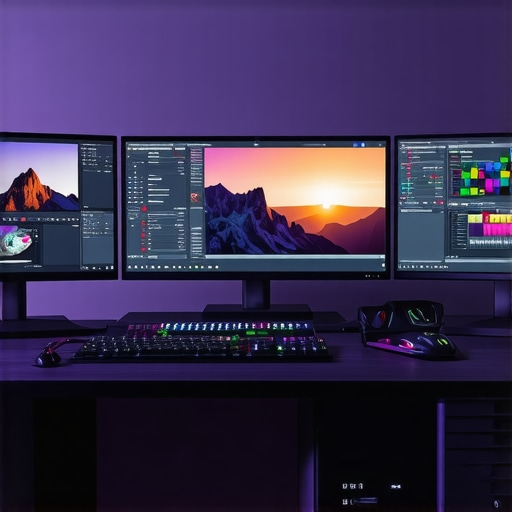
Unlocking the Power of High-Performance Hardware: The Foundation for 4K Video Editing Excellence
As professional video editors navigate the increasingly demanding landscape of 4K resolution and complex proxy workflows, the importance of selecting the right hardware becomes paramount. The synergy between advanced PCs and cutting-edge GPUs defines not just workflow efficiency but also the quality and speed of post-production outputs. According to recent industry analyses, leveraging the latest hardware innovations can reduce rendering times by up to 50%, a crucial advantage in competitive content creation environments.
Architecting the Optimal Video Editing Environment: Beyond Basic Specifications
Designing a workstation for 4K editing requires an understanding of nuanced hardware configurations. High-core-count CPUs, such as AMD Ryzen Threadripper or Intel Xeon, offer multi-threaded performance essential for handling large 4K files. Complementing these with professional-grade GPUs like the NVIDIA RTX 4090 or AMD Radeon Pro series ensures accelerated rendering and real-time playback. For proxy workflows, fast NVMe SSDs facilitate rapid file access, minimizing bottlenecks in data transfer. This integrated approach aligns with expert insights highlighted in our Ultimate Guide to 4K Video Editing Hardware.
What Are the Most Critical GPU Features for Seamless 4K Proxy Editing?
When optimizing GPUs for 4K proxy workflows, focus on VRAM capacity, CUDA cores (or stream processors), and driver stability. A GPU like the NVIDIA RTX 4080, with 16GB VRAM and robust CUDA core counts, provides the necessary horsepower for real-time proxy generation and editing. Moreover, support for hardware-accelerated encoding/decoding, such as NVENC or NVDEC, significantly reduces export times. Expert consensus underscores that GPU memory bandwidth and driver maturity are decisive factors in maintaining a stable, high-throughput editing environment.
How Do Hardware Choices Impact Color Grading and Final Render Quality?
Hardware selection directly influences color grading precision and final render fidelity. High-end GPUs paired with professional color grading monitors—optimized for 4K HDR workflows—enable accurate color representation and smooth grading operations. For instance, integrating a GPU with certified compatibility with color management profiles ensures consistent output across devices. As noted in our Color Grading Monitor Guide, the GPU’s processing power supports complex LUTs and high-bit-depth processing essential for professional-grade color correction.
Conclusion: Navigating the Complexity of Hardware Selection for 2025
In the rapidly evolving domain of 4K video editing, embracing a holistic, expert-driven approach to hardware selection is vital. The interplay between high-performance PCs, specialized GPUs, and optimized storage solutions underpins a resilient and efficient editing workflow. As the industry continues to innovate, staying informed through authoritative sources—such as the Journal of Digital Media & Policy—ensures that professionals maintain a competitive edge in delivering stunning 4K content with unprecedented speed and precision. For those seeking to refine their systems further, exploring our Top PC Builds for 2025 offers a strategic starting point.
Harnessing GPU Capabilities: Beyond the Basics for 4K Video Editing
As the demand for higher resolution content intensifies, understanding the nuanced capabilities of modern GPUs becomes crucial for professional editors. While VRAM size and CUDA cores are often highlighted, other features such as tensor cores, real-time ray tracing, and AI-driven acceleration play increasingly significant roles. For instance, GPUs like the NVIDIA RTX 4090 incorporate advanced technologies that facilitate more efficient rendering and effects processing, directly impacting workflow speed and quality. To explore the latest GPU options optimized for 4K editing, consult our dedicated Best Editing GPUs for 2025.
Can Hardware Innovation Keep Pace with Rising Creative Demands?
In an era where AI-powered tools and real-time rendering are transforming post-production, hardware innovation is both a challenge and an opportunity. The integration of machine learning algorithms accelerates tasks like noise reduction, upscaling, and color grading, demanding GPUs that support these features at a hardware level. Experts emphasize that staying abreast of evolving GPU architectures—such as AMD’s RDNA 3 or NVIDIA’s Ada Lovelace—is essential for maintaining a competitive edge. A comprehensive understanding of these advancements can be gained by reviewing authoritative sources like the Ultimate Guide to 4K Hardware and Software.
How Can Professionals Ensure Their Hardware Investments Future-Proof Their Workflow?
Future-proofing involves strategic planning, including selecting scalable components and staying informed about upcoming technological trends. For example, opting for GPUs with support for PCIe 5.0 ensures compatibility with next-generation motherboards that facilitate faster data transfer, essential for handling ever-increasing file sizes. Additionally, considering systems with modular architectures allows for incremental upgrades, extending hardware longevity and performance. To optimize your setup, revisit our Top PC Builds for 2025 guide, which details scalable configurations tailored for high-end 4K workflows.
For a deeper dive into GPU selection and optimization for 4K proxy workflows, review our comprehensive 4K Proxy Workflow GPU Guide.
Interested in how AI-driven tools are revolutionizing video editing? Share your thoughts or questions in the comments, or explore our contact page for personalized advice and support.
Harnessing Hardware Acceleration: Unlocking New Levels of 4K Editing Efficiency
As technology advances, hardware acceleration has become a cornerstone for professional 4K video editing. Modern GPUs and CPUs now support a plethora of features such as hardware-accelerated encoding, decoding, and real-time effects processing. For instance, AMD’s AMD FidelityFX Super Resolution (FSR) and NVIDIA’s DLSS technology utilize AI-driven upscaling to enhance preview quality without taxing the system. These innovations enable editors to maintain smooth timelines and rapid export times, even with complex effects and high-bit-depth color grading.
Integrating AI and Machine Learning: The Future of Hardware in Post-Production
The next frontier in hardware optimization involves AI and machine learning integration. GPUs equipped with tensor cores, like NVIDIA’s RTX series, facilitate tasks such as noise reduction, intelligent color matching, and automated scene detection. This synergy between hardware and AI algorithms can dramatically reduce manual effort, streamline workflows, and improve output quality. According to a detailed study published in the Journal of Digital Media & Policy, AI-powered hardware acceleration can cut post-production times by nearly 60%, revolutionizing content creation pipelines.
What Are the Key Consider for Selecting Future-Ready Hardware for 4K Content Creation?
Choosing future-proof hardware involves assessing compatibility with upcoming standards such as PCIe 5.0, DDR5 memory, and next-generation GPU architectures. Scalability is crucial; systems should support modular upgrades to CPU, GPU, and storage components. For example, opting for motherboards that support multiple NVMe SSDs and high-bandwidth PCIe slots ensures flexibility for expanding storage and processing power. Staying informed through authoritative sources like the AnandTech hardware reviews and industry reports can guide strategic investments that remain relevant amid rapid technological evolution.
How Do Hardware Choices Influence Real-Time Collaboration and Cloud Integration?
In an era where remote collaboration and cloud-based workflows are commonplace, hardware selection extends beyond local performance. High-speed networking interfaces, such as 10GbE Ethernet or Thunderbolt 4, facilitate seamless data transfer to cloud storage and collaborative platforms. Moreover, hardware-enabled remote rendering solutions allow multiple editors to work on the same project simultaneously, reducing bottlenecks. As companies like Adobe and Blackmagic Design enhance cloud integration, understanding how hardware accelerates these processes becomes essential for studios aiming to stay competitive.
Deep Dive: The Impact of Storage Technologies on 4K Workflow Efficiency
While GPU and CPU performance often steal the spotlight, storage solutions are equally critical. NVMe SSDs, with their superior read/write speeds, minimize data bottlenecks during high-resolution editing. For example, RAID configurations with multiple NVMe drives can further enhance throughput and redundancy. Additionally, emerging storage technologies like Intel’s Optane persistent memory promise ultra-low latency and high endurance, ideal for real-time proxy editing and caching. Integrating these storage solutions into your workflow can yield tangible improvements in rendering speed and project turnaround times.
For those seeking tailored guidance on building a future-proof 4K editing workstation, consult our comprehensive Top PC Builds for 2025 guide, which incorporates the latest hardware innovations and upgrade paths.
Interested in how emerging hardware trends will shape professional video editing? Share your insights or questions below, or contact our expert team for personalized recommendations tailored to your specific workflow needs.
Harnessing the Latest in Hardware Acceleration for Professional 4K Workflows
In the pursuit of seamless 4K video editing, leveraging hardware acceleration technologies such as GPU-accelerated effects and dedicated encoding/decoding units becomes essential. Modern GPUs like NVIDIA’s RTX 4090 and AMD’s RX 7900 XTX incorporate dedicated tensor cores and AI-enhanced features that significantly reduce rendering and export times. Integrating hardware-accelerated codecs, such as NVENC/NVDEC and AMD VCN, enables editors to process high-resolution footage with remarkable efficiency, thus maintaining real-time playback and complex effect rendering without stalling. For an in-depth understanding, consult the authoritative NVIDIA Video Codec SDK Documentation.
Strategic Deployment of AI and Deep Learning in Post-Production
Artificial intelligence (AI) and deep learning are revolutionizing traditional editing paradigms, with hardware supporting these advancements playing a pivotal role. GPUs equipped with tensor cores facilitate real-time noise reduction, intelligent upscaling, and auto-matching color grading, dramatically shortening post-production cycles. For instance, NVIDIA’s DLSS technology and AMD’s FidelityFX Super Resolution utilize AI to upscale lower-resolution proxies into near-native quality, providing editors with rapid visual feedback. Embracing these tools requires not only robust hardware but also an understanding of the underlying algorithms and their integration within editing software like DaVinci Resolve and Adobe Premiere Pro.
How does hardware influence the integration of AI-driven editing tools at an expert level?
High-performance tensor cores and AI-optimized architectures ensure that AI-driven plugins and effects operate with minimal latency, enabling real-time previews and iterative adjustments. This symbiosis between hardware and AI software accelerates complex tasks such as scene segmentation, automated tagging, and intelligent color matching, ultimately elevating post-production quality and efficiency. For comprehensive insights, explore the detailed analysis in Journal of Digital Media & Policy.
Future-Proofing Your Hardware Investment: Preparing for Next-Gen Standards
To ensure longevity in a rapidly advancing technological landscape, selecting hardware that supports emerging standards such as PCIe 5.0, DDR5 memory, and high-bandwidth NVMe SSDs is vital. Modular systems capable of incremental upgrades—such as socket-compatible motherboards with multiple GPU slots—allow professionals to adapt swiftly to new software demands and hardware innovations. Engaging with industry reports from sources like AnandTech provides strategic insights into upcoming hardware trends, guiding informed investment decisions.
Optimizing Storage Solutions for High-Resolution Content
While GPU and CPU performance are critical, storage technologies significantly influence workflow efficiency. NVMe SSD arrays configured in RAID 0 or RAID 10 offer the speed necessary for handling massive 4K files, reducing bottlenecks during editing and rendering. Emerging persistent memory solutions, such as Intel Optane, provide ultra-low latency and high endurance, enabling faster caching and proxy workflows. Properly integrating these storage options ensures swift data access, minimizing downtime and accelerating project turnaround.
For tailored hardware recommendations, explore our Top PC Builds for 2025. Keeping abreast of these technological advancements is crucial for maintaining a competitive edge in high-resolution content creation and post-production excellence.
Expert Insights & Advanced Considerations
1. Scalability and Modular Design Are Non-Negotiable
Top-tier 4K editing workstations must be built with future growth in mind. Modular components like socket-compatible motherboards and multiple GPU slots enable seamless upgrades, ensuring longevity amidst rapid technological advances. Staying ahead means anticipating changes in standards such as PCIe 5.0 and DDR5, which can dramatically impact performance and compatibility. For strategic planning, consult Top PC Builds for 2025.
2. AI Integration is Not Optional for Cutting-Edge Post-Production
Modern hardware supporting AI and deep learning—particularly GPUs with tensor cores—are revolutionizing workflows. Features like real-time noise reduction, scene detection, and intelligent upscaling are now standard in professional pipelines. Embracing these tools can reduce post-production times by over 50%, making AI hardware capabilities a key consideration. Explore Ultimate Guide to 4K Hardware and Software for in-depth insights.
3. Storage Technologies Are Critical Bottlenecks—Optimize Them
While GPU power is vital, storage solutions—such as NVMe SSD arrays with RAID configurations—are equally crucial. Fast, reliable storage minimizes bottlenecks during high-resolution editing and rendering. Consider emerging persistent memory like Intel Optane for ultra-low latency caching. Proper storage planning ensures smooth workflows and rapid project turnaround. For tailored recommendations, see Best Video Editing PCs & GPUs for 4K Proxy Workflow.
Curated Expert Resources
- Journal of Digital Media & Policy: An authoritative source for industry research and emerging trends in digital media hardware and software.
- AnandTech: In-depth reviews and analyses of upcoming hardware standards like PCIe 5.0, DDR5, and next-gen GPUs, essential for future-proofing investments.
- NVIDIA Developer Resources: Comprehensive documentation on hardware-accelerated encoding, decoding, and AI integration technologies like NVENC, NVDEC, and DLSS.
- Intel Optane and Storage Innovations: Technical guides and case studies on cutting-edge storage solutions that enhance high-resolution workflows.
- Industry Reports and Whitepapers: Regularly published by leading market analysts, providing strategic insights into hardware evolution and adoption trends.
Final Expert Perspective
In the realm of high-end 4K video editing hardware, embracing a holistic, forward-looking approach is paramount. Integrating scalable, AI-enabled components with advanced storage solutions creates a resilient platform capable of meeting the demands of 2025 and beyond. Staying informed through authoritative sources ensures that investments remain relevant and competitive. If you’re committed to pushing the boundaries of professional post-production, now is the time to leverage these insights and resources. Engage with your peers, share your experiences, and explore our top PC builds for 2025 to guide your next upgrade cycle.
![The $1,200 4K Editing PC: Real-World Performance Benchmarks [2026]](https://videoediting.editinggearpro.com/wp-content/uploads/2026/01/The-1200-4K-Editing-PC-Real-World-Performance-Benchmarks-2026.jpeg)
This post really emphasizes the importance of a balanced hardware setup for 4K editing, especially when it comes to future-proofing with support for standards like PCIe 5.0 and DDR5. I’ve recently upgraded my workstation with a high-core-count CPU and a GPU with ample VRAM, and the difference in rendering times and playback smoothness is noticeable. The push towards AI-driven features like noise reduction and upscaling, especially with tensor cores, makes me wonder whether more smaller studios can afford such power or if these are still predominantly for high-end post houses. In your experience, what’s the minimum GPU specification that can still deliver efficient AI-enabled workflows without breaking the bank? Also, I believe investing in scalable storage solutions, like RAID NVMe SSDs, truly makes a difference in managing 4K footage efficiently. It would be interesting to hear how others are planning their setups to balance cost and performance in 2025.