Strategic Integration of Proxy Workflow for Seamless 4K Video Editing
In the realm of high-resolution video editing, particularly at 4K and beyond, streamlining your workflow is paramount. Proxy editing emerges as a vital technique that reduces system strain by substituting lightweight proxy files for raw 4K footage during editing processes. This method not only accelerates edit times but also minimizes hardware bottlenecks, especially crucial when handling complex color grading and visual effects.
How does proxy workflow revolutionize multi-layered color correction in 2026?
By decoupling processing demands from the original footage, editors can perform intensive color grading without overwhelming their systems. Recent advancements have integrated automatic proxy generation and seamless toggling, offering unprecedented efficiency gains. For an in-depth understanding, explore our comprehensive guide on streamlining your video workflow with proxy editing.
Emerging Trends in GPU Architecture and Their Impact on Video Rendering
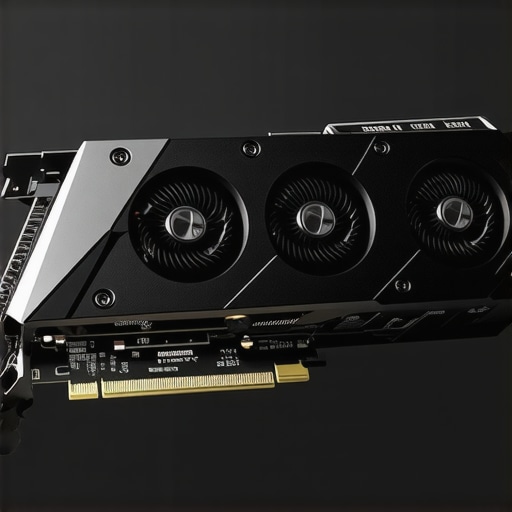
The evolution of Graphics Processing Units (GPUs) has shifted towards specialized architectures optimized for AI-enhanced rendering, real-time effects, and 8K/12K workflows. While traditional VRAM capacity remains relevant, contemporary GPUs emphasize tensor cores, RT cores, and deep learning capabilities, enabling faster rendering and real-time previews for complex projects.
Particularly noteworthy are the breakthroughs in AI-accelerated denoising, upscaling, and color correction algorithms, which leverage GPU tensor cores to drastically cut render times. As noted in recent white papers (see top GPUs for AI-driven 8K color correction in 2026), selecting hardware that aligns with these innovations is crucial for professionals aiming to stay at the cutting edge.
Choosing Monitors That Enhance Color Grading Precision in 2026
Color grading monitors have transcended traditional metrics, now incorporating micro-LED and OLED technologies that offer low latency, high contrast, and uniform brightness—vital for accurate color representation. Monitors with 12-bit color depth, HDR support, and hardware calibration capabilities ensure that visuals are precisely evaluated and manipulated.
When integrating such displays into your workflow, consider factors like panel uniformity, refresh rate, and compatibility with color management systems. Our curated list of best color grading monitors of 2026 provides valuable insights for professionals demanding consistent, high-fidelity outputs.
What Are the Real Bottlenecks in 4K and 8K Video Projects
Despite technological leaps, system limitations persist. Common bottlenecks include insufficient RAM, storage throughput, and GPU VRAM, which become exacerbated during multi-layered editing, high-bit-depth color corrections, and real-time 8K previews. Understanding these constraints helps in designing hardware configurations that prevent workflow stalls and rendering delays.
For a nuanced perspective, consult our deep dive into system RAM adequacy for 8K editing in 2026.
To maintain a competitive edge, professionals should regularly revisit hardware and workflow optimizations, incorporating emerging solutions in proxy workflows, GPU accelerations, and display calibration.
Push Your Hardware Limits with Next-Gen GPU Strategies
In 2026, choosing the right GPU isn’t just about VRAM size anymore but about embracing architectures optimized for AI-accelerated workflows and real-time rendering. Advances in tensor and RT cores have revolutionized effects processing, enabling smoother previews and faster exports even under demanding 8K and 12K projects. To stay ahead, professionals must evaluate GPUs that leverage deep learning features; for instance, consider options highlighted in top GPUs for AI-driven 8K color correction in 2026. This shift empowers editors to utilize AI denoising and upscaling without sacrificing throughput, transforming traditional bottlenecks into opportunities for efficiency.
Are You Exploiting Hardware Innovation to its Full Potential in Your Workflow?
Integrating hardware advancements with optimized workflows is crucial. For example, pairing ultra-fast NVMe Gen6 SSDs with high-performance GPUs significantly reduces bottlenecks during proxy generation and 4K/8K previews. Furthermore, dual GPU setups or even emerging multi-GPU configurations can distribute workloads seamlessly, ensuring consistent performance across complex timelines. For a comprehensive hardware overhaul, explore our guide on top PC builds for 2025, adapting them to 2026’s innovations.
Elevate Color Accuracy with Cutting-Edge Monitors in Color Grading
Color grading in 2026 demands monitors that surpass traditional displays. Micro-LED and OLED technologies, combined with advanced calibration tools, ensure consistent, true-to-life visuals. Monitors with 12-bit support and HDR capabilities facilitate precise manipulations, critical for projects requiring meticulous color fidelity. Moreover, dedicated hardware calibration with automatic adjustment features minimizes drift, maintaining accuracy throughout long sessions. To choose wisely, read about the best color grading monitors of 2026.
Breaking System Barriers: Avoiding Common Pitfalls in 8K and 12K Editing
Despite hardware progress, many editors face persistent challenges like latency in high-bit-depth processing or storage bottlenecks during large-scale exports. Understanding the interplay between RAM, storage throughput, and GPU capabilities allows for targeted upgrades, such as expanding to 512GB of RAM for massive 8K sequences or implementing PCIe 5.0/6.0 SSDs for rapid data access. Continuous assessment with diagnostic tools ensures systems perform optimally under evolving workflows. For detailed insights, see our analysis on system RAM adequacy for 8K editing in 2026. By staying proactive with hardware tuning and workflow refinement, editors can avoid costly delays and maintain competitive efficiency.
Transforming Resolution Limits with AI: The Future of Upscaling
As 8K and even higher-resolution workflows become mainstream, the challenge of maintaining real-time playback and efficient rendering intensifies. An exciting frontier in this domain is AI-accelerated upscaling technology, which not only preserves visual fidelity but also dramatically reduces processing times. Unlike traditional bicubic or Lanczos algorithms, AI-driven upscaling leverages deep learning models trained on vast datasets of high-quality imagery, intelligently reconstructing missing details and enhancing textures with remarkable accuracy.
What distinguishes AI upscaling from conventional methods in professional video workflows?
While conventional algorithms rely on interpolations that often result in softer images and artificial artifacts, AI models analyze pixel neighborhoods, context, and structural patterns to generate high-fidelity details. For instance, NVIDIA’s DLSS (Deep Learning Super Sampling) and AMD’s FidelityFX Super Resolution utilize specialized neural networks optimized for particular GPU architectures, enabling near-native resolution quality at a fraction of the usual computational cost. Authoritative sources like NVIDIA’s white papers (see Deep Learning Super Sampling Architectures) substantiate these technological advancements and their impact on professional video editing pipelines.
By implementing AI upscaling, editors can work seamlessly with proxy-like low-res footage, then apply AI-enhanced upscaling during final rendering or online delivery, ensuring crisp, high-resolution outputs without taxing system resources. This approach empowers real-time previews and iterative color grading at 8K resolutions, which were once bottlenecked by hardware limitations.
Moreover, integrating AI upscaling isn’t limited to post-processing—it’s increasingly embedded within editing software and hardware solutions. DaVinci Resolve, for example, has integrated NVIDIA’s OptiX for GPU-accelerated AI effects, demonstrating the industry shift towards intelligent resolution management. Real-world workflows now benefit from dynamic, context-aware upscaling that adapts quality depending on the visual complexity and intended output format.
Why Custom AI Models Are Game-Changers for Niche Editing Challenges
Standard AI upscaling solutions serve well generally, but professional editors faced with unique visual styles or specific technical constraints often require tailored solutions. Custom-trained neural networks can be developed to optimize for particular aesthetic profiles, such as film grain preservation or specific color palettes. This customization ensures that upscale algorithms align perfectly with the project’s artistic and technical goals.
For instance, a high-end visual effects studio working on astrophotography footage may train a neural network specifically to enhance low-light details without over-amplifying noise. Such bespoke models can be integrated into existing workflows using frameworks like NVIDIA’s NeMo or Google’s TensorFlow, allowing for a flexible, scalable approach that adapts to diverse project requirements.
Experts are increasingly exploring transfer learning—adapting pre-trained models to specific niches—thus reducing training costs while achieving targeted enhancements. According to recent industry case studies (see NVIDIA’s research on transfer learning for video upscaling), this strategy bridges the gap between generic solutions and highly specialized post-production demands, opening new creative horizons for professionals.
Implementing AI Upscaling: Best Practices for Workflow Optimization
Adopting AI upscaling requires a strategic approach to integration, ensuring it complements existing hardware and software environments. Prioritize GPU capacity—ideally leveraging the latest tensor core-enabled cards like the RTX 5090 or Titan series—since AI models are compute-intensive. Combining this with high-performance NVMe SSDs minimizes data bottlenecks, facilitating rapid data transfer and real-time processing.
Furthermore, workflow automation tools can be configured to automatically select resolution paths based on project phase—using native resolution during editing and switching to AI-upscaled versions for final renderings. Cloud-based AI resources also offer scalable options for large projects, though considerations like latency, data security, and cost must be evaluated carefully.
Custom scripts and plugins can be developed to streamline AI upscaling, integrating seamlessly within platforms like Adobe Premiere Pro, Final Cut Pro, or DaVinci Resolve. As the technology evolves, staying abreast of software updates, hardware acceleration capabilities, and emerging AI models remains essential for maintaining a competitive edge in high-resolution video production.
Harnessing AI-Driven Upscaling for Ultra-High-Resolution Projects
In the evolving landscape of professional video production, AI-accelerated upscaling emerges as a pivotal solution to reconcile workload complexity with hardware limitations. By leveraging deep learning models trained on extensive datasets, editors can upscale proxy footage to desired resolutions with near-native fidelity, dramatically reducing rendering times and preserving detail across demanding workflows. Unlike traditional interpolation methods, AI-driven upscaling intelligently reconstructs missing data, enabling seamless previewing and high-quality final outputs even at 8K or higher resolutions.
Why Custom Neural Networks are Revolutionizing Niche Visual Effects
While off-the-shelf AI upscaling tools serve many, niche projects with unique aesthetic or technical requirements benefit significantly from tailored neural networks. Custom models trained on specific content types—such as cinematic grain, astrophotography, or specialized textures—ensure preservation of artistic intent and technical accuracy. Advances in transfer learning and federated training facilitate efficient development of these bespoke solutions, empowering studios to meet exacting standards. For an authoritative perspective, see NVIDIA’s detailed white paper on domain-specific AI models (NVIDIA’s Deep Learning Super Sampling architecture).
What Hardware Synergies Unlock Unprecedented Performance in 8K Editing?
Achieving smooth workflows at 8K resolutions necessitates an orchestrated synergy of hardware components. The latest GPU architectures, featuring enhanced tensor cores, RT cores, and expansive VRAM, enable real-time effects, denoising, and upscaling. Coupled with ultra-fast PCIe 5.0 or 6.0 SSDs and high-capacity RAM modules—potentially exceeding 256GB—this configuration minimizes bottlenecks. Dual GPU setups or emerging multi-GPU frameworks further distribute workloads, ensuring uninterrupted responsiveness during complex editing or rendering processes. For a comprehensive hardware blueprint, explore our recent analysis (top PC builds for 2025 adapted for 2026 innovations).
Enhancing Color Accuracy with Next-Gen Monitors for Critical Grading
The pursuit of tonal fidelity requires investment in monitors replete with micro-LED or OLED panels that deliver exceptional contrast, low latency, and accurate color reproduction. Features like 12-bit color depth support, hardware calibration, and HDR standards ensure technical accuracy vital for high-end color grading. Additionally, integrating these displays into a calibrated color management system facilitates consistent, predictable results across multiple viewing environments. Consult our curated list of best color grading monitors of 2026 for detailed insights.
Strategic Infrastructure to Overcome Persistent Bottlenecks
Despite technological advancements, system bottlenecks often stem from bottlenecked storage throughput, insufficient RAM, or inadequate GPU VRAM. Optimizing these components requires strategic upgrades—such as integrating PCIe 6.0 NVMe SSDs, expanding RAM capacity beyond 512GB for massive sequences, or deploying high VRAM GPUs like the RTX 5090. Proactive system diagnostics and performance profiling tools are essential for identifying and mitigating latency points, maintaining a competitive editing environment. For nuanced system configurations, see our detailed guide (system RAM adequacy for 8K editing in 2026).
Capitalizing on AI for Real-Time, High-Resolution Playback
Real-time playback at 8K or higher requires innovative solutions. Here, AI-based upscaling not only enhances final renders but also ensures smoother previews by dynamically scaling low-resolution proxies during editing. This approach significantly reduces the need for brute-force hardware power, allowing editors to work interactively without lag. Furthermore, integrating AI models within editing software—like DaVinci Resolve’s GPU-accelerated effects—creates a fluid, efficient environment that bridges technological limitations with creative ambitions. For industry insights and implementation strategies, refer to NVIDIA’s latest research (deep learning architectures for video production).
Crafting Customized AI Solutions to Match Artistic Vision
High-end productions often demand AI models specifically trained to match unique visual styles, such as film grain textures or atmospheric effects. Developing bespoke neural networks via transfer learning or federated training paradigms ensures that upscaling and enhancement processes preserve artist intent while optimizing technical performance. Utilizing platforms like TensorFlow or NVIDIA’s NeMo empowers studios to craft solutions tailored to their visual language and technical constraints, leading to exceptional results. Industry pioneers advocate for this approach, emphasizing its capacity to push creative boundaries further, as detailed in recent case studies (NVIDIA’s insights on transfer learning for video enhancement).
Integrating Next-Gen Hardware with Workflow Automation for Peak Efficiency
The complexity of modern workflows necessitates intelligent automation. Incorporating AI-optimized hardware—such as the latest tensor core GPUs and PCIe 6.0 SSDs—alongside custom scripts and plugins enables streamlined resolution management, proxy generation, and rendering automation. Cloud-based AI resources also offer scalable processing power for intensive tasks, provided data security and latency are appropriately managed. Ensuring harmonious integration of hardware and software policies maximizes productivity, reduces manual intervention, and sustains creative momentum.
Expert Insights & Advanced Considerations
Push the Boundaries of Hardware Integration
Blending high-performance GPUs with state-of-the-art storage solutions ensures minimal bottlenecks, enabling real-time editing of 8K and 12K footage. Embracing multi-GPU setups and PCIe 6.0 SSDs unlock unprecedented speed in proxy generation and rendering processes.
Leverage AI for Seamless Upscaling
Implementing custom AI models tailored to specific visual styles can dramatically enhance upscaling quality, preserving artistic integrity while reducing processing times. Transfer learning accelerates development, providing a competitive edge in niche content enhancement.
Optimize Workflow Automation
Integrating intelligent automation scripts and cloud-based AI resources streamlines resolution management, proxy workflows, and color grading. Such approaches reduce manual effort and accelerate project turnaround without compromising quality.
Stay Ahead with Next-Gen Monitors
High-fidelity displays with micro-LED or OLED technology, supporting 12-bit color depth and hardware calibration, are vital for accurate color grading. Upgrading visual evaluation tools ensures consistent, professional-grade outputs across demanding high-resolution projects.
Curated Expert Resources
- Video Editing Hardware Guide: Offers in-depth strategies for building optimal editing rigs tailored for 4K and higher resolutions, including insights on the latest component compatibility.
- AI Upscaling White Papers: NVIDIA’s research documents delve into the architectures of neural networks optimized for professional video workflows, emphasizing AI upscaling breakthroughs.
- Color Calibration Platforms: Industry standards and tools for maintaining color accuracy across professional-grade monitors, essential for consistent grading results.
- Proxy Workflow Case Studies: Real-world examples demonstrating accelerated editing processes utilizing advanced proxy techniques and scalable cloud computing.
- Emerging GPU Technologies: Updates on the newest graphics architectures designed for AI acceleration and real-time effects in high-res editing environments.
Final Thoughts for High-End Video Editing
Achieving mastery in 4K and beyond editing hinges on a synergy of elite hardware, innovative AI integration, and meticulous workflow optimization. Staying informed with authoritative resources enables professionals to harness these advancements effectively, ensuring their creative vision is realized with efficiency and precision. For expert collaboration, consider connecting through industry forums or reaching out with your insights on evolving high-resolution workflows—sharing knowledge propels the entire community forward.
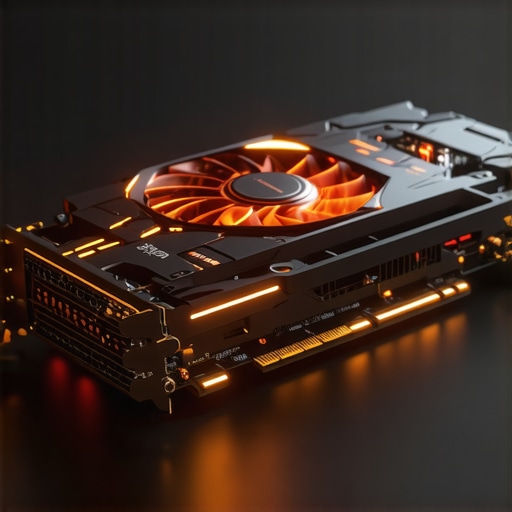
![Why Your 32GB GPU Fails at 16K AI Rendering [2026 Test]](https://videoediting.editinggearpro.com/wp-content/uploads/2026/02/Why-Your-32GB-GPU-Fails-at-16K-AI-Rendering-2026-Test.jpeg)