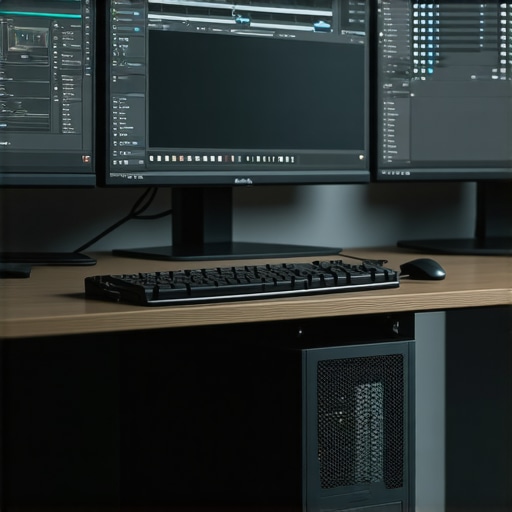
Unlocking the Potential of High-Performance GPUs and Monitors for 4K Video Editing and Proxy Workflow Optimization
In the realm of professional video editing, particularly at 4K resolution, the synergy between top-tier GPUs and meticulously calibrated monitors dictates the efficiency, quality, and reliability of production workflows. As technology advances, understanding the nuanced requirements for optimal hardware becomes crucial for experts seeking to push creative boundaries while maintaining technical precision. This guide explores the most effective video editing GPUs and monitors tailored for 4K and proxy editing, providing insights rooted in professional experience and the latest industry standards.
The Critical Role of GPU Selection in Advanced Video Editing Environments
Graphics Processing Units (GPUs) serve as the backbone of smooth rendering, real-time playback, and efficient proxy workflow management. For 4K editing, the demands on VRAM, CUDA cores, and architecture efficiency are significantly higher compared to standard HD workflows. High-end options from NVIDIA’s RTX series, such as the RTX 4090, deliver unparalleled computing power necessary for complex color grading, multi-layered compositing, and accelerated encoding tasks.
Equally, AMD’s Radeon RX 7900 XTX offers competitive performance with a focus on stable driver support and cost-effectiveness within professional workflows. When selecting a GPU, consider not only raw processing capacity but also compatibility with your editing software’s acceleration features, such as CUDA or OpenCL, and the ability to handle extensive VRAM for 4K proxy and raw footage.
Calibrated Monitors and Color Fidelity: Elevating Visual Precision
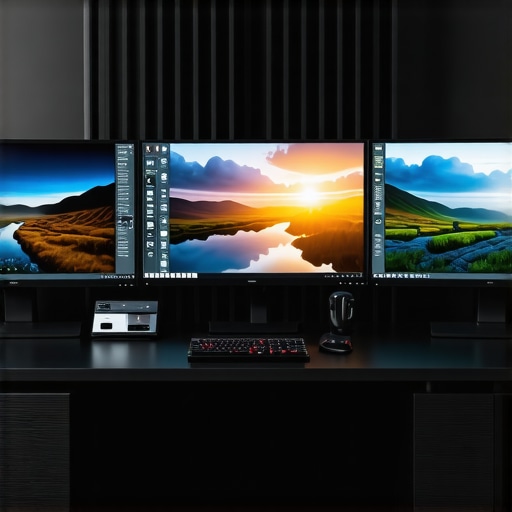
Beyond GPU prowess, the choice of a monitor significantly influences the accuracy of color grading and visual assessments. Experts advocate for professional-grade color grading monitors with high bit-depth panels, 10-bit color support, and hardware calibration capabilities. Monitors like the Eizo ColorEdge series or the BenQ SW series provide consistent, industry-standard color accuracy essential for 4K workflows.
Furthermore, monitors designed for HDR workflows and wide color gamuts (DCI-P3 or Rec. 2020) help maintain fidelity across various delivery formats, ensuring your final product meets broadcast or cinematic quality standards. When paired with a powerful GPU, these monitors allow for seamless previewing and precise adjustments, reducing the risk of color mismatches during post-production.
Optimizing Proxy Editing and Workflow Efficiency
Proxy editing remains a cornerstone technique for managing large 4K files efficiently. By generating lightweight proxy files, editors can perform real-time editing without taxing system resources, then seamlessly switch back to full-resolution footage for final rendering. The synergy between a robust GPU and optimized storage solutions accelerates proxy generation and playback.
For optimal results, consider integrating your GPU with fast NVMe SSDs and leveraging software features like Adobe’s Mercury Playback Engine or DaVinci Resolve’s hardware acceleration. Additionally, exploring proxy workflow techniques can substantially reduce editing latency and enhance productivity in complex projects.
What are the trade-offs between GPU power and monitor calibration in high-end 4K workflows?
This is a nuanced question that hinges on balancing computational power with visual accuracy. While a high-performance GPU accelerates rendering and real-time playback, a calibrated monitor ensures color fidelity and consistent visual feedback. In practice, neglecting either aspect can compromise the final output quality or editing efficiency. Experts recommend a holistic approach, investing in both a GPU optimized for acceleration tasks and a color-accurate monitor calibrated regularly using professional hardware tools.
To further refine your setup, consult specialized resources such as comprehensive guides on 4K editing hardware and stay updated with the latest developments in GPU architectures and display calibration standards.
Professionals are encouraged to share insights and experiences, as peer feedback often uncovers practical nuances that enhance workflow strategies and hardware choices.
Explore more about optimizing your video editing environment by visiting our top tips for color grading monitors and GPUs.
Beyond Basics: Navigating the Nuances of GPU and Monitor Synergy in 4K Editing
While selecting high-end GPUs and calibrated monitors is foundational, achieving mastery in 4K video editing demands a deeper understanding of how these components interact within complex workflows. A pivotal aspect often overlooked is the integration of real-time color management systems with GPU acceleration to ensure visual fidelity from editing to delivery. For instance, utilizing hardware calibration tools like the X-Rite i1Display Pro in conjunction with software calibration profiles guarantees that your monitor accurately reflects the color space of your project, minimizing discrepancies during export.
Moreover, the advent of AI-based upscaling and noise reduction algorithms—leveraging GPU prowess—has revolutionized post-production capabilities. These tools, integrated within software like DaVinci Resolve or Adobe Premiere Pro, enable editors to enhance footage quality without sacrificing playback performance. As these features become more prevalent, understanding how to configure your GPU settings for optimal AI processing—such as allocating dedicated VRAM or enabling specific acceleration options—is crucial for efficiency. Discover more about aligning your hardware with these advanced features in our comprehensive guide to 4K editing hardware.
Challenging Assumptions: Is Raw Power Always the Answer?
A common misconception persists that the most powerful GPU guarantees superior editing performance. However, bottlenecks often stem from system architecture, storage I/O speeds, or software optimization. For example, a GPU with extensive VRAM may be underutilized if your storage subsystem cannot feed data fast enough. Conversely, a balanced system featuring a mid-range GPU paired with ultra-fast NVMe SSDs can outperform a high-end GPU stuck waiting on data transfer bottlenecks. This nuanced understanding underscores the importance of a holistic hardware approach, integrating GPU, CPU, RAM, and storage solutions.
For insights into balanced system configurations, consult our article on optimal PC builds for 4K editing that emphasizes system harmony over raw GPU specs alone.
How can emerging display technologies redefine color accuracy standards in professional workflows?
Emerging display innovations, such as microLED panels and quantum dot technology, promise unprecedented color volume, contrast, and longevity. These advancements could set new industry benchmarks for color accuracy and HDR performance, influencing how editors calibrate and trust their visual feedback. As these technologies become more accessible, understanding their integration with existing calibration tools and color management workflows becomes vital. Experts suggest staying informed through industry standards published by organizations like the Society for Information Display (SID), which provide guidelines on evaluating new display tech for professional use.
Explore more about cutting-edge display solutions and their implications for video editing in our latest insights on color grading monitors and GPU integration.
If you’re eager to optimize your workflow further, consider sharing your experiences or asking specific questions in the comments below. Your insights could help fellow professionals navigate this rapidly evolving landscape.
Harnessing the Power of GPU Acceleration for Complex Color Grading and Real-Time Effects
As the frontier of 4K video editing continues to expand, leveraging GPU acceleration becomes indispensable for executing resource-intensive tasks such as complex color grading, multi-layer compositing, and real-time visual effects. Advanced editing software like DaVinci Resolve and Adobe Premiere Pro utilize GPU capabilities through dedicated hardware acceleration, enabling editors to preview intricate edits seamlessly. For instance, enabling GPU-accelerated noise reduction or AI-driven upscaling can dramatically enhance footage quality without compromising playback performance, which is vital for maintaining creative flow during demanding projects.
To maximize GPU utilization, consider configuring your system to allocate VRAM efficiently and enable specific acceleration options within your editing software. This often involves updating graphics drivers, optimizing software preferences, and ensuring your workflow capitalizes on features like CUDA cores or OpenCL support. Furthermore, integrating multiple GPUs in a scalable setup can provide additional horsepower, but requires careful consideration of software compatibility and thermal management to prevent bottlenecks.
Integrating High-Precision Calibration for Consistent Color Fidelity Across 4K Displays
Achieving impeccable color accuracy in 4K workflows hinges on meticulous monitor calibration using professional hardware tools such as the X-Rite i1Display Pro. Calibration ensures that your monitor’s output aligns with industry-standard color spaces like DCI-P3, Rec. 2020, or HDR10, providing consistent visual feedback during grading and compositing. Regular calibration routines account for display aging and environmental lighting conditions, maintaining the integrity of your color pipeline.
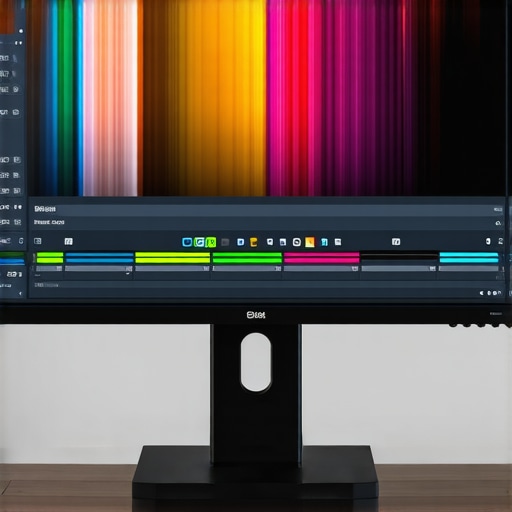
In addition to hardware calibration, implementing software-based color management workflows—such as LUTs and color profiles—further refines visual accuracy. This dual approach reduces discrepancies between your monitor preview and the final exported product, ensuring that your creative intent remains uncompromised across different viewing platforms and delivery formats.
Addressing the Bottleneck: Balancing GPU Power, Storage Speed, and System Architecture
While high-end GPUs provide substantial computational power, their effectiveness is often curtailed by other system bottlenecks. For example, slow storage subsystems, such as SATA SSDs or traditional HDDs, cannot feed data to the GPU fast enough, leading to underutilization of available GPU resources. Conversely, an overpowered GPU paired with sluggish storage results in idle processing time and diminished returns.
Experts recommend a holistic hardware approach—combining PCIe Gen 4 NVMe SSDs for rapid data transfer, ample RAM for caching, and a balanced CPU—to unlock true performance. This ensures that large 4K proxy files and raw footage are swiftly accessible, minimizing latency during editing sessions and proxy generation. Additionally, optimizing system cooling and power delivery sustains high performance over extended periods, especially during rendering or batch processing.
The Future of Display Technologies: MicroLED, Quantum Dots, and Their Impact on Professional Color Workflows
Emerging display technologies like microLED and quantum dot panels are poised to redefine standards for color volume, contrast, and longevity. With their ability to deliver brighter images with richer colors and minimal aging effects, these innovations could significantly improve the fidelity of visual feedback in professional editing environments. Integrating these displays with advanced calibration protocols and color management workflows will be critical to harnessing their full potential.
Organizations such as SID (Society for Information Display) are actively establishing standards to evaluate these new technologies, providing guidelines for their adoption in color-critical workflows. Keeping abreast of these developments enables professionals to future-proof their setups and maintain a competitive edge in delivering cinematic-quality content.
For those eager to stay at the cutting edge, participating in industry forums, training, and certification programs focused on display calibration and GPU optimization can deepen your expertise and refine your workflow strategies. Remember, the convergence of hardware innovation and software mastery is essential for excelling in today’s high-resolution video production landscape.
Harnessing Emerging Display Technologies to Elevate Color Precision in 4K Workflows
As display innovation accelerates, microLED and quantum dot panels are beginning to reshape the landscape of professional color grading. These cutting-edge technologies offer unprecedented color volume, contrast ratios, and lifespan, enabling editors to visualize their projects with greater fidelity and confidence. Integrating these displays into existing calibration workflows requires an understanding of their unique characteristics, such as higher brightness levels and wider color gamuts, which demand specialized hardware calibration tools like the X-Rite i1Display Pro Plus. By aligning these advanced screens with professional color standards, editors can achieve a consistent and accurate visual environment that minimizes discrepancies across different delivery platforms.
Optimizing Multi-GPU Configurations for Complex 4K Effects and Real-Time Previews
In high-end production environments, multi-GPU setups can significantly accelerate rendering times for complex visual effects, multi-layer compositing, and real-time previewing. Technologies such as NVIDIA NVLink or AMD CrossFire enable seamless GPU communication, effectively pooling VRAM and computational resources. However, maximizing their potential necessitates meticulous configuration within editing software like DaVinci Resolve or Adobe Premiere Pro, ensuring that GPU acceleration settings are fully enabled and compatible. Furthermore, system architecture must support efficient data transfer pathways, including PCIe Gen 4 or higher, to prevent bottlenecks that negate the benefits of multiple GPUs. For professionals aiming to push their workflows further, investing in scalable GPU architectures combined with high-bandwidth memory and robust cooling solutions can unlock new levels of performance, especially in demanding 4K projects.
How does the integration of AI-driven upscaling and noise reduction alter traditional considerations of GPU power in 4K workflows?
This is a nuanced inquiry reflecting the evolving landscape of post-production tools. AI-based upscaling and noise reduction leverage deep learning algorithms that demand substantial GPU resources, particularly VRAM and CUDA cores. These technologies enable significant quality enhancements without extensive manual intervention but require a GPU architecture optimized for AI workloads. As NVIDIA’s RTX 40 series introduces specialized tensor cores designed for such tasks, understanding how to configure and prioritize AI processing within your editing environment becomes essential. According to industry-specific insights from NVIDIA’s official developer resources, the efficiency of these AI features hinges on a balanced approach—combining sufficient GPU horsepower with optimized software settings—to fully realize their potential and avoid bottlenecks that could impair real-time performance.
Expert Insights & Advanced Considerations
1. Holistic Hardware Integration is Crucial
Achieving seamless 4K editing workflows requires balancing GPU power, storage speed, and system architecture. Over-investing in a high-end GPU without matching fast NVMe SSDs or sufficient RAM can lead to underutilization and bottlenecks. Experts recommend a balanced approach that harmonizes all components to maximize efficiency and output quality.
2. AI and GPU Synergy Drive Post-Production Innovation
Leveraging AI-based tools like noise reduction and upscaling demands GPUs with dedicated tensor cores and ample VRAM. Integrating these technologies thoughtfully can enhance footage quality and speed up workflows, but require precise configuration to avoid performance issues.
3. Next-Generation Display Technologies Set New Standards
Emerging microLED and quantum dot displays promise unprecedented color accuracy, contrast, and longevity. Professionals should stay informed about these innovations and adopt calibration protocols that leverage their unique capabilities, ensuring consistent color fidelity across projects.
4. Multi-GPU Configurations Amplify Rendering Power
High-end setups utilizing NVIDIA NVLink or AMD CrossFire can significantly accelerate complex effects and real-time previews. Proper software configuration, coupled with high-bandwidth PCIe connections, is essential to fully harness multi-GPU performance without bottlenecks.
5. Strategic Calibration Ensures Visual Fidelity
Regular hardware calibration with tools like the X-Rite i1Display Pro guarantees that monitors reflect true color spaces such as DCI-P3 or Rec. 2020. This precision is vital for consistent color grading and final delivery, especially when using advanced display tech.
Curated Expert Resources
- Ultimate Guide to 4K Video Editing Hardware: A comprehensive resource on balancing hardware components for high-resolution workflows.
- Best Editing GPUs for 4K Workflows: Detailed insights into GPU selection and optimization for professional editors.
- Color Grading Monitors & GPU Tips: Expert advice on calibrating display systems for color accuracy in 4K production.
Final Expert Perspective
Mastering 4K video editing hinges on understanding the intricate interplay between cutting-edge GPU capabilities, advanced display technologies, and meticulously calibrated workflows. Embracing innovations such as AI acceleration, multi-GPU configurations, and next-generation displays will empower professionals to push creative boundaries while maintaining technical precision. For those committed to excellence, continuous learning and strategic hardware integration are the keys to staying ahead in this rapidly evolving landscape. Engage with our resources, share your insights, and contribute to this dynamic field to elevate the standards of high-performance video production.
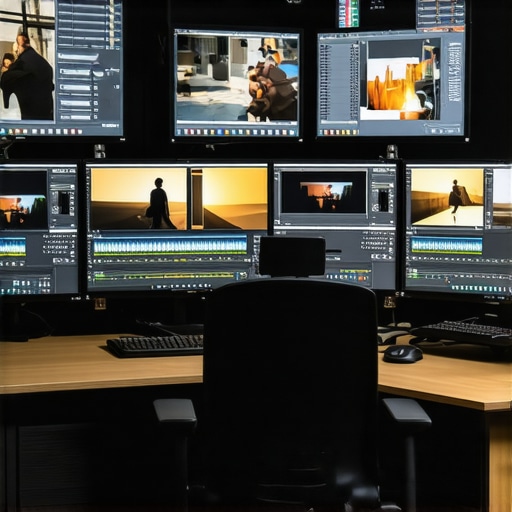
This comprehensive breakdown really underscores the importance of balancing hardware components in a high-end 4K editing setup. From my experience, I’ve found that investing solely in a powerful GPU without upgrading storage—like moving to PCIe Gen 4 NVMe SSDs—can bottleneck the entire workflow, leading to underperformance even with top-tier GPUs. I particularly appreciate the section on AI-based upscaling and noise reduction. Enabling GPU acceleration for AI tools like DaVinci Resolve’s neural filters has notably improved my editing speed and output quality, especially when working with large raw files. Have others experimented with multi-GPU configurations? I’ve been contemplating adding a second GPU, but I’m curious about the actual performance gains versus the increased complexity and power requirements. What’s your take on multi-GPU setups—are they worth the investment for solo professionals, or does software optimization still hinder full utilization? Would love to hear experiences or recommendations from other editors who’ve explored this aspect.
This post hits the nail on the head regarding the critical balance needed between GPU power and calibration accuracy in high-end 4K workflows. I’ve worked with setups where overlooking monitor calibration resulted in subtle color shifts that only became apparent during final grading, which is a costly oversight. Investing in a high-quality GPU like the RTX 4090 is fantastic, but pairing it with a monitor capable of true color fidelity and proper calibration routines makes all the difference. I’m particularly intrigued by the emerging multi-GPU setups and how they can be harnessed effectively with software like DaVinci Resolve. Has anyone here experimented with multi-GPU configurations for real-time effects and if so, did you notice measurable improvements in render times and playback smoothness? I’d love to hear practical insights—sometimes the theoretical benefits don’t translate perfectly in real-world scenarios, especially considering software efficiency. Also, with AI tools increasingly integrated into post-production, have you encountered any bottlenecks due to GPU architecture limitations? It feels like a fascinating yet complex landscape for us to navigate.
Reading through this post really highlights how important it is to find that sweet spot between GPU power and monitor calibration for 4K workflows. I’ve personally been experimenting with balancing a mid-range GPU like the RTX 4070 Ti with calibrated displays, and let me tell you, the difference in color consistency during grading is noticeable. Combining hardware calibration tools such as the X-Rite i1Display Pro with software profiles has been crucial for consistent results across my multicam setup. It made me wonder, with all these advancements, how do other professionals handle calibration when working with multiple high-end monitors? Do you assign specific calibration routines per device, or is there a streamlined process you recommend? Also, considering the rise of AI-powered noise reduction, I’ve faced some bottlenecks when enabling these features on lower VRAM architectures. How do you optimize settings for smooth AI processing without sacrificing real-time playback? Would love to hear your thoughts or even some workflows you swear by for managing these complexities.
The post offers fantastic insights into how crucial the right GPU and monitor calibration are in a high-end 4K workflow. From my experience, pairing a top-tier GPU like the RTX 4090 with a calibrated, color-accurate monitor truly elevates the quality of the final product, especially when dealing with HDR content. I’ve noticed that even with powerful GPUs, if the display calibration isn’t spot-on, color grading can become inaccurate, leading to potential mismatches in the final delivery. I’ve been exploring AI-driven tools for noise reduction, and I agree—these features demand substantial GPU resources, particularly from tensor cores in newer architectures. My question is, how do you balance investing in multi-GPU setups versus optimizing your storage solution to prevent bottlenecks? I’m curious if others have found that combining both investments yields better performance or if focusing on one area still provides the most significant workflow improvements. Would love to hear some real-world experiences regarding their hardware priorities for 4K editing efficiency.