Mastering Professional 4K Video Editing in the Current Digital Landscape
In the realm of high-resolution video production, the convergence of cutting-edge hardware and sophisticated workflow strategies defines the competitive edge for content creators and post-production specialists. As 4K editing becomes standard, understanding the intricate balance between color accuracy, GPU performance, and efficient proxy workflows is essential for achieving seamless, professional results.
The Critical Role of Accurate Color Grading Monitors in Professional Workflows
Color grading monitors dedicated to professional video editing must offer precise calibration, consistent HDR support, and wide color gamuts. Recent advancements in color calibration techniques ensure that editors can rely on their displays to reproduce colors faithfully, minimizing discrepancies during the grading process. The debate between OLED and mini-LED displays continues, with each offering distinct advantages in contrast and brightness, critical for HDR workflows.
Choosing the Optimal Editing GPU for 4K and Proxy Workflows
High-performance GPUs form the backbone of smooth 4K editing and rendering, especially when paired with effective proxy workflows. As detailed in professional reviews, GPUs with at least 24GB of VRAM are now standard for handling complex, multi-layered projects, ensuring rapid real-time playback and accelerated rendering times. For instance, the latest GPU recommendations accommodate AI-driven effects, deep color grading, and 8K upscaling seamlessly.
Implementing Advanced Proxy Workflow Strategies for High-Resolution Editing
Proxy workflows facilitate real-time editing without taxing hardware resources, enabling editors to manipulate 4K and higher-resolution footage with minimal lag. Innovative techniques, such as cloud proxy integration and media transcoding, drastically reduce storage bottlenecks and latency. Moreover, these strategies require well-orchestrated hardware configurations, emphasizing the role of fast SSDs, substantial RAM, and robust GPUs in maintaining fluidity during intensive editing sessions.
How Can Video Professionals Overcome Proxy Workflow Limitations When Working with 12K Content?
Addressing proxy workflow limitations for ultra-high-resolution content involves optimizing transcoding algorithms, leveraging hardware acceleration, and adopting scalable storage solutions. Embedding efficient caching mechanisms within editing pipelines minimizes lag, while incremental rendering techniques improve turnaround times. Given the ongoing debates around VRAM capacity and AI integration, staying abreast of emerging GPU technologies and software updates remains crucial for maintaining a competitive advantage in 4K and beyond.
If you’re aiming to refine your professional editing setup, exploring advanced color grading monitors and GPU configurations tailored for high-fidelity workflows can significantly elevate your production quality. Additionally, sharing insights with industry peers can uncover novel proxy techniques and hardware tweaks.
For a deeper dive into configuring your hardware for optimal 4K editing performance, consult the comprehensive ultimate guide to 4K editing hardware and software.
Push the Boundaries of Proxy Workflows for Ultra-High-Resolution Projects
Editing 8K and higher-resolution footage demands innovative strategies to prevent hardware bottlenecks and achieve real-time playback. While traditional proxy methods excel in 4K workflows, pushing into the realm of 8K and 12K requires a reimagining of file management, transcoding algorithms, and hardware acceleration. Implementing a layered proxy system, where multiple proxy resolutions adapt dynamically based on the editing phase, can significantly streamline this process. Additionally, integrating cloud-based proxy solutions offers scalability and reduces local storage pressures, empowering editors to handle colossal data sets with agility.
Are Your Hardware Components Ready to Handle Next-Gen Video Resolutions?
Ensuring hardware compatibility and performance is crucial when tackling ultra-high-resolution editing. Beyond having a powerful GPU with 24GB+ VRAM, the importance of high-speed NVMe SSDs cannot be overstated, especially when implementing fast caching and media transcoding workflows. Adequate RAM, ideally 128GB or more, supports simultaneous high-bidelity previews and complex effects processing without lag. As detailed in the ultimate guide to hardware optimization, a balanced system configuration minimizes latency and maximizes productivity during demanding projects.
What Strategies Enable Smooth Editing During Massive 12K and 16K Projects?
Handling super-resolution projects hinges on scalable media management, efficient transcoding pipelines, and AI-assisted caching. Techniques such as incremental transcoding, where only altered segments are reprocessed, drastically reduce workflow times. Leveraging hardware acceleration for decoding and encoding tasks, particularly using APIs like NVENC and AMF, ensures that high-resolution timelines remain responsive. Pairing these with AI-driven proxy generation further accelerates media preparation, giving video professionals a genuine edge in managing unprecedented data sizes. For detailed configurations and expert insights, review the latest developments in GPU features for future-proof editing.
Want to fine-tune your proxy workflows for 8K and beyond? Explore innovative media management tools and hardware integrations that keep your editing pipeline efficient and scalable. Sharing your experiences or asking questions about complex resolutions can open doors to industry-leading solutions—join our community or contact us through our support page.
Elevate Your Color-Grading Precision with Cutting-Edge Calibration Methods
Achieving true fidelity in color grading hinges on utilizing advanced calibration techniques that go beyond basic hardware adjustments. Techniques like spectrophotometric calibration and employing LUT-based calibration workflows ensure your monitor’s color output aligns precisely with industry standards such as DCI-P3 and Rec. 2020. Equipment like the X-Rite i1Pro 3 or the Colour Science calibration suite allows for meticulous profiling, reducing color discrepancies that could cascade into costly post-production errors.
The HDR Display Dilemma: OLED or Mini-LED for Critical Color Work?
The debate persists, but an understanding of each technology’s strengths guides optimal decision-making. OLED panels excel in perfect black levels and contrast ratios, making them ideal for HDR grading that demands deep shadows and highlights. Conversely, mini-LED displays with their array of local dimming zones surpass OLED in peak brightness and reduce burn-in concerns—crucial for workflows requiring prolonged exposure to high luminance scenes. Selecting between these depends on your specific pipeline needs, whether cinematic grading, live broadcasting, or high-end content creation.
PAA: How Do Advanced Color Management Ecosystems Mitigate Display Variability?
In demanding professional settings, how can comprehensive color management systems bridge the gap between hardware inconsistencies? According to industry leader Dolby Vision (Dolby Vision’s technical whitepaper), integrating hardware calibration with real-time software profiling creates an ecosystem where each component’s output is continuously optimized. This involves deploying color-accurate graphics cards with dedicated color workflows, utilizing hardware LUT boxes, and engaging in periodic recalibration, thus maintaining hyper-precise color fidelity essential for HDR workflows.
Investing in such ecosystems extends beyond initial setup; it demands ongoing adjustments and validation. Establishing protocols where calibration is performed after software updates, hardware adjustments, or environmental changes ensures consistent results over time. As technology progresses towards higher bit-depth displays and deeper color gamuts, these comprehensive management systems become indispensable for the modern professional.
Why Internal Hardware Architecture Affects Color Reproduction Fidelity
Not all displays are created equal—internal hardware architecture significantly influences color accuracy. Factors such as panel bit-depth, signal processing pipeline, and backlight control architecture play pivotal roles. For example, 10-bit panels provide smoother gradations, reducing banding in gradients, while high-quality FPGA-based signal processors limit color shift during real-time adjustments. Manufacturers like Canon and Sony incorporate proprietary algorithms, ensuring their monitors deliver consistent, true-to-life images even under varying viewing conditions.
Enhanced hardware architectures, complemented by robust software calibration tools, empower editors to fine-tune their displays down to the specific spectral output of their environments. External factors—ambient light, viewing angles, and calibration environment—must also be meticulously controlled and incorporated into calibration routines for absolute precision.
Optimizing Your Work Environment for Consistent HDR Visualization
Creating a controlled environment minimizes external lighting impacts that skew color perception. Implementing neutral gray walls, matte finishes, and controlled ambient lighting reduces glare and reflections. Furthermore, utilizing high-accuracy ambient light meters and integrating adaptive lighting systems ensures consistent viewing conditions. Such environmental rigor is critical when working with high-dynamic-range content, where subtle luminance differences influence grading decisions significantly.
Have you considered how your workspace setup influences the fidelity of your outputs? A comprehensive review of lighting, monitor placement, and environmental controls can be transformative—consider consulting with industry specialists or investing in dedicated grading suites designed for HDR workflows.
Revolutionize Your Color Calibration with Industry-Leading Techniques
Achieving impeccable color accuracy in professional 4K workflows necessitates an understanding of advanced calibration methodologies. Techniques such as spectrophotometric profiling and the utilization of high-bit-depth LUTs can bridge the gap between monitor display capabilities and industry-standard color spaces like DCI-P3 and Rec. 2020. Implementing these methods ensures consistency across different devices and reduces costly color mismatches during critical grading phases.
Are OLED Displays the Pinnacle of HDR Precision, or Do Mini-LEDs Hold the Advantage?
The ongoing debate between OLED and mini-LED technologies hinges on nuanced performance metrics. OLED panels deliver unparalleled contrast ratios and perfect blacks, making them ideal for subtle HDR grading. Conversely, mini-LED displays boast higher peak brightness levels and mitigate burn-in risks, crucial for prolonged high-luminance sessions. Selecting the optimal display involves assessing specific project requirements, workflow environments, and budget constraints.
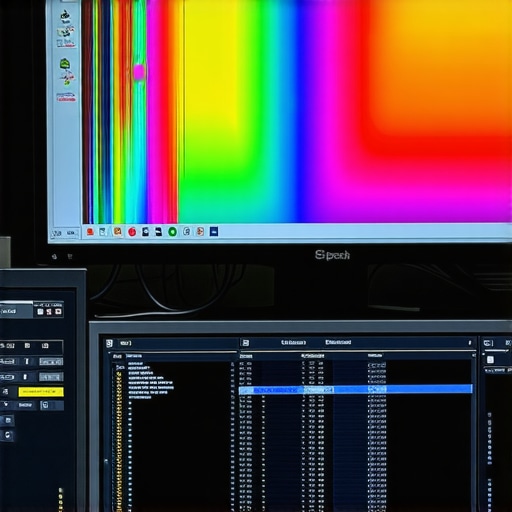
How Does Hardware Architecture Influence Accurate Color Reproduction?
Inside every professional-grade monitor lies a complex hardware architecture that directly impacts color fidelity. Elements such as high-bit-depth panels, FPGA-based processing units, and advanced backlight control contribute to smoother gradients and reduced banding artifacts. Top-tier manufacturers like Canon and Sony incorporate proprietary algorithms and spectral calibration modules, further elevating display precision. Regular firmware updates and environmental calibration sessions are also pivotal in maintaining consistent color output over time.
The Secrets of Maintaining Calibration Amid Environmental Variations
Even the most sophisticated monitor can falter without proper environmental controls. Ambient lighting, reflective surfaces, and viewing angles influence perceived color accuracy. Professionals employ neutral-gray walls, controlled lighting environments, and ambient light meters to establish consistent viewing conditions. Integrating adaptive lighting systems that respond to ambient conditions ensures unwavering calibration fidelity, especially when working with high-dynamic-range content that demands meticulous luminance management.
Advanced Proxy Workflows Celebrate Scalability and Speed
Modern proxy workflows transcend basic transcoding by leveraging cloud storage, AI-driven media preprocessing, and dynamic resolution scaling. Such strategies enable editors to work seamlessly on ultra-high-resolution footage, including 8K and 12K projects, without hardware bottlenecks. Layered proxies that adapt based on editing context improve responsiveness and reduce storage overhead. Incorporating GPU-accelerated encoding and decoding further accelerates media processing, ensuring creatives meet tight deadlines without compromising quality.
What Emerging Technologies Promise the Future of High-Resolution Editing?
Artificial intelligence and machine learning continue to redefine possibilities in video editing. AI-powered proxy generation automates media transcode, reducing manual setup time. Deep learning algorithms optimize rendering pipelines, yielding faster previews and real-time effects application. Hardware innovations such as next-generation GPUs with larger VRAM capacities and enhanced AI integration support the handling of unprecedented data streams, ensuring editors can confidently venture into the 16K domain and beyond. Staying abreast of these advancements equips professionals with the tools to excel in ultra-high-definition content creation.
Expert Insights & Advanced Considerations
Harness Next-Gen Hardware for Flawless Performance
Integrating the latest GPUs with expansive VRAM and high-speed SSDs can drastically reduce rendering times and ensure smooth real-time playback, critical for professional 4K workflows.
Prioritize Accurate Color Reproduction through Calibration
Employ spectrophotometric calibration alongside trusted LUT workflows to maintain consistent, industry-standard color fidelity across displays and projects, minimizing costly grading errors.
Optimize Proxy Strategies with AI and Cloud Solutions
Leverage AI-driven transcoding and cloud proxy services to handle multi-layered 4K and higher resolutions seamlessly, reducing local hardware strain and accelerating edit turnaround.
Enhance HDR Output with Cutting-Edge Monitors
Choosing between OLED and mini-LED displays remains nuanced; select based on project luminance needs, contrast requirements, and long-term calibration stability for HDR grading excellence.
Curated Expert Resources
- Color Calibration Techniques and Tools: The X-Rite i1Pro 3 calibration suite offers precision profiling essential for HDR workflows.
- GPU Reviews and Recommendations: Trusted sources like expert GPU guides provide insights into hardware choices that future-proof your setup.
- High-Performance Monitors for Color Grading: Explore models with broad color gamuts and high-bit-depth panels at industry-leading reviews.
The Ultimate Perspective from Pros
In the realm of high-fidelity 4K editing, leveraging advanced hardware, meticulous calibration, and scalable proxy workflows constitute the pillars of professional success. Staying ahead involves continuous learning from authoritative resources and embracing innovative solutions that push creative boundaries. Your journey toward flawless video production is a synthesis of technological mastery and artistic refinement—are you ready to elevate your craft to the next level?
![4 Specific Proxy Workflow Fixes to Stop 16K Timeline Lag [2026]](https://videoediting.editinggearpro.com/wp-content/uploads/2026/03/4-Specific-Proxy-Workflow-Fixes-to-Stop-16K-Timeline-Lag-2026.jpeg)