Mastering the Proxy Workflow: Elevating 4K Editing Precision and Efficiency
In the rapidly evolving landscape of professional video editing, the proxy workflow has become a cornerstone for managing massive 4K and higher resolution projects. This technique significantly reduces the computational load, enabling editors to preview and refine footage seamlessly. However, the true power of proxy workflows is unlocked only when paired with robust hardware solutions, particularly high-performance GPUs optimized for 4K editing tasks. Optimizing GPU configurations ensures minimal latency during proxy creation and real-time editing, a necessity for competitive production pipelines.
The Evolution of Video Editing PCs and the Role of Advanced GPUs
As professional editors aim for higher fidelity outputs—such as 8K and VR content—the demand for powerful editing workstations escalates. Custom video editing PC builds like those detailed in expert guides underline the importance of integrating state-of-the-art GPUs. These components not only accelerate rendering and encoding but also ensure smoother playback during complex effects and color grading, critical steps where GPU acceleration offers a significant edge.
Why Are Editing GPUs Crucial for Maintaining Creative Momentum in 2026?
In the context of tracking emerging software demands and hardware evolution, professional-grade GPUs are indispensable. With AI-powered editing tools, real-time color correction, and content-aware effects, GPUs must handle increasing workloads without compromising stability or speed. The latest architectures leverage advanced ray tracing, AI cores, and higher VRAM capacities—exemplified by upcoming 24GB VRAM models—that fundamentally redefine workflow efficiency. But is 24GB VRAM sufficient for future-proof 4K and 8K editing projects?
Will 24GB VRAM Be Enough to Power AI-Driven Video Editing Tools in 2026?
This question underscores a critical debate among professionals. As AI tools like automated color grading and scene analysis grow more sophisticated, the necessity for larger VRAM pools rises exponentially. While 24GB VRAM represents a massive leap, industry insiders argue that for resource-intensive tasks—such as multi-layered effects and real-time 8K playback—additional memory could be essential. Source affirms that VRAM capacity profoundly impacts editing fluidity and project scalability.
In contemporary workflows, supplementary hardware considerations encompass color grading monitors with high fidelity and color accuracy. These tools are vital for achieving precise visual consistency, especially when working with HDR and Dolby Vision formats. Selecting the right monitor aligns with high-performance GPU capabilities, ensuring that visual outputs meet professional standards.
As computational demands evolve, integrating exceptional hardware not only enhances productivity but sustainably supports complex editing ecosystems. For dedicated professionals, understanding these nuanced requirements is crucial in designing or upgrading workstations that remain competitive through 2026 and beyond.
To explore more about custom hardware solutions tailored for high-end video production, visit our expert consultation page and share your workflow challenges.
Harnessing Raw Power: The Next Generation of GPUs for 4K and Beyond
As we push the boundaries of resolution and visual fidelity, the role of cutting-edge graphics processing units (GPUs) becomes more critical than ever. The era of 16GB VRAM GPUs is quickly giving way to models with 24GB and even 48GB VRAM, designed to handle massive datasets inherent in 8K, 12K, and immersive VR productions. These GPUs utilize advanced architectures, such as NVIDIA’s Ada Lovelace and AMD’s RDNA 3, which incorporate dedicated AI cores, enhanced ray tracing capabilities, and improved power efficiency, significantly accelerating rendering times and real-time playback.
Designing Workstations That Keep Pace with Innovation
Creating a future-proof editing environment involves more than just selecting a powerful GPU. Optimal workflow requires a synergistic combination of CPU, RAM, storage speed, and display technology. For instance, high-speed NVMe SSDs minimize data transfer bottlenecks, while 128GB RAM or more facilitates seamless multitasking with large project files. A well-calibrated, color-accurate monitor, such as those discussed in this comprehensive guide, ensures visual consistency across workflows.
Are We Moving Toward Fully AI-Integrated Editing Suites?
This provocative question reflects emerging trends where artificial intelligence (AI) automates complex editing tasks, from scene detection to noise reduction. However, the integration of AI necessitates specialized hardware, like tensor cores on NVIDIA’s latest GPUs, and raises questions about resource allocation. The debate is whether future systems will rely on dedicated AI hardware or software solutions embedded within existing GPU architectures. According to industry analysts this trusted source, AI acceleration is set to be a standard feature for high-end editing setups, revolutionizing speed and creativity.
Those considering significant upgrades should evaluate the compatibility of their hardware with these emerging AI enhancements, ensuring they can leverage new tools for predictive editing, automatic color correction, and intelligent effects processing.
Enhancing hardware capabilities goes hand-in-hand with your choice of color grading monitors, which are vital for accurate visual assessment. Monitors with mini-LED backlighting and wide color gamuts, such as Dolby Vision-certified displays, provide essential visual fidelity for color-critical tasks. To learn more about selecting equipment that complements your GPU, visit this detailed resource.
For professionals aiming to stay ahead, understanding and integrating advanced hardware, including GPUs with AI acceleration, is no longer optional—it’s a necessity for maintaining competitive edge and creative flexibility in 2026 and beyond. If you’re ready to upgrade your editing ecosystem, contact our experts through our consultation page and start designing your future-ready workstation today.
Embracing High-Didelity Displays for Precise Color Mastery
As the demands of professional video editing escalate, especially in 4K and beyond, the significance of calibrating your visual environment cannot be overstated. High-end color grading monitors, such as those employing Dolby Vision HDR or Wide Color Gamut technology, serve as critical tools for achieving unparalleled accuracy. These displays ensure that what you see during editing truly represents the final output, mitigating costly revisions and enhancing client satisfaction.
Integrating these monitors with powerful GPUs enhances color fidelity and visual fidelity, allowing seamless real-time adjustments. When paired with calibrated hardware profiles and consistent lighting conditions, they become indispensable assets for colorists aiming for perfection in their craft.
The Synergy Between GPU Performance and Color Accuracy: Beyond the Basics
While GPU capabilities facilitate faster rendering and smoother playback, their role extends into the realm of precise visual output. Advanced GPUs now support real-time HDR grading, color space conversions, and complex LUT applications, which are essential for high-value projects. For instance, NVIDIA’s RTX 4090, with its substantial VRAM and AI cores, enables complex color transformations without lag, integrating seamlessly with professional-grade monitors through dedicated color calibration workflows.
Furthermore, hardware synchronization protocols like HDMI 2.1 and DisplayPort 1.4a offer higher bandwidths for real-time 10-bit or 12-bit color streams, ensuring consistent and accurate representation across the editing pipeline. Experts recommend utilizing hardware calibration tools like the X-Rite i1Display Pro for ongoing monitor accuracy, vital when working with high dynamic range content.
What Challenges Arise When Combining High Dynamic Range Monitors with 4K Editing Setups?
This nuanced question underscores the complexities of maintaining color integrity and performance. HDR workflows demand not only compatible hardware but also meticulous calibration, as mismatched settings can result in inaccurate color grading or data loss. Compatibility issues between GPUs, monitors, and color management software may surface, particularly when integrating emerging standards such as HDR10+ and Dolby Vision.
According to authority in color science, the Society for Experiential Color, the key lies in understanding the entire color management pipeline, from source encoding to display rendering. Proper calibration routines, regular firmware updates, and choosing hardware certified for professional grading are paramount to overcoming these challenges and ensuring your high-end setup delivers consistent, true-to-life visuals.
For those serious about mastering color grading, this is also an opportunity to explore emerging tools such as 3D LUT boxes and hardware-based color processors, which can further streamline complex workflows and mitigate latency issues. Combining these with a performance-optimized GPU and top-tier display hardware can elevate your editing suite into a professional-grade environment capable of handling the most demanding projects.
Interested in designing a workstation that perfectly balances GPU power and color precision? Our team offers tailored consultations—reach out through our contact page to discuss your specific needs and future-proof your editing environment.
Harnessing AI Acceleration for Cutting-Edge Video Production
The infusion of artificial intelligence into professional editing environments marks a paradigm shift—particularly when complemented by specialized hardware. High-end GPUs now incorporate dedicated tensor cores that facilitate real-time scene recognition, automated tagging, and intelligent effects application, streamlining workflows that once required hours of manual labor. This integration not only accelerates turnaround times but also unlocks creative possibilities previously deemed unattainable within conventional setups.
What Emerging Technologies Will Redefine the Future of Video Editing?
Emerging innovations such as quantum computing and neuromorphic processors are poised to disrupt current processing limitations. While quantum computing’s role remains largely experimental, neuromorphic chips emulate neural architectures, promising unprecedented speed and efficiency in pattern recognition and data processing. Pioneering companies like Google and Sony are investing heavily in these domains to develop hardware capable of handling the colossal datasets associated with 8K, immersive VR, and hyper-realistic CGI elements.
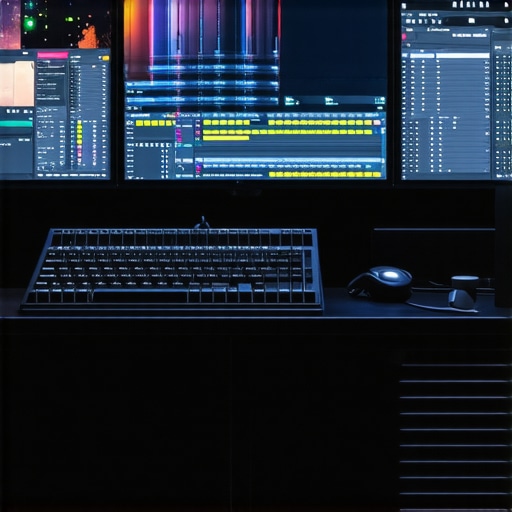
Why High-Performance Storage Systems Matter More Than Ever
As project sizes balloon and frame rates increase, traditional SSDs often become bottlenecks. Implementing high-bandwidth storage solutions, such as NVMe over Fabrics or multi-layered RAID configurations, ensures rapid data access and minimization of lag during complex edits. Combining these with RAM caching techniques creates a seamless editing experience, where large 4K or higher-resolution files can be manipulated without stuttering or delay, critical for maintaining professional-grade efficiency.
Can Modular Hardware Architectures Keep Pace with Creative Demands?
The modular approach—where CPU, GPU, RAM, and storage can be upgraded independently—offers a flexible pathway to maintain relevance amidst rapid technological advancements. High-end workstations featuring plug-and-play PCIe 5.0 components allow professionals to adapt swiftly to new standards, such as increased VRAM capacities or faster data transfer protocols. This flexibility ensures that investment in hardware remains future-proof, capable of adapting to unforeseen demands of next-generation editing tools and formats.
The Vital Role of Monitoring and Calibration in Color-Precision Workflows
In high-stakes color grading scenarios, hardware calibration transcends routine maintenance—it becomes a professional necessity. Monitors with hardware LUT support, combined with calibration software that accounts for ambient lighting conditions and display aging, guarantee consistent color fidelity. Employing spectral calibration tools ensures that color outputs remain accurate over extended periods, preserving the integrity of HDR workflows and complex LUT-based corrections essential for cinematic quality.
Integrating Hardware Ecosystems for Synergistic Performance
The symbiosis between GPU power, monitor proficiency, and storage speed creates a cohesive environment where each component amplifies the other’s capabilities. For instance, leveraging Thunderbolt 4 connectivity enables high-speed data transfer between external drives and GPU-equipped workstations, reducing latency. Similarly, synchronized hardware profiles and device management software facilitate seamless operation, maintaining high efficiency during the most demanding editing sessions.
Stay Ahead: Engage with Futuristic Editing Solutions Today
To truly excel in 4K and higher resolution projects, continuous adaptation to emerging technologies is imperative. Embrace modular hardware upgrades, explore AI-accelerated workflows, and invest in precision calibration tools—all pivotal in maintaining a competitive edge. Our team of specialists is here to guide you through designing an unparalleled editing ecosystem tailored to your ambitious creative endeavors. Connect with us now to ignite your journey into the future of professional video editing.
Expert Insights & Advanced Considerations
The Future Demands More VRAM for Complex Effects
As 4K projects evolve, pushing GPU VRAM beyond current limits will be essential for handling multi-layered effects and real-time playback without hiccups, making 24GB or higher VRAM GPUs indispensable for professional editors.
High-Fidelity Displays Are Non-Negotiable for Color Precision
Achieving cinematic quality requires integrating professional-grade, high-bit-depth monitors that synchronize flawlessly with GPUs to ensure an accurate color pipeline, especially when working with HDR formats.
AI Acceleration Will Reshape Editing Workflows
With GPUs incorporating dedicated AI cores, automated scene analysis and intelligent effects will become standard, drastically reducing manual editing time and enabling more creative experimentation within complex projects.
Modular Systems Offer Long-Term Flexibility
Designing workstations with upgrade paths in mind—such as support for PCIe 5.0 or faster storage—can sustain high performance for future software demands, protecting your investment over time.
Thermal Management Is Critical for Sustained Performance
High-performance GPUs generate significant heat, and efficient cooling solutions are vital to prevent throttling, ensuring consistent rendering power during long editing sessions.
Curated Expert Resources
- NVIDIA’s RTX Series Technical Papers: Details on AI cores and VRAM capabilities essential for future-proof GPU selection.
- Society for Experiential Color Publications: Research on calibration best practices for HDR and wide-gamut monitors, maintaining color integrity.
- Video Electronics Standards Association (VESA): Updates on display synchronization protocols and calibration standards for professional grading.
- Adobe’s Creative Cloud Workflow Guides: Strategies integrating hardware and software for optimal 4K editing performance.
The Big Picture for 4K Pros
Realizing seamless 4K editing workflows hinges on hardware excellence—powerful GPUs, calibrated displays, and flexible systems ensure your creative vision translates into flawless final output. Staying ahead means investing in evolving technologies and expert advice. Ready to elevate your setup? Reach out through our contact page and collaborate with industry specialists to craft your future-proof editing arena.