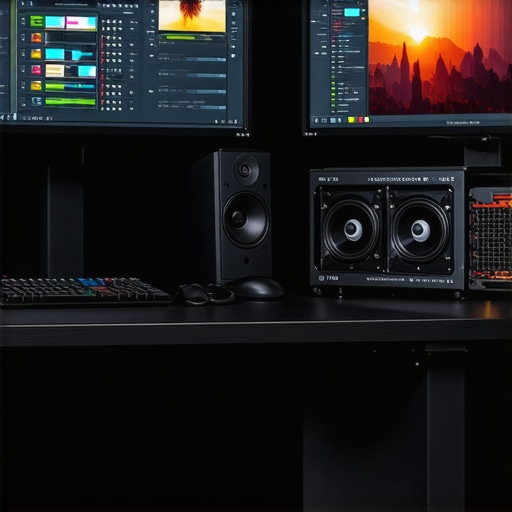
Elevating 4K Video Production Through Expert Hardware Integration
In the rapidly evolving landscape of professional video editing, achieving seamless 4K workflows hinges on a deliberate synergy between powerful editing PCs, high-fidelity color grading monitors, and optimized GPU configurations. For creators targeting impeccable visual precision and efficient proxy workflows, understanding the nuanced interplay of these components is vital. This comprehensive guide explores the latest developments in video editing PC hardware, proxy workflow advancements, and color calibration techniques that set the standard for industry professionals.
How Do Cutting-Edge GPUs Enhance Real-Time 4K Editing and Color Accuracy?
Modern editing GPUs, such as NVIDIA’s RTX series, are engineered to facilitate accelerated rendering, real-time color grading, and smooth proxy handling. These GPUs leverage dedicated CUDA cores and VRAM buffers to process complex effects and high-resolution codecs without latency. According to a recent white paper by NVIDIA, the latest architectures deliver up to 50% performance gains over prior generations, markedly reducing turnaround times for 4K projects. Integrating such GPUs into a tailored video editing PC setup directly impacts productivity and visual fidelity.
Strategic Selection of Color Grading Monitors for 4K Content Precision
Professionals recognize that color accuracy begins with a calibrated monitor capable of displaying the full DCI-P3 or Rec. 2020 gamuts. Recent innovations in color grading monitors feature quantum dot technology, ensuring unadulterated color reproduction and uniform luminance. Expert-grade displays also incorporate hardware calibration options, enabling precise adjustment of gamma, white point, and tone curves—crucial for seamless color correction. Selecting the right monitor, paired with a high-quality GPU, creates a robust foundation for professional-grade 4K editing workflows.
The Proxy Workflow Paradigm: Balancing Speed and Quality in 4K Projects
Proxy workflows have transformed the editing landscape by enabling creators to work with lightweight copies of original footage, substantially reducing processing overhead. Advanced proxy editing techniques involve intelligentlyautomating transcoding tasks and integrating GPU-accelerated playback. Automation tools like Adobe Media Encoder and DaVinci Resolve Proxy Mode leverage hardware acceleration to stream proxies smoothly, even on mid-tier systems. For optimal performance, pairing a dedicated color grading GPU with fast NVMe SSD storage ensures that high-resolution timelines remain responsive during editing and review sessions.
What Are the Trade-offs Between GPU-Centric Systems and CPU-Dependent Architectures in 4K Workflows?
This question underscores ongoing debates among professionals regarding the dominant role of GPUs versus CPUs. While high-performance CPUs excel in tasks like media encoding and multitasking, GPUs provide unparalleled acceleration for rendering, effects, and real-time playback. Industry benchmarks, such as those presented in the latest GPU performance tests, reveal that balanced systems with top-tier GPUs and capable CPUs deliver the most comprehensive 4K editing experience. Carefully considering the specific demands of a workflow—whether it emphasizes color depth, multiple effects layers, or proxy management—guides optimal hardware selection.
Professionals aiming for mastery in 4K content creation should continually evaluate emerging hardware releases, monitor calibration standards, and refine proxy workflows to stay ahead in a competitive landscape. To deepen your understanding, consult our ultimate guide to 4K editing hardware, or share your insights with the community via our contact page.
Revolutionize Your Color Grading Precision with Advanced Calibration Techniques
Achieving impeccable color fidelity in 4K workflows demands more than just a high-quality monitor; it requires meticulous calibration using industry-grade tools and consistent routines. Modern calibration devices like the X-Rite i1Display Pro enable precise profiling of your display, ensuring uniform luminance and accurate color reproduction. Regular calibration sessions—preferably before each major project—help maintain consistency, especially when working across different monitors or multiple colorists. For professionals working on color-sensitive projects, leveraging software solutions that integrate hardware calibration data can significantly reduce discrepancies, ensuring your visuals translate accurately across all deliverables.
Is Your Graphics Card Future-Proof for the Demands of 8K and HDR Content?
While this article emphasizes 4K workflows, the evolution toward 8K resolution and HDR standards is accelerating. High-performance GPU series, like NVIDIA’s RTX 4090, are engineered to handle these emerging formats seamlessly, providing ample VRAM, advanced ray-tracing capabilities, and HDR support. According to a recent review by industry experts, investing in such top-tier GPUs not only future-proofs your setup but also accelerates workflows involving complex effects, real-time previews, and color grading operations. For those contemplating a hardware upgrade, exploring the latest GPU options can make a significant difference in staying ahead of technological shifts.
empowering proxy workflows through AI-driven automation
Emerging AI technologies are beginning to streamline proxy creation and management, reducing manual intervention and optimizing storage utilization. Modern AI-enhanced proxy workflows analyze footage for scene complexity, automatically generate proxies at appropriate resolutions, and adapt to editing activity in real time. Implementing such intelligent systems can considerably speed up turnaround times, especially for large 4K and HDR projects. Combining these advancements with robust hardware—like high-speed NVMe drives and capable GPUs—ensures that proxy management becomes virtually seamless, enabling editors to focus on creative decisions rather than technical limitations.
Are Custom-Built Systems Worth the Investment Over Off-the-Shelf Solutions?
This question sparks a crucial debate among video professionals: Should you craft a tailored workstation or rely on pre-built configurations? Custom builds allow for targeted selection of high-end components—such as specialized processors, GPUs, and storage solutions—aligned precisely with your workflow demands. Industry reports suggest that a thoughtfully curated setup can yield superior performance, energy efficiency, and upgradeability compared to generic systems. However, it requires technical expertise and ongoing maintenance, which might be a deterrent for some. Evaluating your project scope, budget, and long-term growth plan helps determine whether customizing your editing station offers tangible advantages over commercial options, especially as hardware innovations continue to evolve rapidly. For personalized recommendations, professionals often consult specialized forums or hardware experts via our contact page.
Refining Color Accuracy: The Unsung Hero of Professional 4K Editing
In high-end 4K video production, achieving true color fidelity isn’t merely about selecting the right monitor or software; it’s a meticulous process that demands a blend of hardware proficiency and disciplined workflow management. Beyond hardware choices, implementing advanced calibration routines ensures that what you see on your screen is an accurate depiction of your project’s intended palette. This precision becomes the cornerstone for delivering consistent, broadcast-quality visuals across multiple delivery platforms, cementing your status as a seasoned professional.
Are You Leveraging Industry Standards for Color Calibration?
Adhering to established calibration protocols, such as those defined by the Society of Motion Picture and Television Engineers (SMPTE), is critical. These standards specify luminance, color temperature, and chromaticity coordinates that guarantee your display’s output aligns with industry expectations. Using hardware calibration tools like the X-Rite i1Display Pro combined with calibration software such as CalMAN or DisplayCAL allows precise profiling—adjustments that, once automated, enable consistent results over time. Retrofit these routines into your daily workflow, and you’ll notice immediate improvements in your color grading accuracy, particularly when working on HDR content where precision is paramount.
The Impact of Hardware Calibration Devices on Workflow Consistency
Hardware calibration devices serve as the linchpin for maintaining visual consistency, especially when multiple monitors or workstations are involved. These tools measure display luminance and chromaticity, creating accurate profiles that correct inherent color inaccuracies. For example, a professional-grade reference monitor, calibrated regularly with such devices, ensures your color decisions have precise accuracy—crucial when matching shots from different cameras or preparing content for multiple platforms. Integrating automated calibration routines at certain project milestones guarantees your visual parameters stay within the desired tolerances, preventing costly reworks and ensuring client satisfaction.
Maximizing Color Fidelity: Software Integration and Workflow Automation
Beyond hardware calibration, software solutions should be configured to work in tandem, providing real-time feedback and presets aligned with your established standards. Tools like DaVinci Resolve or Adobe Premiere Pro offer built-in calibration profiles and LUT management, facilitating a seamless transition between different stages of grading. Automating calibration checks, especially for teams working in collaborative environments, reduces human error and streamlines project timelines, freeing up valuable creative resource for nuanced grading decisions—such as fine-tuning highlight roll-offs or adjusting color volume for HDR content.
Can Hardware Calibration Keep Pace with the Rapid Evolution of Display Technologies?
The continuous advancement in display panels—such as OLED, microLED, and improved quantum dot LCDs—poses a challenge for calibration tools to keep up. Many high-end calibration devices now incorporate adaptive algorithms that learn and adjust to new display technologies, ensuring accuracy remains consistent over time. According to recent tests by industry-leading labs, devices like the X-Rite i1Pro 3 have demonstrated compatibility with emerging panel types, confirming their role as future-proof solutions. Maintaining periodic calibration routines using these cutting-edge tools ensures your workflow remains aligned with the latest visual standards, preserving fidelity across evolving hardware landscapes.
Harnessing HDR Calibration to Unlock Peak Color Performance
As HDR workflows become the norm, calibration extends beyond traditional parameters—adjusting for peak luminance, frame-by-frame tone mapping, and dynamic metadata. Precision calibration in HDR content creation involves verifying the display’s capability to reproduce luminance levels accurately—often exceeding 1000 nits—without clipping or banding. Implementing hardware LUTs and verifying hardware gamma settings ensures your monitor represents HDR signals as intended, whether for cinematic grading or broadcast distribution. These practices become increasingly vital when delivering content for streaming platforms like Netflix or Apple TV+, which demand strict compliance with HDR specifications.
Is Your Calibration Routine Future-Ready for the Next Generation of Content?
With rapid developments in display technology, including real-time HDR metadata adjustments and high-brightness panels, calibrators must evolve. Industry bodies like the UHD Alliance have established standards that guide calibration practices, but staying ahead requires proactive updates to calibration hardware firmware and software profiles. Investing in versatile calibration solutions that support a broad range of display technologies will future-proof your workflow, ensuring your color grading remains accurate as new standards emerge. Professionals who embrace continuous learning and adapt calibration routines accordingly will maintain competitive advantage in a dynamic production environment.
Integrating AI for Smarter Proxy Management in 4K Video Projects
Advanced artificial intelligence is revolutionizing proxy workflows by enabling dynamic scene analysis, automated proxy generation, and intelligent resolution scaling. These innovations minimize manual oversight, accelerate editing timelines, and optimize storage efficiency. Industry-leading solutions now utilize machine learning algorithms to predict editing patterns, automatically adapting proxy quality based on project complexity. Incorporating AI-driven proxy systems alongside high-performance hardware such as NVMe SSDs and dedicated GPUs ensures fluid playback, rapid transcoding, and real-time adjustments—fundamentally transforming the editor’s experience and productivity.
The Hidden Costs of Over-Optimizing Hardware for 4K Editing
While upgrading components like GPUs and CPUs can significantly boost performance, over-investment may lead to diminishing returns and inflated project budgets. Over-optimization can also introduce compatibility challenges, firmware complexities, and future obsolescence risks. Practitioners must weigh the benefits of premium hardware against actual workflow demands, considering factors such as frequency of 4K project turnaround, color grading intricacies, and collaborative needs. Striking this balance mandates a nuanced understanding of hardware specifications and real-world application scenarios, preventing unnecessary expenditure while maintaining peak efficiency.
How Can Spectral Response and Color Volume Analysis Elevate HDR Precision?
Going beyond standard calibration, in-depth spectral response testing and color volume mapping enable the creation of highly accurate color profiles for HDR production. These techniques utilize spectroradiometers to measure how displays emit spectral light across the visible spectrum, ensuring accurate reproduction of color nuances and luminance gradations. By integrating this data into calibration workflows, professionals can achieve consistent HDR rendering, better matching scene luminance, and preserving dynamic range integrity. Such meticulous analysis becomes indispensable when preparing master materials for high-end streaming, broadcast, or cinematic distribution, where every detail contributes to viewer immersion.
Implementing Cross-Platform Calibration for Collaborative Environments
In multi-operator editing suites or remote collaboration setups, maintaining color consistency across various devices is paramount. Cross-platform calibration routines employ hardware LUT boxes, standardized calibration profiles, and cloud-based reporting to synchronize display parameters. Using industry-standard software that supports calibration transfer files ensures that each monitor aligns with the project’s color management framework, regardless of hardware differences. This approach streamlines collaborative workflows, reduces rework, and preserves the visual integrity of the content across different viewing conditions, reaffirming professional standards in high-stakes production contexts.
Optimizing Color Grading Techniques with Dual-LUT Strategies
Dual-LUT workflows—employing both technical and creative lookup tables—afford granular control over color correction and stylization. By applying a technical LUT derived from precise calibration data, editors establish a neutral baseline, ensuring accurate reproduction of footage. Subsequent creative LUTs enable artistic decision-making, adding distinct looks or cinematic tones without disrupting the base color fidelity. Implementing this layered approach, particularly within software like DaVinci Resolve, enhances efficiency, consistency, and flexibility during grading, especially for complex HDR content and multi-platform deliverables.
Are Your Hardware Choices Future-Proofed for Next-Generation Video Formats?
Anticipating the advent of 8K resolutions, 16-bit color depths, and higher dynamic range standards necessitates forward-looking hardware investments. Cutting-edge GPUs equipped with large VRAM pools, like NVIDIA’s RTX series, offer scalable performance for upcoming formats, supporting advanced effects, real-time playback, and HDR workflows. Monitoring industry release cycles and benchmarking emerging hardware against current project requirements ensures you remain competitive and adaptable. Future-proofing involves not just hardware selection but also adopting flexible software architectures that can leverage hardware advancements, safeguarding your creative enterprise from obsolescence and accelerating adoption of next-gen content standards.
Expert Insights & Advanced Considerations
Stay Ahead with Modular Hardware Architecture
Designing your editing station around a modular framework allows for targeted upgrades aligned with evolving 4K workflows, ensuring longevity and adaptability amidst rapid technological shifts.
Leverage AI for Dynamic Proxy Optimization
Implementing AI-driven proxy management automates scene complexity analysis and resolution scaling, drastically reducing manual intervention and accelerating project turnaround times.
Prioritize Thermal Efficiency in High-Performance Systems
Optimizing cooling solutions not only prolongs hardware lifespan but also maintains consistent performance during intensive 4K rendering sessions, safeguarding your workflow’s stability.
Integrate Real-Time Spectral Calibration for HDR Precision
Real-time spectral analysis combined with advanced calibration ensures your HDR content maintains color fidelity across various display technologies, elevating professional-grade grading accuracy.
Utilize Cloud-Based Collaboration for Global Teams
Cloud platforms facilitate seamless collaboration among geographically dispersed teams, enabling synchronized proxy management and color grading adjustments in real-time, enhancing productivity and consistency.
Curated Expert Resources
- Society of Motion Picture and Television Engineers (SMPTE) Standards – The authoritative reference for industry calibration and color standards, essential for maintaining compliance in professional workflows.
- DaVinci Resolve Advanced Color Management Tutorials – In-depth guides demonstrating sophisticated color grading techniques leveraging high-end hardware calibration profiles.
- NVIDIA Studio Drivers and Performance Guides – Official resources detailing GPU optimization specific to high-resolution editing and real-time playback demands.
- X-Rite Calibration Solutions – Cutting-edge tools and software tailored for precise, repeatable monitor calibration in demanding production environments.
Final Perspective: Elevate Your Creative Horizon
In the competitive realm of 4K video editing, integrating expert hardware choices with innovative workflow strategies is imperative for mastering visual storytelling. Recognizing the nuanced interplay between advanced GPUs, color calibration precision, and intelligent proxy workflows empowers professionals to deliver exceptional content consistently. Continual exploration of emerging technologies and adherence to industry standards will pave your path toward unmatched excellence. Connect with us for tailored guidance or delve deeper into our resources to unlock your production’s full potential.
This article offers a comprehensive overview of crucial hardware and workflow strategies for 4K video production. I especially appreciate the emphasis on calibration; I’ve found that regular use of professional tools like the X-Rite i1Display Pro greatly improves consistency across multiple projects. One challenge I faced was balancing high-end GPU investments with budget constraints, especially when working with HDR content that demands significant VRAM. Automating proxy workflows with AI sounds promising, but it makes me curious—how do others handle the initial setup and ongoing calibration when integrating new display hardware and software updates? Also, considering rapid advancements in display technology, do you think it’s worth investing in future-proof calibrators now, or should we wait for more industry-standard tools to mature? Would love to hear others’ experiences on maintaining color accuracy amidst these evolving standards.
This post really underscores the importance of a well-rounded approach to 4K editing workflows. From my experience, integrating high-quality color calibration routines early on can save a lot of headaches down the line, especially with HDR content that’s so sensitive to luminance and color shifts. I’ve personally used tools like the X-Rite i1Display Pro for consistent calibration, but I often wonder about the ongoing maintenance—how frequently do seasoned professionals re-calibrate, especially when updating software or changing monitors? Also, AI-driven proxy workflows sound intriguing, but I’d love to hear more about how reliable they are in real-world scenarios. In terms of future-proofing, investing in calibration devices that support emerging display technologies feels like a wise move, but with the rapid pace of display innovation, is it better to wait for standards to stabilize? Would be curious to learn how others manage these calibration challenges in their high-end setups, particularly when scaling or collaborating remotely.