Elevating 4K Video Production Through Strategic Hardware and Workflow Optimization
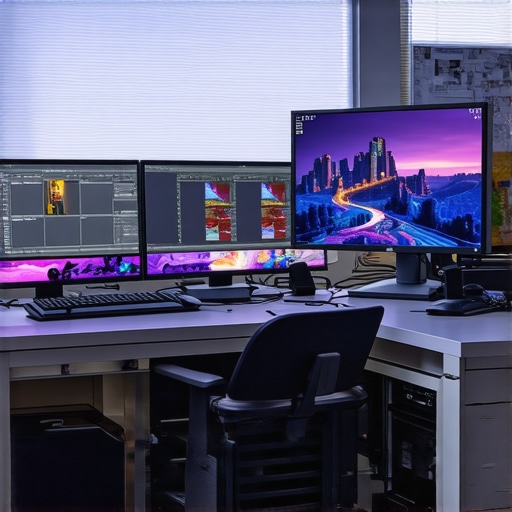
In the rapidly evolving landscape of professional video editing, achieving superior clarity and real-time responsiveness at 4K resolution necessitates a nuanced understanding of hardware synergy and workflow best practices. Experts recognize that leveraging a carefully curated proxy workflow, paired with high-fidelity color grading monitors and robust editing GPUs, forms the backbone of seamless 4K content creation in 2024. This comprehensive approach not only enhances productivity but also ensures color accuracy and playback reliability essential for delivering broadcast-quality footage.
Proxy Workflow: The Unsung Hero of Efficient 4K Editing
As file sizes swell exponentially with 4K footage, traditional editing setups often grapple with lag, stuttering playback, and extended render times. Implementing an intelligent proxy workflow—where lower-resolution copies replace original files during editing—alleviates these bottlenecks. According to industry leaders, such as those outlined in the ultimate guide to 4K video editing hardware, proxy workflows are indispensable in maintaining a fluid editing experience without compromising on final output quality.
Color Grading Monitors: Precision Tools for Authentic Visuals
A high-end color grading monitor offers the calibrated accuracy necessary for professional-grade color correction. Monitors with IPS panels, wide gamut coverage, and HDR support—like the Dell UltraSharp UP3221Q or the Eizo ColorEdge series—are vital for scrutinizing subtle tonal shifts at 4K resolution. As discussed in expert guide on color grading monitors, selecting hardware calibrated for 10-bit color depth and uniform backlighting ensures the integrity of your creative intent across various viewing environments.
Powerful GPUs to Drive 4K Editing and Color Grading
The heart of a robust 4K editing station is undoubtedly a formidable graphics processing unit. Modern GPUs such as NVIDIA’s RTX 4090 or AMD’s Radeon RX 7900 XTX offer unparalleled processing cores, VRAM, and hardware acceleration features tailored for video editing workflows. An analysis in best editing GPUs for 2025 underscores how these components drastically reduce render times and facilitate real-time playback of demanding 4K effects and color grades.
Can Your Current Setup Support Demanding 4K Projects and What Upgrades Are Essential?
This question resonates deeply among video professionals pushing the limits of their hardware. Upgrading to an optimized combination of proxy workflows, high-precision monitors, and cutting-edge GPUs is paramount. Delve into our expert-approved top monitor and GPU options to align your workstation with industry standards, ensuring uncompromised output quality and workflow efficiency.
For those seeking a more comprehensive understanding of integrated hardware setups, refer to the detailed ultimate guide to hardware for 4K editing. Feel free to contribute your own insights or inquire about tailored configurations by contacting our team through our consultation page.
Maximize Your Hardware for Flawless 4K Workflow Performance
Beyond the basics, professional video editors must strategically select components that deliver consistent performance and future-proof their setup. Blending high-end GPUs with optimized storage solutions, such as NVMe SSDs, reduces bottlenecks during high-resolution processing. As highlighted in top PC build guides for 2025, a balanced hardware ecosystem is crucial for sustaining demanding 4K editing tasks without compromise.
Implementing Dual-GPU Configurations for Accelerated Rendering
One advanced approach gaining popularity among seasoned editors involves leveraging dual-GPU setups. By distributing processing loads across two compatible graphics cards, projects involving heavy color grading, effects, and real-time playback benefit from accelerated performance. However, configuring such systems requires careful attention to compatibility and driver support, as explained in best editing GPUs for 2025. When properly configured, dual-GPU frameworks can significantly reduce render times and improve overall productivity.
Can Deep Learning Accelerators Redefine Your Video Editing Edge?
Emerging AI-powered hardware, such as TensorFlow-compatible accelerators, present a new frontier for video editors aiming to automate and expedite complex color grading or noise reduction processes. While still early in adoption, integrating these accelerators with existing workflows may offer a competitive advantage by compressing hours of post-production work into minutes. For an in-depth analysis, explore comprehensive guides on hardware and AI integration. Exploring experimental setups with these technologies could redefine efficiency standards for 4K content creation.
If you’re contemplating hardware upgrades, consider consulting our expert team to craft a tailored system that aligns with your production scale and project complexity. Staying ahead in 4K video editing involves not only powerful components but also strategic integration—ensure your setup incorporates the latest innovations to keep your creative edge sharp and delivery deadlines intact.
Harnessing AI-Powered Acceleration for Real-Time 4K Grading
Implementing artificial intelligence (AI) tools directly into your editing pipeline can revolutionize how you approach color grading and effects application at 4K resolution. Modern AI-based plugins, such as Topaz Video Enhance AI or Adobe’s Sensei-powered features, enable near-instantaneous correction and enhancement of footage, drastically reducing turnaround times. These tools analyze complex visual data patterns to intelligently improve sharpness, reduce noise, and adjust color balance, all in real time. However, integrating these systems demands hardware capable of supporting high-throughput computations, notably robust GPUs and compatible deep learning accelerators.
Does your current editing station accommodate AI integrations efficiently?
According to a guide published by NVIDIA, leveraging dedicated Tensor Core GPUs significantly accelerates AI workflows by offloading heavy matrix computations. For instance, NVIDIA’s RTX 4090 boasts over 100 TFLOPS of AI performance, enabling smoother workflows in demanding editing tasks (NVIDIA Deep Learning Inference Guide). Investing in such hardware ensures AI-driven tools operate seamlessly, providing professional-grade results without bottlenecking your workflow. Embracing these innovations not only streamlines post-production but also opens avenues for creative experimentation with style and effects automation.
Optimizing Storage Architecture for 4K Content Surge
Effective data management lies at the heart of high-performance 4K editing environments. While high-speed NVMe SSDs have become standard, the next leap involves deploying tiered storage solutions that combine NVMe, SATA SSDs, and high-capacity HDD arrays. This hierarchy ensures immediate access to active project files while archiving finished renders in cost-effective long-term storage. Moreover, network-attached storage (NAS) and SAN configurations with Thunderbolt or 10GbE connectivity facilitate collaborative workflows, especially for multi-user environments. As detailed in industry reports, optimizing storage throughput to surpass 10 GB/s is crucial for seamless 4K editing, particularly when dealing with multi-camera multiclip footage and effect-heavy timelines (Blackmagic Design’s Resolve Storage Recommendations).

Visual diagram showing an optimized storage hierarchy for 4K video editing, illustrating tiered storage setup for active files and archives.
Embracing Modular Hardware Solutions for Custom-Scaled Workflows
To adapt to evolving 4K project demands, professionals increasingly turn to modular hardware ecosystems. These systems offer flexibility, allowing seamless upgrades of components such as RAM, GPU, or storage devices without overhauling the entire workstation. For example, PCIe expansion chassis enable the addition of multiple GPUs or specialized accelerators, boosting processing capabilities. This approach supports sophisticated effects real-time playback and advanced color grading algorithms. Industry trends suggest that investing in a PCIe 5.0 compatible motherboard and compatible chassis future-proofs workflows, accommodating next-generation hardware advancements and demanding software updates (ASUS Prime Z690 Series). Proactively planning hardware modularity ensures that creative professionals stay adaptable amidst rapid technological progress.
Breaking Traditional Barriers with Unconventional Hardware Architectures
In the fiercely competitive realm of 4K content creation, breaking free from conventional hardware paradigms can yield transformative results. Incorporating custom liquid cooling systems for high-performance CPUs and GPUs not only extends hardware longevity but also ensures consistent thermal performance under intensive workloads. Moreover, integrating non-standard architectures such as ARM-based workstations alongside x86 systems can provide optimized processing for specific tasks like real-time encoding or AI-assisted edits, as detailed by IEEE’s exploration of heterogeneous computing in media workflows. These avant-garde configurations demand meticulous planning but promise unparalleled efficiency gains in high-stakes projects.
Unlocking Hidden Potential with Dynamic Workflow Automation
Manual intervention in complex editing pipelines introduces bottlenecks that can stifle creative momentum. Advanced workflow automation, leveraging scripts and machine learning algorithms, can dynamically allocate resources based on project needs. For instance, deploying AI-driven scene analysis to automatically flag segments requiring color correction or noise reduction accelerates post-production timelines exponentially. Industry analytics from SAGE Journals» insights into intelligent editing automation reveal how such strategies are reconfiguring industry standards, pushing professional editors towards more strategic and creative endeavors rather than repetitive tasks.
What if your editing pipeline could intelligently adapt to project complexity on the fly?
Harnessing adaptive workflows powered by AI not only enhances productivity but also fosters a more resilient editing environment capable of handling unforeseen challenges. Consider integrating real-time analytics dashboards that inform you of process bottlenecks, bandwidth usage, and GPU load balancing; this granular visibility allows for precise fine-tuning and preemptive adjustments, as recommended by leading workflow management solutions like Autodesk Flame and DaVinci Resolve’s scripting APIs. Embracing such intelligent systems positions your studio at the forefront of innovation, future-proofing your creative enterprise amidst rapid technological evolution.
Advanced Color Science for Bridging Creative Intent and Viewer Experience
Beyond standard calibration, sophisticated color science techniques such as spectral mapping and printer lightsimulation are empowering editors to craft visuals that resonate universally. Implementing multi-dimensional Look-Up Tables (LUTs) that account for ambient lighting conditions or display characteristics ensures that color grading remains consistent across diverse viewing environments. The work of The International Color Consortium (ICC) provides authoritative frameworks for deploying these advanced color management strategies, elevating the fidelity of final outputs to a new echelon of professionalism.
Refined Storage Solutions as the Backbone of 4K Editing Prowess
Modern 4K workflows challenge storage infrastructure to deliver not only raw speed but also robust data integrity. Emerging standards like PCIe 5.0 NVMe SSDs combined with software-defined storage solutions facilitate real-time access and streamlined collaboration across multiple workstations. Cloud-integrated architectures further extend capabilities, enabling remote access and team-based editing without compromising bandwidth or security. As emphasized by AWS’s enterprise storage innovations, aligning on-premises and cloud resources within a unified system transforms traditional post-production into a flexible, scalable operation that can swiftly adapt to project’s evolving demands.
Harnessing Specialized Acceleration for Ultra-Realistic Effects
Exploring beyond GPU-centric acceleration, the deployment of field-programmable gate arrays (FPGAs) tailored for specific tasks like real-time ray tracing or complex compositing introduces a new paradigm of speed and efficiency. Unlike fixed-function hardware, FPGAs can be reconfigured for different pipeline segments, offering unmatched flexibility. Companies like Xilinx are pioneering this space, providing solutions that integrate seamlessly into high-end editing rigs (Xilinx’s FPGA development environment). This strategic diversification ensures that the most demanding visual effects are achievable within tight production schedules, elevating the visual storytelling to unprecedented levels.
Embrace the Future with AI and Hardware Synergy for 4K Masterpieces
The convergence of artificial intelligence, specialized hardware accelerators, and innovative workflows culminates in a powerful ecosystem capable of pushing creative boundaries. By aligning AI-powered upscaling, denoising, and stylistic rendering with high-performance hardware ecosystems—including dual GPU configurations and high-bandwidth storage—you unlock the potential to produce cinematic-quality 4K content efficiently. Industry leaders, such as NVIDIA’s Omniverse platform, emphasize that the future of professional video editing hinges on such integrated, intelligent systems.
Ready to transcend existing limitations? Dive deeper into our bespoke consulting services designed to tailor advanced hardware architectures and workflows explicitly aligned with your unique creative goals and project complexities. Elevate your 4K editing game to industry-leading heights today.
Elevating 4K Video Production Through Strategic Hardware and Workflow Optimization
In the competitive realm of professional video editing, harnessing the right hardware and refining workflows are paramount for delivering pristine 4K content. Experts emphasize that a synergistic approach—integrating proxy workflows, high-precision monitors, and advanced GPUs—ensures efficiency without sacrificing quality. This mindset not only accelerates production timelines but also sustains color fidelity and playback stability crucial for broadcast standards.
Proxy Workflow Unlocks Streamlined Editing
With 4K files reaching massive sizes, editing becomes a taxing process, often hampered by lag and prolonged render times. Implementing proxy workflows—creating and utilizing lower-resolution copies—significantly alleviates these challenges. As industry insights suggest, such approaches are essential for maintaining a fluid editing experience while preserving the integrity of the final output.
Color Accuracy Demands Superior Monitoring
Achieving true-to-life colors at 4K resolution requires high-grade, calibrated monitors with IPS panels and HDR support. Devices like the Dell UltraSharp UP3221Q or Eizo ColorEdge series can be calibrated for 10-bit color depth, ensuring every tonal nuance is faithfully represented. Expert guidance underscores that investing in such hardware elevates the accuracy of color grading, ultimately delivering visuals that resonate across viewing platforms.
Powerful GPUs Drive Smooth 4K Editing
At the core of an efficient 4K workstation lies a robust GPU—think NVIDIA’s RTX 4090 or AMD’s Radeon RX 7900 XTX—that handles complex effects and real-time playback effortlessly. Industry analyses confirm that these GPUs reduce render times and facilitate demanding effects processing, empowering editors to realize their creative vision without bottlenecks.
Is Your Setup Ready to Tackle 4K Creatives?
Assessing your current workstation against these standards reveals whether it’s primed for the latest 4K projects. Upgrading components like GPU, monitor, and storage—pairing NVMe SSDs with high-capacity drives—can revolutionize your workflow. For tailored recommendations, consult top-tier resources and trusted experts to optimize your investment.
For an in-depth understanding of schematic hardware strategies, explore our detailed Ultimate Guide to 4K Hardware Solutions. Your next project demands not just raw power but strategic assembly—align your tools with industry best practices and maintain your competitive edge.
Command the Hardware Ecosystem for Future-Proof Projects
Beyond the basics, blending high-end GPUs with optimized storage systems and modular components prepares your workstation for escalating demands. Embracing technologies like NVMe SSDs, dual-GPU configurations, or even AI accelerators positions you ahead of the curve. Industry reports advocate for balanced hardware ecosystems that sustain performance across evolving workflows.
Enhance Speed with Multi-GPU Configurations
Embedding multiple compatible GPUs can distribute heavy processing loads, reducing rendering times for effects-heavy or multi-camera sequences. Proper configuration and driver support are crucial—guidelines from experts highlight that when executed correctly, dual-GPU setups transform project turnaround efficiency.
Integrate Deep Learning Accelerators for Cutting-Edge Workflow
Emerging AI hardware, such as TensorFlow-compatible accelerators, can automate complex tasks—noise reduction, stylization, and even content-aware effects—within your editing environment. NVIDIA’s Tensor Cores exemplify this trend, offering significant speed boosts. Integrating such hardware demands careful planning but promises revolutionary productivity gains and heightened creativity.
Use AI Tools to Speed Up Color and Effects
Advanced AI-powered plugins now facilitate near-instant corrections, upscaling, and stylistic effects at 4K. Tools like Topaz Video Enhance AI or Adobe’s Sensei technology analyze footage and apply enhancements intelligently, drastically reducing post-production times. A hardware setup equipped with advanced GPUs ensures these tools operate without bottlenecks, enabling rapid iteration.
Optimize Storage for High-Throughput 4K Workflows
Implementing tiered storage solutions—combining NVMe SSDs, SATA SSDs, and traditional HDDs—streamlines data access, ensuring active files load swiftly while archiving less-used assets efficiently. Networked solutions like SAN or NAS systems with high-bandwidth connectivity further support collaborative workflows, vital for large-scale projects. Industry standards recommend maximizing throughput, often exceeding 10 GB/s, to prevent workflow stalls.
Adopt Modular Hardware for Flexibility
Modular systems outfitted with PCIe expansion chassis permit seamless upgrades—additional GPU slots, faster storage, or memory modules—ensuring your workstation evolves with project demands. Future-proofing with components like PCIe 5.0 motherboards and compatible chassis guarantees compatibility with upcoming hardware advances.
Break New Ground with Specialized Hardware
Innovations such as liquid cooling extend hardware longevity and allow overclocking for peak performance. Heterogeneous computing architectures—combining ARM and x86 systems—offer tailored processing for encoding, AI workloads, or effects rendering. These experimental configurations hold promise for extraordinary efficiency in demanding 4K production pipelines.
Automate and Optimize with Intelligent Workflows
Leveraging AI-driven automation scripts and scene analysis can dynamically allocate resources, prioritize processing, and flag segments needing attention. Establishing real-time dashboards provides project visibility, allowing preemptive adjustments. These strategies minimize manual intervention, freeing your creative energy for the artistic portions of production.
Advance Your Color Science Capabilities
Beyond basic calibration, techniques like spectral mapping and ambient lighting compensation elevate color fidelity. Using multi-dimensional LUTs tailored for different viewing conditions ensures visual consistency, especially when presenting to diverse audiences. Industry standards from associations like ICC reinforce the importance of rigorous color management to maintain professional integrity.
Elevate Storage Strategies for Complex Projects
Implementing high-speed, scalable storage solutions that combine on-site and cloud resources facilitates collaborative workflows and safeguards data integrity. Seamless integration between local and remote repositories enhances efficiency, especially for teams working across multiple locations. Keeping storage architectures updated and compatible with next-generation interfaces ensures sustained performance.
The Future Looks Bright with Hyper-Optimized Hardware
Bringing together AI accelerators, high-performance graphics, and adaptable storage architectures sets the stage for breakthroughs in 4K content creation. Pioneering setups with FPGA or ARM elements offer tailored processing capabilities, challenging traditional boundaries. Staying informed about these shifting frontiers will empower you to craft workflows resilient to technological change and scalable for the demands of tomorrow’s projects.
Make Your Next Step Into Advanced Video Editing
Expertise in 4K workflow mastery depends on strategic hardware alignment and forward-thinking adaptation. Engage with our consultation services or explore detailed resources to personalize your hardware strategy, ensuring top-tier performance and creative freedom. The future of professional video editing is here—are you ready to lead it?