Optimizing Your 4K Editing Environment for Seamless Proxy Workflow
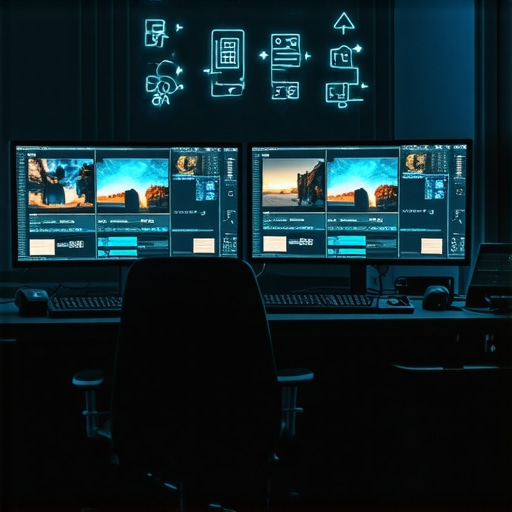
In professional video editing, especially at the 4K resolution level, creating an efficient and reliable workspace is paramount. Advanced editors recognize that the choice of a dedicated video editing PC, complemented by high-performance GPU hardware and precise color grading monitors, elevates productivity and ensures impeccable output quality. This guide delves into intricacies of building a workstation tailored for proxy workflows that handle 4K footage with fluidity and accuracy.
What Are the Critical Hardware Components to Accelerate 4K Proxy Editing?
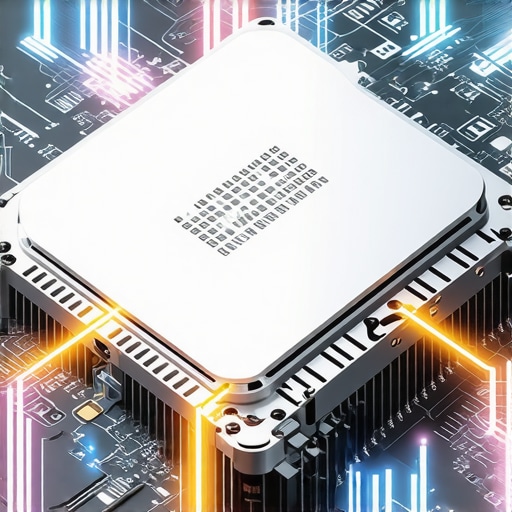
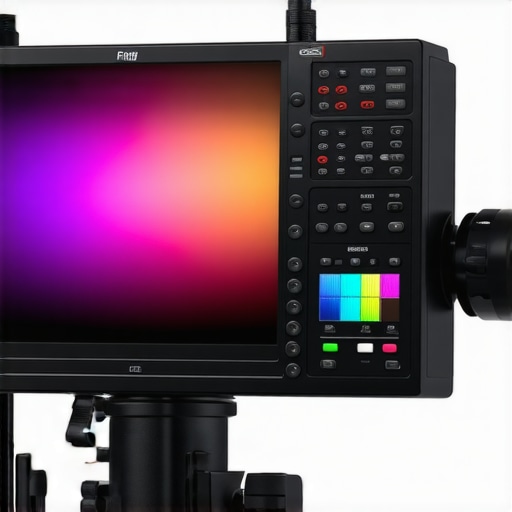
Achieving a near real-time editing experience for 4K videos hinges on selecting the right GPU and storage solutions. The best editing GPUs for 2025 combine CUDA cores and VRAM capacity to manage complex effects and high-bitrate footage. Paired with NVMe SSDs, they minimize latency during proxy generation and playback. Professional-grade color grading monitors calibrated for accuracy ensure color fidelity across workflows, aligning with standards such as Rec. 709 and DCI-P3, critical for cinematographers and colorists.
Why Hardware Choices Influence Proxy Workflow Stability
Robust hardware investments directly influence workflow stability. A high-performance CPU, such as AMD Ryzen 9 or Intel Core i9, manages decoding, encoding, and managing proxy files without bottlenecks. Coupling this with a powerful GPU accelerates real-time preview rendering, while ample RAM (32GB or more) prevents system crashes during resource-heavy tasks. Moreover, the integration of GPU support for 4K color grading enhances visual fidelity during editing and color correction, vital for professional-grade projects.
How Can Advanced Color Management Elevate Your 4K Proxy Workflow?
A critical, yet often overlooked element, is color management. Implementation of high-fidelity, hardware-verified monitors ensures consistency between editing and output. Monitors optimized for 10-bit color depth and wide color gamut facilitate nuanced color grading and ensure hassle-free collaboration across teams. Anti-reflective coatings and high contrast ratios further improve viewing conditions, which are essential when fine-tuning color profiles in 4K content.
Expert Tips for Building a Future-Ready 4K Proxy Video Editing System
- Prioritize GPU architecture supporting hardware acceleration for editing and effects processing, such as the latest NVIDIA RTX or AMD Radeon Pro series.
- Invest in high-throughput storage solutions to handle large 4K files efficiently, balancing speed and capacity.
- Select workstation components with scalability in mind, allowing upgrades aligned with technological advances.
- Integrate professional color grading monitors equipped with hardware LUTs and comprehensive calibration controls for color consistency.
While the technical landscape continues to evolve, achieving mastery over a 4K proxy editing setup necessitates strategic hardware and software choices rooted in expert understanding. A meticulously curated workflow not only accelerates project delivery but also elevates the visual fidelity essential for high-end production standards.
For further insights into cutting-edge hardware configurations that optimize 4K editing, explore our comprehensive resources or connect with industry professionals to share your expertise.
Beyond Basic Hardware: Unlocking New Horizons in 4K Proxy Editing
As the demand for high-resolution content continues to surge, video professionals seek innovative strategies to streamline their workflows. While high-performance GPUs and fast storage are fundamental, integrating emerging technologies like hardware acceleration via AI-enabled tools and real-time monitoring systems can redefine efficiency standards. For instance, leveraging AI-assisted proxy generation can significantly reduce processing times, allowing editors to focus more on creativity rather than technical bottlenecks. Moreover, adopting comprehensive system monitoring solutions ensures stability and proactive issue resolution, mitigating downtime during critical editing phases.
Can Integrating Machine Learning and Real-Time Analytics Revolutionize Proxy Workflow Management?
Emerging advances in machine learning and predictive analytics offer promising avenues to optimize proxy workflows further. Implementing AI-driven tools can automate tasks such as color accuracy validation, effect rendering, and proxy file quality checks, reducing manual oversight and error margins. Real-time analytics dashboards provide instant feedback on system performance, enabling quick adjustments tailored to project demands. As highlighted by industry experts, embracing such technologies enhances not only speed but also consistency across high-volume projects, paving the way for next-generation editing environments. To explore hardware solutions supporting these innovations, review our [top video editing PC builds for 2025](https://videoediting.editinggearpro.com/top-video-editing-pc-builds-for-2025-boost-your-workflow-efficiency), which incorporate the latest accelerators and AI-compatible components.
Optimizing Color Fidelity for 4K Proxy Editing Mastery
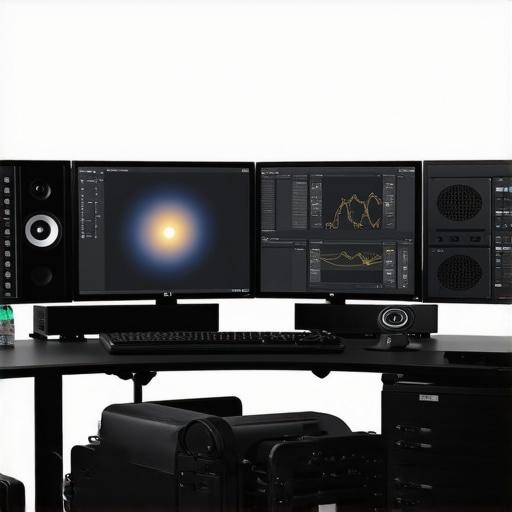
Precise color management remains at the heart of professional-grade video editing. Advanced color grading monitors with hardware LUTs and high-bit depth support facilitate accurate visual representation during proxy editing. When working with high-bit-depth proxies, maintaining color fidelity across various stages minimizes discrepancies in final deliverables. Calibration tools, coupled with advanced color profiles, ensure consistency, especially when collaborating across different teams or multiple workstations. Incorporating these components into your workflow not only preserves the integrity of your footage but also streamlines the transition from proxy to full-resolution editing, underscoring the importance of an integrated hardware-software approach.
Building a Resilient 4K Editing Arsenal for Future Challenges
Preparation for future technological shifts involves careful planning of your hardware ecosystem. Scalable systems that support upcoming GPU architectures and storage innovations ensure longevity and adaptability. Additionally, embracing modular components simplifies upgrades, allowing your setup to evolve alongside software advancements. Security and data management are equally vital; implementing robust backup solutions and adhering to privacy policies, as outlined in our privacy policy, safeguard your creative work against unforeseen disruptions. An integrated, flexible system not only boosts efficiency but also prepares you for emerging workflows, including 8K editing and VR content creation.
As industry standards progress, staying informed about the latest hardware breakthroughs and adopting a proactive upgrade mindset will keep your editing environment at the forefront of technological excellence. For more insights, explore our detailed [hardware configuration guides](https://videoediting.editinggearpro.com/ultimate-guide-to-4k-video-editing-pcs-gpu-for-seamless-workflow) designed to optimize your 4K proxy workflows and beyond.
Elevating Your Editing Arsenal to Handle 4K Complexity with Precision
As 4K content proliferates across industries, the necessity for a meticulously optimized editing system becomes undeniable. It’s not merely about possessing powerful hardware but orchestrating a symphony of components that work harmoniously to manage the vast data streams and processing demands of high-resolution footage.
Does Real-Time Proxy Generation Require Specialized Hardware Architectures?
Absolutely. High-performance hardware architectures tailored for real-time proxy generation leverage specialized instruction sets and parallel processing capabilities. For instance, the integration of hardware-accelerated encoders like NVENC or AMD’s VCN allows for rapid proxy creation without burdening the CPU, thus maintaining smooth editing experiences even under heavy workloads. According to NVIDIA’s technical documentation, utilizing the latest RTX series GPUs can drastically reduce encoding times, facilitating near real-time proxy workflows and enabling editors to transition seamlessly between high-res footage and proxy content without lag or stutter. The key lies in matching your hardware choices with your specific workflow demands, ensuring that processing power is allocated efficiently across tasks.
The Role of NVMe SSDs in High-Speed Data Handling for 4K Projects
Storage subsystems are the unsung heroes of seamless 4K editing. NVMe SSDs, with their exceptional throughput and reduced latency, transform how proxy files are generated, stored, and retrieved. A popular approach involves configuring RAID 0 arrays with multiple NVMe drives to aggregate bandwidth, which expedites large data transfers and minimizes bottlenecks during editing sessions. Notably, the use of drives with DRAM cache, like those from Samsung’s PM9A3 series, supports sustained throughput under continuous I/O operations, making them ideal for high-res proxy workflows.
Moreover, the implementation of hierarchical storage management—placing active project files on NVMe, secondary assets on SATA SSDs, and archives on traditional HDDs—enhances overall efficiency. This stratification ensures rapid access to critical data while preserving storage costs. As data demands escalate with 8K workflows and VR projects, investing in scalable, high-availability storage architectures becomes essential, underscoring the importance of future-proofing your editing setup.
Leveraging AI and Machine Learning to Streamline Proxy and Quality Assurance Tasks
Emerging AI-driven solutions are revolutionizing how professionals manage large-scale video projects. By integrating machine learning algorithms into proxy workflows, editors can automate tedious tasks such as color consistency checks, effect rendering optimization, and even content tagging for streamlined asset management. For example, AI-powered tools can analyze proxy files in real-time to predict rendering bottlenecks, allowing proactive adjustments before final rendering stages. This not only accelerates the editing process but also enhances accuracy, reducing human error in complex color grading and effects workflows.
Furthermore, adaptive proxy generation algorithms—enabling on-the-fly resolution scaling based on project complexity—offer a dynamic approach to resource allocation. They facilitate maintaining smooth playback even when system resources are temporarily constrained. Industry leaders like Adobe and Blackmagic Design are actively integrating such features into their professional suites, signaling a new era where intelligent automation becomes integral to high-resolution content creation. Investing in AI-compatible hardware, such as GPUs with dedicated tensor cores, further amplifies these capabilities, paving the way for unprecedented efficiency gains.
Ensuring Color Fidelity Through Hardware-Validated Monitors and Consistent Calibration
Color precision is paramount, especially when working with proxies that serve as intermediaries to final outputs. Hardware-validated monitors calibrated with advanced tools like X-Rite i1Profiler or CalMAN ensure that colors displayed during editing accurately reflect the final project, regardless of the workspace lighting conditions. Wide-gamut, 10-bit capable panels—such as those from Eizo’s ColorEdge series—allow for nuanced gradations essential in high-dynamic-range (HDR) workflows.
Implementing consistent calibration routines across all editing stations guarantees that color decisions remain uniform, facilitating seamless collaboration in multi-user environments. This standardization minimizes discrepancies and rework, especially critical when handling color-sensitive content like commercials or cinematic productions. As calibration technology progresses, integrating hardware LUT boxes directly into your monitoring chain can streamline this process, providing real-time adjustments and maintaining color integrity across diverse workflows.
Interested in refining your color management system? Dive deeper into expert strategies by exploring our detailed guides on professional calibration techniques and selecting the best monitors for 4K proxy workflows.
Harnessing the Power of Multi-GPU Configurations for Ultra-Fluid 4K Proxy Experiences
To elevate your editing workflow beyond conventional capabilities, deploying multiple graphics processing units (GPUs) becomes an indispensable strategy. By leveraging technologies like NVIDIA’s NVLink or AMD’s Infinity Fabric, editors can distribute rendering loads efficiently, achieving near-instantaneous proxy generation and playback even at the demanding 4K resolution. Such configurations enable complex effect processing and real-time previews without taxing a single GPU, thus dramatically reducing latency. For instance, professional editing stations equipped with dual RTX 4090 cards, interconnected via NVLink, can handle extensive projects that include multiple layers of color grading, visual effects, and high-bitrate footage, all with seamless responsiveness. This approach not only accelerates workflows but also future-proofs your setup for escalating content resolutions, such as 8K or immersive VR projects.
Can advanced multi-GPU setups redefine your 4K proxy workflow efficiency?
Indeed, integrating multiple GPUs equipped with high-bandwidth interconnects can revolutionize proxy editing by distributing computational tasks intelligently across devices. According to NVIDIA’s engineering whitepapers, multi-GPU systems exhibit significant gains in parallel processing of video decoding, effect rendering, and color grading computations. As a result, video professionals experience reduced rendering times and increased preview fidelity, facilitating rapid iteration cycles essential for high-end projects. When set up with compatible motherboards, robust power supplies, and effective cooling solutions, such systems unlock new horizons in editing resilience and scalability, allowing content creators to meet tight deadlines while maintaining uncompromising quality standards. Interested in designing a future-proof, multi-GPU workstation? Explore our curated component guides tailored for high-performance 4K production environments.
Elevate Your 4K Workflow with Cutting-Edge Hardware Tactics
In the realm of professional video editing, leveraging advanced hardware configurations can make the difference between a sluggish proxy workflow and seamless production. Embracing multi-GPU setups, integrating AI-powered proxy generation, and optimizing storage architectures are crucial for pushing the boundaries of 4K editing efficiency. High-end enthusiasts are now exploring how real-time analytics and hardware-accelerated encoding redefine speed and stability in demanding projects, urging experts to stay ahead of the technological curve.
Push the Limits with Multi-GPU Power
Implementing multiple GPUs, interconnected via technologies like NVLink or AMD’s Infinity Fabric, distributes the rendering and decoding load efficiently. This setup allows for near-instantaneous proxy creation and playback of complex 4K sequences, dramatically reducing wait times and enhancing viewport responsiveness, especially during effects-heavy editing sessions.
Harness AI for Smarter Proxy Workflows
Machine learning algorithms now facilitate faster proxy generation and automatic quality assurance, enabling editors to focus on creative decisions. AI tools analyze footage patterns, predict bottlenecks, and adjust processing parameters in real-time, providing a proactive edge in managing large-scale projects with precision.
Design Storage Systems for Future Expansion
High-throughput NVMe SSD arrays, configured in RAID, underpin rapid data access and transfer speeds essential for large 4K files. Coupled with scalable storage hierarchies, this infrastructure ensures your setup remains adaptable as project complexity grows, safeguarded against bottlenecks in active workflows.
Discover the Gateway to Expert Resources
- Ultimate Guide to 4K Video Editing Hardware for Creators: Comprehensive advice on optimizing your workstation for professional workflows.
- Top GPUs for Fast 4K Rendering in 2025: Deep dives into graphics card selections that accelerate proxy workflows.
- Streamlining Video Editing with Proxy in 2025: Strategies for efficient proxy management and playback.
Reflecting on Innovation in 4K Editing Efficiency
Mastering high-level 4K editing involves not only acquiring powerful hardware but also cultivating an adaptive mindset toward emerging technologies like multi-GPU configurations and AI-accelerated workflows. Recognizing how these advancements extend beyond mere hardware upgrades into strategic employment can elevate your projects from standard to industry-leading standards. As the landscape rapidly evolves, engaging actively with expert resources and community conversations will position you at the forefront of innovative editing environments. Dive into the latest insights, share your experiences, and challenge traditional paradigms—your next breakthrough in proxy workflow efficiency depends on it.