Mastering 4K Video Editing Through Strategic Hardware and Workflow Design
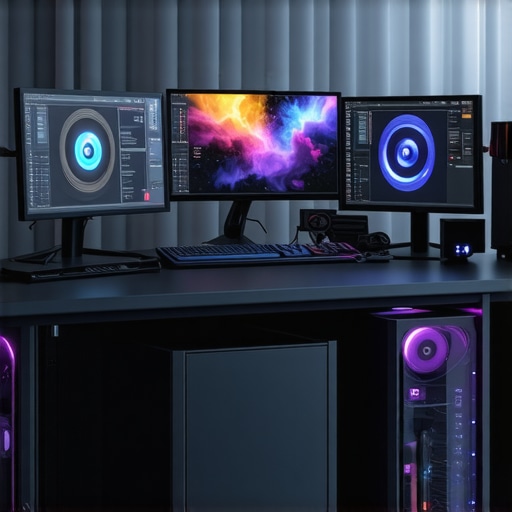
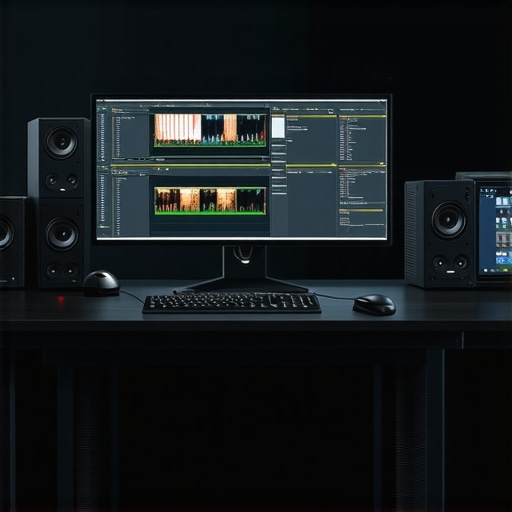
In the realm of professional video production, achieving seamless 4K editing demands a nuanced understanding of both hardware capabilities and workflow intricacies. Ensuring smooth playback, swift rendering, and meticulous color grading hinges on selecting an appropriate video editing PC, leveraging robust GPU acceleration, and implementing effective proxy workflows. This comprehensive approach empowers creators to handle large files efficiently while maintaining high fidelity during post-production.
The Role of the Editing GPU in High-Resolution Productions
A dedicated GPU tailored for editing tasks fundamentally transforms 4K project management. Modern editing GPUs like NVIDIA’s RTX 40 series or AMD’s Radeon RX 7000 series provide hardware acceleration for real-time playback, complex effects, and intensive color grading. Their VRAM capacity—typically 8GB or higher—is crucial for handling large 4K files, enabling faster rendering and reduced lag during timeline scrubbing.
Color Grading Monitors and the Fidelity-Performance Balance
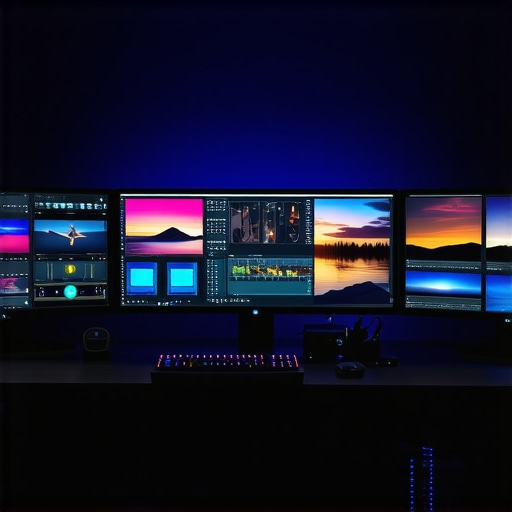
In the pursuit of precise color correction, color grading monitors with high resolution, wide color gamut, and consistent calibration are indispensable. The synergy between a high-caliber monitor and a capable GPU ensures that color accuracy is maintained without compromising playback performance. IPS panels with 10-bit color depth and hardware calibration features often represent the ideal compromise for demanding professional environments.
Proxy Workflow: Enhancing Efficiency Without Sacrificing Quality
Implementing a proxy workflow significantly alleviates the burden of editing 4K footage. By working on lightweight proxy files that mirror final media’s edit decisions, editors experience smoother timeline navigation and faster rendering. The proxy files, typically in lower bitrate or resolution, are replaced with full-resolution files during final export, ensuring uncompromised quality.
What Questions Remain Concerning Real-World Proxy Workflow Optimization?
In professional editing scenarios, how can one strike an optimal balance between proxy file resolution, color fidelity, and editing responsiveness? This question underscores ongoing debates among experts about the ideal proxy parameters and hardware configurations for diverse project scopes. Deep experimentation and tailored hardware choices—like adding high-cache SSDs and ample RAM—are often necessary to adapt workflows in complex projects.
Invest in Expertise and Hardware Alignment
To elevate your 4K editing setup, explore detailed build guides that specify hardware configurations optimizing proxy workflows and color grading accuracy. Engaging with professional communities or consulting industry white papers from sources like the IEEE Transactions on Multimedia can further refine understanding, ensuring your setup meets the demanding needs of modern post-production workflows.
Leveraging High-Performance Storage for Uninterrupted Editing
One often overlooked yet vital component in a robust 4K editing setup is the storage solution. Fast, reliable drives such as NVMe SSDs dramatically reduce load times, facilitate smoother playback, and expedite rendering processes. Integrating multiple drives — for system, cache, and media — can optimize data flow, minimizing bottlenecks. For detailed guidance on selecting the right storage configurations, refer to our comprehensive hardware guide tailored for 4K workflows.
Future-Proofing Your Hardware for 8K and Beyond
As resolution standards continue to ascend, future-proofing becomes paramount. Investing in GPUs with higher VRAM—such as NVIDIA’s RTX 4090 or AMD’s latest models—ensures compatibility with burgeoning 8K workflows and complex effects. Additionally, expanding system RAM to 128GB or more can accommodate the increased data throughput required for higher resolutions and multi-layered projects. Exploring our curated PC build recommendations offers insights into assembling a future-ready editing station.
How Can Developers and Creators Prepare for the Transition to 8K Video Editing?
This question challenges current assumptions about hardware sufficiency and encourages proactive planning. Advances in hardware acceleration, such as dedicated AI processing units present in modern GPUs, pave the way for more efficient 8K editing workflows. Additionally, software optimization, including leveraging hardware-accelerated codecs like AV1 or HEVC, can substantially reduce processing times. Staying ahead requires integrating scalable hardware ecosystems and regularly updating workflows to utilize new technologies effectively.
For ongoing updates and expert discussions, participate in forums or read authoritative publications like the IEEE Transactions on Multimedia, which regularly feature emerging trends in high-resolution video processing and hardware innovations.
If you’re serious about pushing the limits of your editing capabilities, consider sharing your experiences or questions in the comments. For more insights into building a workstation that handles current and future resolutions with ease, explore our latest PC build guides.
Unlocking the Power of Next-Gen Editing Architectures for 4K and Beyond
As video resolutions escalate towards 8K and beyond, the architectural design of your editing system must evolve in tandem. Modern workflows demand not just powerful hardware but a meticulously balanced ecosystem that optimizes data throughput, processing latency, and fidelity preservation. Integrating high-speed NVMe SSDs with PCIe 4.0 or PCIe 5.0 interfaces ensures rapid access to massive media files, drastically reducing lag during timeline scrubbing and rendering. For instance, deploying a tiered storage system—combining ultra-fast cache drives with larger capacity HDDs—can streamline workload management, enabling real-time editing without bottlenecks.
What is the impact of PCIe 5.0 adoption on high-resolution video workflows?
PCIe 5.0’s doubled bandwidth over PCIe 4.0 facilitates even faster data transfer rates, which is critical when working with multi-layered 8K timelines and AI-enhanced effects. According to a recent report by DeepTechReview, PCIe 5.0 can support near-instantaneous transfer of multi-terabyte media caches, dramatically decreasing rendering and export times, while improving shader and decode acceleration for GPU-bound tasks. Embracing this interface ensures that your hardware framework remains forward-compatible with upcoming high-bandwidth media standards, providing a resilient foundation for future expansion.
Harnessing Multi-Threaded Architectures for Ultra-Fluid 4K Editing Experiences
To truly excel in 4K video post-production, embracing multi-core and multi-threaded CPU architectures becomes indispensable. Modern high-end processors featuring 16, or even 24, cores—like AMD’s Ryzen Threadripper or Intel’s Xeon series—facilitate parallel processing of complex rendering, real-time effects, and encoding tasks. These architectures distribute workloads efficiently, reducing bottlenecks and enabling smooth timeline navigation even during resource-intensive edits.
Is High-Bandwidth RAM the Hidden Weapon for Resilient 4K Workflows?
Opting for expansive, high-speed RAM—upwards of 128GB in DDR4 or DDR5 configurations—can dramatically improve cache efficiency within editing software. This wealth of memory minimizes swap operations, accelerates multitasking, and supports multi-layered compositions common in high-resolution projects. As project complexity surges, RAM becomes the backbone that sustains swift, uninterrupted editing sessions.
What Role Do Specialized AI Accelerators Play in Modern Video Editing?
Emerging hardware solutions integrating AI accelerator units—like NVIDIA’s Ada Lovelace architecture or AMD’s MI250 series—are revolutionizing workflows by enabling real-time intelligent upscaling, noise reduction, and automatic metadata tagging. These processes traditionally relied on software plugins or manual input, but dedicated AI hardware now grants editors the ability to perform complex tasks instantaneously, saving hours on post-production timelines.
< >
>
Mastering the Art of 4K Video Editing
Achieving professional-grade 4K video editing isn’t just about powerful hardware; it’s about orchestrating a seamless workflow that leverages strategic choices in GPU, storage, and monitor calibration. Navigating the complexities requires a discerning eye and a tailored setup that anticipates future challenges like 8K workflows. This nuanced understanding empowers creators to produce stunning visuals efficiently, without sacrificing quality or speed.
Advanced Insights for the Pro Editor
Push Your Hardware Limits Without Compromising Reliability
Embracing high-end GPUs like NVIDIA’s RTX 4090 or AMD’s Radeon RX series can drastically reduce render times, but consider the thermal and power supply requirements to maintain system stability during extended sessions.
Prioritize Scalability in Storage Solutions
Implement tiered storage architectures combining NVMe SSDs for active projects with larger HDD arrays for archiving. This setup ensures rapid access and long-term integrity, critical for multi-layered 4K timelines.
Optimize Color Fidelity Beyond the Screen
Invest in professional-grade color grading monitors that support wide gamuts and hardware calibration. Pair them with GPUs capable of delivering true 10-bit color depths to guarantee color accuracy from editing to final delivery.
Refine Proxy Workflow Parameters for Max Efficiency
Balance proxy resolution with editing responsiveness by tailoring bitrate and compression settings. Frequent experimentation helps achieve the sweet spot where workflow is fluid without losing meaningful detail during grading and effects work.
Keep an Eye on Emerging Technologies
Stay updated on AI-accelerated encoding, hardware-optimized codecs like AV1, and PCIe 5.0 interfaces. These advancements promise to revolutionize real-time editing and rendering, ensuring your setup remains future-proof.
Curated Resources for the Expert
- IEEE Transactions on Multimedia: Offers cutting-edge research on multimedia processing and hardware innovations suitable for high-end workflows.
- Best Editing GPUs for 2025: Essential for understanding hardware choices optimized for demanding 4K projects.
- Ultimate Guide to 4K Video Editing Hardware: Provides comprehensive insights tailored for professional workflows and future scalability.
The Big Takeaway for the Serious Creator
Mastering 4K video editing transcends simply assembling powerful components; it requires deliberate workflow design and staying ahead of technological trends. Optimizing hardware, storage, and calibration practices enables creators to push boundaries confidently, producing content that stands out in today’s competitive landscape. Engage with expert communities, continuously experiment, and embrace innovation—your next breakthrough might be a GPU upgrade or a workflow tweak that redefines efficiency. Reach out, share your experiences, or explore in-depth resources to refine your craft further, ensuring your studio is primed for both current demands and future leaps in resolution and complexity.