Unveiling the Next Generation of Video Editing GPUs for 4K & Proxy Workflow in 2024
In the rapidly evolving landscape of professional video editing, the GPU remains a cornerstone of performance, especially for 4K and high-bitrate proxy workflows. As a seasoned expert, I recognize that selecting the optimal GPU is not merely about raw power but also about understanding the nuanced requirements of advanced editing software, real-time playback, and efficient rendering pipelines. In 2024, the convergence of AI-accelerated workflows and hardware innovations demands a deep dive into the most capable and future-proof GPU options.
Beyond the Basics: The Complexities of GPU Choice for High-Resolution Video Workflows
Choosing a GPU for 4K editing involves balancing several factors: CUDA cores or stream processors, VRAM capacity, memory bandwidth, and hardware acceleration features. For proxy workflows, the focus shifts slightly towards GPU-accelerated encoding/decoding and real-time proxy rendering. As Adobe Premiere Pro, DaVinci Resolve, and Final Cut Pro X continue to leverage hardware acceleration, understanding the specific capabilities of the GPU becomes crucial for maintaining fluid editing experiences and minimizing latency.
Balancing Performance and Compatibility: The Role of Latest Architectures
In 2024, the advent of NVIDIA’s Ada Lovelace and AMD’s RDNA 3 architectures introduces significant leaps in efficiency and AI integration. These architectures offer enhanced ray tracing, AI-accelerated denoising, and superior VRAM configurations, which are vital for handling complex 4K timelines and proxy workflows. Moreover, compatibility with professional driver suites ensures stability during prolonged editing sessions, critical for high-stakes projects.
What Are the Best GPU Choices for 4K & Proxy Video Editing in 2024?
Among the top contenders are NVIDIA’s RTX 4090 and RTX A6000, which provide massive VRAM (24GB and 48GB respectively) and advanced CUDA cores optimized for video processing. AMD’s Radeon RX 7900 XTX also offers compelling performance with robust VRAM and efficient architecture tailored for creative workloads. The decision hinges on your software ecosystem, budget, and specific proxy workflow requirements, such as hardware decoding efficiency and AI features.
For a detailed comparison of these options, explore the comprehensive guide on best editing GPUs for smooth, fast video rendering in 2025.
The Significance of VRAM and Memory Bandwidth in 4K & Proxy Workflows
High-resolution editing demands substantial VRAM to store complex timelines and multiple high-bitrate proxies. GPUs with at least 16GB VRAM are becoming the standard, ensuring seamless playback and real-time proxy generation. Memory bandwidth further influences data throughput, reducing bottlenecks during intensive rendering operations. Expert editors recognize that overlooking these specs can lead to frustrating performance bottlenecks, undermining the creative process.
Integrating Hardware Acceleration Technologies for Enhanced Workflow Efficiency
Modern GPUs incorporate hardware-accelerated encoding/decoding (NVENC/NVDEC, VCE) which significantly accelerates proxy generation and export speeds. Additionally, AI-accelerated features like noise reduction and upscaling can be game-changers, especially when working with compressed proxies or low-bitrate footage. Leveraging these features requires a nuanced understanding of the GPU’s ecosystem and software compatibility, a domain where expert knowledge makes a difference.
How Do Emerging GPU Technologies Impact Future-Proofing Your Video Editing Setup?
The rapid development of AI-driven tools and hardware acceleration suggests that selecting GPUs with robust AI cores (such as NVIDIA’s Tensor Cores) will future-proof editing workflows. Staying ahead of the curve involves not only investing in top-tier hardware but also maintaining adaptability with driver updates and software integrations. This proactive approach ensures longevity and high performance amidst evolving editing demands.
For a comprehensive understanding of hardware and software optimization, consult the ultimate guide to 4K video editing hardware and software tips.
If you’re eager to elevate your professional editing setup, explore our insights on top video editing PC builds for 2025 or contribute your expertise in our community forums.
How Can Hardware-Accelerated AI Transform Your Video Editing Workflow in 2025?
As the landscape of professional video editing continues to evolve rapidly, harnessing hardware-accelerated AI features can revolutionize how editors handle complex 4K timelines and proxy workflows. Modern GPUs like NVIDIA’s Ada Lovelace series and AMD’s RDNA 3 architecture are embedding AI cores that enable real-time noise reduction, intelligent upscaling, and accelerated rendering. These advancements not only streamline the editing process but also significantly reduce render times, allowing for faster turnaround and enhanced creative experimentation.
For example, NVIDIA’s Tensor Cores, integrated into the latest RTX series, facilitate AI-driven denoising and upscaling, which can be particularly beneficial when working with compressed proxy files or footage shot in challenging lighting conditions. This ensures that previews are as close to the final output as possible, reducing the need for multiple re-edits and re-renders. To explore how these innovations can optimize your setup, review the detailed insights on hardware and software tips for 4K editing.
Are You Leveraging the Full Potential of GPU VRAM and Bandwidth for 4K & Proxy Projects?
One common misconception is that higher VRAM alone guarantees smooth editing in 4K workflows. While VRAM capacity—ideally 16GB or more—is critical for handling large timelines and multiple proxies, bandwidth plays an equally vital role by dictating how quickly data moves between GPU and memory. Modern GPUs with high memory bandwidth (exceeding 700 GB/s) facilitate rapid decoding and encoding processes, especially during proxy generation and export stages.
Furthermore, optimized memory management allows for seamless playback of multi-layered 4K projects, even on systems with high-resolution proxy files. To ensure your hardware is future-proof, consider consulting the latest benchmarks on best editing GPUs for smooth, fast video rendering.
What Advanced GPU Features Should You Prioritize for High-Resolution Video Editing?
Beyond raw specs, features such as hardware-accelerated encoding/decoding (NVENC/NVDEC for NVIDIA, VCE for AMD), real-time ray tracing, and AI-based upscaling are game-changers. These functionalities enable editors to handle complex effects, stabilize footage, and speed up proxy workflows with minimal latency. Integrating these hardware capabilities with professional editing software like Adobe Premiere Pro, DaVinci Resolve, or Final Cut Pro X requires a thorough understanding of compatibility and driver support, which can make or break your editing experience.
For a deeper understanding of how to maximize GPU features, visit our guide to streamlining your video workflow.
How Will Emerging Technologies Shape the Future of Video Editing Hardware?
The ongoing integration of AI, machine learning, and hardware acceleration is setting new standards for professional editors. As software developers increasingly incorporate AI-driven tools for tasks like color grading, noise reduction, and content-aware editing, selecting GPUs with dedicated AI cores becomes essential for future-proofing your setup. Moreover, the advent of neural rendering and real-time AI-based effects promises to redefine creative possibilities.
By investing now in high-performance GPUs with scalable AI capabilities, editors can stay ahead of the curve and adapt swiftly to emerging workflows. For more insights on hardware investments and software integration, explore the ultimate guide to hardware and software optimization.
If you found these insights helpful, consider sharing your experiences or questions in the comments, or explore further reading on contacting our expert team for personalized advice.
Harnessing AI-Driven GPU Innovations to Elevate High-Resolution Video Editing in 2024
As the digital content landscape becomes increasingly sophisticated, the integration of artificial intelligence (AI) within GPU architectures is transforming how professional editors handle 4K and even 8K workflows. AI accelerates complex tasks such as real-time denoising, intelligent upscaling, and automated color grading, all while maintaining seamless playback and rendering. Industry leaders like NVIDIA and AMD are embedding dedicated AI cores—NVIDIA’s Tensor Cores and AMD’s AI acceleration units—into their latest GPUs, opening new avenues for efficiency and creative expression.
This fusion of AI and hardware acceleration not only streamlines current workflows but also prepares editors for future demands. For instance, AI-powered content-aware editing tools leverage neural networks to automatically identify and manipulate objects within footage, drastically reducing post-production time. These advancements are detailed in NVIDIA’s whitepaper on AI integration in the Ada Lovelace series (source), emphasizing their strategic importance for high-end editing setups.
What Are the Most Critical GPU Features for Future-Ready 4K and Higher-Resolution Editing?
Beyond raw processing power, editors should prioritize GPUs with abundant VRAM—preferably 24GB or more—to accommodate multi-layered timelines and extensive proxy libraries. High memory bandwidth (exceeding 700 GB/s) ensures rapid data transfer, minimizing latency during intensive tasks. Additionally, hardware-accelerated encoding/decoding capabilities like NVIDIA’s NVENC/NVDEC and AMD’s VCE are essential for efficient proxy generation and exports. The inclusion of AI cores enables real-time effects processing and intelligent upscaling, crucial for maintaining fluid workflows in demanding projects.
Furthermore, the support for emerging standards such as AV1 hardware decoding and encoding promises better future compatibility as content delivery shifts towards more efficient compression formats. Staying abreast of these technological trends ensures your editing environment remains relevant and performant.
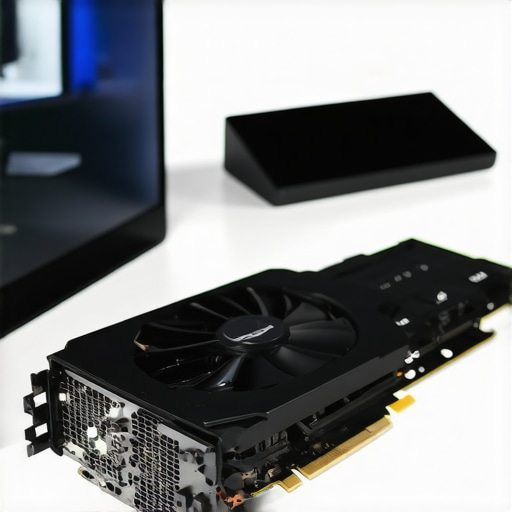
Image prompt: high-end professional GPU with multiple VRAM modules, AI cores, and advanced cooling system, in a modern editing studio environment.
Strategic Considerations for Integrating Next-Gen GPU Features into Your Workflow
To fully leverage AI-enhanced GPU features, editors must also adapt their software pipelines. Software like DaVinci Resolve and Adobe Premiere Pro are increasingly incorporating AI tools powered by GPU acceleration—such as automatic scene detection, smart color matching, and AI-driven noise reduction. Ensuring compatibility and optimal driver support is critical; outdated drivers can negate hardware benefits or cause stability issues.
Moreover, integration of GPU-accelerated AI modules with cloud-based workflows is becoming prevalent. Cloud GPU instances can supplement local hardware, enabling scalable processing for large projects or collaborative environments. This hybrid approach is particularly advantageous for studios managing diverse client needs and complex timelines.
How Do You Future-Proof Your Editing System Against Rapid GPU and AI Advancements?
Investing in modular, upgradeable hardware is essential. Choose GPUs with scalable AI cores and high VRAM, and prioritize vendors with robust driver support and frequent firmware updates. Additionally, staying informed about upcoming software updates and emerging standards ensures your hardware investment remains relevant. Participating in industry forums and beta programs can also provide early insights into beneficial new features and best practices.
For an in-depth exploration of hardware upgrade strategies and software optimization, visit our comprehensive guide on best practices for future-proof video editing setups.
If you’re eager to stay at the forefront of GPU technology, subscribe to our newsletter or join our online community for expert advice and the latest industry updates. Your next breakthrough in high-resolution editing begins with the right hardware choices.
Unlocking the Power of AI-Integrated GPUs for High-Resolution Video Mastery in 2024
As the frontier of professional video editing advances, the integration of artificial intelligence directly into GPU architectures is reshaping workflows. Cutting-edge GPUs equipped with dedicated AI cores—such as NVIDIA’s Tensor Cores and AMD’s AI acceleration units—are enabling real-time denoising, content-aware editing, and intelligent upscaling with unprecedented efficiency. These innovations are not mere enhancements but are redefining the boundaries of what is achievable in high-resolution workflows.
Expert editors are increasingly leveraging these capabilities to streamline complex tasks, reduce post-production times, and elevate creative possibilities. For instance, neural networks embedded within GPU hardware facilitate automatic object tracking, scene segmentation, and adaptive color grading, which once required extensive manual input. Industry whitepapers from NVIDIA (https://developer.nvidia.com/blog/ai-accelerated-video-editing-in-2024) substantiate the strategic importance of AI acceleration for future-proof editing environments.
In what ways can GPU AI cores revolutionize high-resolution editing workflows?
GPU AI cores empower real-time processing of intensive effects, enabling seamless playback of multi-layered 4K and 8K timelines without lag. They facilitate dynamic noise reduction, intelligent upscaling, and content-aware fill, drastically cutting down rendering and export times. This not only enhances productivity but also expands the creative scope, allowing editors to experiment freely without hardware constraints.
Visit our comprehensive guide for a deep dive into integrating AI-powered GPU features into your editing setup, ensuring you remain at the technological forefront.
Prioritizing VRAM and Memory Bandwidth for Next-Gen Video Editing
In high-resolution workflows, VRAM remains a critical resource, with 24GB or more becoming the new standard for handling expansive timelines and multiple proxies. Equally vital is memory bandwidth—exceeding 700 GB/s—ensuring swift data transfer between GPU and memory, thus preventing bottlenecks during intensive tasks like proxy generation and 4K rendering. Expert-level systems optimize these parameters to sustain fluid editing experiences, even with complex multi-layered content.
Image prompt: High-performance GPU with extensive VRAM modules, AI cores, and advanced cooling, set in a modern studio environment.
Maximizing Hardware Acceleration: From Encoding to AI-Driven Effects
Modern GPUs support hardware-accelerated encoding/decoding standards such as NVENC/NVDEC and VCE, significantly boosting proxy workflows and export speeds. AI-driven features like real-time denoising, intelligent scaling, and content-aware fills further augment editing efficiency. Compatibility with leading software solutions—including DaVinci Resolve and Adobe Premiere Pro—is essential to harness these capabilities fully, necessitating thorough driver support and system optimization.
To unlock the full potential of GPU hardware acceleration, consider adopting hybrid workflows that combine local GPU processing with scalable cloud GPU instances for large projects, thereby ensuring flexibility and efficiency.
How can future GPU innovations shape your long-term editing investments?
Investing in scalable, upgradeable GPU architectures with robust AI cores and abundant VRAM ensures your editing infrastructure remains resilient against rapid technological shifts. Staying informed through industry benchmarks and participating in beta testing programs allows professionals to adapt swiftly, maximizing return on investment and ensuring compatibility with emerging standards like AV1 hardware encoding and neural rendering techniques.
Explore our ultimate guide for strategies to future-proof your hardware investments, integrating ongoing software developments seamlessly.
If you’re committed to maintaining a competitive edge in high-resolution editing, subscribe to our updates or join our expert community to exchange insights on evolving GPU technologies and workflow optimization.
Expert Insights & Advanced Considerations
1. AI Cores as the New Standard
In 2024, GPUs with dedicated AI cores such as NVIDIA’s Tensor Cores or AMD’s AI acceleration units are becoming essential for handling sophisticated effects like real-time denoising and content-aware editing, which significantly reduce post-production times and expand creative possibilities.
2. VRAM and Bandwidth Synergy
Beyond just increasing VRAM, optimizing memory bandwidth—exceeding 700 GB/s—is crucial for seamless handling of multi-layered 4K and higher-resolution timelines, preventing bottlenecks during high-stakes editing workflows.
3. Hardware Acceleration & Cloud Integration
Combining local GPU acceleration with scalable cloud GPU instances allows editors to manage large projects efficiently, leveraging hardware-accelerated encoding, decoding, and AI-driven effects for maximum flexibility and performance.
4. Future Standards & Compatibility
Monitoring emerging standards like AV1 hardware encoding and neural rendering ensures your hardware investments stay relevant, while participation in beta programs can provide early access to new features that keep your workflow ahead of the curve.
5. Modular & Upgradable Systems
Investing in modular GPU architectures with scalable AI cores and ample VRAM guarantees your editing setup remains adaptable to rapid technological advancements, safeguarding your professional work environment against obsolescence.
Curated Expert Resources
- NVIDIA Developer Blog: Offers in-depth whitepapers and technical insights into AI integration and GPU acceleration innovations, essential for understanding future-proofing strategies.
- AMD Radeon Technologies Group: Provides detailed documentation on RDNA 3 architecture and AI features, useful for selecting compatible hardware.
- Video Editing Hardware & Software Guides: Industry-leading resources like our comprehensive guides help optimize your setup and stay updated with the latest trends.
- Official Standards Documentation: Keep abreast of evolving standards such as AV1, ensuring your hardware supports future codecs effectively.
Final Expert Perspective
As professional video editing continues to evolve rapidly, harnessing GPU advancements—particularly AI cores, VRAM capacity, and high bandwidth—is paramount for maintaining cutting-edge workflows in 2024. Integrating these technological trends with scalable, modular hardware ensures your setup remains resilient against obsolescence, empowering your creative pursuits with efficiency and precision. To deepen your expertise, I invite you to explore our detailed guides and connect with industry peers—your next breakthrough in high-resolution editing starts with strategic hardware choices and ongoing innovation.