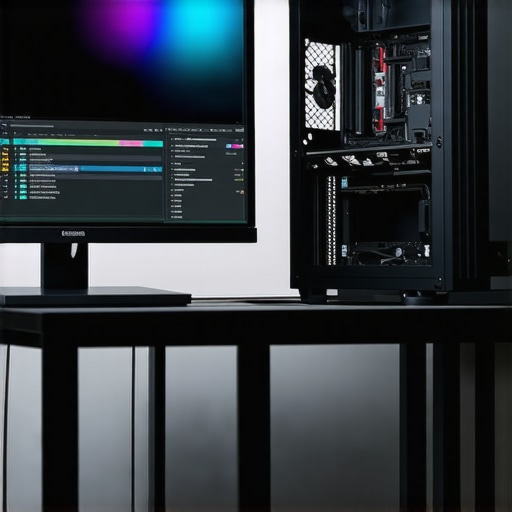
Designing the Ultimate 4K Video Editing PC for Professional Standards
In the realm of high-end video production, the convergence of cutting-edge hardware and optimized workflows defines success. For creators engaged in 4K editing, selecting a workstation that seamlessly handles resource-intensive tasks like color grading and proxy workflows is paramount. The backbone of such systems often hinges on specialized components such as potent graphics processing units (GPUs) and high-fidelity monitors capable of delivering precise color accuracy.
High-Performance GPUs: Powering 4K Rendering and Color Precision
Your editing GPU isn’t merely a rendering engine; it’s a vital tool for real-time playback, encoding, and efficient proxy workflow management. For instance, the best editing GPUs in 2025 offer multiple CUDA cores, ample VRAM, and optimized architectures to support demanding color grading tasks. During proxy workflows, GPU acceleration significantly reduces rendering bottlenecks, delivering smoother editing experiences.
Color Grading Monitors: Achieving True-to-Life Visual Fidelity
Color grading hinges on your monitor’s ability to faithfully reproduce colors across the spectrum. Expert-grade color grading monitors provide high bit-depth panels, wide color gamuts like AdobeRGB or DCI-P3, and hardware calibration features. Such displays are foundational to making precise adjustments, ensuring your footage maintains consistency across delivery platforms.
Proxy Workflow Optimization: Balancing Performance and Fidelity
Implementing an effective proxy workflow allows editors to work smoothly with 4K footage without taxing system resources. The latest proxy workflows leverage GPU acceleration and fast storage solutions to enable real-time editing of lightweight proxies that can be replaced with high-resolution files during final export. This approach streamlines the editing process, reduces render times, and minimizes system strain.
What are the pivotal factors influencing the selection of a GPU for mastering complex color grading and proxy workflows in 4K video editing?
When evaluating GPUs for professional 4K workflows, considerations extend beyond raw power. Factors such as VRAM capacity, compatibility with editing software like Adobe Premiere Pro or DaVinci Resolve, thermal management, and driver stability are crucial. A well-chosen GPU facilitates smoother real-time playback, accelerated rendering, and accurate color representation—critical for maintaining the integrity of high-resolution footage.
For those seeking guidance on assembling or upgrading their editing systems, exploring top PC builds for 2025 offers comprehensive insights. Additionally, professional-grade hardware choices backed by benchmarks and user experiences underpin the workflow’s reliability and efficiency.
Engaging with advanced hardware configurations ensures your infrastructure keeps pace with the evolving demands of 4K production and color fidelity standards. To deepen your understanding, consult authoritative technical standards outlined by organizations such as the Society of Motion Picture and Television Engineers (SMPTE).
Mastering the Balance Between Hardware Power and Workflow Efficiency
Achieving professional-grade 4K video editing requires more than just high-end hardware; it demands an integrated approach that harmonizes component capabilities with optimized workflows. While selecting a robust GPU and calibrated color grading monitor are vital, their true potential is unlocked through workflow enhancements like proxy editing and data management strategies. Recognizing this synergy ensures efficient production pipelines and uncompromised visual fidelity.
Implementing Layered Workflow Techniques to Minimize Bottlenecks
One paradigm-shifting strategy involves adopting a layered workflow architecture—segmenting tasks based on complexity and resource demand. Utilizing proxy files allows editors to work with lightweight representations during editing sessions, significantly reducing system strain. When combined with streamlined proxy workflows harnessing GPU acceleration, this method accelerates edit-finalize cycles and simplifies post-production tasks. As a result, editors benefit from rapid previews, smoother timeline navigation, and faster rendering times, especially for intricate color grading processes.
Embracing Hardware-Software Co-Design for Peak Performance
Beyond traditional hardware upgrades, an emerging frontier involves hardware-software co-design—optimizing compatibility and performance through tailored configurations. High-performance GPUs, when paired with editing engines like Adobe Premiere Pro’s Mercury Playback Engine or DaVinci Resolve’s optimized GPU support, enable real-time playback of 4K footage without lag. Implementing custom driver configurations and leveraging hardware-aware software settings ensures minimal latency and consistent color accuracy, which are essential for precise grading. Consulting expert guides on hardware tuning can provide nuanced insights tailored to specific workflows.
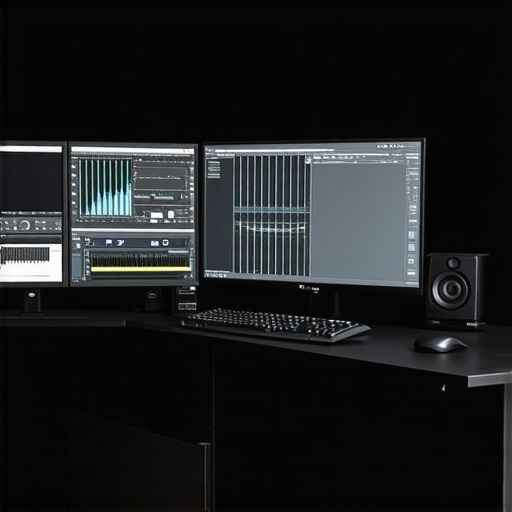
Is your current hardware setup aligned with the demands of professional 4K workflows, or is there room for strategic upgrades that can redefine productivity and quality?
For editors eager to elevate their systems, discovering tailored configurations—like combining the best PC builds for 2025—can be transformative. Remember, technology is an enabler; integrating it thoughtfully within your workflow ensures you stay ahead in the competitive landscape of high-resolution content creation. To continue refining your setup, consider consulting industry standards and technical benchmarks provided by organizations such as SMPTE, which set the benchmarks for color fidelity and workflow integrity.
Leveraging Advanced GPU Architectures for Real-Time 4K Editing Precision
Modern GPUs designed for professional 4K editing harness architectures that prioritize parallel processing, high VRAM capacity, and optimized throughput. The latest NVIDIA RTX A6000 and AMD Radeon PRO W6800 exemplify this evolution, incorporating RTX and RDNA architectures that deliver accelerated decoding, encoding, and complex color computations. These GPUs also feature dedicated hardware support for standards like Dolby Vision and HDR10+, enabling editors to preview high-dynamic-range content with accuracy directly within editing suites.
Strategic Memory and Bandwidth Considerations for Flawless Playback
In high-resolution workflows, VRAM is more than a technical spec—it’s integral to smooth playback and efficient rendering. A GPU equipped with 48GB of VRAM, coupled with high memory bandwidth, ensures seamless handling of multiple 4K streams, LUTs, and effects in real time. This capacity becomes pivotal when working with complex effects or multiple layers, preventing bottlenecks that could compromise editing fluidity. Notably, compatibility with high-speed PCIe 4.0 or 5.0 interfaces further amplifies data transfer rates, reducing latency and boosting performance.
Why Expert Color Grading Demands Specialized Monitors Beyond the Spectrum
While most professionals recognize the importance of high-color-gamut displays, the current leading standards such as DCI-P3 and Rec. 2020 outline the industry’s movement toward broader color coverage. However, true color fidelity extends beyond gamut—considerations like bit-depth (preferably 10-bit or higher), uniform luminance, and graphically accurate hardware calibration are critical. Professional-grade monitors from brands like Eizo and NEC employ hardware calibration modules and comprehensive color management systems, maintaining consistent performance across various lighting environments. These monitors, when properly configured, can illustrate subtle gradations in color and luminance, essential for achieving cinematic-grade grading precision.
Addressing the Nuances of Calibration and Color Management Systems
Effective color management integrates hardware calibration with soft-proofing and ICC profiles, creating a unified framework that ensures your display’s output mirrors the master color space accurately. For high-end workflows, it’s advisable to use hardware calibration tools such as X-Rite’s i1Display Pro Plus or Datacolor’s SpyderX Elite, which can precisely profile your monitor, adjusting its internal LUTs for consistent color reproduction. Additionally, employing color-managed workflows within software like DaVinci Resolve ensures that the entire color pipeline—from capture to final render—maintains integrity, reduces discrepancies, and supports a wide array of delivery standards.
How do software calibration protocols influence the accuracy of professional-grade monitors in archival and broadcast contexts?
Software calibration protocols, when executed with industry-validated calibration targets, serve as the connective tissue that aligns your monitor’s display characteristics with standardized color spaces. For archival and broadcast applications, adherence to SMPTE standards like SMPTE RP 431-2 ensures that on-screen colors are representative of the final deliverables. Utilizing calibration software such as CalMAN or LightSpace, combined with hardware LUT boxes, facilitates this process. This meticulous approach minimizes color drift over time and across different calibration sessions, ensuring consistent quality for recurring projects and long-term archival storage. For a detailed understanding, see the comprehensive guidelines provided by the Society of Motion Picture and Television Engineers (SMPTE) in their technical papers on color calibration practices (https://ieeexplore.ieee.org/document/8307201).
Unraveling the Intersection of Hardware Capabilities and Workflow Customization
Beyond selecting high-end components, tailoring your workflow to exploit hardware strengths enhances productivity. For instance, pairing NVMe SSDs with GPU memory allows for rapid data streaming, reducing load times of raw 4K footage. Implementing GPU-accelerated plugins like Red Giant’s Magic Bullet or FilmConvert leverages hardware capabilities to deliver real-time color grading and effects. Moreover, integrating hardware-based solutions such as Blackmagic Design’s UltraStudio or AJA’s conversion hardware helps streamline data transfer between software and capture devices, reducing latency and fostering efficient multi-camera setups. This hardware-software symbiosis empowers editors to push creative boundaries without sacrificing performance.
Next-Level Strategies for Future-Proofing High-Resolution Content Creation
As advances in display technology introduce 8K workflows and HDR standards become ever more sophisticated, it’s critical to consider scalable hardware investments. Modular GPU architectures, support for emerging standards like AV1 encoding, and compatibility with future display interfaces ensure your system remains relevant. Networking infrastructure also plays a role—fast Ethernet or Thunderbolt 3/4 protocols facilitate seamless collaboration across remote teams or with centralized storage solutions. Regularly consulting industry benchmarks and participating in professional forums keep you abreast of technological shifts, allowing strategic upgrades aligned with project demands and budget considerations.
.
Beyond Hardware: Crafting Workflow Ecosystems for Ultimate 4K Mastery
While selecting top-tier components forms the foundation of a professional 4K editing setup, the true mastery lies in designing a cohesive workflow ecosystem that maximizes hardware capabilities and minimizes latency. Integrating advanced media management solutions, like dedicated NAS storage with Thunderbolt 3/4 connectivity, ensures rapid access to massive 4K files and preserves system responsiveness during editing sessions.
Harnessing AI-Powered Color Grading Tools for Precision Enhancement
The advent of artificial intelligence in color grading introduces an unprecedented level of efficiency and accuracy. Software solutions leveraging deep learning algorithms—such as DaVinci Resolve’s Neural Engine—enable automatic shot matching, intelligent noise reduction, and intelligent upscaling. These tools facilitate nuanced adjustments with minimal manual intervention, freeing up time for creative experimentation while maintaining impeccably accurate color fidelity.
Is Real-Time 8K Editing on the Horizon for Professionals?
With 8K adoption gaining momentum, the leap toward real-time editing and color grading at such resolutions hinges on emerging hardware innovations. Ultra-high-bandwidth interfaces, like PCIe 5.0, combined with GPU architectures boasting 80+ GB of VRAM, are pivotal for achieving seamless playback in demanding workflows. Staying ahead requires continuously monitoring technological advancements from industry leaders and evaluating their applicability within your production pipeline.
For authoritative insights, consult the IEEE’s latest white papers on next-generation GPU architectures, which detail the future trajectory of high-performance compute modules tailored specifically for media professionals.
Leverage Specialized Calibration for Consistent Broadcast and Archive Outputs
Color calibration extends beyond monitors to encompass entire media production environments. Utilizing hardware calibration kits that support extended color gamuts and uniform luminance—such as those adhering to Dolby Vision standards—ensures consistent viewing experiences across different platforms and displays. Implementing calibrated workflows aligned with standards set by the SMPTE enhances archival fidelity and broadcast compliance, minimizing costly rework or discrepancies in final outputs.
What Does a Fully Optimized Proxy Workflow Look Like for Large-Scale Projects?
An advanced proxy workflow incorporates dynamic proxy generation, where software intelligently creates lightweight versions of original 4K assets aligned with editing priorities. Hardware acceleration, such as NVENC support in GPUs, reduces proxy creation time, enabling editors to switch seamlessly between proxy and high-resolution files. Network protocols like SMB 3.0 or NFS, combined with SSD-backed storage arrays, minimize latency, ensuring real-time responsiveness even in collaborative environments.
Consult industry-leading resources like Adobe’s technical documentation on proxy workflows to tailor these systems to your specific project demands.
Future-Ready Hardware Investment: Preparing for Vivid Resolutions and Standards
Anticipating the future of high-resolution video production necessitates hardware that is not only powerful today but scalable tomorrow. Modular GPU solutions that support multi-GPU configurations, high-capacity VRAM, and support for emerging standards like HDR10+ and Dolby Vision enable seamless transitions into next-generation formats. Regularly scheduled hardware audits, driven by the evolving specifications outlined by organizations such as the UHD Alliance, ensure your investing strategies remain aligned with industry standards, positioning your workspace at the forefront of technological innovation.
Expert Insights & Advanced Considerations
Prioritize GPU VRAM for Future-Proofing
In high-end 4K editing, investing in GPUs with extensive VRAM ensures smooth performance when handling multiple layers and effects, reducing bottlenecks and enhancing real-time playback. Hardware choices should anticipate future software and format demands to maximize longevity.
Balance Storage Speed and Capacity
Rapid data access is vital; integrating NVMe SSDs with ample capacity streamlines workflows. Prioritize setups that facilitate swift read/write speeds, minimizing delays during proxy creation and media caching.
Leverage AI-Enhanced Color Grading Tools
Artificial intelligence integration in color grading software accelerates shot matching and noise reduction—freeing creatives to focus on artistic nuances. Staying updated with these innovations adds a competitive edge.
Ensure Hardware Compatibility with Industry Standards
Aligning your hardware with standards like SMPTE and Dolby Vision guarantees deliverables meet broadcast and archival criteria, maintaining quality and compliance across platforms.
Optimize Workflow with Modular Components
Designing systems with modularity allows tailored upgrades, such as adding more GPU power or storage. This flexibility ensures your editing environment adapts to evolving project complexities and standards.
Curated Expert Resources
- Society of Motion Picture and Television Engineers (SMPTE): Offers comprehensive standards and protocols vital for color fidelity and workflow integrity.
- DaVinci Resolve’s Neural Engine documentation: Details AI-driven tools that enhance color grading and editing speed.
- Adobe’s Hardware Compatibility Guidelines: Ensures your hardware components align with software optimization recommendations.
- X-Rite’s calibration solutions: Industry-leading tools for maintaining color accuracy across monitors and projectors.
A Final Word on Mastering 4K Content Production
Achieving excellence in 4K video editing demands more than assembling powerful hardware; it requires cultivating an intelligent workflow that leverages advanced tools, standards, and strategic upgrades. With a focus on expert insights and proven resources, your path to professional-grade quality becomes clearer. For those committed to pushing the boundaries, engaging with detailed technical standards and continuous learning transforms potential into mastery. Embrace the evolving landscape of hardware and workflow synergy—your next project deserves nothing less.
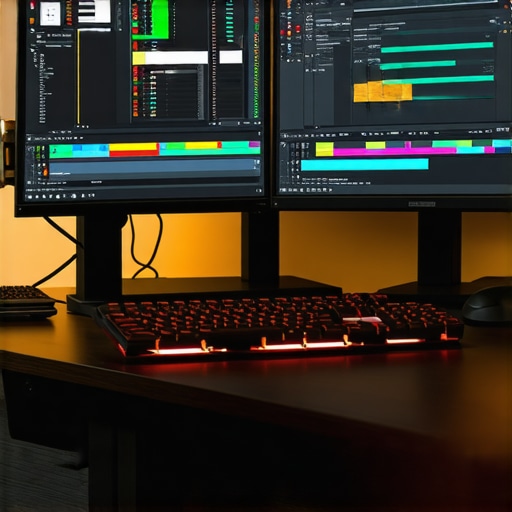
This article really highlights the importance of thoughtful hardware selection and workflow planning for 4K video editing. I can personally attest to how integrating high VRAM GPUs like the RTX A6000 improves real-time playback and renders when working with complex color grading layers. One point I’ve noticed is that as we push for higher resolutions and HDR standards, calibration and color management become increasingly critical. Using hardware calibration tools such as the X-Rite i1Display Pro has saved my team from inconsistent color grading across different monitors. I’ve also started exploring more modular storage solutions, especially NVMe SSDs, to keep up with the data demands of proxy workflows. My question is, how do others balance hardware investments with software optimizations, especially considering the rapid pace of technological change? Do you find that focusing on scalable, upgradeable systems really pays off over time? I’d love to hear some success stories or strategies.