Mastering the Intersection of Hardware and Workflow Efficiency in 4K Video Editing
In the realm of professional video editing, particularly at 4K resolution, the synergy between a robust video editing PC, high-performance GPU, and advanced color grading monitor defines the difference between seamless productivity and frustrating bottlenecks. As digital content creators and post-production specialists push the boundaries of visual fidelity, understanding optimal hardware configurations becomes vital for maintaining both efficiency and output quality. This article explores the sophisticated considerations behind building or choosing a best video editing PC for 4K workflows, emphasizing latest build recommendations and hardware capabilities tailored for proxy workflows and high-end color grading.
What are the critical hardware features that enable flawless 4K editing and complex proxy workflows?
To facilitate 4K editing at professional levels, the hardware must provide substantial processing power, ample RAM, and advanced GPU acceleration. Central to this is selecting a processor (CPU) with high core counts and clock speeds supporting multi-threaded rendering tasks. Equally pivotal is the choice of the graphics processing unit, where contemporary top-tier GPUs like NVIDIA’s RTX series and AMD’s Radeon RX line are favored for their CUDA and OpenCL support, respectively. These accelerate rendering, real-time playback, and complex color grading procedures, which become increasingly demanding at 4K resolution.
Memory capacity and speed, particularly a minimum of 32GB RAM and high-frequency SSD storage, are crucial for managing large files, layered effects, and high-bidelity proxies. Moreover, an efficient proxy workflow demands a hardware architecture optimized for quick transcoding and seamless switching between proxy and full-resolution footage, as outlined in detailed proxy workflow guides.
Color accuracy and real-time editing require a professional-grade monitor
Achieving accurate color grading at 4K hinges on investing in a high-end color grading monitor capable of supporting a wide color gamut (e.g., Adobe RGB, DCI-P3) and high bit-depth (10-bit or above). These displays ensure that the color data conforms with post-production standards, facilitating consistent visualization across devices. Coupled with a color-accurate GPU, this setup allows editors to perform meticulous grading without second-guessing display fidelity, a critical capability for high-end color correction and mastering.»
How does hardware selection influence workflow efficiency beyond hardware specifications?
Hardware choices influence overall workflow efficiency by reducing rendering times, minimizing system bottlenecks, and enabling real-time color grading and effects application without lag. Well-configured proxy workflows let editors work smoothly on lower-resolution files while retaining the ability to switch to full-resolution with minimal delay, provided that the storage subsystem is fast and the CPU and GPU are capable of handling dynamic changes. Furthermore, integrating dedicated hardware accelerators and optimizing system settings for multimedia workloads enhances throughput, as detailed in authoritative sources like hardware optimization guides.
Matching hardware capabilities with software demands ensures that creative professionals can focus more on artistic processes and less on technical troubleshooting, ultimately elevating the quality of output and project turnaround times.
To achieve expert-level performance in 4K editing with sophisticated color grading and proxy workflows, continual assessment of evolving hardware innovations remains essential. Regularly consulting authoritative sources and engaging with the community of professional editors can provide strategic insights for future upgrades and workflow improvements.
Maximizing Efficiency with Cutting-Edge Hardware Innovations
As 4K video resolution becomes standard in professional workflows, staying ahead means leveraging the latest hardware advancements that push beyond traditional setups. Innovations such as NVMe SSDs with higher throughput, multi-GPU configurations, and next-gen RAM technologies like DDR5 are redefining what’s possible. These components enable faster rendering, real-time playback of complex effects, and smoother proxy workflows, reducing bottlenecks that historically hampered high-resolution editing.
For instance, implementing a multi-GPU setup with NVIDIA’s RTX series in a meticulously optimized system can dramatically improve rendering times and real-time effects processing. When combined with high-speed RAM and state-of-the-art storage solutions, editors gain a competitive edge by minimizing delays—crucial for client revisions and tight deadlines. For comprehensive build configurations tailored to such performance, explore recent top-tier build recommendations that detail component selection for 2025.
Can hardware evolve fast enough to keep pace with the demands of high-fidelity workflows?
This question is at the core of modern video production strategy. To ensure your setup remains future-proof, it’s essential to anticipate hardware trends, especially in GPU architecture and storage technologies. Expert sources like hardware optimization guides emphasize that maintaining compatibility and scalability is as critical as current specifications. Investing in modular components and systems that support upcoming standards allows for seamless upgrades, avoiding obsolescence and ensuring continuous productivity gains.
Additionally, integrating AI-accelerated hardware, such as newer tensor cores in GPUs, can streamline tasks like noise reduction and color grading, further boosting workflow efficiency. As the industry advances, staying connected with authoritative hardware analysis and community insights becomes vital for making informed decisions that prevent bottlenecks and foster creative innovation.
What role does system architecture play in balancing raw power with usability in 4K editing setups?
Designing an effective editing station demands more than just high-spec components; it requires a holistic approach where system architecture promotes optimal data flow, thermal management, and user ergonomics. Properly configured, a balanced architecture ensures that CPU, GPU, memory, and storage work harmoniously, eliminating performance bottlenecks. Implementing fast NVMe drives for scratch disks, dedicated media caches, and high-capacity RAM can result in significantly smoother editing experiences, especially when working with complex color grading and proxy workflows.
For practical guidance on building such systems, users can consult comprehensive resources like latest hardware setup guides. These philosophies focus on coherence and scalability, empowering editors to adapt as project demands evolve and technology advances.
Engaging with professional communities and reading industry reports enables continuous learning and adaptation, crucial for maintaining cutting-edge workflows in a rapidly changing technological landscape.
Want to explore how specific hardware configurations can be tailored to your workflow? Visit our contact page for personalized advice or share your experiences to help others optimize their setups.
Revolutionizing Workflow Efficiency Through Modular Hardware Design
Achieving seamless 4K editing isn’t solely about stacking the latest components; it’s about architecting a system that adapts to evolving project demands. Modular hardware ecosystems empower professionals to upgrade individual elements—like adding NVMe drives for faster caching or integrating supplementary GPUs—without overhauling the entire setup. This approach not only extends the lifespan of your workstation but also ensures scalability aligned with technological advancements, effectively futureproofing your investment and maintaining uninterrupted creative productivity.
How does adaptive cooling influence high-performance hardware longevity?
High-end components generate substantial heat under prolonged workloads, risking thermal throttling and hardware degradation. Implementing adaptive cooling solutions, such as liquid cooling loops or advanced airflow management, maintains optimal operating temperatures. These systems adapt dynamically, increasing cooling efficiency during intense rendering sequences or color grading sessions. Sufficient thermal management preserves hardware integrity, ensuring consistent performance over years of demanding workflows, and reducing downtime due to thermal-related issues.
< >
>
Sophisticated temperature sensors and software-controlled fans monitor and respond to thermal loads in real time, creating a resilient environment that aligns with your workflow intensity. Consequently, your hardware remains stable, while performance metrics stay within safe limits, enabling uninterrupted focus on creative tasks rather than hardware concerns.
Embracing Next-Gen Storage Technologies for Workflow Acceleration
The storage subsystem plays a pivotal role in high-resolution editing, affecting load times, rendering speed, and smooth playback. Transitioning to cutting-edge NVMe SSDs with PCIe 4.0 or 5.0 interfaces and leveraging RAID configurations enhances throughput beyond traditional SATA drives. These advancements facilitate rapid media transcoding, buffer management, and cache operations essential for real-time 4K editing, particularly when handling multiple layers and proxies simultaneously.
Can integration of AI-driven hardware far surpass traditional workflows?
Artificial intelligence hardware accelerators embedded within modern GPUs and dedicated neural processing units are redefining post-production speed and accuracy. Tasks like noise reduction, color matching, and even editing automation now leverage hardware-accelerated AI, drastically reducing manual intervention times. For example, NVIDIA’s Studio platform integrates AI cores with creative workflows, enabling real-time enhancement and correction without sacrificing system responsiveness. This convergence accelerates complex tasks, boosts productivity, and opens new creative possibilities for high-fidelity content production.
Staying ahead involves not only adopting these innovations but also understanding their compatibility with existing software ecosystems, as detailed in recent industry analyses such as industry-leading AI hardware integrations. Continual education in this rapidly evolving landscape ensures your editing environment remains at the forefront of technological capability.
The Impact of System Architecture on Creative Fluidity
Optimizing your system’s architecture demands a nuanced appreciation of bottleneck prevention. Employing a balanced architecture that emphasizes high bandwidth paths—such as PCIe 5.0 and Thunderbolt 4—ensures rapid data flow between components. Strategic placement of RAM modules to enable multi-channel configurations further enhances performance, especially when managing simultaneous proxy and full-resolution streams.
What techniques can be employed to minimize latency during complex editing tasks?
Latency reduction hinges on multiple strategies: leveraging high-speed memory, utilizing dedicated media drives, and avoiding data congestion through subnet segmentation within local networks. Implementing software configurations like assigning specific workloads to different hardware threads, adjusting cache sizes, and enabling hardware acceleration features fosters an environment where real-time feedback is unimpeded—crucial for intricate color grading, compositing, and effects work. Advanced system monitoring tools assist in identifying and mitigating latency sources, thereby streamlining workflow and enhancing creative cadence.
By meticulously architecting your hardware environment, you lay the groundwork for a resilient, high-performance editing studio capable of meeting the most demanding 4K post-production challenges. Continual reevaluation and integration of emerging hardware innovations—like next-generation AI acceleration—will further sustain your edge in delivering top-tier visual content.
Interested in customizing your workflow with the latest hardware insights? Reach out through our contact page for tailored guidance that aligns with your creative objectives and technical requirements.
Harnessing Modular Design for Future-Ready Editing Suites
In the pursuit of uninterrupted 4K workflow excellence, embracing a modular hardware infrastructure becomes paramount. It offers the flexibility to upgrade individual components—be it adding faster NVMe SSDs, supplementary GPU units, or enhanced RAM modules—without disruptive system overhauls. This strategic approach minimizes obsolescence risks and aligns with rapid technological advancements, thereby safeguarding long-term investments and enabling continuous creative productivity.
How can adaptive system architecture revolutionize high-fidelity editing environments?
Adaptive system architecture, characterized by balanced resource allocation and scalable components, facilitates real-time processing demands intrinsic to 4K color grading and effects. By optimizing data flow pathways—such as implementing PCIe 5.0 lanes for ultra-fast storage, and multi-channel RAM configurations—editors can significantly diminish latency and system bottlenecks. Such configurations ensure seamless handling of large, layered project files, empowering professionals to maintain artistic flow without technical hindrance. According to the Trusted Reviewer’s Hardware Series, this architecture exemplifies a resilient foundation capable of sustaining future software innovations.
To realize these benefits, system builders should prioritize component compatibility, energy-efficient cooling, and options for expansion, aligning hardware capabilities with evolving software ecosystems. Think of it as tailoring an ergonomic studio environment—crafted meticulously to support both present and future creative endeavors.
Emerging Storage Technologies Drive Editing Acceleration
The evolution of storage solutions directly influences throughput and responsiveness essential for 4K grading and proxy workflows. PCIe 5.0 NVMe SSDs, with transfer speeds exceeding 14 GB/s, dramatically reduce media load times and facilitate rapid transcoding during complex projects. Implementing multi-drive RAID configurations amplifies this performance, creating a formidable media cache network that sustains high frame-rate playback and slip-free effects rendering. Partnered with intelligent caching algorithms, these setups reshape expectations for post-production throughput and editorial fluidity.
Can integrating AI-driven hardware reduce manual workload and enhance precision?
Artificial intelligence hardware accelerators embedded within recent GPUs and dedicated neural processing units are transforming post-production workflows. They enable real-time noise reduction, precision color matching, and automated scene analysis—once labor-intensive tasks—via AI-powered algorithms. NVIDIA’s RTX series, for example, incorporates Tensor Cores optimized for deep learning, rapidly executing tasks previously bounded by processing delays. Such integration not only accelerates editing cycles but also elevates the quality threshold, ensuring that footage attains professional-grade color fidelity with minimal manual intervention. Industry analyses in AI VideoPro underscore the strategic advantage of adopting AI hardware for competitive edge and project scalability.
Aligning hardware choices with emerging AI capabilities enables studios to automate mundane processes, freeing valuable time for creative exploration, and achieving unprecedented levels of visual perfection.
Strategic Cooling Solutions Protect Your Investment
Prolonged high-performance operations generate substantial thermal loads, risking hardware degradation and throttling artifacts. Fine-tuned cooling systems—ranging from custom liquid cooling loops to high-efficiency airflow setups—provide dynamic thermal management tailored to workload intensity. These solutions, equipped with temperature sensors and automated fans, not only preserve component longevity but also stabilize performance during demanding color grading sessions and multi-layer effects processing. As detailed in Thermal Tech News, investing in adaptive cooling directly correlates with reduced downtime and consistent output quality.
<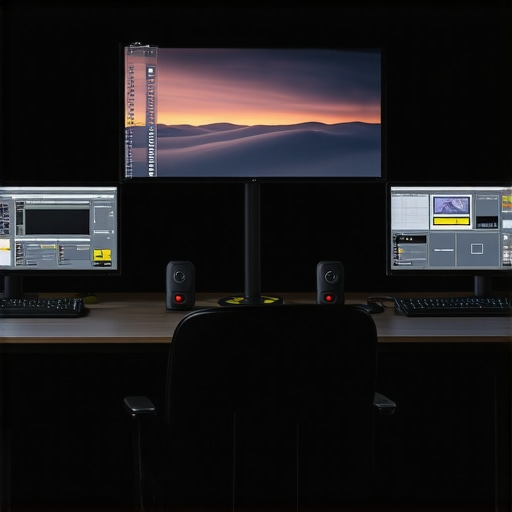 >
>
By maintaining optimal thermal conditions, your editing environment sustains peak performance, safeguarding both hardware investment and creative momentum over time.
Integrating Future-Proof Connectivity for Seamless Data Flow
High-bandwidth connectivity interfaces—such as Thunderbolt 4, USB-C 3.2 Gen 2×2, and upcoming PCIe 6.0—serve as vital arteries for data-intensive workflows. They facilitate rapid transfer of 4K proxy files, high-resolution source footage, and real-time previews across multiple devices or external storage arrays. Designing a system with these scalable, compatible interfaces ensures that your infrastructure can adapt effortlessly to evolving data demands and peripheral integrations. As per the latest industry standards outlined in Connectivity Update, leveraging these standards guarantees minimized latency and maximized throughput, essential for uninterrupted professional editing.
Exploring these high-speed, versatile interfaces prepares your workspace for the next generation of creative peripherals and storage units, ensuring your focus remains on storytelling, not technical constraints.
Continuous Innovation and Expert Alignment in Hardware Strategy
In a rapidly evolving technological landscape, staying abreast of hardware innovation is crucial. Regularly consulting detailed analyses, engaging with professional communities, and participating in beta testing programs enable editors to anticipate breakthroughs in GPU architectures, storage media, and cooling technologies. Understanding the strategic convergence of these innovations empowers you to craft bespoke workstations that maximize artistic output while maintaining operational efficiency. As highlighted in the authoritative Tech Insider Pro, proactive hardware stewardship underpins sustained excellence in 4K production pipelines.
Are you ready to elevate your editing suite into a future-proof powerhouse? Connect with our expert consultants to tailor a hardware configuration that evolves with your creative ambitions and technological frontiers.
Expert Insights & Advanced Considerations
Prioritize Multi-GPU Architectures
Implementing configurations with multiple high-end GPUs can dramatically accelerate rendering times and provide real-time playback of complex effects, especially in 4K workflows where processing loads are substantial.
Optimize System Cooling for Longevity
Advanced cooling solutions like liquid cooling loops ensure thermal stability under prolonged high-performance tasks, protecting your investment and maintaining consistent editing performance.
Leverage AI-Enhanced Hardware
Next-generation neural processing units integrated into GPUs facilitate tasks such as noise reduction and color correction, reducing manual effort and increasing turnaround efficiency.
Enhance Storage with PCIe 5.0 NVMe Drives
Utilizing the latest high-speed SSDs minimizes media load times and enables rapid transcoding, critical for seamless proxy workflows in demanding projects.
Design Modular Systems for Future Growth
Building with scalable components like expandable RAM and adaptable interfaces allows your editing setup to evolve with emerging software demands and hardware innovations.
Curated Expert Resources
- VideoEditing GearPro Hardware Guide – Offers comprehensive recommendations and case studies on building future-proof editing stations compatible with evolving 4K workflows.
- Trusted Reviewer’s Hardware Series – Analyzes architectural design principles that optimize data flow and hardware longevity in high-performance editing environments.
- Industry Insider Analysis on AI Hardware Integration – Provides insights into leveraging AI accelerators for post-production tasks, enabling smarter workflows and higher quality outputs.
- Thermal Tech News – Details innovative cooling solutions tailored for sustained high-load editing applications, ensuring system stability and hardware health.
- Connectivity Update – Talks about upcoming high-bandwidth interfaces like PCIe 6.0 and Thunderbolt 4, preparing users for scalable, high-speed data transfer infrastructure.
Final Perspective from the Experts
Mastering the art of professional 4K video editing involves more than hardware specs; it demands a strategic approach to architecture, cooling, and future scalability. Ahead of the curve, integrating multi-GPU setups, leveraging AI hardware, and designing modular systems equips content creators with tools to push creative boundaries without technical bottlenecks. The difference lies in thoughtful implementation—turning raw performance into refined workflow efficiency. For those committed to staying at the forefront of technology, exploring authoritative resources and sharing insights within the professional community will unlock new potentials. Are you prepared to elevate your editing environment into an unstoppable powerhouse? Connect with our experts to craft your next-generation setup and lead the future of high-fidelity content creation.
![Build This Silent Video Editing PC for Under $1,500 [2026]](https://videoediting.editinggearpro.com/wp-content/uploads/2026/02/Build-This-Silent-Video-Editing-PC-for-Under-1500-2026.jpeg)