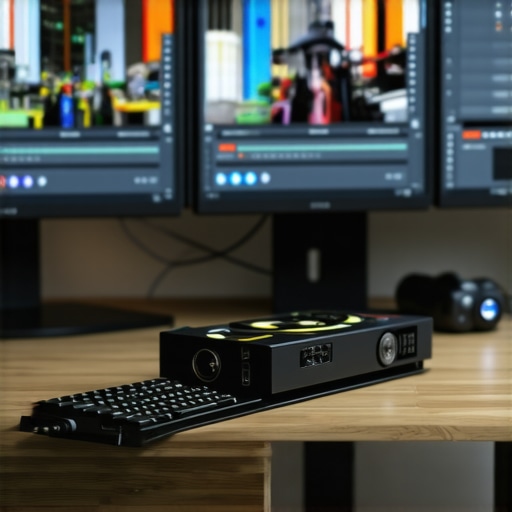
Enhancing 4K Video Workflow Through Strategic Hardware Selection
In the realm of high-resolution video editing, particularly in 4K, the choice of hardware significantly influences workflow efficiency, output quality, and creative flexibility. An expert approach involves a nuanced understanding of how a dedicated video editing PC, high-performance GPU, and calibrated color grading monitor interconnect to facilitate seamless editing experiences, especially when employing proxy workflows for managing large 4K files.
Deciphering the Role of Editing PCs in Professional 4K Content Creation
The foundation of any robust 4K editing setup rests on a high-end editing PC designed to handle intensive processing tasks. Such systems leverage multi-core processors, ample RAM, and fast NVMe storage to preempt bottlenecks. In professional environments, custom-built workstations tailored for editor needs outperform consumer-grade setups, providing the reliability demanded during prolonged rendering sessions or high-bit-depth color grading processes.
GPU Selection for Accelerated Rendering and Real-Time Playback
The GPU acts as the engine for rendering, video playback, and real-time effects application. Modern graphics cards like NVIDIA’s RTX series or AMD’s Radeon Pro line employ dedicated hardware for hardware-accelerated encoding, decoding, and AI-assisted denoising, crucial for 4K workflows. Proper GPU pairing ensures accelerated proxy workflow setup, where lower-resolution proxies are used during editing, significantly improving responsiveness without sacrificing final output quality.
Color Accuracy and Calibration in Professional Grade Monitors
Color grading remains pivotal in high-end 4K projects; thus, selecting an optimal monitor with accurate color reproduction is non-negotiable. Expert-grade visual displays calibrated to industry standards such as Rec. 2020 or DCI-P3 allow for precise color correction, ensuring the final product matches the director’s vision and is consistent across various viewing platforms.
How Do Advanced Proxy Workflows Facilitate Creative Efficiency?
Proxy workflows serve as an essential evolution in the current editing landscape, reducing dependency on hardware power during editing phases. By creating lightweight copies of 4K files, editors can manipulate high-resolution footage smoothly, then switch to full-resolution files for final rendering. This process has revolutionized productivity, especially when combined with powerful hardware, enabling real-time editing, quick node-based grading, and streamlined project management.
What are the subtle trade-offs involved in balancing GPU power and monitor calibration for professional 4K color grading?
Achieving optimal balance requires understanding that an ultra-powerful GPU may not compensate for inaccurate monitor calibration, and vice versa. While a high-end GPU accelerates processing, without a professionally calibrated monitor, color fidelity suffers, risking discrepancies in final output. Experts often recommend a calibrated display combined with GPU-accelerated editing software, ensuring both performance and precision. For context, industry standards outlined by the International Color Consortium provide crucial guidelines for maintaining color consistency.
For those seeking to elevate their editing setup further, exploring comprehensive guides on hardware and software optimization can provide personalized insights and technological updates. Engaging with a community of professionals can also foster knowledge exchange, especially when tackling the evolving demands of high-resolution workflows.
Mastering the Balance Between GPU Power and Color Accuracy in 4K Editing
Achieving stunning 4K footage isn’t solely about raw processing power; it’s equally about meticulous calibration and understanding the synergy between hardware components. While an advanced GPU accelerates rendering and real-time previews, a professionally calibrated monitor ensures that color fidelity translates accurately from screen to final delivery. Striking the right balance can prevent costly reworks and ensure your creative vision remains uncompromised across platforms.
Empowering Creative Workflows with AI-Driven Hardware Enhancements
Emerging technologies like AI-assisted editing and hardware acceleration are transforming the 4K workflow landscape. Modern GPU architectures now incorporate AI cores that optimize noise reduction, scene analysis, and intelligent upscaling, reducing manual effort. Leveraging these powerful features can dramatically shorten editing cycles, enabling creators to focus more on storytelling rather than technical constraints. Integrating AI functionalities into your toolkit can be as simple as updating your editing software and GPU drivers to access these innovations.
Are We Overestimating Hardware Limits in the Pursuit of Perfection?
This provocative question challenges the assumption that simply upgrading hardware guarantees superior results. Experts argue that balanced system architecture, proper workflow integration, and mastering calibration protocols often outweigh the benefits of chasing higher-end components. For example, a well-calibrated monitor calibrated to industry standards combined with a reliable GPU can deliver dramatically better results than an overpowered but misaligned setup. Continuous education on hardware-software synergy remains vital. For personalized advice, visiting our contact page is highly recommended.
For further insights into maximizing your setup, exploring comprehensive resources like expert guides on hardware and software integration can be invaluable. Sharing your unique challenges in professional forums or with fellow editors can also spark innovative solutions tailored specifically to your workflow needs.
Harnessing AI and Machine Learning to Elevate 4K Editing Precision
As 4K content creation evolves, the integration of artificial intelligence (AI) and machine learning (ML) into editing workflows has become a game-changer. These technologies enable automated scene recognition, intelligent color matching, and real-time noise reduction, dramatically reducing manual effort and increasing consistency in high-resolution footage.
For instance, AI-powered tools like Adobe Sensei and Blackmagic Design’s DaVinci Neural Engine exemplify how machine learning accelerates tasks such as skin tone matching and shot tagging, allowing editors to focus more on creative decisions rather than technical adjustments. By leveraging these intelligent systems, professionals can expedite editing timelines without compromising quality.
Moreover, training custom ML models on specific project datasets allows for tailored enhancements, further streamlining complex workflows. Integrating such solutions requires not only compatible hardware, like high-performance GPUs with dedicated AI cores, but also a strategic approach to workflow redesign that prioritizes automation where feasible. To capitalize on these innovations, editors should stay updated on emerging AI tools and consider integrating them into their software pipelines for a tangible productivity boost.
The Synergy Between Hardware Components in Professional 4K Content Creation
Achieving impeccable 4K video quality extends beyond mere resolution; it hinges on the meticulous integration of hardware elements that operate in unison. A sophisticated editing environment demands a harmonious balance among processing units, storage solutions, and visual interfaces to ensure fluid workflows and uncompromised output fidelity. The crux lies in designing a system where each component complements the other, mitigating bottlenecks and fostering creative agility.
Crucial Role of Specialized Editing Systems in Complex Post-Production Tasks
At the heart of high-end 4K workflows lies a purpose-built professional editing station, engineered for relentless processing strength. These workstations are characterized by multi-core CPUs with high thread counts, expansive RAM pools, and enterprise-grade SSDs operating via NVMe interfaces. Such configurations enable seamless multitasking, swift rendering, and real-time effects application, vital for professional environments where time is premium. Customization tailored to specific editing frameworks elevates reliability and efficiency, surpassing generic consumer setups in demanding scenarios.
Harnessing GPU Power for Real-Time Effects and Deep Learning Integration
An advanced GPU serves as the engine propelling real-time visual effects, accelerated decoding, and AI-powered enhancements. NVIDIA’s RTX 4090 or AMD’s Radeon RX 7900 XT, equipped with dedicated tensor cores and AI accelerators, exemplify hardware designed to tackle complex rendering and denoising tasks inherent in 4K post-production. Incorporating such GPUs facilitates proxy workflows, where lightweight proxies enable swift editing, followed by high-resolution rendering for submission—significantly reducing turnaround times. 
The Art of Precise Color Calibration in Ultra-High-Definition Monitoring
Color fidelity stands as a cornerstone in professional 4K editing; thus, deploying monitors calibrated to standards such as Rec. 2020 or DCI-P3 is indispensable. These displays, when accurately calibrated, present true-to-life colors, ensuring visual accuracy during grading. Integrating hardware colorimeters and utilizing calibration software like CalMAN or DisplayCAL can achieve consistent and repeatable color profiles, preventing costly revisions caused by display discrepancies. Maintaining this calibration becomes crucial when collaborating across teams or preparing content for various distribution channels, each with its unique color space requirements.
Mastering Proxy Workflow: A Game-Changer for Creative Efficiency
The adoption of robust proxy workflows revolutionizes high-resolution editing, particularly within resource-limited hardware contexts. By generating lower-bitrate, easily manageable proxy files, editors gain the agility to perform complex edits and node-based color corrections in real-time. Once finalized, switching back to full-res files ensures pristine output quality. Integrating automation scripts and hardware acceleration seamlessly streamlines this process, minimizing manual intervention and maximizing productivity, especially in collaborative settings where data transfer speeds and storage throughput become limiting factors.
How Does Hardware Evolution Shape Practices in 4K Video Editing?
Rapid advancements in hardware technology continuously redefine the boundaries of what is achievable in 4K production. Integration of AI accelerators within GPUs, faster SSD NVMe drives, and CPU architectures optimized for parallel processing converge to diminish latency and increase throughput. However, to truly leverage these innovations, understanding system bottlenecks and aligning workflow practices are imperative. For instance, memory bandwidth limitations can negate GPU gains if not addressed. Staying abreast of hardware lifecycles and firmware updates becomes an ongoing strategic endeavor for professionals aiming to keep their pipelines at peak performance.
Elevate Your Workflow: Strategic Upgrades or Comprehensive Overhaul?
In the quest for cinematic excellence, discerning whether incremental hardware upgrades or a wholesale system overhaul offers the best ROI is essential. Upgrading a GPU or adding faster storage might suffice for some, but complex projects may necessitate a holistic reevaluation involving CPU, RAM, cooling solutions, and even power supplies. Consulting with specialists or engaging in detailed benchmarking prior to investment can prevent overspending and ensure each component aligns with evolving 4K editing demands. Remember, the nuanced orchestration of hardware elements underscores the difference between competent and transcendent high-resolution production.
Where Innovation Meets Expertise in 4K Content Creation
In the rapidly evolving world of 4K video editing, mastery extends beyond just selecting the right hardware. It’s about integrating strategic workflow techniques, leveraging emerging technologies, and understanding the nuanced interplay among components to elevate your production quality. The future belongs to those who harness expert insights to push creative boundaries and optimize efficiency at every step.
Push the Limits with AI-Assisted Editing
Artificial intelligence is transforming high-resolution workflows by enabling automated scene analysis, intelligent color matching, and noise reduction. Adapting your system to utilize AI-powered tools can drastically reduce editing time, allowing more focus on storytelling rather than technical adjustments. Stay ahead by exploring software that integrates AI, such as neural engine enhancements in modern GPUs, and consider training custom models tailored to your projects for unparalleled precision.
Personalize Your Calibration Protocols
While industry-standard calibration ensures consistency, personalizing display calibration to match your specific project requirements can yield superior results. Utilize professional-grade colorimeters and calibration software to fine-tune your monitors, aligning them with your workflow’s unique color profiles. This meticulous approach minimizes on-screen discrepancies and ensures your creative intent translates accurately across final outputs.
Optimize Storage for Seamless Workflows
Fast, reliable storage solutions are the backbone of efficient 4K editing. Beyond standard NVMe SSDs, consider enterprise-grade RAID configurations or cutting-edge perpendicular magnetic recording (PMR) drives. These enhancements reduce bottlenecks when handling massive files, enabling uninterrupted editing sessions and swift rendering times. Strategic storage planning enhances overall productivity and minimizes project turnaround times.
Foster a Culture of Continuous Learning
The landscape of professional video editing is perpetually advancing. Engaging with communities, attending workshops, and following industry thought leaders ensures you stay informed on the latest techniques, tools, and hardware innovations. Cultivating a mindset of ongoing education positions you to adapt seamlessly to technological shifts and maintain a competitive edge.
Empowering Resources for the Dedicated Creator
- Ultimate Guide to 4K Video Editing Hardware and Software – An authoritative resource that provides comprehensive insights into system optimization.
- Best Hardware Choices for 4K Color Grading and Proxy Workflow – Essential for matching your hardware to your workflow demands.
- Top Monitors for Accurate 4K Color Grading – Ensures visual fidelity in your projects.
Elevate Your Editing Approach Today
In the high-stakes domain of 4K content creation, excellence resides in strategic mastery rather than reliance on hardware alone. By embracing innovative tools, refining calibration practices, and fostering continuous learning, you position yourself as a pioneer in professional video editing. Dive deeper, innovate relentlessly, and redefine what’s possible in your workflow—because the future of 4K editing belongs to the informed and the fearless.
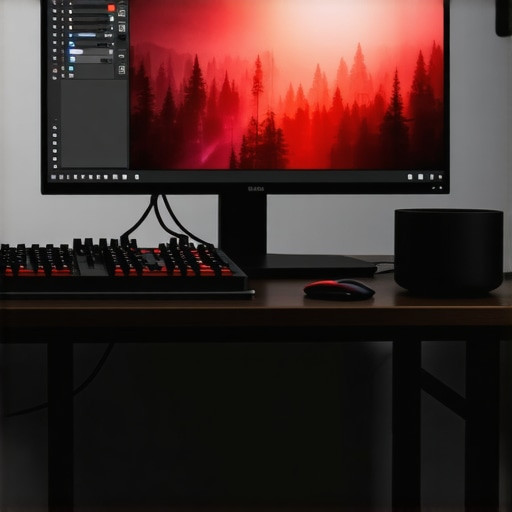
This article really highlights the importance of a well-balanced hardware setup for professional 4K editing. I’ve found that investing in a calibrated monitor and a powerful GPU has made a noticeable difference in my color grading accuracy and workflow efficiency. It’s interesting to see how proxy workflows are emphasized here because I struggled initially with smooth playback of high-res footage on less capable systems. Upgrading my GPU and properly calibrating my display really transformed my editing process.
One question I have is, how do you recommend balancing the cost between advanced GPU hardware and high-quality calibration tools? For freelancers just building their setup, where should the priority lie—hardware power or calibration? Could the calibration process be more impactful for color fidelity than hardware upgrades? I’d love to hear how others have approached this balancing act, especially in a budget-constrained environment. The evolving AI integration in GPUs also seems promising—has anyone tried those features yet for noise reduction or scene analysis? Looking forward to exploring these exciting innovations.
I really appreciate how this article emphasizes balancing hardware performance with professional calibration to achieve optimal 4K workflow outcomes. Having worked on various projects, I found that investing in a high-quality, color-accurate monitor has greatly improved my grading precision—even more so when combined with a robust GPU. Proxy workflows have definitely made my editing process smoother, especially when handling large files, but I’ve noticed that without proper calibration, color discrepancies can still cause setbacks in post-production. I’ve been exploring how AI-enabled GPUs can assist with noise reduction and scene detection, which seems promising for speeding up edits and maintaining quality.
From your experience, how much should a freelancer budget towards calibration tools versus hardware upgrades? Is there a point where further hardware investments yield diminishing returns if monitor calibration isn’t up to standard? I’d love to hear insights on optimizing a budget without compromising on output fidelity or workflow efficiency, especially since many of us work in constrained environments but still aspire to professional-grade results.
This post really hits the nail on the head about the importance of balancing hardware capabilities with calibration standards in a professional 4K workflow. From my own experience, investing in a good GPU made a huge difference, especially when working with proxy workflows to keep the editing process smooth. However, I’ve learned that without proper calibration of the monitor, the colors can look off during grading, which could lead to costly rework later.
I’ve recently started experimenting with AI-assisted GPU features, like noise reduction and scene detection, and I can say they definitely speed up my workflow. That said, I still believe that calibration should not be overlooked—color accuracy is crucial, particularly when delivering high-end projects. Balancing these elements on a budget can be tricky. Have others found that investing primarily in a high-quality display yields better long-term results than upgrading a GPU? Or is it more effective to layer investments based on the specific needs of each project? Would love to hear your thoughts or tips for managing costs without sacrificing quality.
This post really underscores the importance of a balanced approach to upgrading hardware and calibration tools for 4K video editing. From my experience, investing in a high-quality, professionally calibrated monitor absolutely pays off in terms of color accuracy, which is critical for grading. However, a powerhouse GPU can significantly enhance real-time playback and proxy workflows, making the editing process smoother. I’ve found that the key is to prioritize based on your specific workflow needs and budget constraints. For instance, if your editing involves a lot of color grading, calibration might be more impactful. But for heavy editing and effects, GPU performance becomes crucial.
Has anyone explored the emerging AI features in GPUs that assist with noise reduction or scene detection? I’m curious about their practical benefits and whether they justify the investment, especially for freelancers or small studios looking to optimize costs. Balancing these aspects can be tricky, but I believe ongoing education and community insights are invaluable in making informed decisions about how to best allocate resources in a professional 4K workflow.
This article resonates with my own experience, especially the emphasis on creating a harmonious system where hardware and calibration work hand-in-hand. I’ve seen firsthand how a high-quality, calibrated monitor enhances the accuracy of color grading, which cannot be entirely compensated for by raw GPU power alone. Conversely, a powerful GPU accelerates processing and workflow efficiency, particularly when using proxy files, but if the display isn’t calibrated for professional standards, the final output might still fall short.
I’ve recently started experimenting with GPU AI features like scene detection and noise reduction, and they do seem promising for speeding up workflows. However, I wonder, how do other professionals balance investing in high-end GPUs with maintaining precise calibration, especially in a tight budget? Do you think prioritizing calibration has a more lasting impact on project quality than hardware upgrades? I’d love to hear real-world tips from the community on optimizing these investments for maximum return.