In the era of ultra-high-definition content creation, achieving seamless 4K video editing hinges on a multifaceted integration of advanced hardware, including potent editing GPUs and precisely calibrated color grading monitors. As professional editors push the boundaries of resolution and fidelity, understanding how proxy workflows and hardware synergy accelerate productivity while preserving visual quality becomes paramount. This article explores the intricate relationship between cutting-edge video editing PCs, high-performance GPU solutions, and specialized monitors designed to optimize 4K editing processes.
Elevating 4K Workflows Through Strategic Proxy Management
The integration of proxy workflows revolutionizes the handling of demanding 4K footage, enabling editors to work efficiently without sacrificing hardware longevity. By generating lower-resolution copies during initial edits, professionals can significantly reduce system strain, leading to faster rendering and smoother timeline navigation. The challenge lies in selecting hardware that complements this method; high-end GPU acceleration ensures real-time playback and seamless proxy-to-full-resolution toggling, which is vital when color grading or applying effects.
Choosing the Perfect GPU for 4K Rendering and Color Precision
The right video editing GPU must balance raw processing power with VRAM capacity to handle complex timelines and color grading datasets efficiently. Latest architectures like NVIDIA’s RTX 4090 or AMD’s Radeon RX 7900 XTX offer substantial CUDA and Stream Processor cores, enabling accelerated rendering, encoding, and real-time preview of high-fidelity footage. Selecting a GPU optimized for 4K color grading minimizes bottlenecks and ensures consistency across editing, grading, and exporting stages.
Why Color Accuracy Demands Specialized Monitors for 4K Editing
Standard monitors falter when tasked with precise color grading of 4K content, necessitating professional-grade displays. Features such as hardware calibration, wide color gamut support (100% sRGB, DCI-P3), and high bit-depth support for HDR workflows are essential. These monitors, paired with hardware calibration tools, ensure that colors displayed on-screen mirror production expectations, providing a reliable basis for grading decisions. Compatibility with powerful GPUs further allows for real-time feedback without lag or color shifts, critical in professional workflows.
How Do I Balance GPU Power with Color Accuracy in 4K Editing?
This is a nuanced challenge, requiring a deliberate approach that considers the workload, color management systems, and budget. While top-tier GPUs expedite rendering and real-time previews, their full potential is realized only when paired with monitors capable of displaying accurate color profiles. Integrating hardware calibration devices like the X-Rite i1Display ensures consistency. Engaging with expert communities and reviewing white papers from organizations such as the Society of Motion Picture and Television Engineers (SMPTE) can refine hardware choices for optimal balance.
In pursuit of mastering 4K editing workflows, professionals should investigate comprehensive hardware setups that harmonize proxy workflows, GPU power, and monitor calibration. The synergy of these components extends beyond mere speed, directly impacting the fidelity and reliability of final outputs.
For further insights into hardware strategies for 4K content creators, explore our detailed guides and connect with industry experts to share your experiences and optimize your workflow.
,
Harnessing Hardware Integration for Flawless 4K Outcomes
To truly elevate your 4K editing projects, understanding how individual components work in concert is essential. This means not just selecting a powerful GPU or a high-quality monitor, but optimizing the entire workflow with compatible, complementary hardware. It involves deep integration of CPUs, RAM, storage solutions, and peripheral interfaces tailored for demanding video workloads. For example, NVMe SSDs facilitate rapid asset loading and smooth playback, while high-frequency RAM ensures swift data access, reducing bottlenecks during resource-intensive tasks. Achieving such synergy leads to a more responsive editing experience, minimizing lag and increasing productivity. More about assembling an efficient 4K editing powerhouse can be found in our guide on top PC builds for 2025.
Maximizing GPU Efficiency for Color-Intensive 4K Projects
When tackling 4K video editing that demands precise color grading and high dynamic range, the role of a meticulously chosen GPU becomes even more critical. Beyond raw processing power, evaluating the GPU’s support for features like hardware-accelerated encoding, real-time color processing, and compatibility with color management workflows ensures that every frame is handled with fidelity. Consider Nvidia’s RTX A6000 or AMD’s MI250 series, designed explicitly for demanding creative workflows, offering extensive VRAM and optimized drivers that can process complex effects and LUTs without compromising performance. Leveraging CUDA cores or stream processors effectively accelerates rendering and effects processing, translating into considerable time savings and more iterative creative experimentation—vital for high-end post-production environments.
Unveil the Nexus Between Processor Power and Color Fidelity in Professional 4K Workflows
Advanced 4K video editing demands more than just high-resolution displays; it necessitates an intricate harmony between processing units, storage solutions, and color management systems. Modern multi-core CPUs, such as AMD Ryzen Threadripper or Intel Xeon processors, serve as the backbone of demanding workflows, efficiently orchestrating real-time rendering, proxy management, and complex effects. Pairing these with high-speed NVMe SSDs not only accelerates data throughput but also reduces bottlenecks in accessing large multimedia files, a critical factor in professional environments striving for seamless performance.
Elevating Rendering and Playback Speed with Specialized GPU Architectures
While traditional GPUs provide acceleration for visual effects, recent innovations have introduced dedicated hardware modules that optimize tasks like Dolby Vision encoding or HDR rendering. Tesla-based architectures, for instance, now incorporate tensor cores tailored for AI-driven enhancements, dramatically reducing render times and improving color accuracy during grading sessions. Combining these GPUs with robust VRAM capacities ensures that high-resolution LUTs and HDR metadata are processed efficiently, facilitating an almost real-time preview experience without sacrificing intricate details.
Why Next-Gen Monitors Are Revolutionizing Color Precision in 4K Editing
Refining the fidelity of color grading tasks hinges on displays capable of exceeding conventional standards. Monitors supporting 12-bit color depth, quantum dot technology, and hardware calibration tools enable professionals to attain a truly faithful reproduction of their footage. For instance, models with 99% AdobeRGB or DCI-P3 coverage are indispensable in achieving precise skin tones and vibrant color grading while maintaining consistency across multiple devices. Moreover, integrated hardware calibration preserves color accuracy over time, an essential feature when working on high-stakes projects where every hue matters.
What are the latest innovations in GPU architectures that could redefine 4K processing capabilities?
Emerging GPU architectures incorporate neural rendering techniques and real-time ray tracing optimizations that substantially elevate 4K workflow efficiency. Nvidia’s RTX 5090, for example, promises enhanced dedicated AI cores and real-time global illumination, which could dramatically improve light and shadow effects during color grading and compositing, bringing a new level of realism and speed. Consulting comprehensive reviews from trusted sources like Tom’s Hardware or The Verge’s dedicated PC hardware section provides invaluable insights into these technologies’ practical benefits and long-term implications.
By integrating these sophisticated components, video professionals can push the boundaries of what’s achievable with 4K editing — transforming demanding workflows into smooth, highly accurate creative processes. Harnessing expert insights into hardware synergy allows creatives to deliver impeccable results efficiently, turning technical prowess into artistic mastery. Dive deeper into this arena by exploring our detailed guides or engaging with industry peers who are shaping the future of high-fidelity video production.
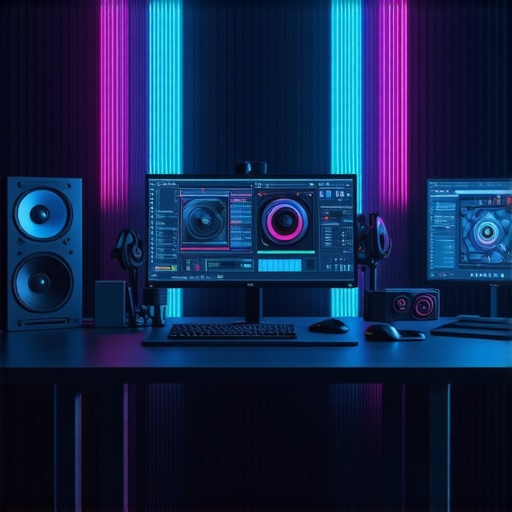
Expert Insights & Advanced Considerations
Prioritize Hardware Compatibility for Flawless 4K Workflow
Ensuring seamless 4K editing demands meticulous hardware synergy. Professionals should focus on selecting CPUs, GPUs, and storage solutions that communicate effectively, reducing bottlenecks during high-resolution processing.
Leverage AI-Driven Acceleration Technologies
Emerging GPU architectures incorporate AI cores that accelerate effects, color grading, and rendering. Staying abreast of these innovations can dramatically cut production times while enhancing visual fidelity.
Implement Real-Time Color Calibration Routines
Consistent color accuracy hinges on hardware calibration tools integrated into monitors and workflows. Regular calibration ensures grades remain true across different devices and lighting conditions, vital for professional standards.
Optimize Proxy Workflows with Next-Gen Hardware
Advanced proxy systems benefit significantly from high-speed NVMe SSDs and compatible GPUs, facilitating instant toggling between proxy and full-resolution files, thus streamlining editing without sacrificing quality.
Calibrate Your System with Expert Resources
Deepening understanding through authoritative sources such as our comprehensive guides and industry white papers can empower professionals to make informed, future-proof decisions.
Curated Expert Resources
- Society of Motion Picture and Television Engineers (SMPTE): Leading standards organization offering guidelines on color accuracy and hardware calibration.
- Adobe Premiere Pro Technical Resources: In-depth articles on optimizing 4K workflows and hardware configurations for professional editors.
- Linus Tech Tips & Hardware Unboxed: Trusted channels providing insights and reviews on the latest GPU architectures and storage solutions relevant to high-end video editing.
- Color Management in DaVinci Resolve: Specialized tutorials on integrating hardware calibration devices with editing software for precise color grading.
- Industry White Papers on Next-Gen GPU Technologies: Detailed documentation on AI-accelerated GPUs and their application in high-resolution video workflows.
Your Next Step in Elevating Video Production
As hardware and workflow techniques evolve rapidly, staying connected with leading experts and authoritative resources is crucial. Evaluate your current setup critically: does it support the latest innovations in GPU acceleration and color management? Engage with professional communities and share insights—your expertise can shape the future of 4K editing excellence. To explore further, visit our detailed guides and join industry discussions to push the boundaries of what’s possible in high-fidelity video editing.