Mastering the Art of High-Resolution Editing: The Crucial Role of Hardware in 4K Video Production
In the rapidly evolving landscape of digital content creation, professional video editors confront the daunting task of balancing raw performance with workflow finesse. Achieving seamless 4K editing, especially when integrating color grading and proxy workflows, demands an in-depth understanding of the hardware ecosystem. Selecting the right video editing PC and a powerful editing GPU is no longer optional but essential for maintaining quality and efficiency in high-stakes production environments.
Why GPU Power Is the Backbone of Advanced Color Grading in 4K Editing
The GPU (Graphics Processing Unit) acts as the engine fueling complex rendering tasks, real-time previews, and accelerated effects processing. For color grading professionals, an optimized editing GPU ensures precise color manipulations without lag. Modern GPUs such as NVIDIA’s RTX 4090 or AMD’s Radeon RX 7900 XTX have demonstrated remarkable capabilities in handling 4K footage with multiple layers of correction, enabling editors to focus on creative nuances rather than technical bottlenecks.
Color Grading Monitors and GPU Synergy for Accurate Visuals
Beyond raw processing power, the choice of a color grading monitor significantly influences the fidelity of the final output. Monitors with high bit-depth, wide color gamut, and hardware calibration features synergize with GPU capabilities to deliver consistent and accurate color representation. A meticulously calibrated system ensures that what you see during editing is truly reflective of the final deliverable, whether streaming or broadcast.
Proxy Workflow Optimization to Mitigate Hardware Limitations
Despite advancements, 4K editing remains resource-intensive. Here, proxy workflow emerges as a strategic solution. By creating lower-resolution proxies of 4K footage, editors can perform edits swiftly and with less strain on hardware. Then, high-resolution renders are applied during final export. This method preserves system responsiveness, especially when working with modest GPU configurations, by offloading intensive tasks until the final rendering stage.
Hardware Configurations for 4K Editing and Color Grading Excellence
For professionals aiming to elevate their production, a balanced PC build should combine high-core-count CPUs, ample RAM (32GB or more), NVMe SSDs for rapid data access, and the latest GPU technology tailored for 4K workflows. Additionally, incorporating multiple display outputs supports an extended desktop environment, streamlining color grading and timeline management.
What are the key factors to consider when choosing a GPU for 4K color grading and proxy workflows?
Considering GPU selection involves evaluating VRAM capacity, CUDA cores or Stream Processors, driver stability, and compatibility with editing software like Adobe Premiere Pro or DaVinci Resolve. High VRAM (at least 12GB) ensures smooth handling of large textures and multiple layers, while robust CUDA or Stream Processors accelerate rendering and effects processing. Compatibility with professional color grading plugins and monitor calibration hardware also influences the overall system coherence.
To deepen your understanding, explore our ultimate guide to 4K video editing hardware. For expert insights and community discussions, consider engaging with professional editors on specialized forums or contributing your own experiences to advance collective knowledge.
Push Your Editing Limits with Next-Gen Hardware Synergy
As 4K video editing demands escalate, professionals are increasingly adopting integrated hardware solutions that maximize performance and streamline workflows. Beyond choosing a high-performance PC build with top-tier CPUs, ample RAM, and fast storage, the importance of compatible, powerful GPUs becomes paramount. Modern GPU architectures like NVIDIA’s RTX 5090 or AMD’s RX 8900 XTX are designed to handle demanding effects, real-time previews, and complex color grading tasks efficiently, especially when paired with high-quality color grading monitors optimized for accurate visual feedback.
Is Your Workflow Fully Leveraging Proxy Editing to Cut Costs?
Although proxy workflows are standard practice, many professionals overlook the potential of advanced proxy tools that can further accelerate editing without sacrificing quality. Leveraging software features like dynamic proxy generation, automated proxy swapping, and GPU-accelerated proxy decoding can significantly reduce hardware bottlenecks. For example, integrating proxy workflows with hardware-accelerated encoding/decoding options in streamlined proxy workflows ensures fluid editing even on mid-range systems. This approach frees up resources for creative tasks and reduces hardware upgrade costs.
How to Future-Proof Your Setup for Evolving 4K Demands
Future-proofing your editing environment involves more than just current hardware specs. It requires adopting scalable architectures that accommodate upcoming software innovations, such as AI-powered editing tools and real-time rendering engines. Prioritizing PCIe 5.0 compliant components, high-speed NVMe SSDs, and modular GPU configurations allows for seamless upgrades. For detailed guidance, explore our best PC configurations for 4K editing in 2025. Additionally, staying informed through authoritative sources like TechCrunch or Tom’s Hardware can provide insights into emerging hardware trends.
What are the hidden costs of underestimating hardware needs in 4K editing?
Underestimating hardware requirements can lead to frequent workflow interruptions, increased rendering times, and higher operational costs. Slow hardware hampers creative momentum, resulting in extended project timelines and potential quality compromises. Investing upfront in scalable, high-quality components might seem costly initially, but it pays off through increased productivity and fewer bottlenecks. For a comprehensive upgrade plan, consider consulting our ultimate hardware and software guide for 4K creators. As hardware continues to evolve rapidly, regularly reviewing your setup against industry benchmarks ensures you stay competitive.
If you found this deep dive helpful, share your thoughts or ask questions below. For more expert insights, explore our detailed articles on GPU selections for 2025 and color grading monitor setups. Staying informed is the key to mastering 4K video production.”},
Breakthrough GPU Technologies Transforming 4K Color Grading
In the realm of 4K video editing, GPU innovation is relentless. The latest architectures, such as NVIDIA’s Ada Lovelace and AMD’s RDNA 3, bring unprecedented parallel processing capabilities that directly benefit high-resolution workflows. These GPUs not only accelerate effects and rendering but also enhance real-time playback, crucial for detailed color grading and complex compositing. For instance, the RTX 5090’s enhanced RT cores enable real-time ray tracing in post-production, allowing colorists to visualize effects with photorealistic accuracy before final export.
Designing a Future-Ready Editing Suite for Continuous Innovation
Future-proofing your editing setup involves integrating scalable hardware components that can adapt to software advancements. Emphasizing PCIe 5.0 compatibility ensures that data transfer bottlenecks are minimized, especially when working with high-speed NVMe SSDs. Modular systems with upgrade pathways for GPU, CPU, and memory components allow you to stay at the forefront without complete overhauls. Consider incorporating high-bandwidth external Thunderbolt 4 or USB-C hubs for seamless expansion, enabling the addition of multiple 4K monitors or external GPU enclosures as your workflow evolves.
Why High VRAM and CUDA Cores Are Critical in High-Resolution Projects
When undertaking 4K color grading and proxy workflows, the significance of VRAM (Video RAM) and CUDA cores (Compute Unified Device Architecture) cannot be overstated. A GPU with at least 16GB of VRAM accommodates larger textures and multiple layers of correction, preventing lag during intricate color adjustments. Simultaneously, a high number of CUDA cores accelerates rendering times and effects processing, translating to more efficient editing sessions. For example, the RTX 4080 offers a compelling balance of VRAM and CUDA cores, making it a favorite among professionals pursuing high-fidelity output.
What advanced techniques leverage GPU acceleration to optimize proxy workflows?
Modern proxy workflows can benefit from GPU-accelerated encoding and decoding, which drastically reduces CPU load. Software like DaVinci Resolve and Adobe Premiere Pro support hardware-accelerated proxy creation, allowing editors to generate and switch between proxies seamlessly. Utilizing GPU-accelerated codecs such as NVIDIA NVENC or AMD VCN optimizes this process further. Implementing dynamic proxy management, where proxies are automatically generated and swapped based on editing activity, ensures a smooth experience even with modest hardware configurations. This approach minimizes downtime and maximizes productivity, especially in collaborative environments where multiple editors access large 4K files simultaneously.
Integrating High-Performance Monitors for Precise Visual Feedback
A critical aspect of professional 4K editing is the synergy between GPU power and monitor capabilities. Monitors with 10-bit color depth, wide color gamuts (DCI-P3 or Adobe RGB), and hardware calibration support ensure that the visual feedback during grading is both accurate and consistent. High-end models such as the Eizo ColorEdge CG319X or the LG UltraFine series are designed to work harmoniously with powerful GPUs, enabling true-to-life color reproduction. This integration guarantees that the final output maintains the integrity specified during the editing process, reducing costly revisions downstream.
Engage with the Cutting Edge of Video Hardware Innovation
To truly excel in 4K video production, staying informed about emerging hardware trends is essential. Subscribe to industry-leading publications like TechCrunch’s Hardware section or follow updates from NVIDIA and AMD. Additionally, professional forums such as Creative COW or the Blackmagic Design community provide insights into real-world applications and hardware configurations. Regularly reviewing your setup against these evolving standards ensures you remain competitive and capable of tackling the most demanding projects with confidence.
Pushing Boundaries with Next-Generation GPU Architectures
In the relentless pursuit of excellence in 4K video production, cutting-edge GPU architectures such as NVIDIA’s Ada Lovelace and AMD’s RDNA 3 redefine the boundaries of real-time processing and rendering. These innovations incorporate enhanced tensor cores and ray-tracing capabilities that significantly accelerate complex effects and high-fidelity color grading, enabling professionals to visualize intricate details with unprecedented clarity. As GPU technology evolves, integrating these powerful units into your workflow ensures not only performance gains but also future-proofing your editing environment against upcoming software demands.
Creating a Modular, Scalable Editing Infrastructure for Tomorrow
Designing an adaptable editing suite entails embracing modular components that facilitate effortless upgrades. Prioritizing PCIe 5.0 compatibility and high-capacity, high-speed NVMe SSDs minimizes data bottlenecks, ensuring seamless data flow. Incorporating external GPU enclosures and Thunderbolt 4 hubs expands your system’s capacity, allowing integration of additional monitors or hardware accelerators as your projects grow more complex. This strategic flexibility grants you the agility to stay ahead in a rapidly advancing technological landscape.
Why VRAM and Parallel Processing Power Dictate Your Workflow Efficiency
For high-resolution projects, the significance of VRAM (Video RAM) and CUDA or Stream Processor counts cannot be overstated. GPUs boasting at least 16GB of VRAM handle multiple layers of color correction and large textures without lag, maintaining workflow fluidity. Meanwhile, high core counts and parallel processing capabilities of modern GPUs like the RTX 4080 or AMD’s RX 7900 XTX drastically reduce rendering times and effect processing latency. This synergy ensures that creatives can focus on artistry rather than technical limitations, ultimately elevating the quality of their output.
How can leveraging hardware-accelerated proxy workflows unlock new levels of efficiency in 4K editing?
Employing GPU-accelerated encoding and decoding technologies in software like DaVinci Resolve or Adobe Premiere Pro can dramatically streamline proxy workflows. Techniques such as dynamic proxy generation and automatic proxy switching, powered by hardware-accelerated codecs like NVIDIA NVENC, enable editors to work with lightweight versions of their footage without sacrificing performance. This approach minimizes hardware strain, enhances responsiveness, and accelerates project turnaround times—crucial advantages in demanding production environments.
Harmonizing Monitors and GPUs for Perfect Color Fidelity
Achieving true-to-life color grading demands a harmonious relationship between your GPU and high-end monitors. Monitors equipped with 10-bit color depth, wide color gamuts like DCI-P3 or Adobe RGB, and hardware calibration support ensure that the visual feedback during editing aligns precisely with the final deliverable. When paired with a powerful GPU capable of driving multiple calibrated displays, your system becomes a precise instrument for color accuracy, reducing costly revisions and ensuring client satisfaction.
Stay Ahead by Tracking Emerging Hardware Innovations
Keeping abreast of hardware breakthroughs is vital for maintaining a competitive edge. Follow authoritative sources like Tom’s Hardware or TechCrunch’s hardware section, and participate in professional forums such as Creative COW or Blackmagic Design community. Regularly evaluating your system against industry benchmarks and upcoming releases allows you to anticipate hardware needs proactively, ensuring your workflow remains at the forefront of technological advancements.
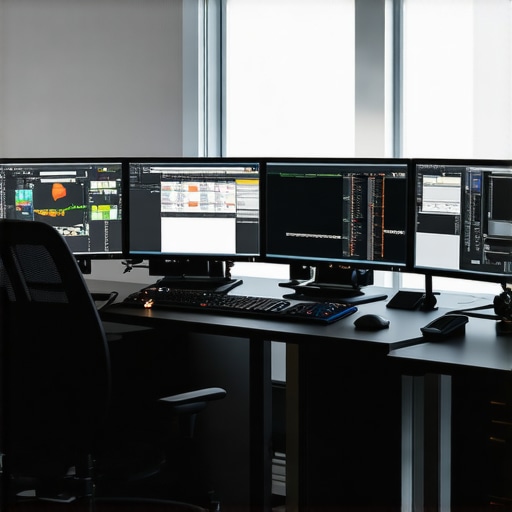
Elevate Your Workflow with Cutting-Edge Hardware Strategies
In high-resolution 4K video production, leveraging the latest hardware innovations can significantly boost efficiency and output quality. Top-tier GPUs like NVIDIA’s RTX 5090 or AMD’s RX 8900 XTX are designed to handle complex color grading and effects, enabling seamless real-time previews. Pairing these with scalable, PCIe 5.0 compatible systems ensures future-proof setups that adapt to rapid software advancements, empowering professionals to stay ahead in the competitive landscape.
Prioritize VRAM and Processing Power for High-Impact Projects
For demanding 4K workflows, selecting a GPU with ample VRAM (minimum 16GB) and high CUDA or Stream Processor counts is essential. These specifications facilitate handling multiple layers of correction, large textures, and effects without lag, drastically reducing rendering times and boosting productivity. Integrating high-performance monitors with wide color gamuts and hardware calibration further ensures color accuracy, vital for professional-grade color grading.
Harnessing Advanced Proxy Workflows to Maximize Efficiency
Implement GPU-accelerated encoding and decoding techniques to optimize proxy workflows. Features like dynamic proxy generation and automatic proxy switching, supported by hardware-accelerated codecs such as NVIDIA NVENC, enable editing with lightweight footage versions, preserving system responsiveness. This approach minimizes hardware bottlenecks, accelerates project turnaround, and reduces costs associated with hardware upgrades.
Strategic Equipment Choices for Long-Term Success
Building a modular, scalable editing environment involves selecting components that support seamless upgrades. Emphasize PCIe 5.0 compatibility, high-capacity NVMe SSDs, and external GPU enclosures or Thunderbolt 4 hubs. These choices facilitate expansion, accommodate increasing project complexity, and future-proof your setup against evolving software demands, ensuring sustained professional performance.
Expert Resources for Deepening Technical Mastery
- Video Editing Hardware Guides: Explore comprehensive articles on hardware essentials for 4K editing.
- GPU Selection Insights: Review our detailed analysis at best GPUs for 2025.
- Proxy Workflow Optimization: Learn advanced proxy techniques at streamlined proxy workflows.
- Color Grading Monitor Recommendations: Find expert-curated monitor options at color grading monitors.
Stay At the Forefront of Hardware Innovation in Video Production
The rapid evolution of GPU architectures and system interfaces demands that professionals continuously evaluate and upgrade their setups. Embracing modular, high-performance components like PCIe 5.0 SSDs, external GPU enclosures, and high-refresh-rate, color-accurate monitors ensures your workflow remains efficient and competitive. Engage with industry leaders through authoritative sources such as our comprehensive hardware guides and participate in professional communities to stay informed about emerging trends. Remember, in the realm of high-resolution video editing, your hardware choices directly determine your creative potential and professional success.