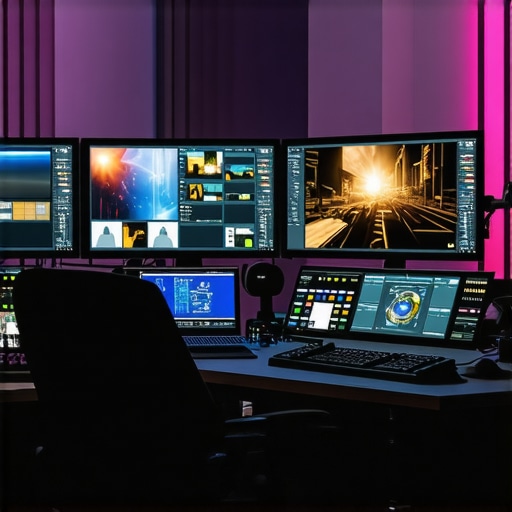
Elevating Your 4K Video Production through Expert Hardware Choices
In the realm of professional video editing, especially at 4K resolution, the synergy between high-performance components such as the editing GPU, editing PC, and color grading monitor becomes paramount. As technology advances in 2024, understanding the nuanced interplay of these elements can significantly enhance workflow efficiency, color accuracy, and rendering speed.
Choosing the Right Video Editing PC to Meet Demanding 4K Workflows
A robust editing PC tailored for 4K workflows must incorporate a powerful CPU, ample RAM, and a dedicated GPU optimized for video processing. High-core-count processors like AMD Ryzen 9 or Intel Core i9 series are preferred for their multicore efficiency, enabling seamless multitasking and rendering. Complement this with at least 64GB of RAM to manage high-resolution media files effectively. For GPU options, professional-grade cards such as NVIDIA’s RTX 4090 or AMD’s Radeon RX 7900 XTX deliver the computational muscle needed for real-time editing and proxy workflows.
What are the latest developments in GPU technology that impact 4K editing workflows?
Recent advancements, including NVIDIA’s Ada Lovelace architecture and AMD’s RDNA 3, have introduced significant improvements in CUDA cores, VRAM capacity, and ray-tracing capabilities. These enhancements facilitate smoother playback, faster rendering, and more accurate color processing, especially when integrated with proxy workflows that reduce system load during editing. For comprehensive guidance, explore the detailed review at best editing GPUs for 2025.
Maximizing Color Accuracy with the Ideal Color Grading Monitor
In post-production, a color grading monitor equipped with high bit-depth (10-bit+), wide color gamut (DCI-P3 or AdobeRGB), and factory calibration ensures precise color representation. Monitors like the Sony BVM-HX310 or Eizo ColorEdge series are designed explicitly for professional grading. These displays allow editors to perceive subtle color nuances essential for cinematic quality, especially in HDR workflows. When paired with a compatible GPU, the monitor becomes a cornerstone for achieving industry-standard color fidelity.
How does monitor calibration influence color grading consistency across different devices?
Calibration ensures that the colors displayed on your monitor match standardized color profiles, reducing discrepancies when exporting or sharing footage. Consistent calibration routines, ideally using hardware calibrators like the X-Rite i1Display Pro, maintain color accuracy over time, which is vital for collaborative projects and client presentations. For more on this, visit choosing the perfect color grading monitor.
Streamlining Your Workflow with Proxy Files and Efficient Hardware Integration
The adoption of a proxy workflow allows editors to work with lightweight versions of 4K footage, significantly reducing system strain. When combined with a capable GPU and fast NVMe SSDs, proxy editing accelerates timelines without sacrificing quality. This setup is particularly advantageous when editing complex projects with multiple layers or effects, enabling real-time previews and swift rendering.
Key Takeaways for 2024’s Video Editing Pros
- Prioritize a high-performance PC with a top-tier GPU aligned with the latest architecture advancements.
- Select a color grading monitor that offers high bit-depth, wide color gamut, and professional calibration features.
- Implement proxy workflows to optimize editing efficiency, especially with demanding 4K content.
- Stay updated with emerging hardware innovations through trusted sources like ultimate guide to 4K editing hardware.
Next-Level Hardware Choices for 4K Video Editing Mastery
Achieving cinematic quality in 4K video production demands more than just a good idea; it hinges on selecting optimized hardware components that work in harmony. As technology evolves in 2024, video editors must stay ahead by understanding the latest innovations in GPUs, CPUs, and monitors to keep workflows smooth and maintain color fidelity. The right combination not only accelerates rendering times but also ensures that every pixel matches your creative vision.
Building a Future-Proof Editing Workstation
When designing a workstation for 4K editing, prioritize a high-end CPU such as AMD Ryzen 9 7950X or Intel Core i9-13900K, which excel in multi-threaded tasks. Pair this with at least 128GB of RAM to handle large media files effortlessly, especially when working with complex projects. Integrate a professional-grade GPU like NVIDIA RTX 4090 or AMD Radeon RX 7900 XTX, which are optimized for real-time playback and accelerated effects processing. For detailed hardware recommendations, explore top PC builds for 2025.
What emerging GPU innovations can redefine 4K editing workflows in 2024?
Recent breakthroughs include NVIDIA’s Ada Lovelace architecture, which delivers exponential gains in CUDA core counts, VRAM, and ray-tracing. These advances enable smoother playback, faster rendering, and more precise color processing, especially when integrated with proxy workflows that offload system load. For a comprehensive understanding of how these developments influence editing, see best GPUs for 2025.
Perfecting Color Fidelity with Cutting-Edge Monitors
Choosing the right color grading monitor is fundamental for professional accuracy. Look for models with 10-bit+ color depth, wide gamuts like DCI-P3 or AdobeRGB, and factory calibration. Monitors such as the Eizo ColorEdge series or Sony BVM-HX310 are industry standards. When paired with a high-performance GPU, these displays enable editors to see subtle color variations critical for cinematic quality and HDR workflows. To delve deeper into selecting the ideal monitor, visit choosing the perfect color grading monitor.
How does calibration impact color consistency across different devices and projects?
Consistent calibration using hardware tools like the X-Rite i1Display Pro ensures that your monitor displays colors accurately, matching industry standards. Regular calibration routines prevent drift and guarantee that what you see during editing is what viewers will experience. This is especially crucial in collaborative environments where footage is shared across multiple devices, maintaining color integrity throughout the post-production pipeline. For more insights, read ultimate guide to color grading monitors.
Enhancing Workflow Efficiency with Proxy Files and Hardware Integration
Utilizing proxy workflows allows editors to work with lightweight versions of 4K files, reducing system strain and enabling real-time editing. When combined with the latest SSD technologies and powerful GPUs, proxy editing drastically shortens turnaround times. This approach is essential for complex projects involving multi-layer effects and color grading, where system performance can bottleneck progress. For advanced proxy workflow strategies, see proxy editing in 2025.
What practical steps can editors take to optimize their hardware for 4K proxy workflows?
Invest in NVMe SSDs for faster read/write speeds, ensure your GPU has ample VRAM, and regularly update your drivers to maximize compatibility and performance. Additionally, configuring your editing software to prioritize proxy files during heavy effects processing can make a significant difference. For a comprehensive hardware checklist, visit best hardware for proxy workflows.
For more expert tips and the latest hardware reviews, stay connected by reaching out through our contact page.
Unlocking the Power of Next-Gen GPUs for Real-Time 4K Editing
In 2024, GPU technology continues to redefine the landscape of professional 4K video editing. The advent of architectures like NVIDIA’s Ada Lovelace and AMD’s RDNA 3 has unlocked unprecedented levels of processing power, VRAM capacity, and ray-tracing capabilities. These advancements enable editors to work with complex effects, high-bitrate footage, and HDR content seamlessly, dramatically reducing rendering times and enhancing real-time playback fidelity.
One must consider not just raw performance but also how these GPUs integrate with existing workflows. For instance, NVIDIA’s CUDA cores and NVENC encoding support accelerate export times, while AMD’s enhanced ray-tracing capabilities improve visual fidelity in post-production. Choosing the right GPU involves analyzing your specific project requirements, budget, and compatibility with editing software such as Adobe Premiere Pro, DaVinci Resolve, or Final Cut Pro.
What are the critical factors influencing GPU selection for 4K workflows in 2024?
Key considerations include VRAM size (preferably 24GB or more for handling large RAW files), CUDA cores or Stream Processors, real-time encoding support, and driver stability. Additionally, compatibility with high-speed PCIe 4.0 or 5.0 slots ensures maximum data throughput, essential for smooth editing of 4K footage. For an in-depth comparison, visit best 2025 GPUs for video editing.
Designing an Ultra-Responsive Editing Environment with Cutting-Edge Hardware
Beyond GPU choice, the entire hardware ecosystem influences editing efficiency. High-core-count CPUs, like AMD Ryzen 9 7950X or Intel Core i9-13900K, provide the multi-threading power necessary for complex workflows. Pair these with a minimum of 128GB RAM to facilitate multi-layer effects, color grading, and proxy editing without bottlenecks. Fast NVMe SSDs, such as the Samsung 980 Pro or WD Black SN850X, ensure rapid file access and transfer speeds, reducing lag during playback and rendering.
In practice, a holistic approach—integrating powerful CPU, ample RAM, high-speed storage, and a top-tier GPU—creates a balanced system capable of handling the rigors of 4K production. This synergy minimizes downtime and allows creative professionals to focus on storytelling rather than technical limitations.
How do hardware bottlenecks impact 4K editing quality and productivity?
Hardware bottlenecks—such as insufficient VRAM, slow storage, or underpowered CPUs—manifest as stuttering playback, prolonged render times, and system crashes. These issues compromise not only efficiency but also the quality of the final output, as editors may be forced to lower effects quality or reduce real-time playback resolution. Ensuring each component meets or exceeds the demands of 4K workflows is essential for maintaining a seamless editing experience and delivering cinematic results.
For further reading, consult the comprehensive hardware optimization guides at Ultimate Hardware Guide 2024.
Implementing Future-Proof Strategies for Continuous 4K Excellence
Future-proofing your editing station involves selecting components that not only meet today’s standards but also anticipate upcoming technological developments. Modular systems with upgradeable GPU slots, high-bandwidth memory, and support for emerging interfaces like Thunderbolt 4 or USB 4 ensure longevity. Investing in scalable storage solutions, such as multi-bay NAS devices, prepares you for increasing data demands as 4K and even 8K workflows become commonplace.
Moreover, staying informed through industry sources like TechRadar, PCMag, and professional forums helps you adapt swiftly to innovations, ensuring your investment remains relevant and your workflow remains uninterrupted.
Ready to revolutionize your 4K editing setup? Dive deeper into hardware innovations and expert tips to maximize your creative potential today!
Revolutionize Your Editing Suite with Next-Gen Hardware Innovations
As the professional video editing landscape evolves rapidly in 2024, staying ahead requires embracing the latest hardware breakthroughs. Cutting-edge GPUs like NVIDIA’s Ada Lovelace architecture and AMD’s RDNA 3 deliver unprecedented processing power, enabling real-time 4K editing at higher bit depths and HDR workflows. These advancements not only minimize latency but also enhance visual fidelity, setting new standards for cinematic quality. Integrating these GPUs with high-speed PCIe 5.0 slots maximizes data throughput, ensuring your system remains future-proof amidst increasing resolution demands.
What are the transformative impacts of current GPU innovations on high-resolution editing?
Recent GPU developments facilitate faster rendering, smoother playback, and more accurate color processing, which are critical for professional-grade post-production. For example, NVIDIA’s CUDA cores and NVENC support accelerate encoding processes, reducing export times significantly. To explore detailed performance benchmarks and compatibility tips, visit best GPUs for 2025.
Designing a Workspace That Elevates Creative Efficiency
Creating an optimal editing environment involves more than just high-performance components. Incorporating high-capacity, low-latency NVMe SSDs like Samsung 980 Pro or WD Black SN850X ensures rapid media access, preventing bottlenecks during complex projects. Coupling this with a robust CPU such as AMD Ryzen 9 7950X or Intel Core i9-13900K amplifies multi-threaded processing capabilities, crucial for multitasking and rendering. A balanced system minimizes downtime and enhances overall productivity, allowing editors to focus on creativity rather than technical limitations.
How can hardware configuration influence the efficiency of 4K post-production workflows?
Optimized hardware reduces system stuttering, accelerates rendering, and ensures consistent playback, which are essential for maintaining professional standards. Properly configured RAM—preferably 128GB for intensive multi-layer projects—along with fast storage and GPU support, creates a harmonious environment that handles demanding media effortlessly. For expert hardware setup strategies, see Ultimate Hardware Guide 2024.
Elevate Color Precision with State-of-the-Art Monitors
Achieving cinematic excellence hinges on color accuracy, which is why selecting the right monitor is fundamental. Look for models with 10-bit+ color depth, expansive DCI-P3 or AdobeRGB gamuts, and factory calibration to ensure fidelity. Monitors like the Eizo ColorEdge series or Sony BVM-HX310 are industry standards, providing consistent, precise visuals crucial for HDR grading and visual effects work. When paired with a high-performance GPU, these displays enable meticulous color adjustments, translating to professional-grade outputs.
Why is monitor calibration vital for consistent color grading across diverse devices?
Calibration aligns your display’s color output with standardized profiles, preventing discrepancies during editing and export. Regular use of calibration tools like the X-Rite i1Display Pro maintains color fidelity over time, which is essential for collaborative projects and client presentations. For a comprehensive guide, visit choosing the perfect color grading monitor.
Streamlining with Proxy Files and Hardware Synergy
Implementing proxy workflows with lightweight 4K copies drastically reduces system load, enabling smooth editing and real-time previews. When combined with high-speed NVMe SSDs and a powerful GPU, proxy editing accelerates project turnaround times, especially for effects-heavy sequences. This approach ensures high productivity without compromising quality, making it indispensable for demanding professional environments.
What are the best practices for configuring hardware to maximize proxy workflow efficiency?
Use NVMe SSDs for rapid media access, ensure GPU VRAM exceeds 24GB, and keep drivers updated to optimize compatibility. Configuring your editing software to prioritize proxy files during effects processing further enhances performance. For expert hardware optimization tips, check best hardware for proxy workflows.
Stay engaged with cutting-edge insights and detailed reviews by reaching out through our contact page.
Harnessing Future-Ready Technologies for Continuous Excellence
To future-proof your setup, prioritize modular, upgradeable components that support upcoming interfaces like Thunderbolt 4 and USB 4. Embrace scalable storage solutions such as multi-bay NAS systems to accommodate escalating data volumes with 8K and beyond. Keeping abreast of industry trends through trusted sources like TechRadar and PCMag empowers you to adapt swiftly, ensuring your investment remains relevant and your workflow stays uninterrupted.
Are you prepared to elevate your 4K editing capabilities with the latest hardware innovations? Dive into expert strategies today!
Expert Insights & Advanced Considerations
Harness the Power of Modular Systems for Future Upgrades
Investing in scalable hardware configurations ensures your editing workstation remains relevant as technology advances. Modular components like upgradeable GPU slots and high-bandwidth memory allow seamless adaptation to new standards, maximizing your investment longevity.
Prioritize High VRAM for Demanding Projects
Professional 4K workflows demand GPUs with at least 24GB of VRAM. This capacity handles large RAW files and complex effects without bottlenecks, ensuring smooth playback and faster rendering times even in the most demanding scenarios.
Implement High-Speed Storage Solutions Strategically
Employ NVMe SSDs for media cache and project files, reducing latency and improving workflow efficiency. Pairing these with multi-bay NAS solutions facilitates managing increasing data volumes in 8K and beyond, future-proofing your setup.
Optimize CPU and RAM for Multitasking and Rendering
High-core-count CPUs like AMD Ryzen 9 7950X or Intel Core i9-13900K, combined with 128GB RAM, enable effortless multitasking, complex effects processing, and real-time color grading, preventing system bottlenecks.
Stay Abreast of Emerging Technologies
Follow industry leaders and trusted sources such as Ultimate Guide to 4K Video Editing Hardware and Best Editing GPUs for 2025 to keep your system aligned with the latest advancements and ensure optimal performance.
Curated Expert Resources
- Video Editing Hardware Guides: Comprehensive resources detailing the latest components optimized for 4K workflows.
- GPU Benchmark Reports: Regularly updated benchmarks from trusted tech review sites help compare performance for high-resolution editing.
- Color Calibration Standards: Industry standards and calibration tools like X-Rite i1Display Pro ensure color accuracy across devices.
- Industry Forums and Professional Networks: Engage with communities for real-world insights and troubleshooting tips.
Final Expert Perspective
In mastering 4K video editing, the synergy of high-performance, scalable hardware and continuous industry engagement is paramount. The future belongs to professionals who proactively adapt to emerging technologies, leveraging expert insights and trusted resources to stay at the forefront of cinematic quality and workflow efficiency. Embrace these advanced strategies, and your editing setup will not only meet today’s demands but also anticipate tomorrow’s innovations. For a deeper dive into optimizing your workflow, explore our comprehensive hardware and software guide and join the community of forward-thinking editors shaping the future of digital storytelling.
This article offers an insightful look into the crucial hardware considerations for 4K video editing in 2024. From my personal experience, investing in a robust GPU like the RTX 4090 has significantly improved my workflow, especially with complex effects and HDR content. The point about calibration resonated with me—regularly calibrating monitors with tools like the X-Rite i1Display Pro has helped maintain consistency across different devices, which is vital when working on collaborative projects.
I wonder, with the rapid advancements in GPU architecture, how often do you all update or plan to upgrade your editing systems? Do you prefer waiting for a major generational leap or upgrading incrementally to keep up with emerging technologies? It seems staying ahead can be costly, but also rewarding in terms of efficiency and quality.
This article provides a thorough overview of the essential hardware components for 4K video editing in 2024, and I couldn’t agree more with the importance of a balanced system. I’ve recently upgraded to an NVIDIA RTX 4090, and the difference in real-time playback and render speeds is noticeable, especially for HDR workflows. The emphasis on calibration is also crucial; regular use of tools like the X-Rite i1Display Pro has been a game-changer for ensuring color consistency across my team’s projects.
Addressing the question raised in Jonathan Morgan’s comment about system upgrades, I generally prefer incremental updates, especially when the new architecture offers significant improvements like CUDA core counts and VRAM. However, I find that waiting for a major generation leap can sometimes delay essential workflow improvements, so I try to strike a balance based on project demands and budget.
Have others here experienced bottlenecks with storage or RAM during complex projects, and what strategies have you used to mitigate those? For me, investing in high-speed NVMe SSDs and bumping RAM to 128GB has noticeably improved my efficiency, but I’m eager to hear different setups and tips.