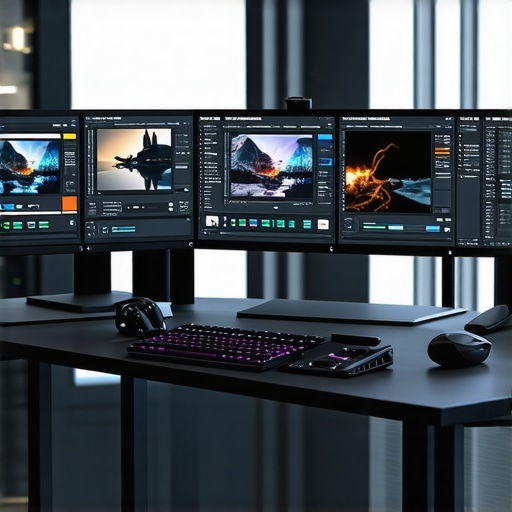
Elevating Your 4K Proxy Workflow with Precision-Driven Monitor and GPU Strategies
In the realm of professional video editing, particularly when dealing with 4K proxy workflows, the integration of high-fidelity color grading monitors and advanced GPU configurations is not just beneficial—it’s essential. These tools serve as the backbone of accurate color representation and seamless editing efficiency, enabling creators to produce visually compelling content with confidence. As industry standards evolve, understanding the nuanced interplay between display technology and processing hardware becomes a cornerstone for achieving optimal results.
Why Color Fidelity in Monitors Transcends Basic Calibration
Professional-grade color grading monitors, such as those discussed in expert reviews of top color grading monitors, are engineered to deliver precise color reproduction, high contrast ratios, and wide color gamuts. These features ensure that the visuals you craft are true to life, minimizing the risk of color shifts during export. Incorporating monitors with 10-bit color depth and hardware calibration capabilities significantly enhances workflow accuracy, especially when working on HDR content or nuanced color grading tasks.
The GPU’s Dual Role in Accelerating and Certifying Visual Quality
In high-resolution 4K proxy workflows, the GPU is the unsung hero—accelerating rendering times and offloading intensive processing tasks. As highlighted in latest GPU performance benchmarks for video editing, selecting a GPU with ample VRAM (at least 8GB, preferably 12GB or more) and robust compute capabilities is crucial. These specifications facilitate real-time playback, efficient proxy generation, and accurate color processing, especially when paired with compatible software like DaVinci Resolve or Adobe Premiere Pro.
Balancing Display and Processing Hardware for Optimal Proxy Workflow
Achieving an efficient 4K proxy workflow demands more than just high-quality hardware; it requires a harmonious configuration. Consider integrating a color-accurate monitor with a GPU capable of handling multiple high-resolution streams without bottlenecks. Additionally, leveraging technologies such as GPU acceleration for decoding and encoding tasks can drastically reduce timeline lag and improve preview responsiveness. For detailed guidance, explore proxy editing strategies for 2025.
What are the most effective ways to calibrate high-end monitors for consistent color accuracy across different projects?
Ensuring consistent color accuracy across various projects involves a combination of hardware calibration and software profiling. Using professional calibration tools like X-Rite i1Display Pro or Datacolor SpyderX, along with calibration software, can establish a reliable color profile tailored to your monitor’s specifications. Regular calibration schedules, ideally weekly or bi-weekly, help account for display drift over time. Additionally, maintaining a controlled ambient environment and standardized lighting conditions minimizes external influences on color perception.
If you’re interested in deepening your understanding of hardware calibration and GPU configuration, consult resources such as the ultimate guide to color grading hardware. Sharing your insights or experiences with calibration techniques can foster community-driven knowledge and elevate industry standards.
Mastering the synergy between advanced color grading monitors and high-performance GPUs forms the foundation of a professional 4K proxy workflow. By prioritizing color fidelity, leveraging hardware acceleration, and maintaining meticulous calibration practices, creators can ensure that their post-production process is both efficient and visually impeccable.
Push the Limits: How to Fine-Tune Your Hardware for Flawless 4K Proxy Projects
Achieving impeccable 4K proxy workflows isn’t solely about having top-tier monitors and powerful GPUs; it’s about the meticulous calibration and strategic hardware pairing that ensures every pixel counts. Experts recommend integrating hardware calibration tools like the X-Rite i1Display Pro, combined with software profiling, to maintain consistent color fidelity across sessions. Regular calibration, ideally weekly, compensates for display drift, ensuring your color grading remains accurate. Moreover, choosing a GPU with substantial VRAM—preferably 12GB or more—can significantly improve real-time playback and proxy generation, especially when working with complex effects or multiple streams. For a comprehensive hardware setup guide, visit top PC builds for 2025.
Are Modern GPUs Truly Ready to Handle the Demands of 4K Color Grading?
Many content creators assume that any recent GPU can support high-quality 4K editing. However, this can be a costly misconception. The latest benchmarks reveal that GPUs with dedicated ray-tracing cores and ample VRAM excel in rendering complex color grading effects and real-time proxy playback. Brands like NVIDIA’s RTX 4090 or AMD’s Radeon RX 7900 XTX provide not only raw power but also optimized driver support for software like DaVinci Resolve and Premiere Pro. These GPUs also support hardware decoding and encoding, which are crucial for streamlining proxy workflows. For detailed hardware recommendations, check best GPUs for smooth video rendering.
What are the most effective ways to integrate GPU acceleration into your color grading pipeline without sacrificing accuracy?
Integrating GPU acceleration seamlessly involves a combination of software settings, hardware compatibility, and workflow optimization. Enable GPU acceleration within your editing software preferences, ensuring that decoding, rendering, and effects processing leverage the GPU’s capabilities. Pairing this with high-quality color grading monitors, such as those discussed at top color grading monitors, guarantees visual consistency. Additionally, leveraging GPU-based proxy generation can dramatically reduce timeline lag, enabling smoother editing experiences. For more on optimizing your GPU setup, explore GPU tips for 4K proxy workflows. Sharing your own GPU integration strategies can inspire community-wide enhancements and industry standards.
In the evolving landscape of 4K proxy editing, blending hardware calibration, powerful GPU configurations, and software optimizations is vital. Staying informed about the latest benchmarks and hardware innovations ensures your workflow remains ahead of the curve, delivering both efficiency and impeccable visual quality.
Revolutionize Your 4K Proxy Editing with Next-Level Hardware Tuning
In the fiercely competitive world of professional video editing, especially within 4K proxy workflows, marginal gains in hardware optimization can translate into significant efficiency boosts. Fine-tuning your monitor calibration processes and GPU settings isn’t just about achieving pristine visuals; it’s about establishing a robust, repeatable pipeline that minimizes latency and maximizes accuracy. For instance, integrating hardware calibration tools such as the X-Rite i1Display Pro with advanced software profiling routines ensures your color fidelity remains consistent across multiple sessions, even as display characteristics drift over time. This proactive approach is critical when working on high-stakes projects where color precision directly impacts client satisfaction.
How do you maintain pixel-perfect color consistency across diverse project types?
Achieving unwavering color consistency involves a multi-layered calibration strategy. Begin with hardware calibration tools to create a precise color profile tailored to your specific monitor model. Follow this by implementing a standardized lighting environment in your workspace—ideally with neutral, low-ambient light—to prevent external influences. Routine calibration, ideally on a weekly basis, ensures your display remains aligned with industry standards. Moreover, leveraging software profiles that account for your color space, gamma, and luminance settings allows seamless transitions between projects. According to authoritative sources like the International Color Consortium (ICC), rigorous calibration practices are non-negotiable for professional-grade color accuracy. To deepen your expertise, explore dedicated calibration workshops or consult with color science specialists who can provide tailored solutions for complex workflows.
Enhancing GPU Performance for Superior Proxy Rendering and Playback
The GPU’s role extends beyond mere rendering—it’s the cornerstone of a fluid editing experience in 4K proxy workflows. Selecting a GPU with substantial VRAM (12GB or more) is a strategic move that future-proofs your setup against increasing project complexities. Modern GPUs like NVIDIA’s RTX 4090 or AMD’s Radeon RX 7900 XTX feature dedicated ray-tracing cores and hardware-accelerated encoding/decoding capabilities, which are instrumental in reducing proxy generation times and enabling real-time playback of high-resolution footage. These features are especially vital when working with complex effects, multiple streams, or HDR content, as they significantly reduce the cognitive load on your CPU and system RAM.
What are the best practices for integrating GPU acceleration into your editing software to maximize both speed and accuracy?
Optimizing GPU acceleration involves a combination of system-level settings, software configuration, and workflow design. First, ensure your editing software—be it DaVinci Resolve, Adobe Premiere Pro, or Final Cut Pro—is configured to utilize GPU acceleration fully. This typically involves enabling hardware acceleration options within preferences. Next, pair your GPU with a color-accurate monitor that supports high bit-depth processing, such as those discussed in leading industry reviews, to ensure visual fidelity during proxy editing and grading. Additionally, leveraging GPU-accelerated proxy generation can offload significant processing tasks from your CPU, enabling smoother timelines and faster turnaround. Industry experts also recommend balancing GPU workload with CPU and RAM resources, avoiding bottlenecks that could compromise either performance or accuracy. For deeper insights, consider consulting technical whitepapers like those published by NVIDIA or AMD, which detail optimal configurations for professional video workflows.
As the landscape of 4K proxy editing evolves, staying abreast of emerging GPU technologies and calibration methodologies is essential. Continuous learning and hardware validation ensure your workflow remains both efficient and compliant with the highest industry standards. In the next section, we’ll explore how to troubleshoot common bottlenecks and implement scalable solutions for large-scale projects, empowering you to push the boundaries of what’s possible in high-resolution editing.
Revolutionize Your Color Calibration for Consistent Visuals in High-Resolution Projects
Achieving pixel-perfect color accuracy across diverse 4K proxy workflows demands a meticulous calibration regimen. Utilizing industry-standard tools such as the X-Rite i1Display Pro or Datacolor SpyderX, professionals can develop precise hardware profiles tailored to their specific monitors. Regular calibration—preferably on a weekly basis—mitigates display drift and ensures uniformity in color rendition. Creating a controlled ambient lighting environment further minimizes external influences, stabilizing perceived colors and luminance. This disciplined approach not only maintains consistency but also elevates the overall quality of your post-production output, aligning with best practices outlined by the International Color Consortium (ICC). For those seeking mastery, engaging with dedicated calibration workshops can provide nuanced insights into complex workflows.
How can professionals implement multi-layered calibration strategies to uphold color fidelity across multiple projects?
Implementing a comprehensive calibration strategy involves a multi-pronged approach. Start by establishing a baseline calibration with certified hardware tools, then integrate calibration profiles into your editing environment. Maintaining a consistent workspace environment with neutral, low-ambient lighting conditions preserves calibration integrity. Incorporate routine calibration checks—weekly or bi-weekly—to adapt to display aging and environmental changes. Leveraging software that supports industry-standard ICC profiles ensures seamless color management during editing and grading. By aligning hardware and software calibration routines, professionals can guarantee unwavering color fidelity, critical for high-stakes projects. For further guidance, consult authoritative resources such as the ICC standards documentation.
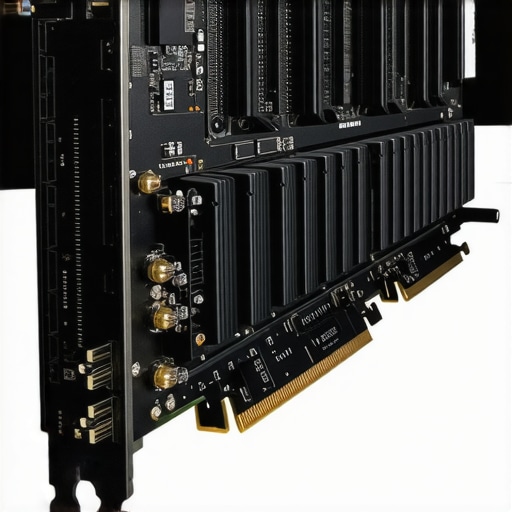
Harnessing GPU Power to Accelerate Proxy Generation and Playback Efficiency
The GPU’s role extends beyond mere rendering; it is pivotal in facilitating real-time proxy playback and high-speed encoding in demanding 4K workflows. Selecting a GPU with at least 12GB of VRAM—models like NVIDIA’s RTX 4090 or AMD’s Radeon RX 7900 XTX—ensures ample buffer for complex effects, multiple streams, and HDR content. These cards incorporate dedicated hardware-accelerated decoding and encoding features that significantly reduce proxy creation times and improve timeline responsiveness. Such hardware choices are instrumental in minimizing latency, thereby enabling smoother editing, especially when dealing with intricate effects or layered compositions. According to data from industry benchmarking reports, choosing the right GPU is foundational for a resilient 4K editing setup.
What are the best practices to integrate GPU acceleration seamlessly into complex editing pipelines to maximize both speed and visual fidelity?
Seamless integration of GPU acceleration necessitates meticulous configuration at the software and hardware levels. Enable GPU acceleration within your editing applications—such as DaVinci Resolve, Premiere Pro, or Final Cut Pro—by adjusting preferences for decoding, rendering, and effects processing. Pair this with high-quality, high-bit-depth monitors to ensure visual fidelity throughout the editing and grading process. Utilizing GPU-accelerated proxy generation offloads processing from the CPU, delivering a more responsive timeline and faster turnaround times. To optimize performance, balance GPU workloads with sufficient RAM and a robust CPU, avoiding bottlenecks that could compromise workflow efficiency. For advanced optimization strategies, consult technical whitepapers published by NVIDIA and AMD, which delineate best practices for professional workflows.
Elevate Your 4K Proxy Editing Game with Strategic Hardware Choices
In the competitive realm of professional video production, especially when handling intricate 4K proxy workflows, the mastery of hardware optimization becomes a decisive factor. Leveraging high-end, color-accurate monitors paired with robust GPUs not only accelerates your workflow but also ensures uncompromised visual fidelity. These tools work synergistically, forming a resilient backbone that supports complex editing tasks with precision and speed.
Prioritize Calibration for Consistent Color Accuracy
Expert-level color grading demands meticulous calibration routines. Regular use of calibration tools like the X-Rite i1Display Pro or Datacolor SpyderX is essential for maintaining color integrity across sessions. Establishing a controlled lighting environment further minimizes external influences, ensuring your monitor’s output remains consistent and reliable, especially when working on HDR content or subtle color nuances.
Invest Wisely in GPU Capabilities
High-performance GPUs such as NVIDIA’s RTX 4090 or AMD’s Radeon RX 7900 XTX offer substantial VRAM (12GB or more) and hardware-accelerated decoding/encoding, which are critical for smooth proxy generation and real-time playback. These GPUs are designed to handle complex effects, layered compositions, and HDR workflows seamlessly, reducing bottlenecks in your editing pipeline.
Balance Hardware for Seamless Workflow
Achieving optimal performance involves more than picking the top-tier components. Integrate your GPU with a color-accurate monitor and a system optimized for high data throughput. Enabling GPU acceleration in your editing software, along with efficient proxy management, ensures your timeline remains responsive and your output maintains the highest quality standards.
Stay Informed with Cutting-Edge Resources
For continual improvement, consulting industry-leading resources is imperative. The best GPU benchmarks for 2025 provide insights into emerging hardware, while comprehensive guides on color grading monitors ensure your calibration practices remain state-of-the-art.
Refined Strategies for Industry-Leading Proxy Efficiency
Beyond hardware, adopting advanced proxy workflows and software configurations can dramatically enhance productivity. Leveraging GPU-accelerated proxy generation, synchronized with calibrated monitors, allows for precise editing at manageable data loads. Regularly updating your hardware setup in line with industry innovations will keep your pipeline resilient against the increasing demands of 4K content creation.
In the end, the key to mastering 4K proxy workflows lies in continuous refinement—balancing expert hardware choices with disciplined calibration and informed resource management. For those committed to excellence, engaging with dedicated industry resources and community insights will propel your skills forward, ensuring your projects stand out for their clarity, speed, and visual integrity.
This article offers a comprehensive look into the critical hardware and calibration practices for optimal 4K proxy workflows. I’ve personally found that investing in a good calibration device like the X-Rite i1Display Pro made a huge difference in maintaining color consistency across various projects. It’s also interesting to see how GPU capabilities, especially VRAM, directly impact real-time playback and proxy generation. Recently, I upgraded to an RTX 4090, and the improvement in multitasking, effects processing, and timeline responsiveness has been remarkable. Combining hardware calibration routines with a high-end GPU seems to set a solid foundation for professional-grade editing. One aspect I’m curious about is how often others recalibrate their monitors during intense editing phases—weekly, bi-weekly, or only when color discrepancies become noticeable? I’d love to hear different workflows and tips to keep color fidelity consistent without interrupting project flow.
I totally agree with the importance of regular calibration routines, especially when working on multiple projects or HDR content. I’ve found that setting a weekly calibration schedule using tools like the X-Rite i1Display Pro keeps my monitor’s color output consistent and reliable. Interestingly, environmental factors like ambient light and temperature can cause subtle shifts in display performance, so controlling those variables has also helped maintain accuracy. Now, I’d love to hear how others manage calibrations during intense editing periods—do you stick to weekly routines, or do you calibrate only when you notice color inconsistencies? Also, with GPUs like the RTX 4090, the performance gain is substantial, but pairing them with well-calibrated monitors seems to be the recipe for truly professional results. What’s everyone’s approach for balancing hardware upgrades with calibration practices to maximize workflow efficiency? It feels like the synergy between calibrated displays and high-end GPUs really elevates the quality and speed of 4K workflows.
This article really hits home the importance of a balanced hardware setup for 4K proxy workflows. I’ve experienced firsthand how upgrading to a GPU with ample VRAM, like the RTX 4090, and investing in a true color-accurate monitor has transformed my editing process. It’s not just about raw power but ensuring that the visual fidelity matches your hardware capabilities through proper calibration. I’ve started calibrating my monitor weekly using a Datacolor SpyderX, especially during intensive projects, and it’s made a noticeable difference in maintaining consistent color across sessions. I wonder, for professionals working with HDR content or complex color grading, how often do you recalibrate, and are there specific tools or routines you recommend? Sharing these insights could really help streamline workflows and keep visuals impeccable.