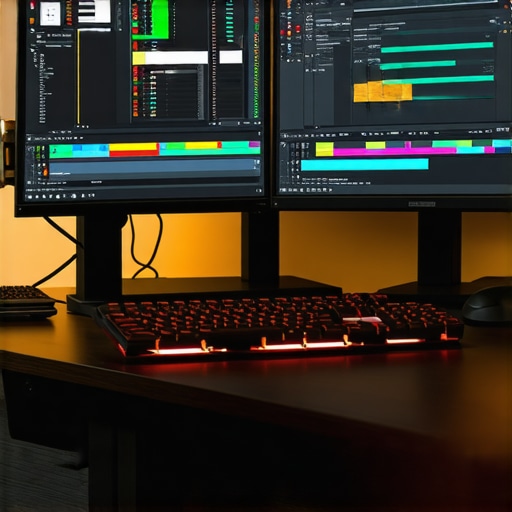
Mastering the Art of 4K Video Editing: Why Hardware Choices Matter
In the rapidly evolving landscape of digital content creation, 4K video editing stands as a benchmark of professional quality and creative potential. Achieving a seamless workflow in this demanding environment requires an expert understanding of the interplay between high-end PCs and powerful GPUs. As an industry insider, I recognize that selecting the right hardware is not merely about raw specifications but about optimizing processes for efficiency, color accuracy, and rendering speed.
High-Performance Components: The Backbone of Professional 4K Editing
At the core of any effective 4K editing station are components that balance processing power, memory bandwidth, and visual fidelity. The CPU must be a multi-core powerhouse, such as AMD Ryzen 9 7950X or Intel Core i9-13900K, capable of handling complex encoding and real-time effects. Complementing the CPU, a minimum of 64GB RAM ensures smooth multitasking and buffer management for large files.
However, the GPU often becomes the bottleneck or enabler of 4K workflows. Experts recommend high-end editing GPUs like the NVIDIA RTX 4090 or AMD Radeon RX 7900 XTX, which excel in accelerated rendering and hardware-accelerated encoding. These GPUs support advanced features such as real-time color grading, AI-based noise reduction, and high-resolution proxy generation, critical for efficient editing.
Leveraging GPU Power for Color Grading and Effects
The significance of an appropriate GPU extends beyond mere speed. Modern video editing software such as Adobe Premiere Pro and DaVinci Resolve leverage GPU acceleration for complex effects and color grading. For instance, NVIDIA’s CUDA cores enable real-time playback of multi-layered 4K sequences, dramatically reducing lag and enabling precise adjustments. To maximize this benefit, professionals often pair their GPU with a high-caliber color grading monitor, such as those discussed in this comprehensive guide.
How can I balance GPU and CPU for optimal 4K editing performance?
Achieving an optimal balance involves considering the specific demands of your workflow. For instance, if your projects rely heavily on GPU-accelerated effects and real-time color grading, investing in a top-tier GPU like the RTX 4090 is justified. Conversely, if your editing involves complex timeline management and rendering, a robust CPU with ample cores and high clock speeds will be equally essential. The key is to prevent bottlenecks by ensuring that neither component significantly outpaces the other, which can be achieved through balanced system builds and software optimization.
Future-Proofing Your Workflow with Next-Gen Hardware
Looking ahead, integrating upcoming innovations such as NVIDIA’s Ada Lovelace architecture or AMD’s RDNA 3 GPUs can provide a substantial edge in rendering times and color processing capabilities. Additionally, leveraging technologies like AI-enhanced proxy workflows, described in this resource, can further streamline editing sessions and reduce hardware strain.
In conclusion, the intersection of high-performance PCs and cutting-edge GPUs forms the backbone of any professional 4K editing setup. By understanding the nuanced roles of each component and aligning them with your project requirements, you can ensure a workflow that is not only seamless but also scalable for future demands. For tailored advice, consider consulting with industry experts or exploring dedicated hardware guides to refine your editing environment.
Elevate Your Workflow with the Right GPU Choices
Choosing the optimal GPU for 4K editing extends beyond raw power; it involves understanding how specific features like hardware-accelerated encoding, AI-driven effects, and real-time color grading support your creative process. Experts emphasize that GPUs such as the NVIDIA RTX 4090 or AMD Radeon RX 7900 XTX can dramatically improve rendering times and effect processing, especially when paired with optimized workflows. For detailed hardware recommendations, see this comprehensive GPU guide.
Streamlining Your Workflow with Proxy Editing
Proxy workflows have become essential for managing 4K files efficiently, reducing strain on hardware while maintaining high-quality outputs. By creating lower-resolution proxies during editing, professionals can work seamlessly without sacrificing detail during final rendering. This technique is especially useful when paired with high-performance GPUs that accelerate proxy generation and playback. Discover more about implementing proxy workflows in this detailed resource to enhance your editing efficiency.
How can I further optimize my GPU and CPU synergy for complex 4K projects?
Achieving the perfect balance between GPU and CPU requires a nuanced understanding of your project’s demands. For effects-heavy or color grading-intensive projects, investing in a top-tier GPU like the RTX 4090, coupled with a CPU such as the Intel Core i9-13900K, ensures that effects are rendered in real-time without bottlenecks. Additionally, utilizing software that intelligently distributes workloads across hardware components can prevent overloading one element. For advanced system configurations, consulting resources like this expert guide can provide strategic insights.
Future-Proofing Your Editing Environment for 2025 and Beyond
Staying ahead in 4K video editing means anticipating hardware advancements such as NVIDIA’s Ada Lovelace architecture or AMD’s RDNA 3. These innovations promise significant boosts in rendering speeds, AI processing, and color accuracy. Moreover, integrating AI-powered proxy generation and real-time effects, as discussed in this resource, will further streamline workflows and future-proof your setup.
Don’t forget that a monitor optimized for color grading, paired with a powerful GPU, is crucial for achieving precise results. For recommendations tailored to 4K workflows, see top grading monitor options.
What are the most overlooked hardware aspects that impact 4K editing quality and speed?
While GPUs and CPUs often steal the spotlight, factors like fast NVMe SSDs for quick file access, ample RAM, and efficient cooling solutions play a vital role in maintaining stable and speedy workflows. Upgrading to high-speed storage reduces data bottlenecks, and robust cooling ensures hardware longevity under intensive workloads. For comprehensive hardware optimization tips, explore this detailed guide.
If you found this discussion valuable, share your experiences or ask questions in the comments. Want more in-depth advice? Consider visiting our contact page for personalized support or explore our expert articles for advanced hardware strategies.
Why Memory Speed and Storage Speed Can Make or Break Your 4K Editing Workflow
While GPU and CPU are often heralded as the kings of 4K editing, overlooking high-speed storage solutions and RAM performance can lead to bottlenecks that undermine even the most powerful systems. NVMe SSDs, with their blistering read/write speeds exceeding 7 GB/s, dramatically reduce file load times and facilitate quick proxy generation, which is essential for efficient 4K editing. Pairing these with fast DDR5 RAM—preferably above 6400 MHz—ensures smooth multitasking and rapid cache access, minimizing lag during complex effects rendering.
For instance, a high-capacity NVMe SSD like the Samsung 980 Pro or WD Black SN850X is highly recommended. These drives support sustained transfer rates that keep up with large 4K files and multiple simultaneous streams, preventing data access delays. Moreover, maintaining a proper cooling solution for SSDs and RAM modules ensures system stability under prolonged workloads, which is often an overlooked aspect of hardware optimization.
Unlocking the Power of Advanced Cooling Systems to Sustain Peak Performance
Overclocked CPUs and GPUs generate significant heat, which can throttle performance if not managed properly. Advanced cooling solutions such as custom liquid cooling loops or high-end air coolers with substantial heatsinks are vital for maintaining consistent performance levels. For example, an AIO liquid cooler like the NZXT Kraken Z73 not only keeps temperatures in check but also offers customizable RGB lighting, enhancing your workstation’s aesthetic appeal.
Proper airflow within your editing rig case is equally important. Strategic placement of intake and exhaust fans, along with dust filters, can prolong component lifespan and maintain thermal efficiency. An optimized cooling environment prevents thermal throttling during intensive rendering sessions, ensuring your hardware operates at its maximum potential over extended periods.
Advanced Connectivity and Power Delivery for Seamless Editing Experiences
Beyond internal hardware, consider the importance of robust connectivity options. Thunderbolt 4 and USB-C ports provide high-speed data transfer—up to 40 Gbps—that is crucial when transferring large 4K project files from external drives or peripherals. Coupled with high-quality, multi-gigabit Ethernet connections, these features streamline collaborative workflows, especially in studio environments.
Power supply units (PSUs) must also be capable of delivering stable, clean power to prevent performance inconsistencies or hardware failures. A high-efficiency PSU rated 80 Plus Gold or Platinum, with wattage margins exceeding your system’s peak power draw, guarantees reliable operation. Remember, investing in quality cabling and surge protection further safeguards your expensive components against unexpected power fluctuations.
Is Your Hardware Future-Ready for the Demands of 8K and Beyond?
As technology advances, the transition toward 8K video editing and real-time ray tracing becomes inevitable. According to industry forecasts, upcoming GPU architectures like NVIDIA’s Ada Lovelace or AMD’s RDNA 3 will incorporate breakthroughs in AI acceleration, real-time rendering, and energy efficiency. Preparing your system now by investing in modular components—such as motherboards with PCIe 5.0 support—ensures compatibility with future upgrades.
Furthermore, staying informed about emerging storage technologies, like Intel’s Foveros 3D stacking or Samsung’s HBM2E memory, can provide advantages in data throughput and latency reductions. These innovations will be critical for managing exponentially larger datasets that 8K workflows generate, ensuring your editing environment remains competitive and scalable.
Maximizing Hardware Synergy for Peak Editing Efficiency
A truly optimized 4K editing setup hinges on the harmonious interplay between all hardware elements. For example, pairing a high-refresh-rate, color-accurate monitor such as the Eizo ColorEdge CG319X with your GPU enhances your ability to perform precise color grading. Similarly, ensuring your CPU’s cores are not bottlenecked by slow RAM or storage prevents performance dips during complex effects processing.
Utilizing software tools that intelligently allocate workloads—like Adobe’s Mercury Playback Engine—can further leverage hardware capabilities. Regular benchmarking and system monitoring, using tools like HWMonitor or MSI Afterburner, enable proactive adjustments to maintain peak performance. Remember, hardware optimization is an ongoing process that involves balancing upgrades with workflow demands.
How Can You Ensure Your Hardware Keeps Up with Rapid Industry Changes?
Staying ahead requires not only investing in high-end components but also adopting a mindset of continuous learning and adaptation. Subscribing to industry publications such as TechRadar’s PC build guides or engaging with specialized forums like Beyond3D can provide insights into emerging hardware trends. Additionally, participating in beta testing programs and attending industry expos ensures you’re aware of cutting-edge developments before they become mainstream.
If you’re eager to explore tailored hardware configurations that future-proof your workflow, consult with industry professionals or visit dedicated hardware review platforms. Your investment today shapes your creative possibilities tomorrow—so choose wisely and stay informed.
Harnessing Cutting-Edge Storage to Accelerate 4K Workflow
While GPU and CPU are vital, the role of ultra-fast NVMe SSDs cannot be overstated in high-resolution editing. Drives such as the Samsung 980 Pro or WD Black SN850X deliver sustained transfer rates exceeding 7 GB/s, drastically reducing file load times and enabling rapid proxy generation, which is crucial during intensive editing sessions. Integrating these storage solutions with a dedicated, high-capacity RAM buffer ensures smooth multitasking, even when handling multi-layered 4K timelines.
Cooling Innovations That Sustain Peak Performance
High-performance components generate significant heat, risking thermal throttling that hampers productivity. Transitioning to custom liquid cooling loops like the NZXT Kraken Z73 or high-end air coolers with extensive heatsinks ensures consistent operation under full load. Proper airflow management within the case, including strategic fan placement and dust filtration, prolongs hardware lifespan and maintains thermal stability, vital for prolonged rendering tasks.
The Future of Connectivity and Power Efficiency
Robust connectivity options such as Thunderbolt 4 and multi-gigabit Ethernet streamline large file transfers and collaborative workflows. Upgrading to a high-efficiency PSU rated 80 Plus Gold or Platinum guarantees stable power delivery, reducing the risk of hardware failures or performance dips. Using high-quality cabling and surge protection safeguards your investment against power fluctuations, ensuring uninterrupted productivity.
Preparing for the Next Wave of Video Technologies
Anticipate hardware advancements like NVIDIA’s Ada Lovelace and AMD’s RDNA 3 architectures, which promise enhanced AI acceleration, real-time rendering, and energy efficiency. Future-proof your system by selecting motherboards supporting PCIe 5.0 and exploring emerging storage tech such as Intel’s Foveros 3D stacking or Samsung’s HBM2E memory, critical for managing larger datasets in 8K workflows. Staying ahead ensures your editing environment remains competitive and scalable.
Optimizing System Synergy for Creative Excellence
Achieve harmony among hardware components by pairing high-refresh-rate, color-accurate monitors like the Eizo ColorEdge CG319X with your GPU, enhancing color grading precision. Use software that intelligently distributes workloads, such as Adobe’s Mercury Playback Engine, to leverage hardware capabilities fully. Regular benchmarking with tools like HWMonitor or MSI Afterburner enables proactive system tuning, maintaining peak performance during demanding projects.
Expert Insights for Hardware Evolution
Stay informed about industry trends by following publications like TechRadar’s PC build guides or participating in forums such as Beyond3D. Engaging with beta programs and industry expos provides early access to emerging technologies, ensuring your hardware investments remain future-ready. Consulting with specialists can tailor your setup for specific workflows, maximizing efficiency and creative potential.
What overlooked hardware elements can significantly impact your 4K editing speed and quality?
Beyond the obvious GPU and CPU, factors like high-quality NVMe SSDs, ample RAM, and effective cooling solutions are crucial. Upgrading to fast storage reduces data bottlenecks, while robust cooling maintains component stability under prolonged workloads. For comprehensive hardware optimization, refer to expert guides like this resource.
If these insights resonate with your workflow ambitions, consider reaching out for personalized hardware consultations or exploring our detailed guides to refine your editing environment further.
Elevate Precision and Performance in 4K Editing with Cutting-Edge Hardware Insights
In high-end video production, hardware configuration can make or break your workflow, especially when dealing with 4K content. Industry veterans emphasize the importance of not just selecting top-tier components but understanding their synergy for maximum efficiency and quality. The latest advancements in GPU architecture, such as NVIDIA’s Ada Lovelace, and storage technologies like PCIe 5.0 SSDs, are reshaping the standards for professional editing environments.
Maximize GPU and CPU Harmony for Seamless Rendering
Achieving a balanced system involves pairing a high-performance GPU, such as the RTX 4090, with a multi-core CPU like the AMD Ryzen 9 7950X. This combination ensures real-time playback, accelerated effects processing, and swift rendering. Experts recommend monitoring workload distribution and leveraging software optimizations to prevent bottlenecks, thereby maintaining a smooth editing experience.
Prioritize Fast Storage Solutions for Data Throughput
Large 4K files demand rapid access speeds. NVMe SSDs like the Samsung 980 Pro offer sustained transfer rates exceeding 7 GB/s, significantly reducing load times and enabling efficient proxy workflows. Coupling high-capacity SSDs with ample RAM, preferably DDR5 6400 MHz or higher, guarantees fluid multitasking and buffer management during complex editing sessions.
Implement Advanced Cooling for Reliability
High-performance components generate substantial heat. Custom liquid cooling solutions, such as the NZXT Kraken Z73, and optimized airflow within your case, are vital for maintaining thermal stability. Proper cooling prevents thermal throttling, ensuring hardware longevity and consistent performance during prolonged rendering tasks.
Enhance Connectivity and Power Stability
Robust external connections via Thunderbolt 4 and multi-gigabit Ethernet facilitate large file transfers and collaborative workflows. A high-efficiency PSU, rated 80 Plus Gold or above, with sufficient wattage, ensures stable power delivery. Quality cabling and surge protection further safeguard your investment against power fluctuations.
Curated Resources for Deep Expertise
- PCPartPicker: An invaluable tool for building and customizing high-performance editing systems, allowing for compatibility checks and component benchmarking.
- TechRadar’s Hardware Guides: Offers up-to-date reviews and strategic advice on the latest CPU, GPU, and storage technologies for professional workflows.
- Video Editing Forums and Communities: Platforms like Creative COW and Reddit’s r/editors provide peer insights, troubleshooting tips, and hardware optimization strategies shared by industry experts.
- Manufacturer Technical Documentation: NVIDIA, AMD, and Intel’s official resources provide deep technical details for leveraging hardware capabilities effectively in professional editing.
Your Pathway to Mastering Hardware for 4K Success
Understanding the nuanced interplay between hardware components elevates your editing workflows from average to industry-leading. Staying informed about emerging technologies, such as AI-accelerated workflows and next-gen storage solutions, ensures your setup remains future-proof. Remember, expert-level hardware optimization is a continuous process that demands proactive learning, regular upgrades, and strategic planning. Engage with professional communities, consult authoritative guides, and continually refine your system to unlock unparalleled editing efficiency and quality. For personalized consultations or advanced hardware insights, visit our contact page and take the next step toward mastering your 4K editing environment.
This comprehensive post highlights how crucial balanced hardware selection is for 4K editing. I recently upgraded my system to include an RTX 4090 and a Ryzen 9 7950X, mainly to handle complex effects and high-rez footage smoothly. One thing I found particularly valuable was the emphasis on matching GPU and CPU power to prevent bottlenecks, especially when working on multi-layered sequences. I also ended up investing in faster NVMe SSDs and high-quality cooling, which made a noticeable difference in stability and render times. What’s interesting is how these hardware choices also influence color grading accuracy and real-time effects, especially with tools like DaVinci Resolve. For others considering an upgrade, do you think the trend towards PCIe 5.0 storage and DDR5 RAM is worth the extra investment now, or should I wait a bit longer for more mature tech? I’d love to hear others’ experiences on balancing cost with future-proofing.
This post really underscores how important it is to consider the entire hardware ecosystem when setting up a professional 4K editing workstation. I completely agree that balancing components like GPU, CPU, RAM, and storage is vital to prevent bottlenecks. I recently upgraded to a Ryzen 9 7950X paired with an RTX 4090, and I noticed a significant improvement in rendering times and stability. One aspect that often gets overlooked is high-speed storage; I went with a PCIe 4.0 NVMe SSD and I’m contemplating stepping up to PCIe 5.0 for future-proofing. Does anyone have experience with PCIe 5.0 SSDs yet, and how much of a real-world difference have they made in your workflow? Also, with DDR5 RAM becoming more mainstream, do you think it’s worth the extra cost now, or is it better to wait a bit longer for more mature compatibility? Overall, ensuring system harmony is key to managing the demanding workflows in 4K editing.