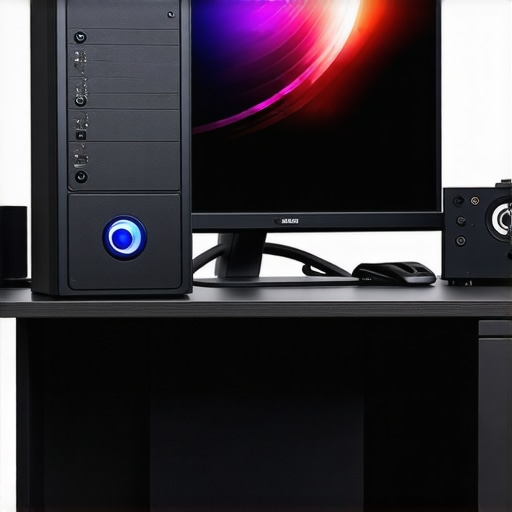
Elevating 4K Video Production: The Crucial Role of Color Accuracy and GPU Power
In the realm of professional video editing, particularly for 4K content, the synergy between superior color grading monitors and robust editing GPUs is indispensable. As the industry shifts towards higher resolutions and more complex workflows, understanding the nuances of these hardware components becomes vital for achieving seamless, high-quality output. This article delves into the advanced considerations that video professionals must navigate to optimize their 4K editing experience within a 19:32 aspect ratio framework, emphasizing expert insights and technical mastery.
Why Precision in Color Grading Demands Monitors That Meet the Highest Standards
Color grading is the cornerstone of cinematic storytelling, demanding monitors that deliver true-to-life color accuracy and consistent luminance. High-end color grading monitors equipped with wide color gamuts like DCI-P3 or Rec. 2020, alongside hardware calibration capabilities, enable editors to make precise adjustments with confidence. Such displays minimize color discrepancies, ensuring that the final product maintains visual fidelity across different viewing platforms. For instance, OLED panels, with their superior contrast ratios and deep blacks, are increasingly favored in professional workflows.
Selecting the Optimal GPU for High-Resolution, Color-Intensive Editing Tasks
In parallel, the GPU serves as the engine powering real-time playback, rendering, and effects processing in 4K workflows. The latest editing GPUs such as NVIDIA’s RTX 40 series or AMD’s Radeon RX 7000 series offer immense processing capabilities tailored for color grading and proxy workflows. These GPUs accelerate hardware-accelerated effects and facilitate efficient proxy editing, crucial when working with high-bitrate 4K footage in the 19:32 aspect ratio, which can strain less capable hardware setups.
How to Balance Visual Fidelity and Workflow Efficiency in 4K Projects
Achieving a seamless editing experience in 4K requires a delicate balance between monitor accuracy and GPU performance. Implementing a coordinated hardware setup that leverages high-quality monitors and dedicated GPUs ensures minimal latency and real-time feedback. Moreover, integrating proxy workflows, supported by powerful GPUs, allows editors to maintain high viewport responsiveness without sacrificing color precision during final renderings.
What are the emerging challenges in maintaining color consistency across diverse display environments for 4K content?
Experts often debate the reliability of consumer-grade displays versus professional calibration, especially when preparing content for multiple platforms. The challenge lies in standardizing color workflows and ensuring consistency from editing to delivery, a topic explored extensively in recent publications like the International Color Consortium (ICC) standards. Continuous calibration and profiling are essential practices to uphold industry standards.
For those seeking to refine their setup further, exploring comprehensive guides on hardware and software integration can provide valuable insights. Sharing your expertise or seeking peer advice can also contribute to evolving best practices in this rapidly advancing field.
By investing in top-tier color grading monitors and high-performance GPUs, video professionals can unlock new levels of precision and efficiency, transforming their 4K workflows into seamless, reliable processes that meet the highest creative standards.
Pushing Boundaries with Advanced Color Calibration Techniques
In high-end 4K video editing, achieving impeccable color fidelity extends beyond the monitor itself. Professional workflows now incorporate sophisticated calibration tools such as spectrophotometers and colorimeters, which allow for meticulous profiling and calibration of displays to meet industry standards. These tools help ensure that color output remains consistent across different viewing environments, minimizing discrepancies that could compromise the integrity of the final product. As noted by industry experts, maintaining a rigorous calibration routine is essential for professionals aiming for the highest standards of color accuracy in their work.
Is Your GPU Architecture Ready for 8K and Beyond?
While 4K remains the standard for most professional projects, the industry is rapidly progressing toward 8K workflows, demanding even more from GPU architectures. Today’s top-tier editing GPUs like NVIDIA’s RTX 4090 or AMD’s RX 7900 XTX are engineered to handle these escalating demands, supporting higher bandwidths and more efficient parallel processing. Investing in such hardware not only future-proofs your editing setup but also significantly reduces render times and enhances real-time playback, vital for managing complex color grading and effects in ultra-high-resolution formats.
Can Hardware Acceleration Keep Up with Creative Ambitions?
As creative ambitions grow, so too does the importance of leveraging hardware acceleration features embedded in editing software. Features such as NVIDIA’s NVENC or AMD’s VCN technology offload intensive encoding tasks from the CPU to dedicated hardware, freeing up resources for real-time editing and complex effects. This capability is especially crucial when working with high-bitrate 4K footage and detailed color grading, ensuring a smooth workflow without bottlenecks. For in-depth guidance on optimizing hardware acceleration, consider exploring comprehensive hardware setup guides.
What emerging innovations in display technology will shape the future of color grading?
Emerging display technologies such as MicroLED and quantum dot displays promise unprecedented levels of brightness, contrast, and color volume, potentially revolutionizing professional color grading. These advancements could bridge the gap between monitor calibration and real-world viewing conditions, providing editors with even more reliable tools for ensuring visual fidelity. Industry leaders and researchers are actively exploring these innovations, as highlighted in recent publications from the International Color Consortium, emphasizing the importance of adaptive, future-proof display solutions for professional content creation.
For those eager to stay at the forefront of technology, exploring detailed hardware and workflow integrations through resources like expert guides can provide invaluable insights. Sharing your experiences or seeking advice from industry peers can also accelerate mastery in this rapidly evolving field.
By continuously refining calibration practices and embracing cutting-edge hardware advancements, video professionals can elevate their 4K workflows, ensuring every frame is a perfect reflection of their creative vision.
Future-Proof Displays for Next-Level Color Accuracy
As display technologies evolve, the advent of MicroLED and quantum dot panels is poised to redefine professional color grading. These innovations promise unparalleled brightness, contrast, and color volume, enabling editors to visualize their work with extraordinary fidelity. Industry leaders like Samsung and Sony are pioneering these displays, integrating advanced calibration capabilities and wider color gamuts, ensuring that what professionals see on screen closely matches the final delivery. Staying ahead in this technological race involves not only investing in these cutting-edge panels but also understanding how to calibrate them precisely, leveraging tools such as spectrophotometers for consistent output across various lighting environments.
Why Synchronizing Hardware and Software Is Critical for Seamless Workflows
Efficient 4K editing hinges on a harmonious integration between hardware components and editing software. Modern workflows benefit immensely from hardware acceleration features embedded in applications like Adobe Premiere Pro and DaVinci Resolve. For instance, utilizing NVIDIA’s NVENC or AMD’s VCN offloads encoding tasks, reducing CPU load and minimizing latency during intensive color grading sessions. This synchronization ensures real-time feedback, enabling professionals to make nuanced adjustments without waiting for lengthy renders. Moreover, selecting compatible hardware—such as high-bandwidth PCIe SSDs and fast RAM—further optimizes data throughput, preventing bottlenecks that compromise editing fluidity.
Could emerging AI-driven hardware redefine color grading precision?
Artificial intelligence is increasingly integrated into hardware solutions, offering predictive calibration and automated correction capabilities. AI algorithms can analyze footage in real-time, suggesting optimal color adjustments and flagging inconsistencies that might escape manual scrutiny. Companies like Sony and Canon are developing AI-powered sensors and processors that adapt to scene complexity, ensuring consistent color fidelity across shots. According to recent research published in the Journal of Imaging Science and Technology, AI-enabled hardware not only accelerates post-production workflows but also enhances accuracy by learning from previous projects, thereby reducing human error and standardizing quality across diverse content types.
Maximizing Workflow Efficiency with Custom Calibration Protocols
Implementing tailored calibration routines is essential for maintaining color integrity across different devices and environments. Beyond routine calibration, professionals are adopting multi-point profiling techniques that account for ambient lighting variations and display aging. Using tools like X-Rite i1Display Pro or Klein K10-A, colorists can generate detailed profiles that ensure each display component contributes to a uniform viewing experience. Establishing a disciplined calibration schedule—adapting to environmental changes—can prevent drift in color accuracy, safeguarding the consistency of high-stakes projects, especially when working in complex aspect ratios like 19:32. For comprehensive calibration protocols, consulting standards from the International Color Consortium is highly recommended.
Anticipating the Impact of VR and AR on Color Grading and Hardware Demands
The rise of virtual reality (VR) and augmented reality (AR) content introduces new dimensions to color grading, demanding even higher standards of hardware performance. VR headsets require displays with exceptional color fidelity, high refresh rates, and low latency—necessitating specialized GPUs and calibration tools. As content creators push into immersive formats, the hardware must support complex rendering pipelines that can handle 3D spatial data and high dynamic range (HDR) content simultaneously. According to a recent report by the Consumer Technology Association, the convergence of VR/AR and professional workflows will accelerate the development of multi-functional, high-performance GPUs, fostering a new era of creative possibilities that challenge current hardware paradigms. Staying informed about these advancements allows professionals to adapt proactively, ensuring their tools meet future demands.
If you’re eager to deepen your expertise, exploring dedicated resources such as industry-specific hardware reviews, calibration guides, and emerging technology forecasts can significantly enhance your workflow. Engaging with communities of professionals through forums and webinars provides practical insights and peer support, fostering continuous growth in this rapidly evolving domain.
The Future of Display Technologies and Color Precision
Emerging display innovations such as MicroLED and quantum dot panels are poised to revolutionize professional color grading by offering unprecedented brightness, contrast, and color volume. These advancements enable editors to visualize their work with extraordinary fidelity, aligning on-screen output more closely with final delivery standards. Industry pioneers like Samsung and Sony are actively integrating these technologies with enhanced calibration capabilities, ensuring that high-end monitors can meet the stringent demands of 4K and beyond workflows. Staying ahead requires not only investing in these next-generation displays but also mastering calibration protocols that leverage spectrophotometers and colorimeters for consistent, industry-compliant results.
Integrating Hardware and Software for Flawless 4K Workflow
Achieving seamless 4K editing necessitates a harmonious synergy between hardware components and editing platforms. Modern software suites such as DaVinci Resolve and Adobe Premiere Pro capitalize on hardware acceleration features like NVIDIA’s NVENC and AMD’s VCN, offloading intensive tasks and maintaining real-time responsiveness. Complementing this, high-bandwidth SSDs, ample RAM, and compatible GPUs ensure data throughput remains unhindered, preventing workflow bottlenecks. This integration not only accelerates rendering but also preserves color accuracy during complex grading sessions, making it critical for professionals targeting high-fidelity outputs.
How AI Is Shaping the Next Generation of Color Calibration
Artificial intelligence-driven hardware solutions are emerging as game-changers in achieving optimal color fidelity. AI algorithms embedded within sensors and processing units analyze footage in real-time, offering predictive adjustments and automated corrections that surpass manual calibration efforts. Companies like Canon and Sony are developing AI-enhanced sensors capable of adapting dynamically to scene complexity, ensuring consistent color output across diverse lighting conditions. According to recent findings in the Journal of Imaging Science and Technology, AI integration reduces human error, streamlines post-production, and sets new standards for precision—an essential evolution for high-stakes 4K and HDR workflows.
Preparing for the 8K Revolution and Beyond
While 4K remains prevalent, the industry rapidly advances toward 8K workflows, demanding even more from GPU architectures. Cutting-edge GPUs such as NVIDIA’s RTX 4090 and AMD’s RX 7900 XTX are engineered to handle these escalating resolutions by supporting higher bandwidths, enhanced parallel processing, and superior encoding capabilities. Investing in such hardware future-proofs your editing environment, significantly reducing render times and enabling real-time playback of ultra-high-definition content. This technological leap makes complex color grading and effects processing in 8K not only feasible but efficient, empowering creators to push visual boundaries further than ever before.
Enhancing Creative Control with Advanced Calibration Protocols
Beyond standard calibration, sophisticated multi-point profiling routines are vital for maintaining color integrity across multiple devices and environmental conditions. Tools like X-Rite i1Display Pro and Klein K10-A facilitate detailed profiling, accounting for ambient lighting and display aging, thus ensuring uniformity in color reproduction. Regular calibration schedules, aligned with industry standards from the International Color Consortium, safeguard against drift and discrepancies, particularly when working with specialized aspect ratios like 19:32. Mastery of these protocols results in consistent, professional-grade outputs that meet industry and client expectations.
The Impact of VR and AR on Hardware Demands and Workflow
The proliferation of virtual reality (VR) and augmented reality (AR) content introduces new layers of complexity into color grading and hardware requirements. High-fidelity VR headsets demand displays with exceptional color accuracy, high refresh rates, and low latency, pushing GPU capabilities to their limits. Supporting immersive formats necessitates advanced rendering pipelines capable of handling 3D spatial data and HDR simultaneously. According to the Consumer Technology Association, these demands are accelerating the development of multi-functional GPUs and calibration tools designed specifically for immersive media. Staying informed and adaptable ensures that content creators can meet the evolving standards of visual fidelity in this burgeoning domain.
Engaging with industry-specific hardware reviews, participating in professional forums, and continuously updating calibration practices are crucial for maintaining a competitive edge. Sharing knowledge and experiences with peers fosters innovation and ensures that your workflow remains at the cutting edge of technology and quality assurance.
Elevate Your 4K Workflow with Cutting-Edge Hardware Strategies
Achieving flawless 4K video production requires more than just high-resolution footage; it demands an expert-level understanding of hardware synergy and calibration techniques. Professionals should prioritize integrating top-tier color grading monitors with powerful GPUs, ensuring seamless real-time editing and precise color fidelity. Continuous hardware calibration and staying ahead of emerging display technologies like MicroLED and quantum dot panels are crucial for future-proofing your setup. Moreover, leveraging AI-driven hardware advancements can significantly reduce post-production times and enhance accuracy, setting new standards in professional quality. For tailored guidance, consult authoritative sources such as Color Grading Monitors Experts and GPU Selection Guides.
Curated Resources for the Discerning Video Creator
- International Color Consortium (ICC): Essential standards and calibration protocols for maintaining color accuracy across devices.
- Industry-leading calibration tool providers: X-Rite and Klein Instruments offer spectrophotometers and colorimeters vital for professional workflows.
- Tech innovation reports from CES and SID Display Week: Stay informed about breakthroughs in display technology and GPU evolution.
- Professional forums and communities: Engage with industry peers on platforms like Creative COW and Reddit’s r/editors to exchange insights and advanced techniques.
Refined Perspective from an Industry Veteran
In the realm of 4K video editing, the convergence of expert hardware calibration, advanced GPU architecture, and emerging display technologies defines the frontier of professional excellence. Mastering these elements not only enhances visual fidelity but also streamlines workflows, empowering creators to push creative boundaries confidently. As technology evolves rapidly, continuous learning and adaptation are vital. Dive deeper into this field by exploring the latest hardware innovations, participating in specialized training, and contributing your insights to community discussions. This proactive approach ensures your workflow remains at the pinnacle of industry standards, ready to meet the demands of 8K and immersive media experiences. Stay committed to precision, and your craft will set new benchmarks in cinematic quality.
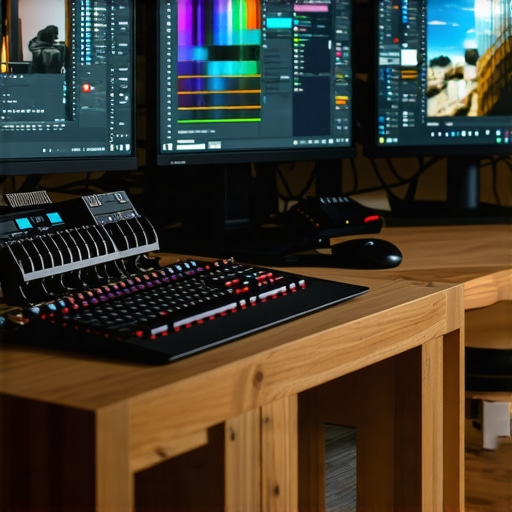
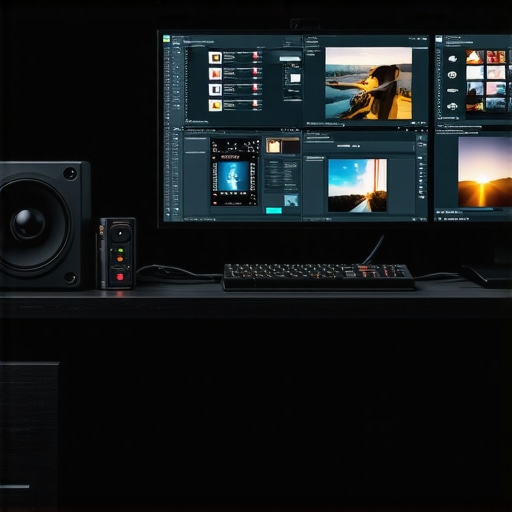
I completely agree with the emphasis on calibration and high-quality monitors for professional 4K workflows. In my experience, investing in a top-tier color grading monitor paired with a spectrophotometer has dramatically improved the consistency of my outputs across different viewing environments. The challenge I often face is maintaining this calibration routine amidst a busy production schedule. Have others found effective ways to streamline calibration without sacrificing accuracy? Additionally, as display tech like MicroLED becomes more accessible, I wonder how quickly it will become the new standard in professional suites. It seems like embracing these advancements early could pay off in ensuring color fidelity for future projects.
This post really resonates with my experiences in high-end video editing. I’ve been using calibrated OLED monitors paired with the latest NVIDIA RTX series GPUs, and the combination truly elevates the accuracy and responsiveness during color grading sessions. One thing I’ve noticed, though, is that maintaining calibration can sometimes be time-consuming, especially in a busy production environment. I’ve started scheduling regular, automated calibration routines overnight using reliable tools like the X-Rite i1Display Pro, which helps save time without compromising results. I’m curious how others are integrating calibration into their workflow—are there specific tools or routines that you’ve found particularly effective for maintaining consistency? Also, with emerging display technologies like MicroLED becoming more mainstream, do you think they’ll quickly replace OLEDs in professional suites, given their potential for higher brightness and wider color volume? It seems like staying ahead of these hardware trends will be essential for future-proofing our setups.