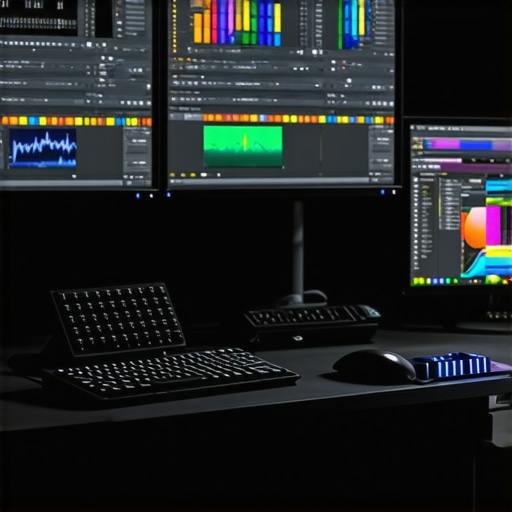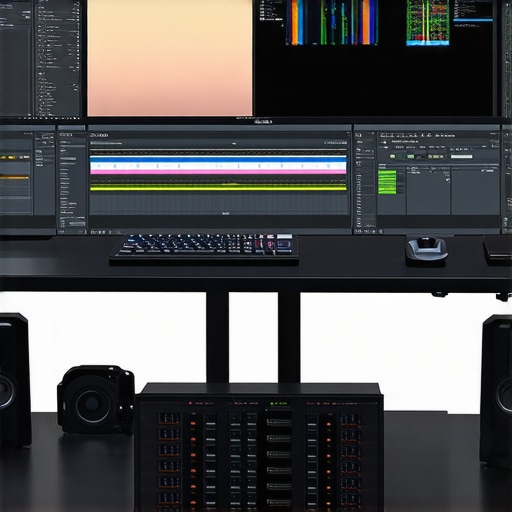
Harnessing the Power of Color Grading Monitors and GPUs: A Deep Dive into 4K Video Production
In the realm of professional video editing, especially within 4K workflows, the synergy between advanced color grading monitors and high-performance editing GPUs is paramount. As creators push the boundaries of visual fidelity, understanding the nuanced interplay of hardware specifications and calibration precision becomes essential for achieving consistent, industry-grade results. This guide explores the critical factors influencing seamless 4K workflows, from display technology to GPU architecture, supported by expert insights and latest research.
The Intricacies of Color Accuracy in 4K Video Editing
Color grading monitors serve as the visual cornerstone for colorists and video professionals. The core challenge lies in selecting displays that deliver true-to-life color reproduction, high luminance, and precise gamma curves. OLED and IPS panels dominate the market due to their superior contrast ratios and wide color gamuts, crucial for color-critical grading. According to a recent white paper by Dolby Laboratories, mastering color accuracy requires a combination of hardware calibration, consistent luminance levels, and support for standards such as Rec. 709 and DCI-P3.
GPU Architecture and Its Impact on 4K Workflow Efficiency
On the processing side, the choice of GPU significantly influences rendering speed, real-time playback, and the ability to handle complex effects. Modern editing GPUs leverage dedicated VRAM, CUDA cores, and hardware acceleration for decoding/encoding 4K HEVC and ProRes files. The latest architectures, such as NVIDIA’s Ada Lovelace or AMD’s RDNA 3, offer remarkable performance improvements. For instance, high-end GPUs facilitate accelerated color grading, noise reduction, and compositing tasks, reducing bottlenecks and enabling smoother editing sessions.
Balancing Hardware and Software for Optimal Results
Achieving a seamless 4K workflow necessitates a holistic approach—integrating high-quality monitors with compatible GPUs and optimized software pipelines. Color management systems like DaVinci Resolve or Adobe Premiere Pro benefit from GPU acceleration, but require correctly calibrated displays to ensure consistency across different viewing environments. Moreover, leveraging proxy workflows, as discussed in proxy editing techniques, alleviates hardware strain, especially when working with 4K raw footage.
What are the most effective strategies for maintaining color fidelity across different hardware setups in 4K post-production?
Professional editors should routinely calibrate displays using hardware calibrators, invest in hardware that supports wide color gamuts, and utilize color management workflows that synchronize monitor profiles with editing software. Regular validation against industry standards ensures consistent output, critical for broadcast or cinematic delivery.
For further insights into hardware selection, explore our detailed review of top editing GPUs for 2025 and the latest advancements in monitor technology tailored for color grading.
As the industry evolves, maintaining an expert-level understanding of hardware-software integration becomes vital for delivering uncompromised quality. For personalized advice or to share your professional experiences, contact our expert team.
Enhancing 4K Color Fidelity with Industry-Grade Calibration Techniques
While selecting high-quality monitors is crucial, the real challenge lies in maintaining consistent color accuracy across different hardware setups. Advanced calibration tools like the X-Rite i1Display Pro or the Datacolor SpyderX serve as industry standards for ensuring precise color reproduction. Regular calibration sessions, ideally scheduled monthly, help prevent drift in display performance, especially critical when working with color-sensitive projects. According to the International Color Consortium (ICC), proper ICC profile management is essential for maintaining color consistency across devices.
Is Your GPU Architecture Future-Ready for 4K Video Editing Demands?
As technology advances, understanding the capabilities of your GPU becomes more than just about raw power. Features like hardware ray tracing, AI-accelerated denoising, and support for emerging standards such as AV1 decoding are shaping the future of video editing. For instance, NVIDIA’s latest RTX 40 series offers significant enhancements in these areas, providing a tangible boost in rendering times and real-time effects processing. To stay ahead, creators should evaluate whether their hardware supports the latest APIs like DirectX 12 Ultimate or Vulkan, which are pivotal for leveraging new software features and plugins. For detailed insights into the best GPUs for 2025, see our comprehensive review here.
How can professionals integrate AI-driven tools with existing hardware to streamline 4K post-production workflows?
Integrating AI-powered software solutions like Adobe Sensei or Topaz Labs AI tools with high-performance GPUs can revolutionize post-production processes. These tools assist in tasks such as automatic color matching, noise reduction, and scene segmentation, significantly reducing manual effort. The key is ensuring your GPU supports hardware acceleration for AI workloads, which is increasingly common in recent architectures. Additionally, coupling AI tools with proxy workflows, as discussed in proxy editing techniques, optimizes efficiency without compromising quality. By doing so, editors can handle 4K footage more fluidly, even on mid-range hardware.
For a deep dive into hardware and software integration strategies, consider exploring our detailed guide on hardware/software optimization.
Have you experimented with AI tools in your workflow? Share your experiences or ask questions in the comments below!
Mastering Color Consistency Across Diverse Hardware Ecosystems in 4K Post-Production
Ensuring uniform color fidelity across multiple hardware setups is a sophisticated challenge faced by professional colorists and editors. Beyond routine calibration, adopting an integrated approach that encompasses hardware, software, and workflow management is crucial. Employing hardware calibration devices such as the X-Rite i1Display Pro or Datacolor SpyderX, combined with industry-standard ICC profiles, creates a robust foundation for color consistency. It’s equally vital to standardize the entire post-production environment by implementing color management workflows that include monitor profiling, workspace settings, and consistent viewing conditions.
Another advanced strategy involves leveraging color calibration management software that synchronizes device profiles across the editing pipeline. For example, tools like CalMAN or DisplayCAL can automate profile updates, reducing human error and ensuring ongoing accuracy. Additionally, maintaining detailed logs of calibration sessions facilitates tracking performance drift over time, allowing for proactive recalibration before color discrepancies impact projects. Integrating these practices with review sessions on calibrated reference displays ensures that the final output meets broadcast or cinematic standards without compromise.
Future-Ready GPU Architectures: Unlocking the Potential for Next-Generation 4K Editing
As the digital content landscape evolves, the importance of future-proof GPU architecture cannot be overstated. The latest GPUs, such as NVIDIA’s RTX 40 series and AMD’s RX 7000 series, are equipped with features that extend beyond raw processing power to include hardware-accelerated ray tracing, AI-driven denoising, and support for emerging video codecs like AV1. These innovations not only accelerate current workflows but also prepare creators for upcoming industry standards and software advancements.
One of the key considerations for future-proofing is the support for advanced APIs such as DirectX 12 Ultimate, Vulkan, and Metal. These APIs enable developers to harness cutting-edge hardware features, ensuring compatibility with next-generation editing tools and plugins. Moreover, hardware support for AI accelerators embedded within GPUs enables integration with AI-driven post-production applications, offering automatic scene segmentation, intelligent color matching, and real-time noise reduction.
To maximize investment longevity, content creators should evaluate the scalability of their hardware, including VRAM capacity, PCIe bandwidth, and thermal design power (TDP). Ensuring that hardware supports upcoming standards like PCIe 5.0 and DDR5 RAM can significantly improve data throughput and overall system responsiveness, critical for handling 4K workloads efficiently. Regular firmware updates and staying informed about industry roadmaps also ensure that hardware remains aligned with evolving software ecosystems, safeguarding your workflow against obsolescence.
What are the key considerations when selecting GPU hardware to ensure compatibility with upcoming 4K editing software innovations?
When choosing GPU hardware, prioritize models that support the latest APIs, offer ample VRAM (at least 16GB for complex 4K projects), and feature hardware-accelerated AI capabilities. Compatibility with emerging codecs like AV1 and robust driver support for professional applications are equally important. Consulting industry benchmarks and staying updated with manufacturer roadmaps can help you make informed decisions that future-proof your editing suite. Industry reports from sources like NVIDIA’s GTC or AMD’s accelerator roadmaps provide invaluable insights into upcoming hardware innovations and software integrations.
If you’re interested in deepening your understanding of hardware selection and workflow optimization, explore our comprehensive guide on hardware and software strategies for 4K editing.
Have you integrated AI tools into your workflow or are planning to do so? Share your experiences or questions below—we’re here to help you stay ahead in the dynamic world of 4K post-production!
Leveraging Machine Learning to Elevate 4K Color Grading Precision
In the pursuit of flawless color fidelity, integrating machine learning algorithms into post-production workflows offers unprecedented accuracy and efficiency. Techniques such as neural network-based color matching and scene recognition enable colorists to automate complex grading tasks while maintaining artistic intent. For example, Adobe’s Sensei AI platform employs deep learning to assist with automatic shot matching and scene segmentation, dramatically reducing manual effort and enhancing consistency across a 4K project. To harness these advances, professionals should explore AI plugins compatible with their editing software and ensure their hardware supports the computational demands of real-time neural processing.
The Role of HDR and Wide Gamut Support in Future-Proofing 4K Content
High Dynamic Range (HDR) and expanded color gamuts like Rec. 2020 are no longer optional but essential for future-proofing 4K content. Modern monitors with support for Dolby Vision, HDR10+, and wide color gamuts ensure that content creators can visualize their work in the most demanding color environments. According to research from the UHD Alliance, mastering in HDR not only enhances visual impact but also aligns with industry standards for cinematic quality. Integration of hardware calibration tools with HDR workflows guarantees that color grading remains consistent, regardless of viewing device variations. As HDR standards evolve, staying updated on the latest specifications is crucial for maintaining a competitive edge.
What innovative hardware configurations are enabling seamless integration of HDR workflows in 4K post-production?
Innovative configurations include the deployment of high-bit-depth, wide-gamut displays paired with GPUs that support hardware-accelerated HDR processing and Dolby Vision metadata management. Additionally, utilizing Thunderbolt 3 or USB-C interfaces for high-bandwidth data transfer ensures smooth playback and rendering of HDR content without latency. For comprehensive HDR workflow integration, professionals should consider hardware solutions certified for Dolby Vision and HDR10+ compliance, along with calibration systems that support these standards. Stay informed through industry benchmarks from organizations like the UHD Alliance and Dolby Labs to select the most compatible hardware.
Deep Dive into Color Management Protocols for Multi-Device Consistency
Achieving consistent color output across various devices requires meticulous adherence to color management protocols. Implementing comprehensive ICC profiling, combined with hardware calibration and color workflow standardization, minimizes discrepancies. Advanced color management software like CalMAN or LightSpace allows for synchronized profile updates across displays, ensuring uniformity in creative review and final output. Regular calibration routines, scheduled monthly or bi-weekly, prevent drift, especially in environments with multiple monitors and projectors. Incorporating color calibration into the production pipeline enhances the reliability of color decisions and reduces post-delivery corrections, aligning with industry best practices outlined by the International Color Consortium (ICC).
Are Emerging Video Codecs and Compression Technologies Shaping the Future of 4K Editing?
Emerging codecs like AV1 and VVC (Versatile Video Coding) are revolutionizing 4K editing workflows by offering superior compression efficiency, reduced bandwidth requirements, and improved visual quality. These codecs are increasingly supported by hardware decoders integrated into GPUs and dedicated chips, enabling real-time playback and rendering without taxing system resources. According to a detailed report by Streaming Media, AV1’s royalty-free licensing and high compression efficiency make it an attractive choice for streaming platforms and post-production workflows alike. Staying ahead in 4K editing entails adopting hardware that supports these codecs and optimizing software settings to leverage hardware acceleration fully.
How can professionals optimize hardware and software setups to accommodate next-generation codecs like AV1 in 4K workflows?
Optimizing setups involves selecting GPUs with dedicated hardware decode/encode engines for AV1, ensuring compatibility with the latest editing and encoding software updates. Upgrading to motherboards with PCIe 4.0 or 5.0 support enhances data throughput, critical for handling high-bitrate 4K footage compressed with advanced codecs. Implementing SSD arrays with high read/write speeds accelerates data access, minimizing bottlenecks. Additionally, software configurations should prioritize hardware acceleration and codec-specific settings. Consulting industry benchmarks from hardware manufacturers and codec developers can guide informed investment decisions that future-proof your post-production environment.
Engage with industry forums and attend technology expos to stay abreast of emerging hardware capabilities, ensuring your 4K workflows remain at the cutting edge of innovation. Do you have experience working with AV1 or other next-gen codecs? Share your insights and questions below!
Expert Insights & Advanced Considerations
1. Prioritize Hardware Calibration Precision
Achieving industry-standard color fidelity in 4K workflows hinges on meticulous calibration. Use professional-grade calibrators like the X-Rite i1Display Pro to regularly update monitor profiles, ensuring consistent color accuracy across all devices. Integrating automated calibration software streamlines this process, reducing human error and maintaining precise standards necessary for high-end post-production.
2. Leverage GPU Features for Future Compatibility
Opt for GPUs supporting the latest APIs such as DirectX 12 Ultimate and Vulkan, which unlock advanced features like hardware ray tracing and AI acceleration. These capabilities not only optimize current workflows but also future-proof your setup against emerging software demands. High VRAM capacity (16GB or more) is essential for handling complex 4K effects and high-bitrate codecs efficiently.
3. Integrate AI-Driven Post-Production Tools
Incorporate AI-powered applications like Adobe Sensei and Topaz Labs AI tools to automate tasks such as noise reduction, scene segmentation, and automatic color matching. When paired with hardware supporting neural network acceleration, these tools dramatically reduce manual effort and improve consistency, elevating the quality and efficiency of 4K color grading.
4. Support for HDR and Wide Gamut Standards
Use monitors with robust HDR support (Dolby Vision, HDR10+) and wide color gamuts like DCI-P3 and Rec. 2020. These features are critical for future-proofing content and ensuring your color grading aligns with cinematic and broadcast standards. Implement rigorous calibration routines for HDR workflows to maintain visual fidelity across different viewing environments.
5. Embrace Emerging Video Codecs and Compression Technologies
Stay ahead of industry shifts by adopting hardware that supports codecs like AV1 and VVC, which offer superior compression efficiency for 4K content. Hardware decoding support in GPUs facilitates real-time editing and rendering, minimizing latency and optimizing throughput. Regularly review hardware updates and industry benchmarks to ensure your setup remains compatible with next-generation codecs.
Curated Expert Resources
- International Color Consortium (ICC): Provides standards for color management and ICC profile best practices essential for consistent color fidelity across devices.
- UHD Alliance: Offers guidelines and standards for HDR workflows, ensuring content meets cinematic quality benchmarks.
- NVIDIA GTC & AMD Developer Resources: Industry-leading platforms featuring the latest hardware advancements, driver optimizations, and API support critical for future-proofing your editing suite.
- Adobe Sensei & Topaz Labs: Leading AI-driven tools that automate complex post-production tasks, enhancing consistency and reducing turnaround times.
Final Expert Perspective
Mastering 4K video production with the latest in color grading monitors and GPUs demands a holistic, forward-looking approach. Prioritizing hardware calibration, leveraging cutting-edge GPU features, integrating AI tools, supporting HDR standards, and embracing emerging codecs collectively elevate your workflow to a professional echelon. Continuous learning and adaptation, fueled by authoritative resources, are key to staying at the forefront of this dynamic industry. For those committed to excellence, engaging with expert communities and advanced technical guides will foster ongoing growth and innovation. Dive deeper into optimizing your 4K workflow by exploring our comprehensive resources and sharing your insights with fellow professionals—your expertise can inspire the next wave of innovation in video post-production.