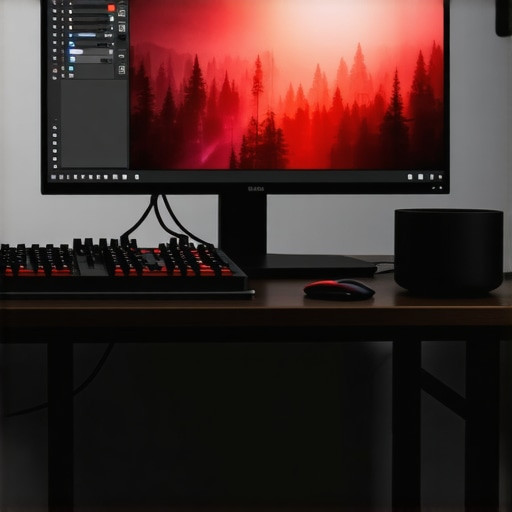
Elevating 4K Video Production with Advanced Hardware and Workflow Optimization
In the rapidly evolving realm of professional video editing, achieving seamless 4K workflow demands a nuanced understanding of hardware capabilities, optimized proxy workflows, and precise color grading tools. As content creators and post-production specialists push the boundaries of resolution and color fidelity, leveraging a high-performance editing GPU alongside a calibrated color grading monitor becomes paramount to ensure efficiency and uncompromised quality.
The Significance of a Robust Editing GPU for 4K Video Processing
Why does GPU selection critically impact 4K editing and rendering speeds?
High-resolution 4K video editing imposes substantial computational loads, especially during rendering and real-time playback. An optimal editing GPU accelerates decoding, encoding, and playback processes, reducing bottlenecks that hinder creative flow. Professional-grade GPUs equipped with ample VRAM and CUDA cores, such as the latest NVIDIA RTX series, deliver the parallel processing power essential for complex color effects, LUT application, and multi-layer compositing.
Furthermore, hardware acceleration features facilitate real-time editing in software like Adobe Premiere Pro or DaVinci Resolve, especially when handling proxies or layered color effects. The choice of GPU directly correlates with the efficiency of workflows, influencing how swiftly editors can iterate on their projects without sacrificing detail or color precision.
Proxy Workflow as a Strategic Solution for Handling 4K Files
How does proxy editing streamline high-res workflows without compromising quality?
Proxy workflows have emerged as a critical strategy in managing large 4K files, enabling editors to work smoothly on modest hardware. By creating lower-resolution, lightweight copies of footage, professionals can perform editing and timeline adjustments without lag. Later, these proxies are seamlessly replaced with full-resolution files for final color grading and export, maintaining high quality while optimizing editing speed.
Efficient proxy management hinges on software settings and fast storage solutions, such as NVMe SSDs, to minimize data transfer times. This approach is particularly valuable in collaborative environments or when working with multiple streams of high-bitrate footage. For a comprehensive overview of integrating proxy workflows into 4K editing, refer to our detailed guide.
Calibrated Color Grading Monitors in Professional Video Work
How do color grading monitors influence the accuracy and consistency of 4K post-production?
Color grading monitors serve as the final authority on visual fidelity, providing a calibrated display environment that accurately represents color, contrast, and dynamic range. For 4K video professionals, investing in a high-quality monitor, such as those discussed in this comprehensive guide, ensures that adjustments translate accurately across distribution platforms. Features like 10-bit color depth, HDR support, and hardware calibration are essential to maintain consistency and satisfy client expectations.
Blind spots or inaccuracies in display calibration can lead to color shifts, muddy shadows, or over-saturated highlights, which deteriorate narrative clarity and visual impact. Combining a calibrated monitor with a GPU capable of robust color processing guarantees the highest fidelity during color grading sessions, aligning with industry standards for digital cinema and broadcast.
Balancing Hardware Power with Workflow Efficiency
In practical terms, integrating a high-end GPU, efficient proxy workflows, and an accurate color grading environment requires a strategic approach. For instance, selecting a suitable editing PC build aligned with your workflow complexity ensures sustained performance. When combined with optimized storage solutions and professional monitors, this setup elevates production quality and speed.
Reflecting on the Future of 4K Editing Technologies
As the industry advances, emerging innovations like AI-assisted editing, real-time color correction, and more sophisticated proxy algorithms will redefine efficiency standards. Continual assessment of hardware capabilities and workflow methodologies remains critical for staying at the forefront of high-resolution content creation.
To explore more specific hardware configurations and professional tips, visit our ultimate guide. Your insights and experiences are invaluable—share your strategies for optimizing 4K video editing in the comments or through direct collaboration.
Elevate Your Editing Setup with Hardware Synergy for 4K Content
Beyond selecting individual components, creating a cohesive hardware ecosystem is essential for unparalleled 4K editing efficiency. This entails harmonizing your GPU, CPU, storage, and display systems to work in concert, minimizing bottlenecks and maximizing throughput. For instance, pairing a high-performance GPU like the latest NVIDIA RTX series with a multi-core CPU, such as AMD Ryzen 9 or Intel Core i9, ensures that processing power is evenly distributed, preventing any single component from becoming a choke point.
Moreover, fast storage solutions like NVMe SSDs are pivotal in handling large 4K files, enabling rapid data access and transfer rates. Implementing RAID configurations can further boost throughput, facilitating smoother playback and quicker render times. To complement this hardware synergy, professional-grade color grading monitors—calibrated for consistency—ensure that color information remains accurate throughout the editing pipeline.
Is Your Workflow Ready for Real-Time 4K Editing Challenges?
Undeniably, real-time editing remains one of the most significant hurdles in 4K workflows. Techniques like proxy editing and GPU-accelerated effects software can mitigate these challenges, but optimizing your entire workflow is crucial. For instance, leveraging software features that utilize hardware acceleration, such as cutting-edge GPUs and optimized codecs, drastically reduce latency and processing times.
Furthermore, sophisticated proxy workflows, which involve creating intelligent, lightweight copies of raw footage, enable editors to manipulate files with minimal hardware strain. Once edits are finalized, full-resolution files are restored for high-quality output and color grading. For detailed strategies, see our proxy workflow guide.
Enhancing Color Fidelity with Next-Gen Monitors and GPUs
In pursuit of color accuracy, combining high-end GPUs that support advanced color workflows with calibrated, HDR-capable monitors is indispensable. Features like hardware calibration support, 10-bit color depth, and support for HDR standards such as Dolby Vision or HDR10 elevate your color grading precision. According to industry standards outlined in this expert guide, pairing these tools ensures that every hue, shadow, and highlight is faithfully represented.
Maintaining calibration rigor—regularly using hardware calibration tools—prevents color shifts over time, ensuring consistency across projects. Such meticulous setup, combined with GPU-accelerated rendering, guarantees sharp, vibrant, and true-to-life visuals in your final deliverables.
How can AI-driven enhancements reshape real-time 4K editing and color correction?
Emerging AI technologies are beginning to revolutionize post-production workflows by automating tasks like color matching, noise reduction, and even scene detection. These innovations, integrated seamlessly into editing platforms, can reduce manual effort and accelerate project timelines. For example, AI-based color correction tools can identify and adjust color discrepancies across clips instantaneously, streamlining the grading process and elevating consistency. To stay ahead, professionals should explore platforms integrating AI-powered features and assess their compatibility with existing hardware setups.
Explore more about bridging AI advancements with professional workflows in our comprehensive hardware and software tips guide. Sharing your experiences with these emerging tools can foster a community of innovation and excellence in 4K content creation.
Harnessing AI Acceleration for Even Smarter Editing
Recent breakthroughs in artificial intelligence are beginning to reshape the landscape of professional video editing, offering tools that automate complex tasks with unprecedented precision. Algorithms powered by machine learning can now perform real-time scene analysis, color matching across different shots, and intelligent noise reduction, dramatically reducing manual effort and facilitating a more intuitive workflow. This evolution not only accelerates project turnaround times but also elevates quality by maintaining consistent visual aesthetics throughout the editing process.
By integrating AI-driven plugins such as Adobe’s Sensei or Blackmagic Design’s DaVinci Neural Engine into your editing pipeline, you can unlock capabilities like automated shot tagging, intelligent color grading suggestions, and scene segmentation. These tools analyze footage at a granular level, adapting adjustments based on scene context, lighting conditions, and artistic intent. For instance, scene detection algorithms can promptly identify cuts, enabling editors to navigate complex timelines swiftly—a vital advantage when working with extensive 4K footage from multiple sources.
How will AI reshape the role of skilled editors and post-production supervisors?
As AI assumes routine and technical tasks, human expertise will increasingly focus on creative decision-making, storytelling, and quality assurance. This paradigm shift emphasizes the importance of understanding machine learning frameworks and training AI models with custom parameters tailored to specific project aesthetics. Professional involvement will evolve from technical execution to strategic oversight, ensuring AI suggestions align with artistic vision.
In the context of high-resolution content, AI can assist in maintaining color consistency across varied shooting conditions, automatically applying color correction templates calibrated for specific cameras or lighting environments. Such integration minimizes discrepancies and ensures the final product adheres to branding or cinematic standards, marking a significant leap towards smarter, more autonomous editing workflows. To explore practical implementations of AI in your projects, consult industry-leading resources like Adobe Sensei’s official documentation for detailed case studies and API integrations.
Enhancing Color Grading with Adaptive Displays and Quantum Dot Technology
For professionals dedicated to mastering color fidelity, the advent of adaptive display technologies, notably quantum dot-enhanced monitors, presents new horizons in visual accuracy. Unlike traditional LED panels, these displays utilize nanocrystals that emit precise wavelengths of light, resulting in richer colors, deeper blacks, and broader color gamuts—crucial for nuanced color grading in 4K workflows.
Complementing these displays, hardware calibration tools like X-Rite’s i1Display Pro Plus enable meticulous profiling that accounts for ambient lighting conditions, display aging, and specific use-case scenarios. Continuous calibration ensures your monitor’s output remains consistently aligned with industry standards such as DCI-P3 or Rec. 2020, facilitating seamless communication with clients, colorists, and broadcast standards.
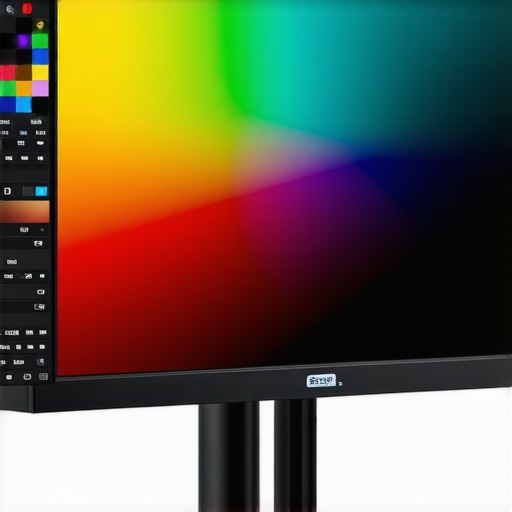
Integrating these display advancements with a GPU featuring dedicated low-latency video processing units—such as AMD’s RDNA 3 architecture with integrated matrix processing—further refines real-time color visualization. The synergy between cutting-edge hardware and precise calibration paves the way for color grading that captures subtle gradations and HDR nuances with exceptional clarity, directly translating into impactful visual storytelling.
What strategic considerations should professionals weigh when upgrading to quantum dot or OLED displays for color-critical workflows?
Choosing the optimal display technology involves evaluating factors such as brightness capacity, contrast ratio, color volume, and calibration stability. While OLEDs offer perfect blacks and wide viewing angles, they may be susceptible to burn-in over prolonged use—an important consideration for long editing sessions. Quantum dot monitors, on the other hand, deliver consistent brightness and color accuracy over time, making them favorable for professional grading tasks. Balancing these attributes with budget constraints and workflow demands enables producers to make informed investment decisions that future-proof their color grading environment.
Stay ahead by subscribing to industry updates from organizations like the Society of Motion Picture and Television Engineers (SMPTE) and attending specialized webinars that focus on emerging display standards, calibration protocols, and hardware integrations. Remember: continuous education is essential in adapting to continually evolving visual technologies and maintaining a competitive edge in high-end video production.
Revolutionize Your 4K Editing with Next-Generation GPU Architectures
As 4K video content becomes the standard, hardware advancements such as AMD’s RDNA 3 and NVIDIA’s Ada Lovelace architectures offer unparalleled processing capabilities that empower editors to handle complex projects with ease. These GPUs feature specialized cores for ray tracing, AI acceleration, and higher bandwidth memory, facilitating real-time playback and rendering even in multi-layered, effects-heavy timelines.
Implementing a GPU with hardware-accelerated encoding, like NVIDIA’s NVENC or AMD’s VCN, dramatically reduces export times and enables seamless integration of live previews during editing sessions. The strategic choice of GPU architecture directly influences your ability to execute high-fidelity color grading, real-time proxy management, and cinematic effects concurrently, elevating workflow efficiency to new heights.
Achieving Flawless Color Accuracy with Spectrally Enhanced Monitors
What are the benefits of integrating quantum dot and OLED display technologies into professional grading environments?
Quantum dot and OLED displays revolutionize color representation by providing expanded color gamuts, deeper blacks, and greater HDR support—features essential for precise color grading at 4K resolutions. Quantum dot monitors, such as those adhering to the Rec. 2020 standard, deliver superior luminance stability and broader spectral coverage, ensuring color fidelity matches cinema and broadcast industry standards.
Coupling these displays with hardware calibration tools like X-Rite’s i1 Pro suite guarantees a consistent color profile over prolonged use, which is pivotal when matching client expectations or preparing deliverables for multiple viewing platforms. This synergy ensures that every hue, shadow, and highlight is rendered with utmost accuracy, preserving artistic intent and technical compliance.
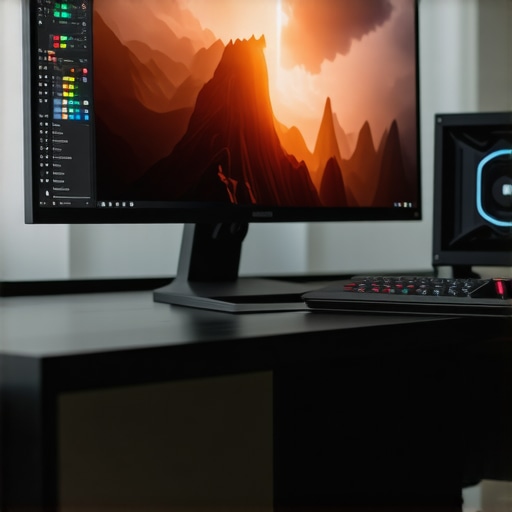
![5 Best OLED Color Grading Monitors for HDR Pros [2026 Update]](https://videoediting.editinggearpro.com/wp-content/uploads/2026/01/5-Best-OLED-Color-Grading-Monitors-for-HDR-Pros-2026-Update.jpeg)