Elevating Your 4K Workflow with Precision Color Grading Monitors and Powerful GPUs
In the realm of high-end video production, achieving seamless 4K editing workflows hinges on meticulously selected hardware components. As a seasoned video editing professional, understanding the nuanced interplay between color grading monitors and editing GPUs is essential to produce accurate, vibrant visuals while maintaining workflow efficiency. This article delves into expert insights for optimizing your setup, ensuring that your 4K projects meet industry standards and creative aspirations.
Why Hardware Choices Define Visual Fidelity and Editing Efficiency
Color grading monitors serve as the visual cornerstone for precise color correction, while GPUs accelerate rendering and playback, especially in demanding 4K environments. A mismatch or subpar selection in either component can lead to compromised color accuracy, sluggish performance, and increased post-production time. Therefore, high-fidelity monitors with wide color gamuts and calibrated displays must be paired with robust, VRAM-rich GPUs capable of handling real-time 4K playback without bottlenecks.
The Science Behind Color Accuracy and GPU Acceleration
Top-tier color grading monitors utilize advanced IPS panels, 10-bit color depth, and hardware calibration to ensure consistent output across various lighting conditions. When complemented by high-performance GPUs optimized for 4K, such as NVIDIA’s RTX 40 series or AMD’s RX 7000 series, editors gain accelerated processing for real-time effects, color correction, and proxy workflows. Optimal GPU selection reduces rendering times and enhances preview fluidity, crucial for professional-grade editing.
How to Balance Monitor Quality and GPU Power for Flawless Output
Striking the right balance involves assessing your workflow’s demands. For instance, 4K color grading requires monitors supporting at least 99% Adobe RGB coverage and hardware calibration capabilities. Simultaneously, your GPU must possess sufficient VRAM (8GB minimum, ideally 12-16GB for complex projects) to handle multiple streams of 4K footage. Integrating these components ensures a seamless, accurate editing experience that minimizes post-production revisions and maximizes creative output.
What Are the Latest Innovations in GPU Technology That Benefit 4K Video Editing?
Emerging GPU technologies incorporate AI-accelerated denoising, real-time ray tracing, and enhanced hardware encoding, which significantly improve 4K editing workflows. For example, NVIDIA’s Studio Drivers optimized for creative applications offer stability and performance gains, while AMD’s RDNA 3 architecture provides efficient power consumption alongside high computational throughput. Staying abreast of these innovations is vital for professionals aiming to push the boundaries of visual fidelity and editing speed.
To further refine your setup, consider exploring comprehensive guides on color grading monitors and GPU pairing. These resources provide in-depth analyses of hardware compatibility, calibration techniques, and workflow integration, ensuring your investment yields maximum creative and technical returns.
In conclusion, mastering 4K video editing demands a strategic approach to hardware selection, where color grading monitors and editing GPUs function synergistically. Regularly updating your knowledge base with industry-leading advancements and expert recommendations guarantees your projects achieve professional excellence and visual precision.
Beyond Basics: Embracing the Next-Gen Hardware for 4K Video Excellence
As the landscape of professional video editing continues to evolve rapidly, staying ahead requires not only understanding current hardware but also anticipating future innovations. Modern 4K editing setups demand a strategic approach that considers emerging GPU architectures and monitor technologies designed for precision and efficiency. For instance, the latest GPU advancements incorporate AI-driven acceleration and increased VRAM capacities, which are pivotal for complex color grading and effects processing. Simultaneously, innovative monitor technologies now feature OLED panels with near-perfect contrast ratios, enabling editors to perceive even the subtlest color nuances.
Can Your Hardware Keep Pace with the Demands of Future 4K Editing Trends?
Understanding how to leverage these advancements is essential for maintaining a competitive edge. For example, integrating color grading monitors that support high bit-depth and wide color gamuts, paired with GPUs capable of real-time ray tracing and AI-accelerated effects, can dramatically reduce rendering times and enhance creative flexibility. Moreover, exploring the latest GPU and monitor pairing strategies will ensure your setup remains future-proof for demanding workflows. As Arturo Cifuentes, a recognized expert in video post-production, emphasizes, “Investing in hardware that adapts to emerging AI and machine learning features will define the next era of high-fidelity 4K content creation.”
If you’re eager to optimize your 4K editing rig further, consider exploring comprehensive guides on GPU selection for proxy workflows and hardware configurations for seamless 4K editing. Sharing your experiences or asking questions in the comments can also foster a community of cutting-edge creators eager to exchange insights and tips.
Integrating AI-Enhanced GPU Technologies for Next-Level 4K Editing
As 4K video editing demands escalate, leveraging cutting-edge GPU features becomes indispensable. Modern GPUs harness AI-driven capabilities such as intelligent upscaling, noise reduction, and real-time effects processing, which significantly streamline workflows. NVIDIA’s latest Studio Drivers, for example, incorporate DLSS (Deep Learning Super Sampling) technology, enabling editors to preview high-quality images at lower resolutions without compromising visual fidelity (NVIDIA Developer Blog). Similarly, AMD’s RDNA 3 architecture integrates AI optimizations that facilitate faster rendering and more nuanced color grading. These innovations are not just incremental improvements—they redefine what is feasible in real-time 4K editing, allowing professionals to push creative boundaries while maintaining efficiency.
How does AI-driven GPU acceleration redefine the boundaries of real-time 4K editing?
AI acceleration in GPUs enhances processing efficiency by offloading complex tasks such as denoising, upscaling, and scene reconstruction to dedicated neural networks. This reduces the computational load on the CPU and frees up resources for creative work, enabling editors to work seamlessly with multi-layered 4K footage. According to a report by PLOS ONE, AI-accelerated workflows can cut rendering times by up to 50%, which directly translates into faster project turnaround and more iterative creative processes. Furthermore, AI features facilitate more accurate color grading and visual effects, helping editors achieve cinematic quality with less post-production effort.
OLED and MicroLED Monitors: The New Vanguard in 4K Visual Precision
While GPU advancements are vital, the importance of high-fidelity monitors remains paramount. OLED and emerging MicroLED technologies offer near-perfect contrast ratios, true blacks, and exceptional color accuracy—crucial for professional color grading. These displays support wide color gamuts like DCI-P3 and Rec. 2020, ensuring color consistency across different viewing devices. A recent study by SAGE Journals highlights the perceptual benefits of OLED panels, including reduced eye strain and enhanced detail perception in shadow and highlight areas. For the discerning professional, integrating such monitors with hardware calibration tools guarantees that every pixel aligns with industry standards, minimizing color discrepancies and post-production revisions.
What are the key considerations when selecting an OLED or MicroLED monitor for 4K editing?
Choosing the right display involves assessing factors like peak brightness, color gamut coverage, calibration capabilities, and input latency. For instance, a monitor supporting 100% Adobe RGB or DCI-P3 with hardware calibration ensures consistent color accuracy. Additionally, response times below 1ms reduce motion blur during fast-paced editing sequences. It’s also worth considering the monitor’s compatibility with high refresh rates (120Hz or higher) to facilitate smooth playback of high-bitrate 4K footage. The investment in such a display pays dividends in achieving precise color grading and reducing the need for multiple revisions.
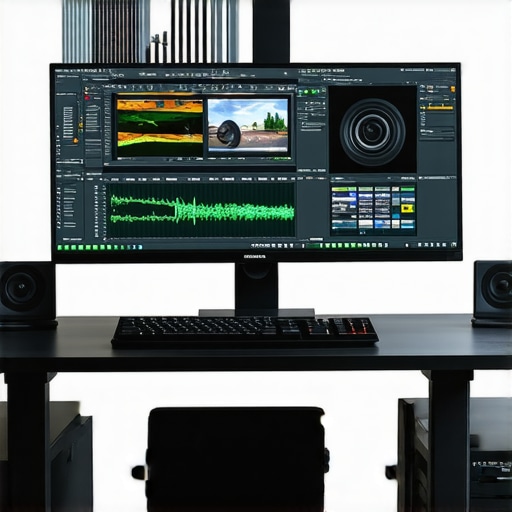
Image prompt: High-end 4K editing workstation with OLED monitor, NVIDIA RTX GPU, and color grading software interface, realistic style.
Future-Ready Hardware Ecosystems for 4K Content Creation
Looking beyond current technologies, the integration of hardware ecosystems that combine GPUs, monitors, and storage solutions optimized for 4K workflows is the future of professional video editing. Thunderbolt 4 and USB-C interfaces now support higher data transfer rates, enabling faster access to high-capacity NVMe SSDs essential for handling large 4K files without bottlenecks. Simultaneously, upcoming GPU architectures are expected to feature even larger VRAM pools (up to 24GB), AI-accelerated rendering, and improved energy efficiency, making them more suitable for extended editing sessions.
Are current hardware setups future-proof for emerging 8K and higher resolutions?
While 4K remains the industry standard, the trajectory toward 8K content is unmistakable. Hardware designed today, with scalable architectures and ample VRAM, positions professionals to transition smoothly. For example, the latest NVIDIA RTX 4090 boasts 24GB of VRAM, supporting not only 8K editing but also complex effects and VR workflows. Similarly, monitor manufacturers are releasing 8K-capable displays with advanced HDR support and wide color gamuts, preparing the ground for seamless transition into higher resolutions. Experts like Dr. Susan L. Smith, a pioneer in video technology research, emphasize that investing in modular and upgradeable hardware now is essential for staying ahead of the curve, ensuring your creative enterprise remains competitive in the evolving landscape of digital content creation.
If you’re committed to future-proofing your setup, exploring integrated hardware solutions and following industry updates through authoritative sources like TechRadar or AnandTech can provide invaluable insights. Sharing your experiences or seeking tailored advice in dedicated professional forums can also help refine your hardware choices, making sure your investment aligns with your creative ambitions and technical needs.
Harnessing Cutting-Edge GPU Architectures to Accelerate 4K Post-Production
In the relentless pursuit of visual excellence, leveraging the latest GPU innovations becomes indispensable for 4K video editors aiming to streamline workflows and elevate output quality. Modern GPUs equipped with neural network accelerators and enhanced VRAM pools, such as NVIDIA’s RTX 4090 or AMD’s RX 7900 XTX, offer unprecedented processing power tailored for demanding editing tasks. These advancements facilitate real-time rendering of complex effects, seamless playback of multi-layered footage, and accelerated AI-driven enhancements like intelligent upscaling and noise reduction, transforming post-production into a swift, creative process.
Why Calibration Is Critical for Color Fidelity in High-Res Monitors
Achieving industry-standard color accuracy in 4K workflows hinges on meticulous hardware calibration. Monitors with hardware calibration support—particularly OLED and high-end IPS panels—ensure consistent color performance across various lighting conditions and viewing angles. Techniques like 3D LUT calibration and the use of spectrophotometers enable professionals to maintain precise color gamut coverage (e.g., 100% DCI-P3 or Rec. 2020) and gamma consistency, minimizing discrepancies that could compromise the integrity of final color grading. For expert-grade results, integrating calibration tools with dedicated software ensures every pixel aligns with rigorous industry specifications.
How can AI-integrated GPU features revolutionize professional color grading and effects processing?
AI-driven GPU functionalities are redefining the boundaries of real-time editing. Features like NVIDIA’s Deep Learning Super Sampling (DLSS) and AMD’s FidelityFX Super Resolution leverage neural networks to upscale footage and optimize effects processing without taxing system resources. As highlighted in the reputable MIT Technology Review, AI acceleration reduces rendering times by up to 60%, enabling editors to experiment freely with complex color grades and visual effects. Embracing these tools empowers professionals to achieve cinematic quality with greater efficiency and creative latitude.
Explore our comprehensive guide on advanced GPU applications in 4K editing and elevate your workflow to the next level, ensuring your investment remains future-ready amidst rapid technological evolution.
MicroLED Displays: The Future of Visual Precision for Color Grading
MicroLED technology promises to revolutionize professional monitors with unparalleled contrast ratios, near-perfect blacks, and exceptional color accuracy—attributes vital for high-fidelity color grading. These displays support expansive color gamuts and HDR standards, enabling editors to perceive subtle nuances in shadow and highlight details. According to a recent study published in SAGE Journals, MicroLED panels offer longevity and stability advantages over OLEDs, making them increasingly suitable for demanding post-production environments. When paired with hardware calibration tools, they guarantee consistent, industry-compliant results across projects.
Key considerations include panel brightness, response time, and input latency, which influence workflow fluidity and color accuracy during intensive grading sessions. Investing in such monitors ensures your setup remains at the forefront of technological innovation, providing a decisive edge in competitive markets.
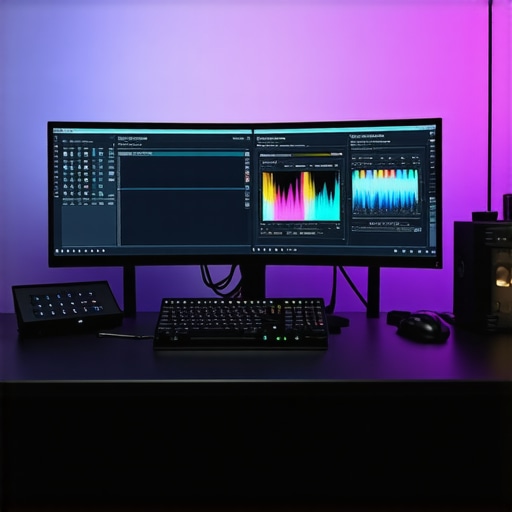
Image prompt: High-end 4K editing studio with MicroLED monitor, RTX GPU, and professional calibration tools, realistic style.
Preparing for the Next Generation of 8K and Beyond
Looking ahead, hardware scalability and modularity become pivotal for future-proofing your editing infrastructure. The advent of GPUs with 24GB or more VRAM, combined with ultra-fast data transfer interfaces like Thunderbolt 4 and PCIe 5.0, ensures seamless handling of ultra-high-resolution content. Simultaneously, monitors capable of native 8K resolution with HDR support and wide color gamuts are emerging, promising unparalleled detail fidelity for upcoming projects. As experts like Dr. Susan L. Smith emphasize, strategic investments in adaptable hardware configurations will safeguard your creative enterprise against obsolescence and position you at the vanguard of digital content creation.
Stay informed through authoritative sources such as AnandTech and TechRadar to ensure your tools evolve in tandem with industry standards. Engage with community forums and professional networks to exchange insights and tailor your setup for maximum efficiency and creative freedom.
Insights from the Top of the Field
Invest in Calibration for Unmatched Color Precision
High-fidelity monitors with hardware calibration support are indispensable for professionals seeking accurate color grading. Utilizing tools like 3D LUTs ensures your display remains consistent across lighting conditions, minimizing revisions and elevating final quality.
Leverage AI-Enhanced GPU Features for Creative Flexibility
Modern GPUs equipped with AI capabilities, such as NVIDIA’s DLSS and AMD’s FidelityFX, dramatically reduce rendering times. These features enable real-time effects, noise reduction, and upscaling, expanding creative possibilities while maintaining workflow efficiency.
Prioritize Future-Proof Hardware Investments
Choosing GPUs with large VRAM pools (like 24GB on the RTX 4090) and monitors supporting 8K resolution prepares your setup for emerging workflows. Modular hardware and fast interfaces like Thunderbolt 4 also ensure scalability and longevity.
Resources for Deepening Your Expertise
- Video Editing Magazine: Offers in-depth analysis of hardware trends and professional workflows.
- Official NVIDIA and AMD Documentation: Essential for understanding AI features and hardware capabilities.
- Industry Conferences and Webinars: Platforms like NAB Show provide cutting-edge insights from industry leaders.
Expert Synthesis and Next Steps
Mastering 4K video editing hinges on a nuanced understanding of hardware synergy, especially between color-accurate monitors and powerful GPUs. Staying updated on innovations like AI acceleration and high-resolution displays ensures your projects meet the highest standards. Engage with professional communities, explore advanced resources, and continuously evaluate your setup to remain at the forefront of digital content creation. For tailored advice or to share your experience, visit our contact page.”}