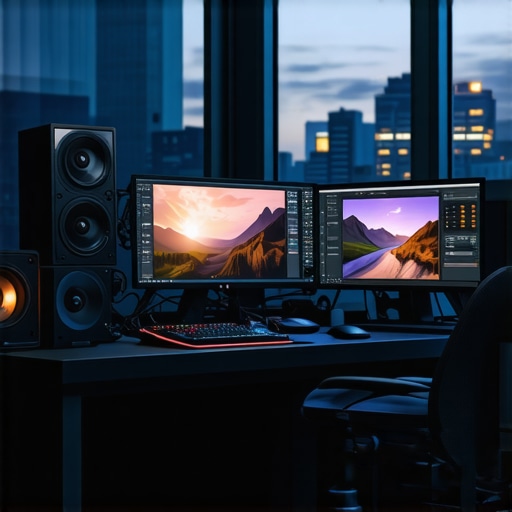
Unlocking the Complex Interplay Between Color Grading Monitors and GPU Power for 4K Video Mastery
In the realm of professional video editing, especially at 4K resolution, the synergy between high-caliber color grading monitors and robust GPU configurations cannot be overstated. As workflows become increasingly demanding, understanding the nuanced role of these components is essential for achieving seamless editing, precise color fidelity, and efficient rendering. This article explores the advanced considerations and expert insights necessary to optimize your editing setup for 4K workflows, integrating cutting-edge hardware and software strategies.
Why Precision in Color Representation Demands Specialized Monitors
High-end color grading monitors serve as the cornerstone of accurate color reproduction, enabling editors to make critical decisions that impact the visual storytelling. Unlike consumer-grade displays, professional monitors with 10-bit color depth, wide color gamuts such as DCI-P3 or Adobe RGB, and hardware calibration capabilities ensure that the colors seen on-screen are true to the final output. For instance, references like the ultimate guide to color grading monitors emphasize that selecting a display with hardware calibration and uniformity is vital for consistent results.
GPU Choices: Balancing Power and Precision for 4K Editing
Choosing the right GPU involves understanding the demands of real-time playback, rendering, and effects processing in 4K workflows. High-performance GPUs such as NVIDIA’s RTX 4090 or AMD’s Radeon RX 7900 XTX provide the necessary CUDA cores and VRAM to handle large video files smoothly. Furthermore, leveraging GPUs optimized for color grading tasks, including real-time 3D LUT application and hardware-accelerated decoding, can dramatically reduce bottlenecks. For an in-depth analysis of GPU options, visit the best editing GPUs for 2025 resource.
What Are the Advanced Hardware Configurations That Maximize 4K Workflow Efficiency?
Beyond selecting top-tier monitors and GPUs, integrating high-speed SSDs, ample RAM, and optimized motherboard configurations ensures that data throughput matches your hardware’s potential. For example, NVMe SSDs facilitate rapid read/write speeds crucial for large 4K files, while multi-GPU setups can distribute processing loads for complex effects and color grading. Additionally, employing proxy workflows—where lower-resolution copies are edited before final rendering—can significantly enhance productivity, especially when paired with powerful hardware. For more on streamlining workflows, see ultimate hardware and software tips for 4K editing.
How can experts ensure color accuracy across different display devices in a 4K editing environment?
Maintaining color consistency involves a combination of hardware calibration, color management workflows, and periodic verification against industry standards. Using hardware calibration tools like X-Rite i1Display Pro, and adhering to standards such as Rec. 709 or DCI-P3, ensures that color fidelity remains intact across various devices. This process is especially critical when delivering content for broadcast or cinematic release, where color precision is non-negotiable. For comprehensive calibration techniques, consult the expert guide to calibration and color management.
Whether upgrading your setup or fine-tuning existing hardware, prioritizing synergy between high-caliber monitors and powerful GPUs is essential for pushing the boundaries of what’s possible in 4K video production. For tailored advice, consider reaching out through our contact page and sharing your specific workflow challenges.
How Can Professional Color Grading Monitors and GPUs Be Harmonized for Flawless 4K Video Production?
Achieving impeccable color accuracy and seamless performance in 4K video editing hinges on a delicate balance between high-quality monitors and powerful GPU configurations. While many focus on hardware specifications in isolation, the true mastery lies in understanding how these components interact and complement each other. For instance, integrating a reference-grade monitor with a GPU capable of hardware-accelerated color processing ensures that color grading decisions are both precise and consistent across different stages of production. To explore the latest advancements in hardware integration, visit best GPU options for 4K proxy workflows in 2024.
What are the cutting-edge tools and techniques that enable professional editors to maintain color fidelity across diverse devices?
Maintaining color fidelity across various devices requires a comprehensive approach that combines hardware calibration, color management workflows, and industry-standard practices. Utilizing calibration tools like the X-Rite i1Display Pro, editors can establish a reliable baseline for color accuracy. Adopting color profiles such as Rec. 709 for broadcast or DCI-P3 for cinematic content ensures consistency in color representation. Moreover, leveraging high-end color grading monitors designed for 4K workflows—like those discussed in top color grading monitors for 4K—helps visualize a true-to-final output. Regular calibration and verification against industry standards are crucial, especially when delivering content to multiple platforms or clients. For an in-depth guide, see expert color calibration techniques.
To further refine your workflow, consider utilizing proxy editing workflows, which allow you to work with lower-resolution copies during the editing process, significantly reducing system strain. This method, combined with optimized hardware like top-tier PC builds and GPU setups, can dramatically speed up rendering and exporting times.
Finally, fostering a culture of continuous learning—staying updated with the latest hardware drivers, software updates, and industry standards—ensures that your editing environment remains competitive. Sharing insights and experiences through community forums or professional networks can also provide fresh perspectives on maintaining color accuracy and workflow efficiency.
Mastering the Art of Hardware Synergy: Elevating 4K Video Editing with Expert Calibration and Configuration
In the high-stakes world of 4K video production, achieving impeccable color fidelity and seamless workflow efficiency hinges on the meticulous integration of your hardware components. Beyond selecting premium monitors and GPUs, understanding their intricate interactions can transform your editing process from good to extraordinary. This deep dive explores advanced techniques and expert insights that ensure your setup is not just powerful but perfectly harmonized for professional-grade results.
Why Hardware Compatibility and Calibration Are Non-Negotiable for Color Precision
While high-end monitors like the Dolby Vision-certified Dolby Vision-P3 or Flanders Scientific’s DM250 are engineered for accurate color reproduction, their effectiveness is contingent upon proper calibration. Hardware calibration tools such as the X-Rite i1Display Pro or the Datacolor SpyderX Elite are essential for establishing and maintaining color accuracy over time. According to the industry standard outlined by the International Color Consortium (ICC), consistent color management workflows underpin professional-grade output, especially when multiple devices are involved.
Choosing and Configuring GPUs for Optimal 4K Workflow Performance
When it comes to GPUs, the focus extends beyond raw power to include features like hardware-accelerated color grading, real-time effects processing, and decoding capabilities. The NVIDIA RTX A6000 or AMD Radeon Pro W6800 are tailored for intensive editing environments, supporting extensive VRAM and CUDA/OpenCL cores necessary for 4K workflows. Configuring your GPU settings—such as enabling hardware acceleration, adjusting memory allocation, and optimizing driver updates—can dramatically reduce render times and prevent bottlenecks. For an authoritative guide on GPU optimization, refer to the latest insights from NVIDIA’s professional visualization solutions.
How Can Advanced Hardware Configurations Be Leveraged for Superior 4K Editing Efficiency?
Implementing RAID configurations with NVMe SSDs, such as the Samsung 980 Pro or WD Black SN850X, ensures rapid data throughput—crucial for handling large 4K files. Coupled with a motherboard supporting PCIe 4.0 or higher, this setup minimizes latency and maximizes data transfer rates. Additionally, deploying multi-GPU setups—using technologies like NVIDIA NVLink or AMD CrossFire—can distribute processing loads effectively. This is especially beneficial for complex color grading and effects rendering, where parallel processing accelerates project timelines. For a comprehensive overview, consult the detailed hardware architecture strategies outlined by AnandTech’s hardware reviews.
What are the best practices for maintaining consistent color accuracy across multiple devices in a complex 4K editing environment?
Maintaining color fidelity across various devices involves a rigorous calibration routine, standardized color profiles, and regular verification. Calibration should be performed at the start of each editing session using professional tools like the X-Rite i1Display Pro, ensuring that each monitor adheres to industry standards such as Rec. 709 or DCI-P3. Employing color management workflows in editing software—like DaVinci Resolve or Adobe Premiere Pro—that support ICC profiles guarantees consistent color appearance. Furthermore, integrating hardware LUT boxes can facilitate real-time color adjustments, aligning monitor outputs with project specifications. For expert calibration techniques, see the ICC color management guidelines.
To achieve the pinnacle of consistency, consider implementing a color workflow that involves soft-proofing, color grading in controlled lighting conditions, and periodic calibration audits. The result is a robust ecosystem where your hardware components—from monitors to GPUs—operate in concert to deliver true-to-source visuals at 4K resolution, satisfying even the most discerning clients and audiences.
Future-Proofing Your 4K Workflow: Integrating Emerging Technologies and Best Practices
Staying ahead in the rapidly evolving field of video production necessitates continuous learning and adaptation. Emerging hardware innovations, such as AI-accelerated denoising and real-time ray tracing, promise to further enhance editing precision and efficiency. Software advancements, including machine learning-based color correction tools and adaptive workflows, are reshaping the landscape. Engaging with industry forums, attending professional workshops, and subscribing to authoritative publications like ProVideo Coalition ensures you remain informed about cutting-edge developments.
Ultimately, the mastery of hardware synergy—calibrated monitors, optimized GPUs, and robust data infrastructure—serves as the foundation for pushing creative boundaries in 4K video production. Whether you’re refining a professional studio or upgrading your personal editing suite, these expert strategies will elevate your craft to new heights. For personalized advice tailored to your specific workflow, don’t hesitate to connect with industry specialists through our contact page.
Exploring the Latest Innovations in Hardware Synchronization for 4K Color Grading Mastery
In the pursuit of impeccable visual fidelity, the integration of state-of-the-art color grading monitors with cutting-edge GPU architectures has become more than a technical necessity—it’s an art form. Recent advancements such as real-time hardware LUT processing and AI-driven color consistency tools are revolutionizing how professionals achieve seamless harmony between display and processing units. Industry leaders like Flanders Scientific and Dolby Vision are pioneering solutions that leverage these innovations, setting new standards in color accuracy and workflow efficiency.
How Does Hardware-Based Color Management Enhance Professional Editing Precision?
Hardware-based color management involves calibrating display devices using specialized tools and embedding precise ICC profiles that ensure color consistency across multiple screens and devices. By integrating hardware LUT boxes and utilizing software that supports hardware acceleration—such as DaVinci Resolve or Baselight—editors can achieve a new level of control. This approach minimizes discrepancies caused by software limitations or environmental lighting conditions, thus preserving color intent from capture to final delivery. For comprehensive calibration protocols, consult the detailed guidelines published by the International Color Consortium (ICC).
What Are the Impactful Hardware Choices for GPU-Driven 4K Editing and Color Grading?
Selecting GPUs like the NVIDIA RTX A6000 or AMD Radeon Pro W6800 is critical for supporting extensive VRAM, real-time effects, and hardware-accelerated decoding essential for 4K workflows. These GPUs excel in supporting multiple 4K streams simultaneously, enabling complex color grading and effects without performance degradation. Configuring GPU settings—such as enabling CUDA or AMD’s ROCm—alongside optimized driver updates ensures peak performance. For expert insights on GPU optimization, explore NVIDIA’s professional visualization solutions.
In What Ways Can Advanced Data Infrastructure Amplify 4K Workflow Efficiency?
Implementing high-speed NVMe SSD arrays in RAID configurations and leveraging PCIe 4.0 or higher support ensures rapid data throughput, significantly reducing latency during large file transfers and rendering tasks. Multi-GPU setups utilizing technologies like NVIDIA NVLink or AMD CrossFire further distribute processing loads, accelerating effects rendering and color grading computations. Additionally, adopting proxy workflows with optimized hardware allows editors to manipulate lower-resolution copies, conserving system resources while maintaining project fidelity. For detailed hardware strategies, review AnandTech’s latest hardware reviews.
What Advanced Calibration Techniques Guarantee Consistent Color Fidelity in Multi-Device Environments?
Ensuring consistent color fidelity across diverse devices mandates rigorous calibration routines utilizing high-end tools like the X-Rite i1Display Pro or the Datacolor SpyderX Elite. These tools facilitate the application of industry-standard color profiles aligned with Rec. 709, DCI-P3, or BT.2020 standards. Regular calibration sessions—scheduled at the start of each workflow or after hardware updates—are vital. Moreover, integrating color management workflows within editing software that supports ICC profiles and hardware LUTs—such as Resolve or Baselight—ensures that color accuracy is maintained throughout the editing pipeline. For detailed calibration procedures, refer to the ICC guidelines.
To push your color grading precision even further, consider adopting machine learning-based color correction tools and real-time soft-proofing techniques, which adapt dynamically to varying display conditions and target standards. These innovations empower professional editors to deliver visually stunning, color-accurate content consistently across all platforms and formats.
How Can Future Technologies Transform the 4K Editing Landscape?
The integration of AI-driven denoising, real-time ray tracing, and adaptive workflows is set to redefine the boundaries of 4K video production. Emerging hardware, such as quantum dot displays and neural network-accelerated processing units, will offer unprecedented levels of color fidelity and computational efficiency. Staying engaged with industry forums, participating in professional development, and monitoring updates from leading technology providers like NVIDIA and Dolby will ensure your workflows remain at the cutting edge. For strategic insights into future-proofing your setup, explore resources from ProVideo Coalition.
Expert Insights & Advanced Considerations
1. Precise Hardware Calibration is the Foundation of Color Fidelity
Implementing hardware calibration tools like the X-Rite i1Display Pro ensures consistent, industry-standard color accuracy across multiple devices, which is vital for professional 4K workflows. Calibration is not a one-time task but an ongoing process that maintains visual integrity throughout production.
2. Leveraging GPU Features for Real-Time Color Processing
Modern GPUs such as NVIDIA RTX A6000 or AMD Radeon Pro W6800 support hardware-accelerated color grading and decoding, enabling smoother previews and faster rendering times. Proper configuration of GPU settings maximizes these capabilities for demanding 4K projects.
3. Optimizing Data Infrastructure for Workflow Efficiency
High-speed NVMe SSDs in RAID configurations and PCIe 4.0 support minimize data bottlenecks, facilitating rapid access to large 4K files. Multi-GPU setups further distribute processing loads, dramatically reducing project turnaround times.
4. Maintaining Color Consistency Across Multiple Devices
Regular calibration, adherence to standards like Rec. 709 or DCI-P3, and the use of hardware LUT boxes ensure visual consistency. Integrating color management workflows within editing software sustains color fidelity from capture to final delivery.
5. Embracing Emerging Technologies for Future Readiness
AI-driven tools, real-time ray tracing, and hardware innovations like quantum dot displays are transforming 4K color grading. Staying informed through industry forums and professional resources ensures your workflow remains cutting-edge.
Curated Expert Resources
- Video Editing Hardware & Software Tips: An in-depth guide providing advanced hardware configurations for 4K editing, available at this link.
- Color Grading Monitors for Video Professionals: A comprehensive review of top monitors supporting 4K workflows, accessible at this resource.
- ICC Color Management Guidelines: Industry standards for calibration and color consistency, detailed at ICC.org.
Final Expert Perspective
Mastering the art of harmonizing high-performance color grading monitors with powerful GPUs is essential for pushing the boundaries of 4K video production. By integrating expert calibration techniques, leveraging GPU innovations, and maintaining a robust data infrastructure, professionals can achieve unprecedented levels of color fidelity and workflow efficiency. For those committed to excellence, continual learning and adaptation to emerging technologies are the keys to staying at the forefront of this dynamic industry. Engage with our community, explore advanced resources, and elevate your 4K editing mastery today—your next project deserves nothing less.
I really appreciate how this article emphasizes the importance of balancing high-quality monitors with robust GPU setups for 4K workflows. In my experience, I’ve found that even the best hardware can fall short if calibration isn’t maintained regularly. Using tools like the X-Rite i1Display Pro has been a game-changer for ensuring consistent color accuracy across multiple devices. One challenge I’ve faced is integrating hardware LUT boxes smoothly into my workflow without causing delays during editing sessions. Does anyone have suggestions or best practices for streamlining calibration and hardware integration without compromising on accuracy or efficiency? It seems that ongoing calibration and hardware management are vital, but finding the right workflow balance is key to maintaining productivity in high-res projects.
This article really hits the mark on the delicate balance required between high-end monitors and GPU capability for 4K workflows. From my own experience, I’ve seen how a powerful GPU can be rendered less effective if the monitor isn’t properly calibrated or if hardware integration isn’t optimized. The mention of proxy workflows is particularly interesting, as they can significantly reduce system strain when paired with the right hardware setup, making editing more efficient without sacrificing color fidelity. I’ve also found that regular software and driver updates play a crucial role in maintaining smooth performance, especially with multi-GPU configurations. One thing I wonder about is the emerging AI-based calibration tools; do they hold potential to simplify the calibration process further without losing precision? I’m curious how others are incorporating these new technologies into their setup and whether they’ve seen noticeable improvements in consistency and efficiency.
This post offers a comprehensive overview of how crucial the synergy between top-tier monitors and powerful GPUs is for mastering 4K workflows. My own experience aligns with the importance of ongoing calibration; even with the best hardware, inconsistent color profiles can undermine the quality of the final product. I’ve been experimenting with both hardware calibration and software-based tools, and I find that scheduling regular calibrations—especially after hardware updates—helps maintain accuracy over time. One challenge I’ve encountered is integrating hardware LUT boxes seamlessly without interrupting the editing flow. Has anyone found efficient workflows or tools that help streamline this process? Additionally, I’m curious about how emerging AI-based calibration solutions compare in terms of precision and ease of use. Do they really reduce the calibration time significantly while still ensuring consistency across multiple devices? Would love to hear insights from others who have incorporated these technologies into their setups.
I completely agree with the emphasis on hardware calibration and its impact on maintaining true-to-final colors in 4K workflows. From my experience working with high-end monitors like the Flanders Scientific, I’ve noticed that even minor calibration drifts can lead to discrepancies that compromise the project’s accuracy. Integrating hardware LUT boxes has added an extra layer of control, but it can sometimes complicate the workflow if not managed properly. What’s been helpful for me is establishing a regular calibration routine, like weekly checks, and using software that supports hardware LUT workflows seamlessly. Regarding AI calibration tools, I’ve tried a couple of these solutions, and honestly, they’re promising in terms of speed. However, I still prefer manual calibration for critical projects to ensure absolute precision. How have others found the balance between AI-driven calibration and traditional methods in their workflows? Are there particular tools that have made a noticeable difference in workflow efficiency without sacrificing accuracy? Sharing experiences could be insightful for many of us trying to optimize our setups.
This article hits a lot of critical points about the importance of hardware synergy in 4K workflows. I’ve personally found that regular calibration isn’t just a one-time fix but something that needs to be part of ongoing maintenance, especially when working with multiple devices. Using tools like the X-Rite i1Display Pro has indeed improved my color consistency, but I’ve been curious about how emerging AI calibration tools could further streamline this process. From your experience, do these tools offer comparable precision to manual calibration, particularly for projects that demand high color fidelity? I’ve also struggled a bit with integrating hardware LUT boxes smoothly into my pipeline without interrupting the editing flow. Has anyone found any effective strategies or specific tools to make this process more seamless? Would love to hear some insights or tips from others who’ve optimized this aspect of their setup.