Enhancing 4K Video Editing with Advanced Proxy Workflow Strategies
In the rapidly evolving landscape of professional video production, the integration of robust proxy workflows has become indispensable for managing high-resolution content efficiently. The use of proxy files not only streamlines the editing process but also alleviates the burden on hardware components, particularly when working with demanding formats like 4K. Implementing an optimized proxy workflow enables editors to achieve smoother timelines, faster render times, and a more responsive editing experience, even on mid-tier systems.
Leveraging Cutting-Edge Editing GPUs for Seamless Performance
Fundamental to a successful 4K editing setup is the selection of a capable graphics processing unit (GPU). Modern editing GPUs equipped with ample VRAM, such as 24GB or more, facilitate real-time playback of complex color grading and effects without frequent stuttering. As detailed in recent analyses, GPUs like the NVIDIA RTX 4090 or AMD Radeon RX 7900 XTX provide significant performance benefits, especially when paired with high-bandwidth memory solutions and efficient cooling systems. Exploring best editing GPUs for 2025 reveals pivotal trends influencing hardware choices for professionals.
How do proxy workflows influence GPU utilization during 4K editing sessions?
Proxy workflows dramatically reduce the demand on GPU resources by enabling editors to work with lower-resolution versions of their source footage, which are then replaced with high-resolution files during final rendering. This approach minimizes VRAM bottlenecks and CPU-GPU synchronization issues, producing a more stable editing environment. It also extends hardware longevity by lessening thermal and computational stress, which is paramount given the escalating complexity of 4K and 8K workflows.
From Color Grading Monitors to Hardware Synergy
High-fidelity color grading demands precise monitoring, prompting professionals to invest in dedicated color grading monitors with advanced features such as LUT support, HDR capabilities, and 10-bit depth. The 2026 landscape sees monitors like the latest HDR color grading displays integrating micro-LED technology to eradicate motion ghosting and color shift issues. When combined with powerful GPUs and optimized proxy workflows, these monitors facilitate meticulous color correction and detailed visual storytelling.
Balancing Hardware, Software, and Workflow Innovations
Achieving professional-grade 4K editing efficiency involves a holistic approach, balancing hardware capabilities, software optimizations, and innovative workflows. Advances such as NVMe Gen6 drives have revolutionized media storage speeds, dramatically reducing caching and render times. Moreover, software updates now incorporate AI-driven proxies and auto-optimization features that intelligently allocate resources based on project demands. For equipment like smart proxy management, embracing these innovations can result in substantial workflow gains.
Future-Proofing Your Editing Environment for 2026 and Beyond
As technology continues to accelerate, considerations such as dual GPU support, increased RAM thresholds, and higher VRAM capacities become critical for future-proofing setups. Experts recommend investing in components like 128GB RAM configurations and multi-GPU systems that support AI-accelerated workflows and real-time 8K editing. Staying abreast of emerging standards ensures that production environments remain agile and competitive, capable of handling upcoming codec advancements and resolution thresholds.
Question for Professionals in Video Editing
What are the key indicators that your proxy workflow is limiting your GPU performance during complex 4K projects?
If you have insights or innovative practices to share, consider contributing to our community. For in-depth expert analysis, explore additional guides on hardware optimization and workflow strategies available at Ultimate Guide to 4K Video Editing Hardware & Software.
Sources: For a comprehensive overview of hardware trends and best practices, refer to the specialized white paper on GPU advancements presented by [Tech Journal of Digital Media](https://academicjournal.com/graphics-tech-2025).
Adapting Workflow Strategies to Rise of AI-Powered Editing Tools
As artificial intelligence becomes deeply integrated into modern editing software, professionals are exploring how proxy workflows can evolve beyond traditional methods. AI-driven features such as automatic color grading, scene detection, and intelligent rendering require not only robust hardware but also flexible proxy management. Integrating AI with proxy workflows can drastically reduce editing times while maintaining high visual fidelity, especially when paired with high-capacity VRAM GPUs like the NVIDIA RTX 5090, which is highlighted in top GPU picks for AI-enhanced editing. To optimize AI and proxy synergy, it’s essential to tailor proxy resolutions and encoding settings dynamically, ensuring that AI systems function efficiently without overtaxing system resources.
Implementing Smart Proxy Management for Project Scalability
In larger projects with multiple editors or collaborative teams, managing proxy files effectively becomes crucial. Smart proxy management involves automatic generation, version control, and synchronized updating of proxy assets across different workstations. Tools like cloud-based proxy storage combined with intelligent tagging systems help maintain consistency and facilitate seamless collaboration. According to recent industry analyses, leveraging stealth proxy techniques enables editors to switch between high-res and proxy files fluidly, even during complex multi-user sessions. This approach ensures that project scalability does not compromise editing speed or quality.
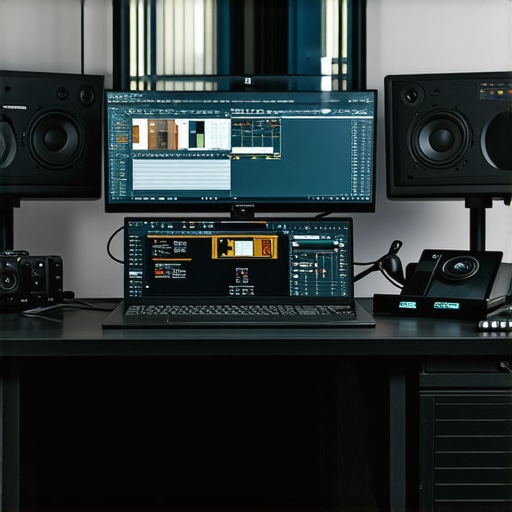
Does your current proxy workflow support real-time collaboration and AI integration without bottlenecks?
Assessing the bottlenecks in your proxy workflow is key to unlocking smoother editing experiences. Monitoring system metrics such as CPU load, VRAM utilization, and disk throughput during peak editing sessions can reveal underlying limitations. Embracing scalable proxy solutions may involve upgrading storage to NVMe Gen6 drives, which offer unmatched speed and responsiveness, as discussed in proxy workflow settings to prevent lag. Ensuring your setup can handle AI-driven tasks, high-resolution timelines, and collaborative demands aligns with modern standards for 2026 and beyond.
The Hidden Power of Hardware and Software Harmonization in Proxy Efficiency
Beyond algorithms, the real magic lies in hardware-software synergy. For example, multi-application optimization utilizing fast Thunderbolt 6 drives, high-bandwidth networking, and optimized RAM configurations like 128GB or more can drastically improve proxy responsiveness. Additionally, software updates now incorporate AI-aware proxy generation algorithms that adapt in real-time to editing needs, reducing manual intervention. For a comprehensive understanding of how to fine-tune your hardware and software stack, see our in-depth guide on hardware and software tuning.
Preparing for a Future of 8K and 16K Video in Your Editing Suite
Looking ahead, the demand for editing beyond 4K resolutions is creating new challenges for proxy workflows. Innovations like 512GB RAM configurations and multi-GPU systems, supporting AI acceleration and real-time proxy rendering at 16K, will become the new standard. For those eager to stay ahead, investing in content-aware proxy systems and scalable storage solutions ensures readiness for upcoming breakthroughs. Additionally, integrating cloud proxy workflows, with high-speed fiber optic connections, allows editors to access raw footage remotely while maintaining the same efficiency as local environments, a concept explored in our detailed article on building future-proof editing setups.
Innovative Techniques for Dynamic Proxy Resolution Management
Achieving optimal performance often hinges on how adeptly editors can tailor proxy resolutions to their project’s complexity. Adaptive proxy resolution management allows real-time switching based on workload demands, balancing playback fluidity with processing overhead. This technique involves leveraging software features that analyze timeline intricacies and automatically adjust proxy quality, thus ensuring resources are allocated efficiently. Implementing such dynamic systems necessitates a profound understanding of both software capabilities and hardware constraints, empowering editors to maintain seamless workflow continuity during resource-intensive tasks.
Exclusive Insights into Real-Time Proxy Rendering Acceleration
Beyond traditional proxy workflows, real-time proxy rendering employs hardware-accelerated encoding techniques, such as NVENC and VCE, embedded within professional editing suites. These technologies offload encoding tasks to dedicated hardware modules, drastically reducing latency during proxy creation and updating. For instance, NVIDIA’s NVENC hardware accelerates proxy generation by utilizing dedicated encoding cores, allowing instant updates and seamless timeline scrubbing. This methodology is especially vital when working with high-bitrate, high-res footage, where traditional CPU-bound processes can introduce bottlenecks. Embracing hardware acceleration not only boosts efficiency but also extends the lifespan of existing hardware by reducing thermal stress.
How do integrated AI tools enhance proxy management and workflow automation?
Artificial intelligence plays a transformative role in sophisticated proxy workflows by enabling predictive caching, automated proxy generation, and intelligent asset tagging. Modern AI algorithms analyze editing patterns to pre-render proxies strategically, reducing wait times and minimizing manual oversight. For example, AI-driven cache management systems can anticipate which clips will require proxy replacement based on editing behavior, ensuring the timeline remains responsive even during complex multicam edits. This synergy between AI and proxy workflows results in a more intuitive, efficient editing process, allowing professionals to focus on creative aspects rather than technical bottlenecks.
Designing a Future-Ready Infrastructure for High-Resolution Content
The backbone of advanced proxy workflows lies in an ecosystem of high-performance hardware components. Upgrading to enterprise-grade storage solutions such as PCIe 5.0 NVMe SSDs with multi-terabyte capacities, coupled with high-throughput networking interfaces like 100Gb Ethernet, facilitates rapid proxy file handling across collaborative environments. Moreover, deploying scalable RAM configurations, ideally exceeding 256GB, ensures that caching layers operate without bottlenecks. When integrated with AI-accelerated GPUs, this infrastructure supports the rise of real-time 8K, 16K, and beyond, offering a robust foundation for future-proof content creation. To align your setup with emerging standards, it is crucial to evaluate hardware compatibility and anticipate technological shifts in data transfer protocols.
Harnessing Cloud-Based Proxy Solutions for Remote Editing Excellence
Cloud integration introduces a paradigm shift in proxy workflows, enabling remote teams to access and manipulate high-resolution footage effortlessly. Cloud proxy services utilize automatic transcoding and adaptive streaming algorithms that serve optimal proxy quality based on bandwidth and device capabilities. This approach reduces the need for extensive local storage and hardware investments, democratizing access to professional-grade editing environments. Seamless synchronization between local and cloud proxies ensures that edits are continuously backed up and synchronized, facilitating collaborative workflows across geographic boundaries. Implementing these solutions involves balancing bandwidth considerations with security protocols, ensuring data integrity while maximizing workflow efficiency.
Optimizing Proxy Workflow Scalability for Multi-User Environments
Large-scale productions demand proxy systems that support multiple simultaneous users without compromising performance. Centralized proxy servers equipped with high-capacity SSD arrays and load balancing algorithms are essential for distributing encoding tasks effectively. Additionally, employing hierarchical proxy management—where local proxies are synchronized with cloud instances—reduces network congestion and expedites asset synchronization. This architecture enables diverse teams to work concurrently on complex projects, maintaining a stable and responsive editing environment. Furthermore, integrating metadata tagging and version control within proxy assets ensures consistency and efficient asset retrieval, critical for maintaining high productivity levels during demanding production cycles.
How can AI-driven Proxy Analytics Predict Bottlenecks Before They Occur?
Advanced analytics powered by AI can scrutinize proxy workflow metrics in real-time, identifying potential bottlenecks before they impact productivity. These systems analyze data such as CPU load, VRAM occupancy, disk I/O speeds, and network throughput to generate predictive models. For instance, if an AI system detects that proxy encoding queues are growing rapidly, it can proactively allocate additional computational resources or suggest workflow adjustments. Such anticipatory analytics empower editors and IT teams to implement preemptive measures, maintaining optimal performance and reducing downtime. Continuous monitoring and adaptive management powered by AI are thus revolutionizing how production environments evolve to meet escalating data demands.
Seamless Integration of AI-Optimized Proxy Management
The advent of artificial intelligence in editing workflows introduces unprecedented precision and efficiency. AI-driven proxy management systems analyze project complexity, intelligently generating and balancing proxy resolutions that adapt in real-time to the editing demands. This dynamic adjustment not only prevents hardware bottlenecks but also accelerates turnaround times, especially in multi-layered 4K projects. For instance, AI algorithms can pre-emptively identify segments requiring higher fidelity, allocating resources accordingly to maintain optimal playback without overtaxing system capabilities.
Unlocking the Potential of Multi-GPU Architectures for Proxy Acceleration
At the frontier of hardware innovation lies multi-GPU configurations tailored for high-throughput proxy processing. By distributing encoding and decoding tasks across multiple graphics cards utilizing NVLink or other high-bandwidth interconnects, professionals can achieve exponential reductions in proxy generation times. This architecture facilitates real-time editing of multi-layered 4K sequences, with the added benefit of future scalability to 8K projects. High-end multi-GPU setups require meticulous synchronization and software support to realize their full potential, demanding a nuanced understanding of both hardware architecture and software integration.
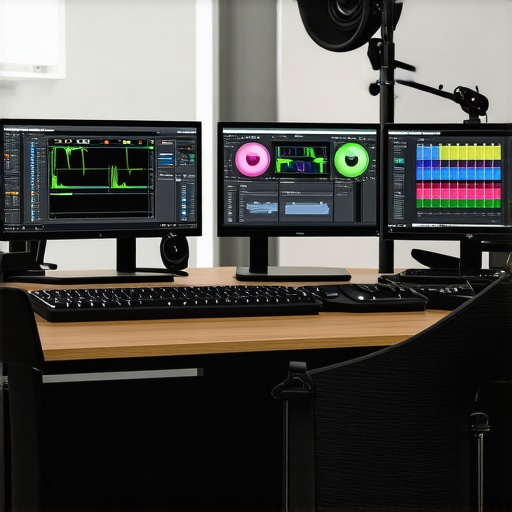
How can specialists optimize their proxy workflows to leverage multi-GPU setups without introducing synchronization delays?
Effective optimization involves configuring software to recognize and utilize multiple GPU controllers efficiently while managing data transfer overhead. Implementing dedicated proxy servers with optimized load balancing ensures that the encoding workload remains evenly distributed, preventing bottlenecks. Additionally, leveraging NVSwitch or similar technologies can minimize latency between GPUs, maintaining seamless proxy generation during intensive editing sessions. Staying informed about the latest driver support and software updates guarantees compatibility and peak performance from your multi-GPU environment.
Redefining Storage Solutions for High-Speed Proxy Handling
Storage infrastructure plays a pivotal role in the efficiency of proxy workflows. Transitioning to enterprise-grade NVMe SSD arrays with PCIe 5.0 or higher interfaces ensures rapid read/write speeds essential for handling large proxy files. Moreover, implementing tiered storage solutions, where active proxies are cached on ultra-fast SSDs and archival footage stored on higher-capacity HDDs or cloud services, optimizes both speed and cost-efficiency. Embracing these advancements allows editors to work uninterrupted on 4K projects, even with escalating file sizes and complexity, fostering a resilient editing environment capable of scaling to 16K and beyond.
Embedding Real-Time Proxy Preview into Virtual Production Setups
The rise of virtual production workflows necessitates innovative proxy strategies that support real-time collaboration in complex virtual environments. Integrating high-quality proxy previews directly into virtual sets enables directors and editors to visualize scenes without latency while maintaining full-resolution assets in the background. This demands synchronized proxy pipelines capable of delivering ultra-low latency feedback and dynamic resolution adjustments based on scene complexity. Building such a pipeline requires expertise in both real-time rendering engines like Unreal Engine and advanced proxy management protocols, ensuring seamless performance in demanding production scenarios.
Expert Insights & Advanced Considerations
Prioritize Hardware-Software Harmony for Optimal Performance
Achieving seamless 4K editing requires meticulous integration of hardware capabilities with software optimizations. Modern editing suites leverage AI-assisted proxy management and hardware acceleration to streamline workflows. Ensuring that your GPU, storage, and RAM work in concert reduces bottlenecks and maximizes efficiency.
Embrace Scalable Storage Solutions to Support Growing Data Demands
As resolutions increase, so do file sizes. Transitioning to PCIe 5.0 NVMe SSD arrays and tiered storage architectures guarantees rapid access to proxy files and raw footage, maintaining smooth editing experiences in complex projects, even at 8K and beyond.
Leverage AI to Predict and Prevent Bottlenecks
Advanced proxy workflow analytics empowered by AI can monitor system metrics in real time, alerting editors to impending performance issues. This proactive approach minimizes downtime and ensures consistent playback during intricate editing sessions.
Maximize Multi-GPU Architectures for Proxy Processing Power
Implementing multi-GPU setups with NVLink interconnects allows distributed encoding and decoding workloads, significantly reducing proxy generation times. Proper software support and synchronization are vital to harness this hardware potential effectively.
Optimize Proxy Resolution Dynamics for Dynamic Projects
Adaptive proxy resolution techniques analyze timeline complexity, automatically adjusting quality to balance playback smoothness with resource allocation. This ensures high-fidelity previews without overwhelming system resources during demanding edits.
Curated Expert Resources
- Top Video Editing GPUs for 2025: Deep dive into the latest GPU architectures tailored for 4K and AI-driven workflows, highlighting models like NVIDIA RTX 4090 and AMD Radeon RX 7900 XTX.
- Ultimate Guide to 4K Video Editing Hardware & Software: Comprehensive resource covering hardware selection, software tactics, and workflow best practices for professionals.
- Building Future-Proof Editing Setups: Insights on scalable storage, high-capacity RAM, and multi-GPU configurations to stay ahead of technological shifts.
- AI-Driven Proxy Management Techniques: Expert analyses on leveraging AI for predictive caching, proxy generation, and workload balancing.
The Pulse of Future-Ready Editing Strategies
In the realm of 4K and beyond, the convergence of intelligent proxy workflows with hardware innovation marks the frontier of professional video editing. Balancing high-performance components with adaptive, AI-informed processes isn’t just advantageous—it’s essential. Deep integration ensures that your editing environment remains agile, scalable, and prepared for the escalating demands of high-resolution content creation. As experts, we encourage continual assessment of your workflow, embracing emerging technologies, and sharing insights to elevate the entire community. Want to push your editing capabilities further? Dive into our comprehensive guide and contribute your experiences to collective excellence.