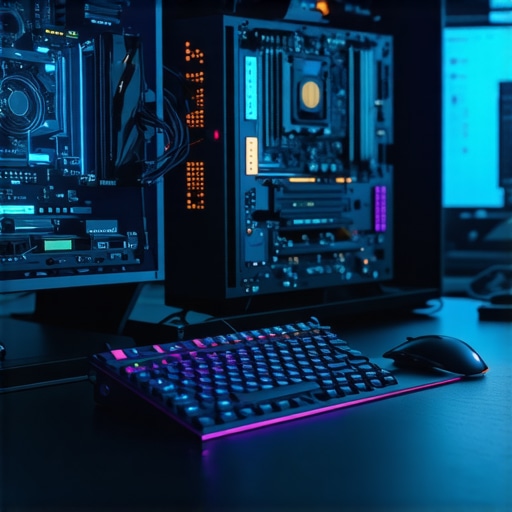
Harnessing Cutting-Edge GPU Architecture for Next-Generation Video Editing Excellence
In the rapidly evolving landscape of professional video editing, especially at resolutions like 4K and beyond, the significance of high-performancegraphics processing units (GPUs) cannot be overstated. Modern GPUs designed for AI-driven tasks and high-fidelity color grading enable editors to handle complexcolor correction and8K resolution workflows with unprecedented efficiency. Understanding the nuanced differences between architectures such as NVIDIA’s Ada Lovelace or AMD’s RDNA 3 becomes crucial for professionals aiming to future-proof their setups.
Authentic Color Management through Advanced Monitors and Calibration Techniques
Beyond raw GPU horsepower, the role ofprofessional color grading monitors plays a pivotal role in achieving true-to-life visuals. Monitors equipped with Micro LED HDR technology provide the color fidelity and contrast necessary for high-end post-production. Fine-tuning calibration processes, leveraging hardware LUTs, and selecting mini-LED versus OLED panels are decisions that influence accuracy, especially under complexproxy workflows.
Optimizing Proxy Editing Workflow to Overcome 8K Playback and Export Challenges
High-resolution projects demand substantial computational resources, often leading to sluggish8K playback and export failures. Implementing a carefully engineeredproxy workflow—where low-res versions are used during editing—can alleviate bottlenecks. For effective proxy management, integratingfast SSD storage arrays, optimizedGPU encoding capabilities, and CPU adjacency ensures smooth viewport navigation and rapid exports. Advancedsoftware tools like DaVinci Resolve or Adobe Premiere Pro now incorporate AI-assisted proxy generation, further boosting efficiency, as discussed in the proxy workflow article.
Are Your Hardware Choices Aligned with the Demands of 8K and AI-enhanced Real-Time Effects?
This question probes the core of contemporary professional editing: do your GPU and monitor selections meet the evolving standards for AI effects and 8K editing? As reported by industry leaders and recent whitepapers, GPUs with at least 24GB VRAM are increasingly becoming the baseline for efficient 8K raw processing and AI-driven denoising techniques. Simultaneously, color-critical workflows necessitate monitors that offer hardware calibration, wide color gamuts, and high bit-depth support—factors that mitigate risks of color inaccuracies in high-stakes productions.
For detailed guidance, consult our ultimate guide to mastering 4K color grading hardware.
When selecting a video editing GPU in 2026, how much VRAM suffices for 8K and AI tasks without bottlenecking?
One of the ongoing debates among experts involves balancing VRAM capacity with processing prowess. While 16GB was sufficient in previous years, the increasing complexity of AI-driven effects and 8K workflows makes 24GB or more the new standard, as emphasized in recent industry analyses. The decision hinges on project scope, desired rendering times, and budget constraints—yet, future scalability is best achieved through high-VRAM GPUs.
Explore how cutting-edge GPUs can enhance your post-production throughput by visiting our GPU selection guide for 2026.
To elevate your editing setup, consider integrating expert insights onproxy workflow optimization and investing in accurate, HDR-capable monitors that preserve color fidelity at 4K and 8K resolutions. The convergence of high-tier GPU hardware and precise visual tools defines the frontier of professional editing in 2026 and beyond.
Revolutionize Your Color Workflow Using Professional Grade Monitors
Achieving accurate color in high-resolution video editing hinges on selecting the right display. Monitors equipped with micro LED HDR technology deliver exceptional contrast, luminous brightness, and true-to-life hues, essential for precise color grading. By calibrating these monitors with hardware LUTs and adhering to industry-standard calibration practices, professionals can eliminate color inconsistencies, ensuring their final output aligns with client expectations and delivery specifications.
Next-Level Color Correction Through Calibration and Signal Path Optimization
In the pursuit of visual perfection, calibration isn’t a one-time task but an ongoing process that adapts to environmental changes and hardware upgrades. Utilizing hardware calibration tools like the X-Rite i1Display Pro combined with calibration software ensures consistent color performance. Moreover, optimizing the signal path by using high-quality SDI or HDMI cables and ensuring your GPU’s output settings match your monitor’s color profile prevents inadvertent color shifts that diminish grading accuracy. For those serious about color fidelity, detailed guides such as the ultimate guide to color grading monitor setup can be invaluable.
Are Hardware Color Management and AI-Powered Tools Keeping Pace with 8K and HDR Demands?
As 8K projects and HDR workflows become the norm, the integration of hardware calibration and AI-assisted correction tools is more critical than ever. Industry data indicates that monitors with hardware calibration capabilities coupled with AI-based image analysis can drastically reduce manual corrections and improve workflow efficiency. Ensuring your GPU can handle these advanced features—preferably with a minimum of 24GB VRAM—allows real-time processing without lag, even at the highest resolutions. Proper hardware support not only streamlines the production pipeline but also enhances creative control, enabling editors to push boundaries further than before.
For further insights, explore our comprehensive guide to color grading hardware.
How can a professional optimize their signal workflow to maintain color integrity from capture to export?
Signal management forms the backbone of consistent color rendering. Employing high-quality cabling, signal converters, and ensuring your editing workstation supports the latest color standards—such as Rec. 2020 and PQ HDR—are crucial. Additionally, implementing a robust color pipeline that includes calibration at each stage prevents cumulative errors. As project complexities grow, integrating advanced hardware like dedicated signal processors and leveraging color-aware frameworks within editing software can preserve fidelity throughout the editing process. Interested in streamlining your workflow? Check our article on proxy workflow optimization tips for additional strategies.
Incorporating high-quality, color-accurate monitors paired with properly calibrated hardware and optimized signal pathways empowers editors to deliver breathtaking visuals that meet the highest industry standards. Staying abreast of the latest technological developments, such as HDR precision and AI-aided correction tools, is essential for maintaining a competitive edge in the dynamic field of professional video editing.
Stay Ahead with Intelligent Hardware Calibration Strategies
As high-end workflows demand unparalleled precision, leveraging intelligent calibration tools becomes indispensable. Industry-leading calibration software integrated with spectrophotometers—such as the X-Rite i1Pro 2—enables dynamic adjustments that adapt in real-time to ambient lighting changes, ensuring consistent color accuracy across sessions. Innovative calibration protocols now incorporate environmental sensors and AI-driven feedback loops, providing proactive adjustments that mitigate drift over long editing sessions. This approach guarantees that your color grading remains both accurate and reliable, even under fluctuating studio conditions, thereby elevating the integrity of your final output.
Are Your Signal Pathways Ready for 8K HDR Fidelity?
Implementing robust signal pathways is crucial for maintaining the integrity of 8K HDR workflows. High-bandwidth cables, such as HDMI 2.1 or SDI with 12G or higher, facilitate the transmission of massive data streams without compression artifacts or latency issues. Moreover, integrating signal processing hardware like frame synchronizers and color management processors ensures that signals remain true throughout the pipeline. For instance, employing hardware-based color space converters preserves the fidelity of HDR10+ and Dolby Vision content during edits and exports. Such meticulous management of the signal chain minimizes color shifts and artifacts, enabling professionals to deliver content that truly harnesses the capabilities of cutting-edge display technology.
Can AI Accelerate Your Color Grading and Match Shots Effortlessly?
Artificial Intelligence is transforming post-production, especially through its capacity to automate and enhance complex color grading tasks. AI-powered algorithms—embedded within tools like DaVinci Resolve’s Neural Engine—analyze vast color datasets, suggesting corrections that align with cinematic aesthetic goals or technical standards. These systems can automatically match shots based on hue, contrast, and saturation, significantly reducing manual grading time. They also facilitate advanced features such as AI-driven noise reduction, super-resolution, and dynamic range expansion, empowering editors to push creative boundaries without sacrificing efficiency. Industry analysis suggests that integrating AI into your workflow can accelerate turnaround times by up to 50%, freeing up creative resources for more nuanced adjustments or experimentation.
How to Integrate Hardware-Accelerated Effects with Real-Time Feedback?
For professionals aiming to achieve cinematic quality in real-time, hardware acceleration of effects—via GPUs supporting technologies like NVIDIA’s RTX series—delivers immediate visual feedback on complex VFX and grading adjustments. This capability hinges on compatible software that leverages CUDA or OpenCL frameworks, enabling near-instant rendering of effects such as speed ramps, light flares, or partial color corrections. For example, utilizing real-time ray tracing for light interactions in HDR scenes not only enhances realism but also streamlines iterative refinements. By coupling these hardware advantages with high-speed NVMe storage and optimized workflows, editors can experiment freely, knowing that system latency will not hinder their creative process. Advanced configurations often include dedicated hardware rendering nodes or GPU clusters, facilitating collaborative editing environments where multiple personnel can work simultaneously without bottlenecks.
Is Your Storage Infrastructure Prepared for 8K Data Demands?
Handling 8K raw footage and high-bit-depth color data necessitates an ultra-reliable, high-throughput storage infrastructure. NVMe SSD arrays configured in RAID 0 or RAID 10 provide the bandwidth and redundancy essential for seamless playback and exporting. Furthermore, integrating scalable network-attached storage (NAS) or SAN solutions with 40GbE or higher interfaces allows collaborative workflows across teams. Employing data deduplication, inline compression, and tiered storage strategies optimizes capacity utilization while minimizing latency. As project sizes grow exponentially, investing in such infrastructure ensures that your hardware capabilities are complemented by a storage system that keeps pace—preventing workflow stalls and safeguarding data integrity in mission-critical productions.
Interested in engineering a storage solution that matches your high-resolution ambitions? Explore our detailed guides on enterprise data management and workflow optimization to tailor a bespoke infrastructure suited for 8K and HDR mastery.
Maximizing GPU Potential for Ultra HD and AI-Enabled Effects
In the realm of professional video editing, harnessing the full capabilities of high-end GPUs involves more than just selecting a card with abundant VRAM. Integrating GPUs supporting advanced features like real-time ray tracing and tensor cores facilitates complex tasks such as volumetric lighting and AI-assisted noise reduction. This synergy between hardware and software accelerates workflows, enabling editors to apply effects, perform color grading, and render 8K sequences without lag. As industry standards evolve towards greater computational demands, understanding the nuanced interplay between GPU architecture and software optimization becomes paramount for staying ahead.
Implementing Precision Calibration Techniques for Industry-Grade Monitors
Color accuracy at high resolutions hinges on methodical calibration protocols that extend beyond simple software adjustments. Employing hardware calibration devices, such as spectrophotometers, coupled with professional calibration workflows ensures consistent performance across multiple display hardware. Incorporating ambient light sensors to dynamically adjust brightness and color profiles further refines visual fidelity, which is crucial for HDR workflows and high-alpha color spaces like DCI-P3 and Rec. 2020. Consistent calibration not only enhances visual consistency but also minimizes discrepancies in client reviews and final color grading precision.
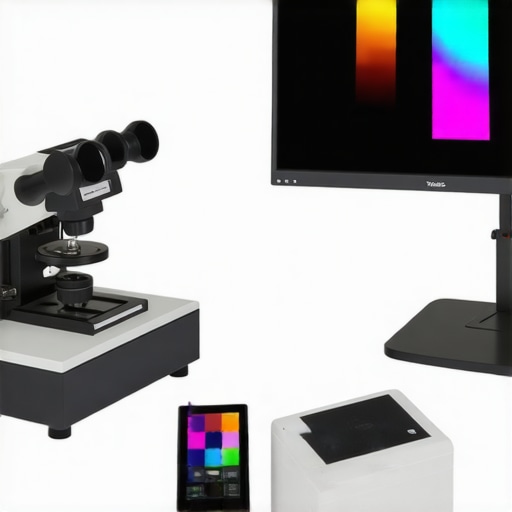
Incorporate an image showcasing a professional calibration setup with spectrophotometer, colorimeter, and reference monitor to illustrate precision calibration methods.
Rethinking Storage Architectures for Massive Video Files and Fast Turnarounds
Traditional storage solutions often bottleneck high-resolution workflows, especially when dealing with multi-terabyte 8K raw footage. Transitioning to NVMe over Fabrics (NoF) infrastructures combined with high-capacity SSD cache pools enables rapid read/write speeds that are essential for smooth timeline scrubbing and real-time exports. Implementing tiered storage strategies—such as combining local NVMe SSDs with scalable network-attached storage—optimizes costs while maintaining performance. Additionally, integrating software-defined storage with intelligent data management algorithms allows seamless handling of proxy files, original assets, and project archives, thus future-proofing your editing environment against ever-growing data demands.
Demand-Driven Hardware Selection for Cutting-Edge Post-Production
Assessing hardware investments through a lens of software demands and project scope ensures resource efficiency. For instance, leveraging AI-optimized GPUs like the NVIDIA RTX 4090 or AMD Radeon RX 7900 XT can accelerate machine learning tasks within editing suites, such as automatic shot matching and scene relighting. Additionally, high-dynamic-range (HDR) monitoring solutions with hardware calibration and wide color gamuts ensure visual integrity during grading. Staying aligned with evolving industry software, such as DaVinci Resolve’s Neural Engine and Adobe’s Sensei AI, necessitates hardware that can support these features at scale, safeguarding your workflow against obsolescence.
Unleash True Color Fidelity with Advanced Signal Routing
Optimizing signal pathways from capture devices to display outputs is fundamental for maintaining color integrity. Utilizing SDI connections with 12G or higher bandwidth ensures uncompressed data transfer, especially critical in high-dynamic-range workflows. Combining this with grade-specific color management modules guarantees accurate color space conversions and gamma handling throughout the pipeline. It is equally important to match cable quality and length to mitigate signal degradation, avoiding subtle shifts that could undermine precise grading outcomes. Regular testing with reference signals and calibration ensures that your signal routing preserves the highest fidelity from start to finish.
AI Driven Improvements Transforming Color Correction and Shot Matching
The advent of artificial intelligence in post-production has rendered previously laborious tasks swift and reliable. AI algorithms excel in analyzing shot content, enabling accurate shot matching, even under different lighting conditions, and automating complex grading adjustments. These intelligent systems learn from your color preferences, providing tailored suggestions that streamline the grading process. Moreover, AI-powered noise reduction and super-resolution techniques facilitate cleaner visuals and upscaled footage that hold up under the highest scrutiny, all while reducing manual labor and turnaround times. As these tools mature, integrating them into your workflow becomes less of an option and more of an industry obligation for delivering top-tier results efficiently.
Real-Time Effect Processing Through Dedicated Hardware Acceleration
For editors who demand immediate visual feedback, hardware acceleration of effects via GPU-optimized software can revolutionize productivity. Technologies like NVIDIA OptiX allow real-time ray tracing and complex VFX rendering within editing environments, negating the need for lengthy wait times. By pairing these with ample VRAM and fast PCIe 4.0 or 5.0 interfaces, editors gain the freedom to experiment more freely, adjusting parameters on the fly for intricate composites and color grades. Investing in multi-GPU configurations or GPU clusters further magnifies this capacity, creating collaborative editing ecosystems that cater to high-resolution, effects-heavy projects without bottlenecks.
Preparing Storage Networks for the Data Tsunami of 8K Production
To meet the colossal data throughput demands of 8K workflows, establishing a robust, scalable storage network is essential. Implementing multi-layered solutions with enterprise-grade SANs utilizing fiber channel infrastructure ensures uninterrupted high-speed data flow. Combining this with cloud integration not only provides off-site redundancy but also flexible scalability for fluctuating project sizes. Advanced data management tools that support inline deduplication and real-time replication safeguard project integrity and facilitate seamless collaboration across geographically dispersed teams. These strategic infrastructure investments are critical to prevent workflow disruptions and ensure that your storage backbone matches the rapid pace of modern post-production.
Leverage AI to Elevate Creative Color Grading Beyond Human Limits
Harnessing machine learning, modern grading tools now offer predictive and automated adjustments that align with cinematic storytelling principles. AI-driven color matching can synchronize disparate shots with remarkable speed, while intelligent masking techniques enable localized color corrections with minimal input. These advancements leave more room for creative experimentation, unburdened by technical constraints. Embracing such innovations positions your workflow at the forefront of industry standards, delivering visually stunning content that resonates with audiences while optimizing time spent on repetitive tasks. Staying informed on emerging AI capabilities—such as generative color models—ensures your mastery of the newest tools shaping professional post-production.
Unconventional Insights Slipping Past the Obvious
Prioritize AI-Integrated Hardware for Dynamic Workflows
In today’s cutting-edge post-production environment, blending AI capabilities directly into GPU hardware unlocks real-time effects, shot matching, and color correction, streamlining complex tasks previously requiring significant manual input. This integration paves the way for more adaptive, intelligent editing systems that evolve with project needs, reducing turnaround times and enhancing creative control.
Challenge the Status of Color Gamut Standards
Beyond adopting industry-standard color spaces, pushing for wider gamuts like Rec. 2024 or beyond could emerge as the new best practice, especially for immersive VR and AR content, demanding monitors and GPUs capable of handling unprecedented color depths without concessions. This evolution influences workflow fidelity, ensuring future-proofed productions.
Question Signal Chain Fidelity in Multi-Device Setups
As projects increasingly employ diversified display ecosystems, attention to high-bandwidth, high-quality signal routing—such as optical fiber or HDMI 2.1—becomes critical. Encrypting bandwidth and signal integrity directly affect the accuracy of color grading and client reviews, making the end-to-end pipeline a strategic focus rather than an afterthought.
Leverage Cloud-Integrated Proxy Management for Hybrid Workflows
Incorporating intelligent cloud synchronization with proxy workflows facilitates collaborative editing, off-site review, and seamless resource sharing, especially when working with multi-terabyte 8K footage. Strategically deploying cloud assets reduces local hardware bottlenecks, effectively future-proofing production pipelines against data volume explosion.
Essential Resources for Elevating Your Editing Expertise
- Ultimate Guide to 4K Video Editing Hardware— Deep dive into hardware selection optimized for high-resolution workflows.
- Micro LED Monitors for HDR Precision— Learn how to select displays capable of handling the latest HDR standards with fidelity.
- Proxy Workflow Optimization— Strategies to tackle 8K throughput challenges efficiently.
Reconsider How You Approach Your Visual Production Arsenal
In an era where GPU architecture and monitor calibration can make or break the quality and efficiency of professional video editing, staying ahead means embracing advanced AI integration, pushing the boundaries of color fidelity, and optimizing your signal pathways. The convergence of these innovations not only enhances output but also elevates the entire creative process, perfectly aligning with the demands of 2026’s immersive, high-resolution media landscape. To maximize your impact, continuous learning and adaptation are essential—explore our detailed resources and contribute your insights to shape the future of professional video editing with confidence.
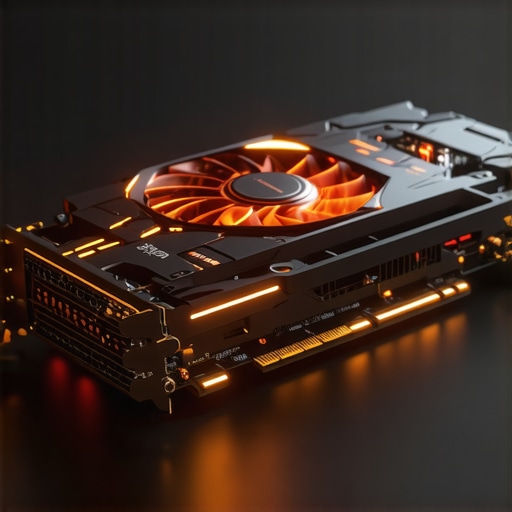
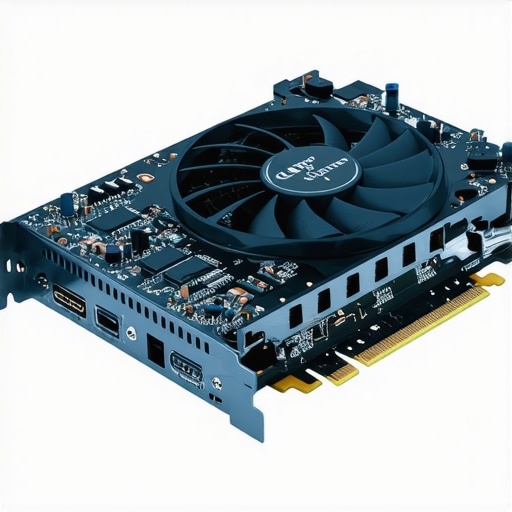
![3 Tested GPUs for Lag-Free AI Video Edits [2026]](https://videoediting.editinggearpro.com/wp-content/uploads/2026/02/3-Tested-GPUs-for-Lag-Free-AI-Video-Edits-2026.jpeg)