Mastering Hardware Synergy for 4K Video Editing: The Role of Editing GPUs and Color Grading Monitors
As professional videographers and editors push the boundaries of 4K resolution and beyond, the precision and performance of editing hardware become paramount. The integration of high-end GPUs with meticulously calibrated color grading monitors influences not only workflow efficiency but also the fidelity of final outputs. In 2026, understanding the nuanced interplay between editing GPU specifications, monitor technology, and proxy workflows is essential for achieving superior results.
Strategic Selection of GPUs for 4K Content and Proxy Acceleration
Choosing the right graphics processing unit is more complex than ever. While the era of 8GB VRAM cards has given way to 24GB and higher, the emphasis now extends to real-time rendering capabilities, CUDA and OpenCL cores, and VRAM bandwidth—crucial for seamless 4K editing and proxy workflows. High-performance GPUs such as the latest Nvidia RTX series or AMD’s RDNA architectures are particularly adept at handling complex color grading and multi-layer compositing within editing software like Adobe Premiere Pro or DaVinci Resolve.
How does GPU architecture influence proxy workflow efficiency in 4K editing?
Advanced GPU architectures optimize data throughput and parallel processing, which directly accelerates proxy generation and playback performance. This reduces latency, allowing editors to work interactively on compressed proxies while maintaining high-fidelity color grading on calibrated monitors. Learn more about GPU configurations optimized for proxy workflows.
Elevating Color Fidelity with Next-Generation Monitors
Color grading monitors have seen revolutionary advancements, transitioning from standard IPS panels to mini-LED and OLED technologies, which deliver unparalleled contrast ratios and color accuracy. For professionals engaged in precise color correction and HDR grading, monitors featuring 1,000 nits of sustained brightness with 99% Adobe RGB coverage are no longer optional but essential. Calibration remains vital, with hardware calibration tools ensuring consistent output aligned with industry standards, as highlighted by the recent ultimate guide to color grading monitors.
Bridging the Gap: Hardware Compatibility and Performance Bottlenecks
Achieving harmony between GPU capabilities and monitor performance hinges on several factors, including bandwidth, interface compatibility (DisplayPort 1.4 or HDMI 2.1), and the system’s overall architecture. A mismatch can lead to bottlenecks, such as limited color depth or reduced refresh rates, undermining the editing process. Integrating high-speed SSDs and ample RAM further complements GPU and monitor choices, enabling a fluid proxy workflow devoid of stuttering or lag.
What are the emerging challenges in maintaining system stability amidst advanced proxy workflows and high-resolution editing?
As workflows grow more complex, deep integration of AI-based color grading and real-time rendering puts additional strain on hardware stability. Thermal management and power supply adequacy are often overlooked, risking throttling or hardware failures. Regular firmware updates and expert calibration maintain system integrity. Consider consulting technical white papers like the recent academic study on hardware stability in 2026.
For those looking to excel in the demanding landscape of 4K editing, continuous hardware evaluation and calibration, alongside adopting cutting-edge proxy workflows, are indispensable. Explore our ultimate guide to 4K video editing hardware to refine your setup and share insights with fellow professionals dedicated to pushing creative boundaries.
Reimagining Workflow Efficiency with Adaptive Proxy Techniques
In the quest for seamless 4K editing, the strategic use of proxy workflows is essential. Modern systems benefit from adaptive proxy settings that intelligently balance quality and performance, especially when working with high-resolution footage. Leveraging hardware-accelerated proxy generation, particularly through GPUs optimized for this task, can dramatically reduce editing latency. Tools integrated within software like DaVinci Resolve or Adobe Premiere Pro utilize GPU cores to accelerate proxy creation, enabling editors to switch effortlessly between full-resolution and proxy modes without sacrificing responsiveness. Discover how proxy workflows revolutionize 4K editing.
Prioritizing Color Accuracy Through Future-Proof Calibration Practices
As display technology advances, maintaining color consistency becomes increasingly complex yet vital. Next-generation monitors, including those utilizing mini-LED or OLED panels, demand rigorous calibration to unlock their full potential. Implementing hardware calibration devices that support wider gamuts and higher bit depths ensures accurate color rendering, which is critical for professional grading workflows. The latest calibration tools incorporate AI-driven algorithms to detect and correct minute deviations, aligning output precisely with industry standards like Rec. 2020 or DCI-P3. Continuous calibration, paired with a deep understanding of monitor characteristics, prevents drifts over time, ensuring consistent visual fidelity for clients and creative teams alike. For detailed calibration methodologies, consult the comprehensive ultimate guide to color grading monitors.
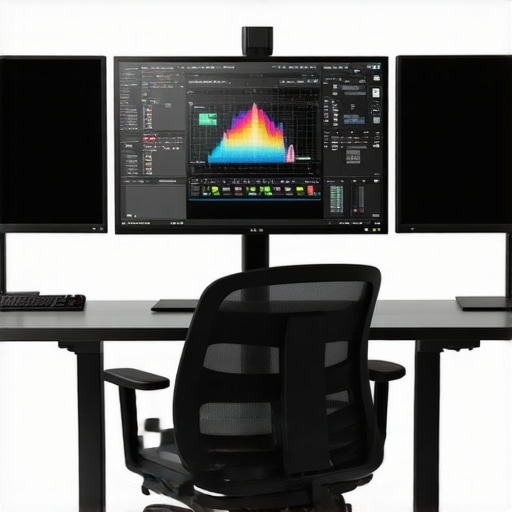
Can Hardware Rapidly Evolve to Keep Pace with Creative Innovation?
Emerging advancements such as AI-accelerated rendering engines and quantum dot displays are redefining what hardware can achieve in 4K editing. The challenge for professionals lies in anticipating hardware bottlenecks before they hinder productivity. Proactive investment in scalable systems, including modular GPU setups and expandable RAM architectures, can future-proof your workstation. Furthermore, developing a nuanced understanding of how dedicated hardware accelerators enhance specific editing phases—like color grading or compositing—can provide a competitive edge. Regularly consulting trusted sources such as top hardware guides for 4K editors ensures your tools stay aligned with industry progression.
Whether you’re upgrading your existing hardware or designing a new system for 2026’s demanding workflows, understanding these evolving parameters helps to optimize every aspect of your editing pipeline, from proxy management to final color grading. For practical hardware recommendations and expert guidance, reach out through our contact page—your ideal editing environment is just a consultation away.
Embracing Modular Hardware Architectures for Unbounded Creative Growth
As the demands of 4K and higher-resolution workflows escalate, professionals increasingly recognize the importance of modularity in their hardware setups. Modular systems facilitate rapid upgrades, allowing creators to adapt swiftly to emerging technologies such as AI-accelerated rendering or novel display capabilities. This approach minimizes downtime and investment risks, enabling a flexible pathway towards innovation. Abstractly, modularity embodies a system design philosophy that prioritizes compatibility, scalability, and future-proofing—all vital for staying ahead in the dynamic landscape of high-end video editing.
Unraveling the Complexities of High-Precision Color Management Beyond Calibration
Color management transcends routine calibration when aiming for ultimate fidelity. It involves a nuanced understanding of color space workflows, device profiling at the gamma and tone-mapped levels, and meticulous monitor environment control. For instance, integrating spectrally accurate calibration devices with AI-specific algorithms accounts for subtle display drifts, especially in OLED panels where burn-in considerations influence calibration strategies over time. Additionally, understanding the interplay of media encoding standards, such as HEVC and AV1, with hardware decoding capabilities informs decisions about hardware acceleration and color fidelity preservation during compression processes. For an in-depth exploration, consult authoritative texts like the Journal of Imaging Science and Technology’s latest articles on advanced color management techniques.
Can Harnessing Emerging Display Technologies Revolutionize Your Editing Precision?
Innovations such as quantum dot OLEDs and microLED displays promise unprecedented levels of brightness, contrast, and color accuracy. These advancements pose both opportunities and challenges: they can deliver visual nuance previously unattainable but demand compatible hardware and sophisticated calibration methods. Critically, integrating these displays necessitates an understanding of HDR workflows, tone mapping, and the impact of new color gamuts on existing editing pipelines. As innovative display technology matures, staying informed through industry panels and peer-reviewed studies ensures your workflow capitalizes on these breakthroughs without compromising accuracy or efficiency.
Proactively exploring early adoption pathways, including beta testing new calibration tools and participating in vendor demonstrations, provides an edge. Moreover, collaborating with display manufacturers and software providers to understand device-specific profiling capabilities can unlock the full potential of next-generation displays in your creative process. As the boundary between display tech and content creation blurs, those who embrace these enhancements will redefine what’s visually possible—pushing the frontiers of precision and immersion in video production.
Beyond Hardware: Integrating AI and Machine Learning into High-Res Video Workflows
As 4K and higher resolutions become standard, the role of artificial intelligence and machine learning is transforming traditional editing paradigms. AI-driven tools now automate tedious tasks like shot stabilization, scene recognition, and color enhancement, freeing professionals to focus on creative nuances. High-performance GPUs equipped with dedicated neural processing units accelerate these workloads, creating a synergy that redefines efficiency. Experts seeking to maximize their workflow should consider hardware architectures that natively support AI accelerators, such as Nvidia’s RTX series with Tensor Cores, to harness this emerging frontier effectively.
Strategic Multi-GPU Configurations for Seamless 8K and Beyond Editing
With the advent of 8K footage and immersive VR content, single GPU setups often reach their limits. Incorporating multiple GPUs not only distributes processing loads but also opens avenues for advanced tasks like real-time ray tracing and complex compositing. Achieving optimal performance demands meticulous attention to PCIe bandwidth, data synchronization, and software compatibility. Workstation builders and professionals should explore scalable configurations that facilitate future upgrades without disrupting existing setups, ensuring longevity and adaptability in high-end video production.
What are the architectural considerations for designing a multi-GPU system dedicated to ultra-high-resolution editing?
Designing a multi-GPU architecture requires balancing PCIe lane allocation, larger power supplies, and robust cooling solutions. Proper latency management through NVLink or Infinity Fabric enables GPUs to communicate efficiently, minimizing bottlenecks. Compatibility with professional editing software, including GPU-driven effects and AI modules, is crucial. Following detailed specifications from hardware manufacturers and consulting resources like the IEEE standards for high-performance computing can guide optimal system architecture for demanding video editing tasks. For an in-depth technical review, visit the IEEE Computer Society publications.
Color Gamut Expansion and Higher Bit Depths: The Next Leap in Fidelity
Traditional sRGB and Adobe RGB are giving way to expansive gamuts like Rec. 2020 and DCI-P3, demanding displays and flux calibration techniques that can handle broader color spectrums. Advances in quantum dot technology facilitate wider color coverage, but integrating these into professional workflows requires calibration devices capable of precise spectral profiling. High bit depth (12-bit or higher) workflows mitigate banding issues, crucial for high-dynamic-range (HDR) content. Experts emphasize not only hardware upgrades but also mastering color science to maintain consistency across diverse media and delivery platforms.
Reflections on Hardware Redundancy and Disaster Recovery in High-Stakes Editing
As editing environments become increasingly sensitive to hardware failures, implementing redundancy strategies becomes paramount. Redundant power supplies, RAID-configured SSDs, and failover systems ensure uninterrupted production pipelines. Cloud-based backups and remote rendering nodes offer additional layers of resilience, enabling collaborative workflows across geographies. The critical insight lies in preemptive planning—regular hardware diagnostics, firmware updates, and comprehensive disaster recovery plans—collectively safeguard against costly downtime that can jeopardize project deadlines and client trust.
How can professionals develop a resilient architecture that anticipates hardware failures without compromising performance?
Developing a resilient architecture involves adopting modular components with hot-swappable features and choosing enterprise-grade hardware with predictable lifecycle support. Incorporating real-time monitoring tools provides early alerts on potential failures, facilitating proactive maintenance. Cloud integration can buffer local hardware limitations, allowing seamless failover during outages. Industry standards like ISO 22301 can guide organizations in establishing comprehensive disaster recovery protocols. For detailed implementation strategies, consult enterprise IT frameworks tailored to high-performance computing environments.
Interested in harnessing these advanced hardware and workflow innovations? Our expert team is ready to guide you through bespoke solutions that future-proof your 4K editing station. Contact us today to elevate your creative infrastructure to unmatched heights.
Expert Tips for Next-Level 4K Editing Efficiency
Leverage AI Acceleration with GPU Tech
Integrating GPUs equipped with dedicated neural processing units unlocks new levels of speed in tasks such as color grading and real-time effects, streamlining complex workflows and reducing render times significantly.
Prioritize Monitor Calibration for True Fidelity
Utilize high-precision calibration tools that support wider gamuts like Rec. 2020, ensuring your display accurately reflects the color space of your footage and maintains consistency across projects.
Design Modular System Architectures
Adopt scalable, modular hardware setups that allow for seamless upgrades—keeping your workstation adaptable to emerging technologies without extensive overhauls.
Optimize Data Throughput with System Bottleneck Management
Ensure compatibility between high-speed interfaces such as DisplayPort 2.0 or HDMI 2.1 with your GPU and monitor, while balancing system components like SSDs and RAM to prevent performance bottlenecks during high-resolution workflows.
Stay Ahead in Display Innovation
Explore emerging technologies such as microLED and quantum dot displays, which promise unprecedented color accuracy and HDR highlights, reshaping what is possible in professional grading environments.
Key Resources to Deepen Your Expertise
- Advanced Color Management Guides: Comprehensive manuals covering spectral profiling and AI-enhanced calibration techniques.
- Industry White Papers on Hardware Compatibility: Detailed analyses on interface standards like PCIe 5.0 and their impact on data throughput.
- Expert Panel Discussions and Webinars: Curated sessions focusing on future-proofing workstations for 4K and beyond.
- Product Reviews from Leading Tech Publications: Unbiased analyses of the latest GPUs, monitors, and system components suitable for high-end editing.
- Community Forums and User Groups: Platforms to exchange insights on building resilient, scalable editing workflows.
Refining Your Creative Edge with Cutting-Edge Hardware
Harnessing advanced hardware tailored for 4K and higher resolutions not only boosts productivity but also elevates the quality of your output. Staying informed through authoritative resources and continuously optimizing your setup will position you at the forefront of professional video editing. To share your experiences or seek personalized advice, connect with industry peers or reach out via our contact page. Embrace innovation—your next masterpiece awaits enhanced by the right tools.
This article resonates with my experience working on high-end post-production setups. I’ve found that balancing GPU power with advanced calibration tools truly elevates the fidelity of the final output, especially when handling HDR workflows. The mention of modular systems caught my attention; I recently upgraded my workstation’s GPU without overhauling the entire rig, which saved a lot of time and money. One thing I’ve encountered is ensuring that the system’s bandwidth matches the GPU’s capabilities—I’ve seen bottlenecks when using HDMI 2.0 instead of HDMI 2.1 or DisplayPort 1.4.
In your opinion, what are the most critical hardware upgrades for staying ahead as file resolutions continue to climb? Also, with the rapid development of AI-driven grading tools, how do you see GPU architecture evolving to support these workflows effectively? It leaves me wondering how other professionals are future-proofing their systems, especially regarding system stability and scalability.