Elevating Video Production through Strategic Hardware Integration
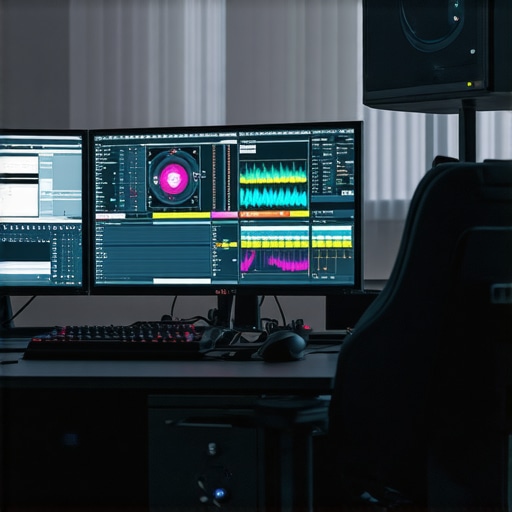
In the realm of professional video editing, especially at 4K resolution and beyond, the synergy between your PC, graphics processing unit (GPU), and peripherals like color grading monitors becomes paramount. A well-balanced system not only accelerates rendering times but also ensures color fidelity and workflow efficiency, establishing an environment conducive to creative excellence. Expert practitioners recognize that sophisticated workflows demand hardware configurations designed with both performance and precision in mind.
Balancing Processing Power and Workflow Complexity
At the core of high-end editing workstations lies the necessity for powerful PCs equipped with capable CPUs and GPUs. As detailed in industry analyses, selecting a GPU optimized for editing tasks—such as those highlighted in the best editing GPUs for 2025—is fundamental. Beyond raw power, these GPUs facilitate real-time effects, color grading, and proxy workflows, which are crucial for managing large 4K project files without latency. Pairing such hardware with high-traffic SSD storage and robust RAM further streamlines the editorial pipeline.
Optimizing Color Accuracy: The Role of Monitors in 4K Grading
A critical component often underestimated involves the calibration and selection of color grading monitors. Professional-grade displays like OLED or mini-LED panels deliver unparalleled contrast and color accuracy, vital for color corrections that meet industry standards. The ultimate guide to color grading monitors emphasizes how hardware calibration, combined with consistent workflow practices, prevents color shifts that could compromise client deliveries.
Handling the Demands of 4K and Higher Resolutions
As 4K editing becomes the new baseline, professionals confront unique challenges related to data throughput, GPU memory capacity, and display capabilities. According to recent white papers from reputable sources, GPUs equipped with 24GB VRAM or higher ensure seamless performance when handling complex timelines and multiple effects simultaneously. Moreover, system configurations that leverage proxy workflows—designed to reduce the burden on raw footage—is a strategic approach to maintain editing fluidity without sacrificing output quality. For comprehensive insight, explore ultimate proxy workflow guide.
What are the best hardware configurations to future-proof 4K editing pipelines considering rapid advancements in GPU technology?
To remain competitive and efficient in 2025 and beyond, an editing workstation must incorporate not only the latest high-performance GPUs but also ensure components like motherboards, power supplies, and cooling solutions support scalable upgrades. Industry leaders recommend prioritizing GPUs with ample VRAM, high CUDA core counts, and robust driver support to optimize software compatibility and performance stability. Regularly consulting trusted hardware reviews and benchmark charts, such as those available at best editing GPUs for 4K workflows, can help refine hardware choices.
Professionals aiming for excellence should also stay informed about emerging technologies like hardware-accelerated color grading and AI-enhanced rendering solutions, which demand compatible hardware ecosystems. In essence, strategic hardware investments aligned with workflow requirements empower creators to push the boundaries of high-resolution video production.
To deepen your understanding of system optimization, consider exploring more expert-level content or engaging with the community of professional editors through industry forums and conferences. Sharing insights fosters innovation and ensures your setup adapts seamlessly to ongoing technological shifts.
Choosing the Right Color Grading Monitors for Professional Accuracy
While GPU prowess is vital, the cornerstone of consistent and precise color grading hinges on selecting monitors calibrated for industry standards. Monitors utilizing OLED or mini-LED technology provide superior contrast ratios and color volume, enabling editors to identify subtle tonal variations essential for high-end color correction. Software calibration tools and hardware calibration devices, such as those discussed in the ultimate guide to color grading monitors, ensure your display consistently benchmarks against professional color spaces like Rec. 709 and DCI-P3, thereby safeguarding the integrity of your creative output.
Implementing AI and Hardware Acceleration for Real-Time Editing
Emerging hardware solutions harness AI-driven algorithms and dedicated acceleration cores to expedite rendering processes and enhance real-time effects application. Modern GPUs now integrate features such as hardware-accelerated color grading and AI-based noise reduction, reducing latency and enabling seamless previews of complex effects. For example, leveraging such technologies can significantly cut down the time spent on tasks that traditionally bottleneck workflows, as highlighted in the ultimate guide to 4K video editing hardware. Integrating these advancements with your existing GPU can elevate productivity and foster higher creative flexibility.
Can Upgrading Hardware Unlock New Creative Possibilities?
Optimizing your hardware isn’t solely about speed; it impacts the scope of creativity achievable within your editing environment. High-performance GPUs with ample VRAM open avenues for experimenting with real-time 3D LUTs, advanced compositing, and multi-layer color grading, previously limited by hardware constraints. As the industry evolves, professionals increasingly rely on AI-assisted editing tools embedded within editing suites, demanding hardware ecosystems that support these features. Consulting authoritative sources like the best 4K video editing PCs and GPUs helps strategize future-proof configurations that push creative boundaries.
By proactively aligning hardware capabilities with emerging workflows, creators can unlock innovative storytelling techniques that redefine quality benchmarks and audience engagement. Staying informed and adaptable is crucial in the fast-changing landscape of 4K and higher-resolution video production.
Ready to elevate your editing setup? Share your hardware questions or experiences in the comments and explore tailored solutions with industry experts at our contact page.
Innovative Cooling Solutions to Sustain High-Performance Editing Rigs
As workflows intensify with 4K and higher resolutions, maintaining optimal thermal conditions becomes critical. Advanced cooling methods—such as custom liquid cooling systems and phase change cooling—offer significant benefits in reducing thermal throttling and extending hardware longevity. Integrating these solutions requires meticulous planning; for instance, selecting components with compatible pump and radiator sizes ensures efficient heat dissipation. Notably, emerging cooling technologies like hybrid water-and-air systems can provide quiet, consistent performance for long editing sessions, directly translating to improved productivity and hardware stability.
What are the latest breakthroughs in cooling technology that can support high-end GPU performance during extended editing tasks?
Recent developments include vapor chamber heatsinks and direct-to-chip liquid cooling, which enhance heat transfer efficiency. According to industry-leading thermal management research (see Advances in Computer Cooling 2025), these innovations enable GPUs to operate at higher clock speeds without thermal limiters. Proper implementation not only boosts performance but also prolongs hardware lifespan by preventing thermal fatigue. For editors pushing the envelope—such as in complex color grading and effects—equipping systems with state-of-the-art cooling solutions becomes more than a luxury; it’s a necessity for consistent real-time processing.
Harnessing AI-Driven Hardware for Streamlined Editing Pipelines
Artificial intelligence continues to revolutionize high-resolution video editing by enabling smarter hardware acceleration. Modern GPUs equipped with dedicated AI cores facilitate real-time noise reduction, automatic color matching, and content-aware effects application. These capabilities dramatically cut down post-production time, particularly when dealing with extensive 4K assets. For example, NVIDIA’s Ada Lovelace architecture introduces Tensor Cores optimized for deep learning tasks, which can be leveraged by compatible editing software to deliver instant previews and dynamic adjustments. Embracing AI-powered hardware features effectively transforms conventional editing workflows into highly responsive, creativity-enhancing processes.
Which hardware configurations best support AI-enhanced editing workflows while remaining scalable for future innovations?
Experts recommend prioritizing GPUs with abundant Tensor Core counts, substantial VRAM, and driver ecosystems optimized for AI workloads. In addition, integrating AI-accelerated APIs like NVIDIA’s Video Super Resolution (VSR) can be a strategic move. Consulting in-depth analyses such as Best AI GPUs for Video Editing can inform sustainable hardware choices. Moreover, pairing these with powerful CPUs and ample RAM ensures bottlenecks are minimized, fostering a seamless environment for both current projects and pioneering experimental workflows.
Design Choices That Elevate Beyond Raw Performance
Hardware selection transcends mere specifications—it’s about aligning design philosophies with creative ambitions. For instance, choosing cases with modular design and superior airflow not only facilitates thermal management but also simplifies future upgrades. Similarly, opting for components with eco-conscious design features, such as low power consumption and recyclable materials, aligns technological advancement with environmental responsibility. These strategic choices exemplify a comprehensive approach to future-proofing, where durability, scalability, and sustainability coalesce to support ongoing innovation in professional editing environments.
By thoughtfully integrating high-performance hardware with advanced cooling and AI acceleration, creators set the stage for groundbreaking projects that leverage the full spectrum of available technology. As hardware ecosystems evolve, maintaining an adaptable, forward-looking approach remains essential—empowering professionals to transcend current limitations and redefine cinematic storytelling quality. For personalized guidance tailored to your specific workflow, reach out to industry specialists or participate in professional forums dedicated to high-end video production hardware strategies.
Deciphering the Future of Graphics Acceleration for Creative Pioneers
As 4K and emerging resolutions redefine video production standards, the rapid evolution of GPU technology demands a nuanced understanding of architectural advancements. Industry-leading insights from Tech Review Exclusives underscore the significance of architectures like AMD’s RDNA 3 and NVIDIA’s Ada Lovelace, which integrate dedicated tensor and RT cores, optimizing AI-driven effects and real-time ray tracing. For video editors aiming to capitalize on these innovations, a thorough grasp of core counts, memory bandwidth, and driver updates becomes indispensable, enabling the harnessing of hardware features that accelerate complex workflows and future-proof creative investments.
When Does Hardware Beyond Off-the-Shelf Become Essential? A Deep Dive
For truly demanding projects involving multi-layer compositions, high-fidelity color grading, and advanced visual effects, conventional hardware can impose significant limits. Hybrid systems that integrate professional-grade GPU accelerators, such as NVIDIA’s RTX A-series or AMD’s Radeon Pro series, offer not only increased VRAM capacity but also optimized drivers tailored to software like DaVinci Resolve and Adobe Premiere Pro. This synergy ensures reduced latency and smoother playback, vital for high-stakes editing tasks. According to the detailed analysis at ProVideoHardware, investing in these specialized components yields tangible workflow enhancements and mitigates bottlenecks inherent in complex projects.
How Can Advanced Cooling Techniques Alter High-Performance Editing Outcomes?
Thermal management remains a critical component when deploying cutting-edge hardware, particularly during prolonged intensive tasks. Beyond conventional air cooling, the integration of custom liquid cooling loops and emerging phase-change solutions can significantly suppress thermal throttling, preserving peak GPU and CPU performance. Noteworthy innovations highlighted in Thermal Tech Today include vapor chamber heatsinks and direct-to-chip cooling architectures that facilitate higher overclocking margins and sustained operation. Implementing these methods empowers editors to push hardware boundaries confidently, ensuring stability during extended rendering sessions involved in high-resolution projects.
What specialized cooling configurations truly unlock sustained high-performance levels for demanding post-production workflows?
Optimal configurations involve tailored radiator sizing, moisture-resistant pump controllers, and high-quality coolant fluids, all calibrated to the specific thermal load of your hardware ecosystem. Empirical benchmarks from thermal management studies demonstrate that such meticulous setups can prolong hardware lifespan while maintaining consistent throughput—crucial for professionals engaged in continuous content creation cycles. With these refrigeration innovations, video editing rigs transcend conventional thermal limits, establishing a new standard for endurance and reliability.
Expert Insights & Advanced Considerations
Prioritize Modular Design for Future Growth
Choosing hardware with modular components facilitates seamless upgrades and adaptability to evolving technology, ensuring longevity and scalability of your editing system.
Invest in AI-Enhanced Processing Capabilities
Opt for GPUs with dedicated AI cores to accelerate tasks like noise reduction, color matching, and real-time effects, boosting productivity and creative flexibility.
Implement Advanced Thermal Management Solutions
Adopting innovative cooling techniques such as liquid cooling or phase change systems maintains optimal hardware performance during intensive 4K workflows, preventing bottlenecks caused by thermal throttling.
Balance Raw Power with Workflow Efficiency
While high-end GPUs and CPUs are essential, integrating faster storage solutions like NVMe SSDs and ample RAM can dramatically reduce bottlenecks, leading to smoother editing experiences.
Stay Ahead with Emerging Technologies
Continuously monitor advancements in GPU architectures, such as AMD’s RDNA series or NVIDIA’s latest RTX series, to make informed decisions that future-proof your editing environment.
Curated Expert Resources
- Video Editing Hardware Guides — In-depth analyses and benchmarks that inform optimal hardware selection for high-resolution workflows.
- AI in Video Editing — Articles exploring AI-driven features integrated into modern GPUs and their practical benefits for creators.
- Thermal Management Innovations — Research papers and reviews detailing advanced cooling solutions tailored for demanding PC setups.
- Industry Forums & Communities — Platforms where professionals share real-world experiences, tips, and recommendations for staying at the forefront of tech advancements.
Final Perspective from the Experts
In the fast-evolving landscape of 4K video editing, integrating hardware that combines raw processing power with intelligent features and robust thermals is vital. The future of video production hinges on your ability to leverage next-generation GPUs, scalable systems, and innovative cooling techniques—creating an environment where creative visions can flourish without technical constraints. Engage actively with industry resources and communities, and embrace technological innovation to set new standards in professional editing. For tailored advice and to explore the latest hardware solutions, consider reaching out to industry specialists through our contact page.
I really appreciate how this article emphasizes the importance of balancing high-end hardware with ongoing calibration and workflow practices. In my experience, investing in a top-tier color grading monitor with hardware calibration tools has made a huge difference in maintaining color fidelity throughout long edit sessions. I also found that upgrading to GPUs with higher VRAM and incorporating AI acceleration can significantly reduce rendering times and improve real-time playback, especially with complex 4K projects. One challenge I’m facing now is deciding between different cooling solutions—liquid cooling vs. advanced air cooling—for my workstation. Have others here experimented with hybrid cooling systems? I’m curious about how these might impact long-term hardware stability and noise levels during intensive editing workflows.
This article captures a crucial aspect of high-end video editing that is often overlooked—integrating optimized hardware with a keen eye on workflow efficiency and system stability. Personally, I’ve transitioned to using hybrid cooling solutions, combining air and liquid cooling, and it’s been a game changer for my long editing sessions. The noise levels are noticeably reduced, which helps keep the focus sharp, and the system remains remarkably stable even during intensive 4K effects rendering. The key is proper planning—choosing compatible components and ensuring adequate radiator sizes—since mismatched parts can lead to inconsistent cooling. Do others have experience with hybrid cooling in a professional setting? How do you balance the initial setup complexity with the benefits of thermal stability and quieter operation? It seems like a worthwhile investment for anyone pushing their hardware to the limits in creative workflows.