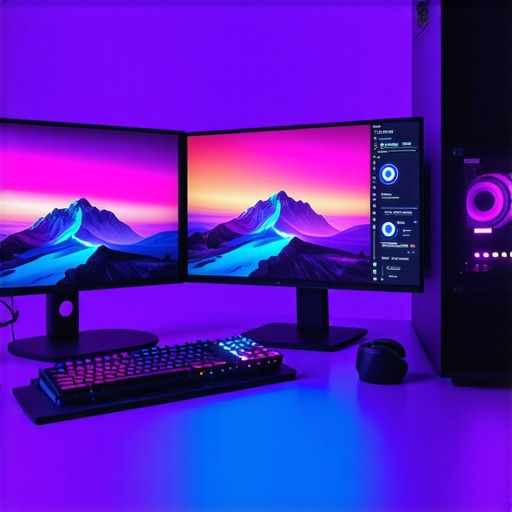
Mastering the Complexity of 4K Video Post-Production
In the realm of professional video editing, particularly at the 4K resolution threshold, the interplay between hardware capabilities and software demands becomes critically intricate. As workflows evolve to incorporate high-fidelity color grading, real-time proxy editing, and seamless rendering, selecting the right components—particularly high-end GPUs and optimized PCs—becomes a strategic imperative for industry veterans.
The Significance of Color Fidelity and Monitor Precision in Post-Processing
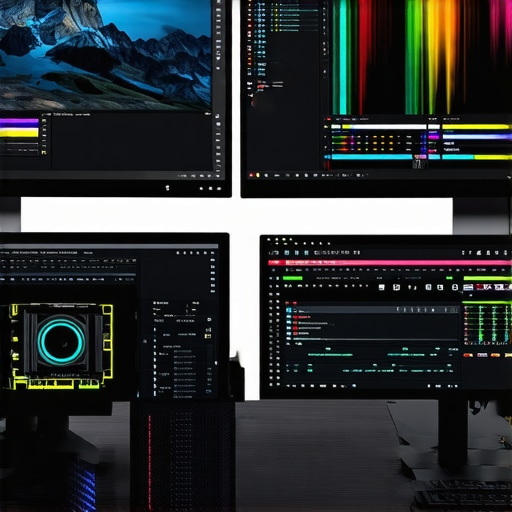
Color grading monitors are pivotal in ensuring accurate visual representation. Monitors boasting precise color accuracy and broad luminance ranges enable editors to make nuanced adjustments that align with industry standards such as Rec. 2020 or Dolby Vision. The integration of these displays with robust editing computers ensures consistent visual feedback, minimizing discrepancies during final color correction stages.
Optimizing GPU Architecture for Fluid 4K Editing and Grading
The GPU is the cornerstone of any efficient 4K editing setup. When choosing an editing GPU, professionals must consider CUDA core counts, VRAM capacity, and support for hardware acceleration features. The debate between RTX 4090 and Quadro series GPUs exemplifies the need for tailored hardware, with the former excelling in gaming-optimized tasks and the latter providing certified stability for professional workflows. For real-time effects and proxy workflow acceleration, a high-end GPU ensures that playback remains smooth, even with complex grading nodes or layered effects.
Leveraging High-Performance Video Editing PCs for Complex Workflows
Beyond GPU, a powerhouse editing PC should include a multi-core CPU, ample RAM, and fast SSD storage. The top builds for 2025 are engineered to facilitate swift media transfer rates and parallel processing, which are essential for handling large 4K files and multiple proxy streams seamlessly. Such configurations diminish bottlenecks, allowing editors to focus more on creative decisions rather than technical latencies.
Enabling Efficient Proxy Workflow Without Compromising Quality
Proxy workflows have revolutionized 4K editing, transferring the computational load from high-performance workstations to more manageable proxy files during editing. This approach minimizes lag and enhances timeline responsiveness. Achieving an optimal setup involves not only choosing the right hardware but also configuring software settings and storage solutions effectively. Links like proxy workflow optimization provide comprehensive insights on seamless integration strategies.
What are the latest advancements in GPU architecture that can redefine 4K proxy editing?
The evolution of NVIDIA’s Ampere and Ada Lovelace architectures introduces significant enhancements in parallel processing, ray tracing, and AI-accelerated effects, fundamentally transforming 4K editing workflows. These innovations enable not only faster rendering and grading but also open avenues for real-time visual effects previously deemed impractical in standard setups. Keeping abreast of such developments is critical for professionals aiming to future-proof their editing stations.
For tailored hardware recommendations and to discuss your specific workflow needs, consider reaching out through our expert consultation services. Continuous learning and adaptation remain the bedrock of excellence in high-resolution video post-production, where hardware choices directly influence creative potential.
External Resource: For an in-depth analysis of professional-grade GPUs for 4K workflows, see NVIDIA’s official architecture documentation.
Breaking Through Hardware Limitations in 4K Editing
While high-performance CPUs and GPUs are the backbone of efficient 4K workflows, emerging innovations push the boundaries further. Technologies like PCIe 5.0 and DDR5 RAM dramatically speed up data transfer rates, enabling faster rendering and real-time playback. Additionally, motherboard architectures optimized for bandwidth and scalability empower professionals to build robust editing stations that can tackle multi-layered effects and complex color grading with ease. Recognizing these advancements helps editors stay ahead, ensuring their hardware infrastructure aligns with ongoing software updates and industry demands.
Is AI-Driven Hardware the Future of Real-Time Color Correction?
Artificial intelligence integration into hardware components, such as AI-enabled GPUs and dedicated neural processing units, is transforming post-production. These AI-accelerated features can automate routine corrections, enhance image processing speed, and facilitate real-time preview rendering. For instance, NVIDIA’s NVENC and AMD’s VCN architectures now incorporate AI algorithms to assist with noise reduction and upscale lower-resolution proxy files more efficiently. This evolution not only accelerates typical workflows but also empowers colorists to focus more on creative decisions while relying on AI for technical optimization. Staying informed about AI enhancements—detailed extensively in NVIDIA’s RTX architecture documentation—is crucial for leveraging these capabilities.
How can integrating native hardware acceleration streamline your color grading process without sacrificing accuracy?
Implementing hardware acceleration features such as GPU-accelerated effects and efficient hardware decoding can drastically reduce processing times. However, it’s essential to balance acceleration with color fidelity, ensuring that hardware-accelerated workflows do not introduce artifacts or color discrepancies. Utilizing well-calibrated, hardware-supported color grading monitors—like those discussed in expert guides for color fidelity—allows professionals to verify that accelerated processing maintains visual accuracy. This harmonious integration between hardware and display calibration enhances both productivity and output quality.
For tailored hardware recommendations tailored to your specific project scale and software ecosystem, explore our consultation services. Continuous innovation in hardware architecture and software integration empowers editors to push creative boundaries in 4K production, fostering breakthroughs in visual storytelling.
Push Boundaries with SSD and Memory Optimization Strategies
While high-capacity SSDs and expansive RAM are fundamental, leveraging the latest NVMe technology and DDR5 modules offers a quantum leap in data throughput. These advancements facilitate ultra-fast file transfers and enable smoother multitasking, crucial when handling multi-layered 4K footage and complex effects. Integrating RAID configurations with SSDs enhances redundancy and speed, ensuring that editing workflows remain resilient against system bottlenecks.
Can memory latency overshadow sheer capacity in high-end 4K workflows?
Absolutely. Beyond simply increasing RAM size, optimizing for low latency and high bandwidth significantly impacts real-time editing and rendering. Recent benchmarks indicate that memory latency reductions by even a few nanoseconds can translate into perceptible improvements in timeline responsiveness, particularly during multi-layer compositing. For detailed insights, see the comprehensive analysis in TechCarve’s latest hardware evaluation, which emphasizes latency’s critical role in professional video editing.
< >
>
Sculpting the Motherboard Environment for Maximum Scalability
Choosing motherboards with PCIe 5.0 support and multiple M.2 slots is more than a matter of future-proofing; it enables parallel expansion of storage, GPU, and capture cards, thereby accommodating complex, multi-threaded tasks intrinsic to 4K workflows. Enhanced power delivery circuits and robust PCB designs ensure stability under heavy loads, critical during extended rendering sessions.
To truly harness these features, professionals must also consider optimal airflow and thermal management. Overclocking, when safely implemented, can marginally boost CPU and GPU performance margins, but only if cooling solutions are equally advanced. How does thermal throttling influence consistent high-performance outputs in prolonged editing sessions? Exploring this question uncovers the importance of integrated cooling strategies, which are often overlooked but essential for workflow stability.
Harnessing AI-Enhanced Hardware for Real-Time Innovations
Artificial intelligence isn’t just limited to software plugins; it’s increasingly embedded within hardware components. AI-accelerated chips, such as NVIDIA’s Tensor Cores, facilitate predictive caching, intelligent upscaling, and noise reduction at the hardware level, minimizing latency and maximizing efficiency. This integration allows editors to preview effects and color grades in real time without sacrificing accuracy—transforming the post-production paradigm.
For example, new AI-powered GPU features enable auto-color matching across clips by analyzing color histograms and intelligently adjusting parameters, which historically required extensive manual tweaking. However, the challenge remains: ensuring these AI-driven processes maintain artistic intent and color integrity. What protocols or calibration methods best serve to verify AI-assisted corrections against traditional standards? Continued research and development in this area are vital for establishing reliable workflows that balance automation with creative control.
Future-proof your post-production pipeline: Are current hardware choices adaptable to upcoming AI innovations?
Integrating modular systems with firmware and driver frameworks capable of receiving seamless updates is essential. Hardware designed with a clear upgrade path—such as PCIe slots for future GPU generations and socket compatibility for CPUs—ensures longevity. Consult industry reports from organizations like the Society of Motion Picture and Television Engineers (SMPTE) for emerging standards guiding AI hardware integration, enabling end-to-end compatibility and future scalability in your editing infrastructure.
Elevating Your Workflow with Hardware Acceleration Tactics
Integrating hardware acceleration into 4K editing pipelines offers a substantial boost in rendering speeds and real-time playback fluidity. Modern APIs like NVIDIA’s NVENC and AMD’s VCN unlock capabilities for decoding, encoding, and effects processing directly on the GPU, reducing CPU load. By leveraging these features, professionals can minimize bottlenecks during color grading and complex compositing, transforming the editing experience into a seamless creative journey. Fine-tuning hardware encoder settings allows for a balance between output quality and processing efficiency, essential for high-stakes projects requiring swift turnaround times.
Decoding the Impact of AI on Future-Proofing Video Editing Hardware
The advent of AI-embedded hardware components signifies a paradigm shift in post-production. Neural network processors within GPUs facilitate tasks like intelligent upscaling, noise reduction, and auto-color matching with unprecedented speed and precision. These innovations not only accelerate workflows but also enable more consistent results across projects, reducing manual intervention. Keeping abreast of the evolving AI hardware landscape is crucial; for instance, NVIDIA’s new Ada Lovelace architecture integrates dedicated AI cores that promise substantial gains in real-time effects processing, signaling a new era of intelligent hardware-assisted editing.

Customizing Storage Solutions for Rapid 4K Data Handling
Handling voluminous 4K media files necessitates more than just large capacity drives; optimizing storage architecture is paramount. NVMe SSDs, especially those supporting PCIe 4.0 or 5.0, enable transfer speeds exceeding 7,000 MB/s, greatly reducing load times and temporal data bottlenecks. Implementing RAID configurations ensures redundancy alongside performance benefits, safeguarding valuable assets during intensive editing sessions. Enhanced firmware features like end-to-end data protection further solidify data integrity, particularly vital when dealing with multi-layered projects or collaborative environments.
Can your current hardware accommodate the burgeoning AI-driven enhancements in post-production?
Ensuring compatibility with upcoming AI accelerations requires a flexible, upgradeable system architecture. Modular components, backward compatibility, and firmware support for future AI instruction sets are critical considerations. Engaging with hardware providers that prioritize firmware updates and open standards can future-proof your editing suite, allowing seamless integration of AI advancements that continually push the boundaries of what’s achievable in real-time 4K processing. For specific recommendations tailored to your operational scale, consult with industry specialists to craft a resilient, adaptive infrastructure.
Expert Insights for Pushing Editing Boundaries
Leverage AI to Automate Routine Tasks Efficiently
Integrating AI-driven hardware capabilities can streamline color correction and effects application, freeing professionals to focus on creative nuances rather than technical bottlenecks.
Prioritize Future-Ready System Architectures
Opt for modular components like PCIe 5.0 support and scalable RAM configurations to adapt swiftly to evolving software demands and emerging AI accelerations.
Exploit Real-Time Data Transfer Innovations
Utilize NVMe SSDs supporting PCIe 4.0 or 5.0, coupled with RAID setups, to handle the vast data throughput characteristic of 4K workflows with minimal latency.
Invest in Precision Monitoring Solutions
Accurate color grading hinges on high-quality, calibrated displays that support broad color gamuts and deep luminance ranges, ensuring visual fidelity during critical grading stages.
Balance Hardware Power and Thermal Management
High-performance CPUs and GPUs demand robust cooling solutions to prevent thermal throttling, maintaining consistent rendering speeds over prolonged editing sessions.
Curated Resources for Mastery
- NVIDIA RTX Architecture Documentation: Dive into the latest AI and GPU innovations that can revolutionize your post-production workflow.
- Society of Motion Picture and Television Engineers (SMPTE): Stay updated on industry standards vital for future-proofing your hardware investments.
- TechCarve Hardware Benchmark Reports: Gain insights into memory latency and bandwidth impacts specific to professional video editing hardware.
- Color Grading Monitor Calibration Guides from Editor’s Guild: Ensure your display accurately reflects your grading decisions for professional-grade results.
Reflecting on the Path to Excellence
Mastering 4K video post-production in today’s landscape requires a nuanced blend of expert hardware choices and strategic foresight. Embracing AI-enhanced processing, scalable system architectures, and high-speed data pathways can propel your workflow to new heights. For those committed to excellence, continuous learning and adaptation remain paramount. Engaging with our consultation services can help tailor these advanced strategies to your unique needs, ensuring your creative pursuits are supported by the best technological foundation.
This article offers an incredibly comprehensive overview of hardware considerations for 4K video post-production. I especially appreciate the focus on AI-driven hardware advancements like NVIDIA’s Tensor Cores and Ada Lovelace architectures, as these developments truly promise to streamline workflows and enhance real-time editing capabilities. From my experience, integrating high-speed NVMe SSDs and scalable RAM has made a noticeable difference in handling large 4K projects smoothly. However, I’ve also encountered thermal throttling issues when overclocking, which led me to invest in better cooling solutions. How do others here balance maximizing hardware performance with maintaining system stability during intense editing sessions? I’d love to hear about cooling strategies or software tools used to monitor system health in such environments.