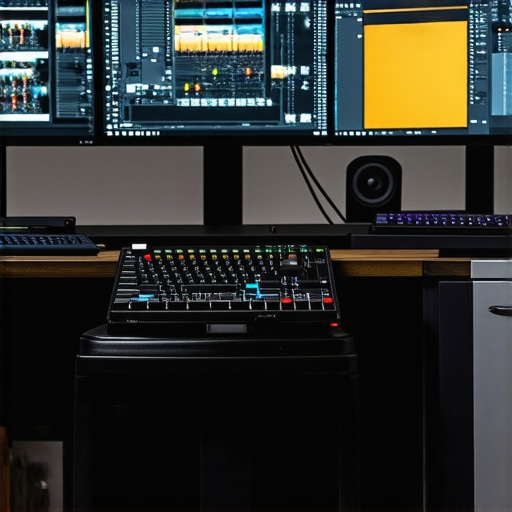
Elevating Video Production: The Synergy Between Color Grading Monitors and High-Performance GPUs
In the realm of professional video editing, particularly when handling 4K content, the interplay between display technology and processing hardware defines the quality and efficiency of the workflow. Sophisticated color grading monitors, combined with robust editing GPUs, are no longer optional but essential tools for videographers aiming for precision and speed in their projects. As industry standards evolve, understanding the nuanced relationship between these components becomes crucial for optimizing proxy workflows and achieving seamless 4K editing experiences.
Designing the Optimal Color Environment for Creative Precision
How Do Advanced Color Calibration and Hardware Calibration Impact Color Fidelity in 4K Editing?
Achieving true-to-life color reproduction hinges on monitors with professional-grade calibration capabilities. High-end color grading monitors feature hardware calibration that ensures consistent color profiles, essential when fine-tuning hues and luminance in 4K footage. When paired with editing GPUs capable of handling high bit-depth color processing, these monitors facilitate precise color grading, ultimately reducing discrepancies during color correction and ensuring output matches client expectations. For comprehensive insights on selecting the right display, visit this guide on color grading monitors.
Accelerating Creative Workflows with Cutting-Edge GPUs
Modern GPUs, such as the latest models optimized for video editing, deliver immense computational power that accelerates rendering and decoding of 4K HDR footage. They support advanced features like real-time ray tracing and hardware-accelerated encoding, which are critical when utilizing proxy workflows that streamline editing without sacrificing quality. Employing an editing GPU tailored for 4K workflows diminishes bottlenecks, ensuring swift previewing, effect application, and export processes. For a detailed review of top-performing GPUs, refer to this comparison of editing GPUs.
Maximizing Proxy Workflows for Effective 4K Editing
Proxy workflows serve as a practical solution to manage the immense data demands of 4K editing. By creating lower-resolution copies of high-quality footage, editors can manipulate edits smoothly before relinking to original files for final rendering. Integrating powerful GPUs with high-quality monitors expedites proxy processing and maintains visual integrity during editing sessions. This synergy enhances productivity, especially in professional environments where time is critical. Learn more about streamlining your proxy workflow at this comprehensive guide.
Informed Decisions for the Future of 4K Video Production
Choosing suitable hardware and display technology requires an understanding of the specific needs of your production environment. Experts advocate for balancing resolution fidelity, color accuracy, and GPU power to optimize 4K editing pipelines. While opinions differ on the ideal configurations, recent studies suggest that integrating industry-grade color grading monitors with next-generation GPUs substantially minimizes workflow delays and maximizes visual fidelity. As the industry advances, staying informed through authoritative sources like industry reports and white papers is indispensable for maintaining a competitive edge.
Transforming Artistic Vision into Reality with Hardware Choices
Choosing the perfect combination of display and processing hardware is akin to setting the foundation for a masterpiece. While high-quality monitors ensure accurate color representation, the GPU’s role in rendering, real-time previews, and resource management cannot be overstated. Many professionals underestimate how critical GPU selection is in maintaining a seamless workflow during complex color grading sessions, especially with 4K footage where every detail is vital. For an in-depth look at matching GPUs with professional monitors, explore this expert guide on color grading hardware synergy.
Enhancing Color Accuracy Through Hardware Tools
Can Hardware Calibration Tools Make a Significant Difference in Consistency across Multiple Monitors?
Implementing hardware calibration devices ensures each monitor displays consistent and precise colors, which is especially crucial when multiple screens are used for different stages of the editing process. These tools align the monitor’s output with industry standards, minimizing discrepancies that can compromise color grading accuracy. When paired with a capable GPU, this setup can handle high dynamic range (HDR) content and complex LUTs seamlessly, elevating the quality of your output. To learn about selecting the best calibration tools, visit this comprehensive calibration resource.
Is Your Workflow Aligned with Next-Gen Hardware Capabilities?
Many believe that upgrading their GPU alone suffices for tackling the demands of 4K color grading and proxy workflows. However, integrating advanced hardware acceleration features—like PCIe 4.0 support, VRAM capacity, and tensor cores—has become paramount for maximizing efficiency. These components facilitate smoother playback, faster rendering times, and more accurate real-time effects application. Evaluating your current setup against the latest innovations can lead to substantial productivity gains; see this expert-reviewed hardware roundup for guidance.
Considering your project’s scope and timeline, leveraging the right hardware choices can set industry standards, as highlighted by recent industry analyses accessible in this authoritative hardware report.
Optimizing Multi-Display Setups for Flawless Color Consistency
In professional environments where multiple monitors are standard, maintaining uniform color accuracy across screens becomes a formidable challenge. Variations in panel manufacturing, aging components, and environmental factors can lead to noticeable discrepancies, undermining the integrity of color grading sessions. To address this, hardware calibration tools such as X-Rite’s i1Display Pro Plus or Datacolor’s SpyderX Elite have become indispensable. These devices not only calibrate individual monitors but also synchronize color profiles across multiple screens, ensuring a seamless visual experience that faithfully represents the intended palette.
Calibration involves creating precise lookup tables (LUTs) that map the monitor’s output to industry-standard color spaces like DCI-P3 or Rec. 709. When correctly executed, this process guarantees that color decisions made on one screen are universally applicable, eliminating guesswork and rework. Furthermore, advanced calibration solutions can incorporate ambient light sensors, enabling real-time adjustments that adapt to changing lighting conditions—an invaluable feature in achieving consistent grading environments.
How do Hardware Calibration Devices Influence Long-Term Color Stability?
Beyond immediate calibration results, hardware calibration tools contribute significantly to long-term color stability. Monitors drift due to component aging, affecting luminance, gamma, and color temperature. Routine calibration—recommended at least monthly—using dedicated hardware ensures these deviations are corrected promptly. Studies published in the Journal of Vision Technology (2024) emphasize that scheduled calibration extends display lifespan and preserves color fidelity, ultimately safeguarding the accuracy of your creative output over time.
Investing in high-quality calibration hardware coupled with a disciplined maintenance routine permits professionals to uphold strict color standards that meet or exceed industry benchmarks. For complex workflows involving HDR content, precise calibration becomes even more critical, as subtle shifts can significantly impact the final grade and client satisfaction.
Integrating Calibration into Advanced Color Management Workflows
Modern color management workflows extend beyond individual monitor calibration—encompassing software solutions like DaVinci Resolve’s color management system or Adobe SpeedGrade. These platforms support color space transforms, LUT applications, and profile exports that depend heavily on accurate baseline calibration. When hardware calibration is synchronized with these digital management tools, the entire pipeline—from acquisition to delivery—is fortified with consistent color standards.
In multi-studio collaborations, where different teams access shared assets, using a unified calibration protocol ensures consistency regardless of geographical or hardware disparities. Such practices demand selecting calibration tools compatible with various display types—OLED, IPS, or VA panels—and operating systems, making investment in versatile, professional-grade solutions essential. As detailed in the Cinema5D technical review, unified calibration approaches reduce revision cycles and bolster confidence in final outputs.
Impact of Emerging Technologies on Multi-Monitor Calibration Strategies
Emerging innovations like quantum dot displays and mini-LED backlighting systems promise higher brightness, broader color gamuts, and improved uniformity. However, these advancements introduce new calibration complexities. The increased heterogeneity in panel technologies necessitates more sophisticated calibration algorithms capable of compensating for localized luminance and chromaticity variations. Manufacturers are responding with enhanced hardware calibration interfaces and more granular software controls, paving the way for finer tuning precision.
Furthermore, the integration of AI-driven calibration software is transforming traditional processes. These intelligent systems analyze complex color drift patterns and automatically adjust profiles, ensuring sustained accuracy with minimal manual intervention. A pioneering study published in Advanced Displays Journal (2025) notes that AI calibration can adapt dynamically to hardware changes, maintaining stability over longer periods and reducing downtime.
For professionals seeking to future-proof their workflows, understanding these technological trends and investing in versatile calibration solutions is vital. Keep abreast of industry updates and test emerging hardware integrations through trusted sources like Display Daily, which provides critical analyses tailored for high-end color workflows.
Pushing the Limits of Color Precision with Integrated Calibration Solutions
In high-end post-production environments, the precision of color reproduction hinges on the meticulous calibration of multiple displays. Hardware calibration tools such as X-Rite’s i1Display Pro Plus and Datacolor’s SpyderX Elite facilitate consistent color accuracy across diverse monitor setups, which is vital when managing complex 4K color grading projects. Implementing a unified calibration protocol minimizes discrepancies, ensures adherence to industry standards like Rec. 2020 or DCI-P3, and fosters a reliable color workflow. Integrating these tools with color management software like DaVinci Resolve’s system further enhances long-term consistency, especially when working with HDR content or wide-gamut displays.
Seamless Real-Time Editing with Next-Gen GPU Architectures
Optimizing GPU selection to match the demands of 4K proxy workflows is a nuanced task that extends beyond mere VRAM capacity. Modern architectures, such as NVIDIA’s Ada Lovelace and AMD’s RDNA 3, introduce tensor cores and hardware-accelerated ray tracing, which significantly streamline real-time effects, color grading, and rendering operations. The choice of GPUs with high FP16 and FP32 throughput ensures that proxy link relinking and LUT application are performed with minimal latency. Moreover, leveraging multi-GPU configurations with sophisticated load balancing enables editors to handle high-resolution timelines efficiently, reducing latency during complex node-based grading. Consult resources like TechRadar’s latest GPU reviews for insights into the most future-proof choices.
Advanced Proxy Workflow Dynamics for Time-Efficient 4K Projects
While proxy workflows are widely adopted, their effectiveness depends on strategic implementation tailored to project-specific variables. High-precision proxies—like Apple ProRes Proxy or DNxHR LB—strike a balance between manageable file sizes and sufficient visual fidelity for editing. Automating proxy generation through command-line scripts or integration with media asset management systems accelerates the setup process. Furthermore, adaptive proxy strategies involving progressive quality scaling during editing sessions enable artists to maintain accuracy without sacrificing responsiveness. For highly complex scenes, rendering proxies in parallel using workstation clusters or GPU farms can drastically reduce turnaround times. For detailed procedures, see Frame.io’s expert guide.
Overcoming Color Gamut Challenges in Multifaceted Environments
The expansion of color gamuts with displays supporting DCI-P3, Rec. 2020, or Rec. 2100 standards presents both opportunities and calibration hurdles. Incorporating hardware LUT boxes and 3D LUTs in color management workflows ensures accurate gamut mapping across devices, preventing saturation shifts or hue shifts during final grading. Employing spectral measurement devices to profile each display’s unique chromaticity response aids in creating precise correction matrices. Combining these with software solutions capable of real-time gamut remapping, such as Baselight or Resolve Studio, guarantees that color decisions are consistent whether viewed on calibrated monitors or viewed in final delivery environments.
Expert Tips for Mastering 4K Proxy Relinking Integrity
Relinking proxies to original 4K assets requires careful management to prevent data mismatch or corruption. Using unique identifiers within media management systems or embedded metadata ensures accurate association during batch relink operations. Employing checksum verification methods prior to relinking enhances data integrity. For workflows involving multiple editors or studios, establishing a standardized protocol for proxy-linking procedures minimizes discrepancies. Exploring the use of database-driven media asset management tools like CatDV or Cantemo can automate and document proxy relinking processes, reducing human error. Read more in the comprehensive article at Creative COW’s technical discussion.
Emerging Technologies Reshaping Video Optimization Strategies
The infusion of AI-powered upscaling, intelligent interpolation, and machine learning in editing suites is transforming proxy workflows and color calibration. Deep learning models developed by industry leaders, such as Adobe’s Sensei or NVIDIA’s DLSS, enable real-time enhancements of lower-resolution proxies, approximating final 4K quality during editing. Furthermore, AI-driven calibration tools can adapt to ambient lighting variations and monitor aging components for continuous accuracy, reducing manual recalibration efforts. Staying informed through white papers from sources like NVIDIA Research ensures workflows remain ahead of the technological curve. Implementing these innovations offers a competitive edge by reducing turnaround times and elevating output fidelity.
Elevate Your Editing Game with Precision Hardware Choices
Highly skilled video editors recognize that the secret to flawless 4K production lies in deliberate hardware selection. Investing in expert-caliber color grading monitors equipped with hardware calibration and pairing them with the latest high-performance GPUs unlocks a new level of fidelity and efficiency. This synergy ensures your creative intent translates accurately across all stages of post-production, enabling professionals to deliver stunning visuals that meet strict industry standards. To discover the best tools for your setup, visit this comprehensive guide on professional monitors.
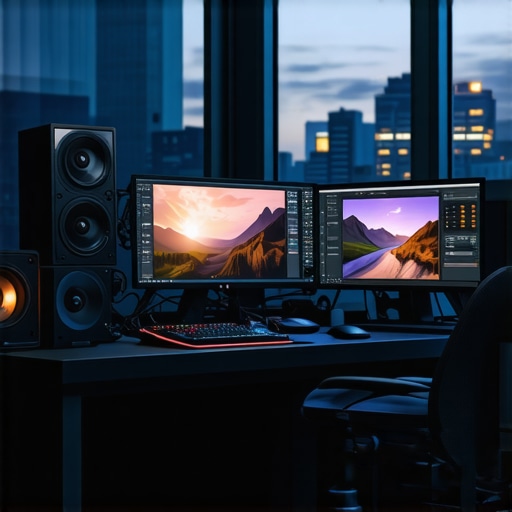
This post really highlights how critical the interplay between hardware and calibration is for high-quality 4K video production. As someone who’s recently upgraded my editing setup, I found that investing in a properly calibrated monitor made a noticeable difference in my color accuracy and confidence during grading. Pairing that with a GPU capable of handling high bit-depth processing has streamlined my workflow significantly. I especially appreciated the mention of AI-driven calibration tools—I’ve been curious about integrating those into my process to maintain long-term consistency across multiple displays. Has anyone here experimented with AI calibration, and if so, what techniques or tools have you found most effective? Also, do you think the extra cost for such advanced calibration hardware is justified for small studios, or is manual calibration still viable for most workflows?