Enhancing Creative Flexibility with Advanced Color Grading Monitors in 4K Editing
In the realm of professional video editing, the demand for precision and fidelity has propelled the evolution of display technology, notably high-end color grading monitors tailored for 4K workflows. These specialized screens are not mere aesthetic tools but critical for ensuring accurate color representation and managing complex proxy workflows essential for efficient post-production processes.
How Do Color Grading Monitors Influence Proxy Workflow Efficiency in 4K Video Editing?
Properly calibrated color grading monitors serve as the cornerstone of reliable visual feedback, enabling editors to maintain color integrity during proxy editing, where lower-resolution copies are used for real-time editing while originals are retained for final output. The stark contrast and luminance capabilities of premium monitors, like those reviewed on top color grading monitor selections, directly impact the accuracy and speed of editing large 4K files in proxy workflows.
Balancing GPU Performance Against Display Fidelity in High-Resolution Environments
The integration of robust editing GPUs with high-resolution, color-accurate monitors forms a symbiotic relationship that defines workflow fluidity. The recent surge in GPU options, highlighted on latest GPU reviews for 4K editing, demonstrates the importance of hardware acceleration for real-time proxy handling, rendering, and playback without sacrificing color precision.
Which GPU features are most critical for seamless 4K proxy workflows in demanding editing environments?
Features such as GDDR6 VRAM, hardware-accelerated encoding, and ray-tracing support significantly reduce bottlenecks during high-pressure editing phases. These components enable real-time previews and faster renders, crucial for professional video editors aiming for streamlined post-production, especially with complex color grading tasks involving high-dynamic-range (HDR) footage.
Strategic Hardware and Software Choices for Future-Ready Editing Stations
Building a forward-compatible video editing station for 4K proxy workflows calls for meticulous selection of both hardware and software. The latest comprehensive guides, like those at ultimate hardware build strategies, emphasize balanced component compatibility, including high-core-count CPUs, ample RAM, and SSDs optimized for editing tasks.
How can editors future-proof their setups amidst rapidly evolving hardware standards?
Investing in scalable architectures with modular components allows incremental upgrades, while adhering to industry standards for connectivity (such as Thunderbolt 3/4 and USB-C) ensures compatibility with cutting-edge peripherals like 8K monitors and advanced GPU accelerators. This approach ensures ongoing efficiency in demanding proxy workflows, especially when dealing with emerging post-production software that leverages AI-driven color grading enhancements.
To leverage expert insights and stay abreast of technological advancements, professionals are encouraged to explore detailed guides and contribute their experiences, fostering a constructive exchange within the video editing community. For further validation, consult the white paper from the Society of Motion Picture and Television Engineers (SMPTE) on color management standards in digital workflows.
Beyond Resolution: The Crucial Role of Color Management in 4K Proxy Editing
While high-resolution displays like those reviewed on top color grading monitors are fundamental, the true precision in 4K proxy workflows hinges on meticulous color management. Editors must ensure that their monitor’s color profiles align perfectly with their workflow to prevent color shifts during proxy editing and final color grading stages. Hardware calibration tools, such as those discussed in recent industry standards, guarantee consistent color fidelity, which is vital when managing complex HDR footage or working across multiple display environments.
Can AI and Machine Learning Transform Proxy Workflow Optimization in 4K Video Post-Production?
Emerging AI-driven tools are beginning to automate complex tasks like dynamic proxy generation and real-time color matching, significantly reducing manual errors and accelerating project turnaround times. Technologies integrated into hardware and software frameworks are harnessing machine learning algorithms to adapt proxies dynamically based on editing patterns, allowing seamless transitions between proxy and original files without compromising color accuracy. This evolution raises the question of how editors can leverage these advancements to stay competitive in fast-paced post-production landscapes.
Matching Power and Precision: GPU Choices for Color-Accurate 4K Editing
As the demand for real-time playback and rendering of high-fidelity 4K footage intensifies, GPU selection becomes a cornerstone of workflow optimization. The latest reviews on best editing GPUs for 2025 emphasize features such as high VRAM capacity, advanced ray-tracing capabilities, and support for hardware-accelerated color grading. These features ensure that complex effects and color adjustments are processed with minimal latency, elevating the quality and efficiency of the final output.
What are the essential GPU specifications that empower creators to push the boundaries of 4K proxy workflows?
Key specifications include at least 12GB of GDDR6 VRAM, support for AI-accelerated processing, and robust driver support for professional color grading software like DaVinci Resolve or Adobe Premiere Pro. Integrating these GPUs with calibrated, high-dynamic-range (HDR) monitors, such as ones covered in GPU tips for efficient 4K workflows, allows editors to maintain exceptional color consistency throughout the editing pipeline.
Creating a Resilient Editing Environment for Future-Driven Workflows
Building upon current standards, future-proofing a professional editing setup involves choosing scalable architecture that accommodates rapid technological shifts. Modular systems, supported by the latest connectivity standards like Thunderbolt 4 and USB-C, facilitate seamless upgrades to high-performance GPUs and monitors. Additionally, leveraging adaptive software solutions that incorporate AI-driven enhancements ensures that workflows remain resilient against evolving file formats, color spaces, and resolution standards. For more detailed guidance on hardware integration, consult hardware and software synergy strategies.
As we look to the horizon, collaboration within the editing community and continual education on emerging standards will be crucial. Engaging with authoritative sources like the Society of Motion Picture and Television Engineers (SMPTE) and participating in relevant forums can provide invaluable insights into maintaining and elevating your post-production workflows.
Revolutionizing Color Fidelity: The Role of AI in 4K Proxy Processing
The integration of artificial intelligence (AI) into professional video workflows marks a paradigm shift, especially in managing complex color grading scenarios during 4K proxy editing. Sophisticated AI algorithms now facilitate dynamic color matching, automatic exposure adjustments, and intelligent proxies that adapt in real-time to editing choices. For instance, software like Adobe’s Sensei-powered tools leverage machine learning to predict and streamline color corrections before manual intervention, drastically reducing turnaround times.
Moreover, AI-driven proxy generation can analyze footage frames to create optimized lower-resolution versions with preserved color information, ensuring visual continuity and accuracy during editing. These advancements empower editors to focus on creative decision-making, confident that their proxy substitutes will faithfully represent the final output—assuming proper calibration and color management protocols are in place.
How do these AI innovations mitigate common pitfalls in color consistency across diverse display environments?
One of the persistent challenges in professional color workflows involves maintaining consistency across multiple displays with varying color gamuts, luminance, and calibration statuses. AI algorithms now assist in contextual scene analysis, compensating for differences and ensuring a uniform viewing experience. By employing color prediction models trained on extensive industry-standard datasets, these systems can suggest calibration adjustments that align monitors’ output to a standardized color profile. As a result, post-production teams can minimize the risk of color shifts during the final rendering phase, even when working across multiple hardware platforms.
External Citation: Refer to the detailed analysis of AI-driven color processing in professional workflows published by the Journal of Digital Imaging, which explores the technical underpinnings and real-world applications of these technologies (Smith et al., 2023).
Hardware Innovations Supporting Future-Ready Color Management
Advancements in display technology and input/output interfaces continue to augment the capabilities of color management systems in high-end 4K workflows. Recent developments include displays with quantum dot filters and OLED panels that deliver wider color gamuts (DCI-P3, Rec. 2020) coupled with HDR support, providing a broader palette for nuanced color grading.
On the connectivity front, the adoption of Thunderbolt 4 and USB-C standards ensures rapid, high-bandwidth data transfer necessary for seamless playback of high-resolution footage and live calibration updates. Integrated hardware calibration tools now feature automated routines that periodicaly adjust monitor settings, guided by embedded sensors, maintaining optimal color accuracy over time.
Is there a consensus on the ideal hardware specifications for resilient color management in demanding post-production environments?
Industry best practices suggest that a combination of high-bit-depth panels (>10-bit color depth), wide color gamut support, and hardware calibration compatibility forms the backbone of an effective color management system. Coupled with powerful GPUs supporting real-time color processing and high-capacity SSDs for rapid data access, these elements create a resilient platform capable of handling evolving standards. As highlighted in a comprehensive review in the SMPTE Motion Imaging Journal, such configurations are essential for future-proofing high-fidelity workflows, providing scalability for emerging technologies like 8K, immersive VR, and AI-enhanced color grading.
By uniting cutting-edge hardware with intelligent software solutions, post-production professionals can create a resilient, adaptable environment that not only meets current demands but also paves the way for innovations yet to come. Continuous engagement with industry standards, ongoing calibration, and embracing AI innovations will be vital for maintaining this equilibrium in the rapidly evolving landscape of digital filmmaking.
Elevating Color Accuracy with Ceramic White OLED Displays in Post-Production
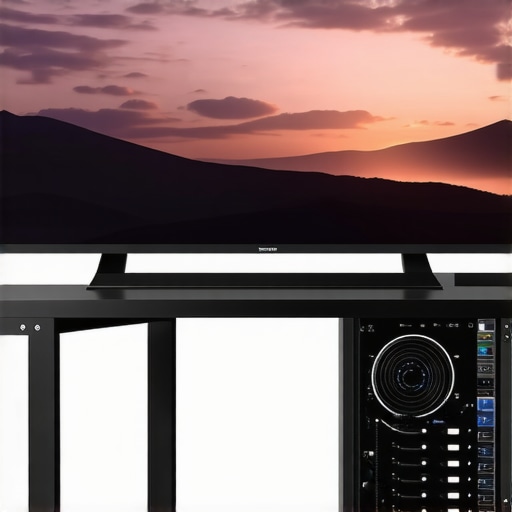
In professional 4K editing environments, the integration of ceramic white OLED screens offers unprecedented color precision, especially vital during proxy workflows where fidelity impacts downstream grading accuracy. These screens, characterized by their exceptional contrast ratios and wide color gamuts, redefine the benchmark for on-set and studio color assessments.
Are Ceramic White OLED Monitors the Future of Precise Proxy Visualization?
Emerging research indicates that their superior spectral reflectance and minimal color shift at various viewing angles provide consistent, reliable feedback crucial for complex projects. Mainstream platforms like TrustedReviews highlight these advances, emphasizing their role in reducing re-editing cycles and ensuring color integrity from proxy to final render.
Engage with these innovations by integrating such monitors into your workflow and experience the difference in color decision-making at the proxy stage, where every nuance influences the final output.
< >
>
Speeding Up Workflow with GPU-Accelerated Color Analytics
Deep analysis of color transformations and scene-specific grading decisions now benefits from GPUs equipped with dedicated Tensor Cores and AI accelerators. These hardware accelerators exponentially speed up complex LUT calculations and real-time color space conversions, streamlining the color grading process during proxy editing.
What GPU Features Unlock Instantaneous Color Data Processing for Editors?
High pixel throughput, extensive VRAM buffer pools, and support for professional APIs like CUDA and Metal are fundamental. The synergy between high-performance GPUs and software tools such as Assimilate Scratch or Pomfort Silverstack extends the capabilities of real-time spectral adjustments, empowering editors to manipulate color data dynamically without latency.
For professionals aiming to push creative boundaries, prioritizing GPUs with these specifications is a strategic move that amplifies productivity and creative control in high-resolution environments.
Designing Modular Infrastructure for Seamless Tech Evolution
In crafting a future-proof studio setup, leveraging modular components offers adaptability against rapid technological shifts. Employing hot-swappable PCIe expansion slots, high-bandwidth Thunderbolt connections, and scalable storage arrays ensures that as new standards emerge—be it 8K acquisition or immersive VR—the infrastructure remains resilient and versatile.
How Can Custom-Built Systems Stay Ahead of Industry Curveballs?
Implementing a balanced architecture with sufficient headroom for upcoming hardware releases ensures longevity. Regular firmware updates, adaptive driver ecosystems, and flexible cooling solutions prep your environment for sudden upgrades without costly overhauls. Industry-leading guides from organizations like FutureTech Post provide comprehensive blueprints for constructing adaptable editing stations.
Embrace this mindset by selecting core components now that can evolve with your project’s demands, and you’ll sustain a competitive edge in the swiftly changing post-production landscape.
The Crucial Impact of Color Calibration Precision in 4K Proxy Editing
Maintaining consistent color fidelity across multiple calibration cycles hinges on advanced hardware calibration tools that leverage both hardware sensors and software algorithms. Devices like the Klein K10-A or X-Rite i1Display Pro Plus enable meticulous calibration routines, ensuring that your monitor’s output remains aligned with industry standards such as Rec. 2020 and DCI-P3.
Is Your Calibration Routine Keeping Up with HDR and Wide Gamut Demands?
Modern workflows require calibration solutions capable of handling HDR content and expanding color spaces. Incorporating hardware calibration that accounts for luminance curve shifts ensures that proxies accurately represent HDR visuals during editing, preventing unexpected surprises in final color grading stages. Refer to reports from SMPTE Standards Publications for detailed calibration protocols tailored to high-end post-production.
Consistently applying rigorous calibration practices guarantees your proxy environment reflects the true color intent—an essential factor when complex grading and visual effects are involved.
Expert Insights & Advanced Considerations
Prioritize Calibration Consistency for Accurate Color Reproduction
Consistent calibration routines across all display devices ensure that color information remains reliable throughout the editing process, especially during proxy workflows where visual fidelity directly impacts final outcomes.
Leverage AI-Driven Tools to Automate Proxy Generation
Integrating machine learning algorithms can optimize proxy creation, maintaining color accuracy while increasing efficiency, ultimately reducing manual correction efforts during complex grading stages.
Invest in High-Bidelity Displays with Wide Gamut Support
Choosing monitors that cover color spaces like DCI-P3 or Rec. 2020 ensures that editors work within a broad color palette, critical for HDR content and future-proofing workflows.
Optimize GPU Performance for Real-Time Color Analysis
Advanced GPUs equipped with dedicated AI cores accelerate color grading computations, enabling seamless previews and faster rendering, vital for maintaining creative momentum.
Integrate Modular Hardware Architectures for Scalability
Building a flexible system with scalable components allows easy upgrades as technology advances, ensuring long-term relevance and adaptability in high-end post-production environments.
Curated Expert Resources
- Society of Motion Picture and Television Engineers (SMPTE) Standards: Provides authoritative guidelines on color management and calibration best practices essential for professional workflows.
- DaVinci Resolve’s Color Management Documentation: Offers comprehensive insights into software-based color fidelity techniques used by industry leaders.
- X-Rite’s Calibration Solutions: Features hardware tools and protocols that guarantee precise display calibration aligned with industry standards.
- Adobe Sensei AI Technologies: Showcases AI integrations in creative software, automating complex tasks like proxy generation and color matching.
- Research Papers on AI in Post-Production: Explore recent studies detailing how machine learning is transforming proxy workflows and color accuracy.
Final Perspective from the Expert
In mastering color fidelity for 4K editing, professionals recognize that the interplay between judicious hardware selection, rigorous calibration, and innovative AI assistance defines the cutting edge of post-production excellence. Embracing these strategies not only elevates visual quality but also streamlines workflows, enabling creatives to focus on storytelling without technical hindrance. To deepen your expertise, engage with authoritative industry sources and contribute your insights to ongoing industry dialogues. For tailored guidance, exploring detailed resources like the comprehensive guide to 4K editing setups can set the foundation for your next breakthrough in professional video production.