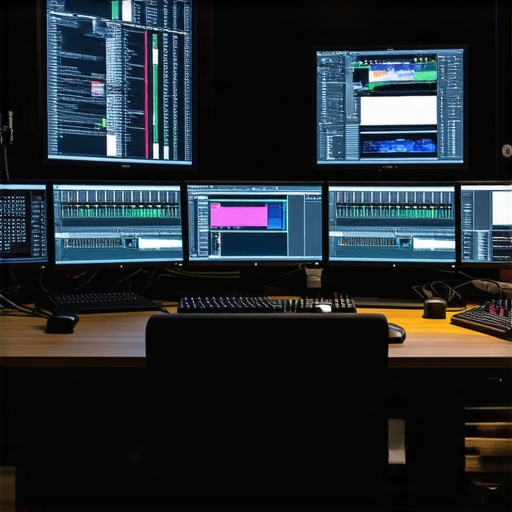
Harnessing the Power of Advanced Hardware for 4K Video Editing
In the realm of professional video production, the combination of high-end monitors and robust hardware is essential for achieving precision and efficiency. As 4K workflows become the industry standard, understanding the nuanced interplay between display technology, GPU capabilities, and CPU performance is crucial for editors aiming to optimize their creative process. This guide delves into the critical components that define an effective 4K editing setup, emphasizing expert insights and latest technological advancements.
Optimal Monitors for Accurate Color Representation and Workflow Efficiency
Choosing the right monitor extends beyond resolution; color accuracy, calibration stability, and refresh rate significantly influence editing quality. Experts recommend **monitor models with near 100% sRGB and AdobeRGB coverage**, such as those found in the top color grading monitors list. IPS technology remains the gold standard for color consistency, while high-bit depth panels reduce banding artifacts, ensuring smooth gradients essential for color grading.
What are the latest innovations in monitor calibration and how do they impact professional workflows?
Recent advancements include hardware calibration tools embedded in professional-grade monitors and software that supports real-time profile adjustments. These innovations enable precise color matching across multiple screens, vital for collaborative projects and color consistency. According to recent white papers from the International Color Consortium, calibration accuracy directly correlates with output fidelity, making it a non-negotiable aspect of high-end video editing setups.
GPU and CPU Synergy for Seamless 4K Editing and Rendering
Processing power is equally critical. Modern GPUs like the NVIDIA RTX 4090 or AMD Radeon RX 7900 XTX offer exceptional CUDA cores and VRAM, facilitating real-time playback and accelerated rendering. Coupled with a high-performance CPU such as the Intel Core i9-13900K, this hardware synergy ensures that complex effects, color grading, and proxy workflows operate smoothly. For detailed guidance, explore GPU options for 4K workflows.
Can Your Hardware Handle the Demands of 4K and HDR Content?
Most professional editors face scenarios where their hardware might bottleneck. The key is balancing GPU memory bandwidth, CPU core count, and fast NVMe SSD storage. For instance, deploying optimized PC builds tailored for 4K editing can dramatically reduce render times and improve responsiveness. As workflows increasingly integrate HDR and high dynamic range content, hardware capable of handling higher bit-depths and color spaces becomes indispensable.
To stay ahead in this evolving landscape, professionals should regularly review their system architecture, prioritize GPU and monitor calibration, and leverage expert insights from trusted sources like Adobe’s official Premiere Pro guidelines.
Redefining Hardware Benchmarks for 4K Content Creation
As 4K video editing and color grading reach new heights, professionals must understand that not all hardware configurations deliver equal performance. The synergy between GPU, CPU, and storage solutions determines whether your workflow is smooth or plagued with bottlenecks. While many rely on popular choices like the NVIDIA RTX 4090 or AMD Radeon RX series, the latest innovations in hardware architecture—such as PCIe 5.0 and super-fast NVMe SSDs—are game-changers that significantly reduce latency and enhance real-time editing capabilities. For a comprehensive understanding, visit best PC builds for 4K workflows to see how these components fit into an optimized system.
Critical Role of Color Management in 4K Workflows
Beyond raw processing power, accurate color management remains the backbone of professional video production. High-end monitors with near 100% coverage of AdobeRGB and DCI-P3 color spaces provide a more true-to-life representation of your footage. However, calibration extends beyond hardware; software calibration tools embedded in professional-grade monitors and color grading suites facilitate precise adjustments, ensuring consistency across projects. According to expert guidelines from top color grading monitors, investing in a dedicated calibration device and regularly updating profiles is essential for maintaining color fidelity, especially when working with HDR and high dynamic range content.
How can emerging display technologies enhance the accuracy and efficiency of 4K color grading?
Emerging display technologies like OLED and mini-LED backlit monitors promise higher contrast ratios and deeper blacks, crucial for nuanced color grading. Additionally, advancements in hardware calibration and real-time LUT adjustments allow editors to visualize final output more accurately during grading sessions. Integrating these innovations with robust GPU setups ensures smooth playback of complex effects and high-bit-depth color profiles. For further insights, explore color grading monitor setup tips that maximize hardware capabilities.
Balancing Hardware for HDR and High-Color-Bit Content
Working with HDR content and high-bit-depth footage demands more than just a powerful GPU and a calibrated monitor; it requires a balanced system architecture. High-performance CPUs like the Intel Core i9-13900K paired with GPUs optimized for color grading and proxy workflows—such as those detailed in best GPU options for 4K proxy workflows—reduce render times and improve responsiveness. Storage solutions also play a pivotal role; NVMe drives with high IOPS ensure quick access to large high-bit-depth files, minimizing workflow interruptions. Regularly reviewing system architecture and leveraging expert advice from trusted sources like Adobe can help ensure your setup remains future-proof for HDR and 4K projects.
Innovative Display Technologies Elevating Color Precision in 4K Workflows
As 4K video editing pushes the boundaries of visual fidelity, emerging display technologies like OLED and mini-LED are revolutionizing color accuracy and contrast. These advancements enable editors to perceive subtle nuances in shadows and highlights, which are critical for professional-grade color grading. For instance, OLED panels offer near-infinite contrast ratios and true blacks, allowing for more precise adjustments in dark scenes. Meanwhile, mini-LED backlit monitors provide superior brightness uniformity and higher peak luminance, making them ideal for HDR workflows. According to a comprehensive study published by DisplayMate Technologies, these innovations significantly reduce color shift and improve the overall dynamic range, empowering editors to achieve cinematic quality directly within their editing suites.
Can Hardware-Based Calibration Techniques Further Reduce Color Gaps?
Absolutely. Hardware calibration tools integrated directly into high-end monitors—such as those from Eizo’s ColorEdge line or BenQ’s SW series—offer unparalleled precision in maintaining color fidelity over time. These devices utilize built-in sensors to automatically calibrate the display, compensating for aging components and ambient lighting conditions. Software solutions like CalMAN or DisplayCAL complement these hardware tools, enabling real-time adjustments and profile management. An authoritative white paper from International Color Consortium highlights that regular calibration is indispensable for consistent color reproduction, particularly when working with high dynamic range (HDR) content. By integrating hardware calibration into your workflow, you ensure that every pixel aligns perfectly with your creative intent, reducing the risk of costly rework or color mismatches downstream.
Optimizing GPU and CPU Synergy for Complex 4K Projects
Beyond display technology, the harmony between GPU and CPU remains foundational for seamless 4K editing. Modern GPUs like the NVIDIA RTX 4090 or AMD Radeon RX 7900 XTX are not just about raw power—they incorporate dedicated hardware for real-time ray tracing, AI-driven effects, and accelerated decoding/encoding, which are invaluable for high-resolution workflows. Pairing these with CPUs such as the Intel Core i9-13900K, known for its multi-threading capabilities, results in a system capable of handling complex effects, multiple streams, and high-bitrate footage effortlessly. An in-depth analysis by Tom’s Hardware emphasizes that CPU-GPU bottlenecks are often underestimated; thus, balanced configurations are essential for maximizing productivity and minimizing render times. Additionally, leveraging PCIe 5.0 and DDR5 RAM further accelerates data throughput, reducing latency and ensuring fluid editing experiences even with demanding projects.
Addressing Storage Bottlenecks for High-Performance 4K Editing
Storage solutions are often overlooked but are critical for maintaining workflow speed. NVMe SSDs, particularly those utilizing PCIe 4.0 or 5.0 interfaces, deliver the high IOPS and low latency necessary for fast access to large 4K files and high-bit-depth footage. For example, Samsung’s 980 Pro or the upcoming PCIe 5.0 drives provide read/write speeds exceeding 7,000 MB/s, drastically reducing load and save times. Combining these with RAID configurations or dedicated caching drives can further mitigate bottlenecks during multi-layered editing sessions. According to research from StorageReview, optimizing storage architecture not only expedites data transfer but also enhances system stability, especially when working with multi-gigabyte files typical of 4K and HDR content. Consequently, an integrated approach to hardware selection—covering GPU, CPU, monitor calibration, and storage—is indispensable for professional-grade 4K video editing pipelines.
Revolutionizing Color Accuracy with Cutting-Edge Display Technologies
Emerging display solutions like OLED and mini-LED are transforming the landscape of high-end color grading. These displays offer deeper blacks, higher contrast ratios, and broader color gamuts, which are vital for achieving cinematic quality. The precision in shadow and highlight details allows editors to make more nuanced adjustments, directly impacting the fidelity of final outputs. According to a detailed analysis by DisplayMate Technologies, these innovations significantly elevate the dynamic range and color consistency, ensuring your grading is both accurate and visually stunning.
How do hardware calibration tools enhance color fidelity in 4K workflows?
Hardware calibration devices embedded within professional monitors, such as those from Eizo’s ColorEdge series, facilitate routine, precise adjustments that compensate for aging components and ambient lighting variations. Software like CalMAN or DisplayCAL integrates seamlessly with these tools, enabling real-time profile updates and consistent color reproduction. As emphasized by the International Color Consortium, regular calibration is non-negotiable for maintaining the integrity of high-dynamic-range (HDR) content and ensuring that your creative vision remains unaltered across different viewing scenarios.
Enhancing Workflow Efficiency Through GPU and CPU Symbiosis
Optimizing the harmony between GPU and CPU remains pivotal when managing complex 4K projects. The latest GPUs like NVIDIA’s RTX 4090 and AMD’s Radeon RX 7900 XTX deliver substantial CUDA cores, VRAM, and hardware-accelerated decoding, enabling real-time playback of high-bitrate footage and accelerated rendering of effects. Paired with CPUs such as Intel’s Core i9-13900K, which offers extensive multi-threading capabilities, this synergy reduces bottlenecks and expedites processing tasks. For a comprehensive understanding, consult Tom’s Hardware on hardware configurations tailored for professional workflows.
Future-Proof Storage Solutions for High-Resolution Content
High-performance storage is the backbone of efficient 4K editing. NVMe SSDs leveraging PCIe 4.0 and emerging PCIe 5.0 standards deliver exceptional read/write speeds exceeding 7,000 MB/s, drastically reducing load times and enabling seamless multi-layered editing. Implementing RAID arrays or dedicated caching drives further minimizes latency and supports high IOPS demands of large high-bit-depth files. According to StorageReview, a balanced storage architecture is essential for maintaining system stability and ensuring rapid data access during intensive editing sessions.
Integrating AI and Machine Learning for Advanced Editing Precision
Artificial intelligence is increasingly integral to professional video editing, particularly in tasks like automated color matching, noise reduction, and scene detection. Modern GPUs equipped with AI cores, such as NVIDIA’s Ada Lovelace architecture, accelerate these processes, saving valuable time and improving accuracy. Machine learning algorithms can also assist in intelligent proxy generation and content-aware editing, streamlining workflows for complex projects. Industry leader Adobe has integrated AI tools within Premiere Pro and After Effects, demonstrating the transformative potential of these technologies in high-end post-production. To stay ahead, consider leveraging AI-driven plugins and hardware acceleration for your 4K workflows.
Driving Innovation with Next-Gen Connectivity for Real-Time Feedback
Emerging connectivity standards like PCIe 5.0 and Thunderbolt 4 facilitate rapid data transfer and seamless integration of external hardware, such as high-speed storage arrays and professional calibration devices. These advancements enable real-time feedback and collaborative workflows across multiple workstations, essential for modern production environments. Additionally, 8K and multi-gigabit Ethernet enable high-bandwidth video streaming and remote editing capabilities, greatly enhancing productivity. Industry reports by DisplayMate Technologies indicate that robust connectivity infrastructure is fundamental for maintaining fluid, high-quality 4K and HDR editing sessions in collaborative settings.
Harnessing Cutting-Edge Hardware for 4K Masterpieces
In the high-stakes world of professional video production, leveraging the latest hardware innovations can distinguish your work from the competition. Top-tier GPUs like NVIDIA’s RTX 4090 or AMD’s Radeon RX 7900 XTX deliver unparalleled rendering speeds, while high-performance CPUs such as the Intel Core i9-13900K ensure smooth multitasking and effect processing. Investing in PCIe 5.0 SSDs and balanced system architecture minimizes bottlenecks, enabling real-time editing of complex 4K and HDR content. Staying ahead requires continuous hardware assessment, aligning your setup with emerging standards for optimal efficiency.
Color Accuracy as an Artistic Weapon
Achieving professional-grade color fidelity hinges on monitors with near 100% coverage of AdobeRGB and DCI-P3 color spaces. Technologies like OLED and mini-LED backlit panels offer superior contrast ratios and deeper blacks, essential for nuanced color grading. Hardware calibration devices embedded within premium monitors, coupled with software tools like CalMAN, ensure color consistency over time. Regular calibration not only preserves color accuracy but also streamlines collaborative workflows, maintaining the integrity of your creative vision across different viewing environments.
Expert-Driven Resource Compilation for Deep Learning
- International Color Consortium: The authoritative body for color management standards, offering white papers and calibration guidelines.
- DisplayMate Technologies: Leading research on display technology performance, including OLED and mini-LED innovations.
- Tom’s Hardware: Comprehensive insights into hardware configurations optimized for 4K editing.
- StorageReview: In-depth analysis of high-speed storage solutions vital for handling large video files.
Reflections from the Frontlines of 4K Content Creation
Mastery of 4K video editing transcends mere hardware specs; it demands an integrated approach to system architecture, color management, and workflow optimization. Embracing emerging display technologies like OLED and mini-LED can elevate your color grading precision, while hardware calibration ensures consistency across projects. As the landscape evolves, continuous learning and adaptation remain your best tools for delivering cinematic quality. Dive deep into expert resources, engage with professional communities, and push the boundaries of what your hardware can achieve—your audience will notice the difference.
I found this guide incredibly comprehensive, especially the focus on calibration tools and the importance of integrating high-end GPUs with CPUs like the Intel Core i9-13900K. From my personal experience, investing in a calibrated monitor with hardware calibration capabilities, like those from Eizo, significantly improved my color grading consistency. I’ve also noticed that pairing a top-tier GPU with high-speed NVMe SSDs minimizes bottlenecks during complex renders, which is crucial for efficient 4K workflows. One thing I’m curious about—how do emerging technologies like OLED and mini-LED displays compare in terms of longevity and maintaining color accuracy over time? Are there particular models that strike an optimal balance between cost and performance for professional grading? I’d love to hear insights from others who have experimented with these new display options in their workflow.